DeepSeek Harness Plugins · Client
Plugins that extend DeepSeek Harness (DSH) with vision, workflows, memory, web tools and more.
Manage DeepSeek Harness plugins in the web UI with categorized lists, one-click preset switching, import and export, a plugin marketplace, agent tools, and security approvals.
Adds a standalone DeepSeek chat window to the Harness Web UI with streaming output, reasoning display, and text citation from the main session, fully isolated from the primary agent conversation.
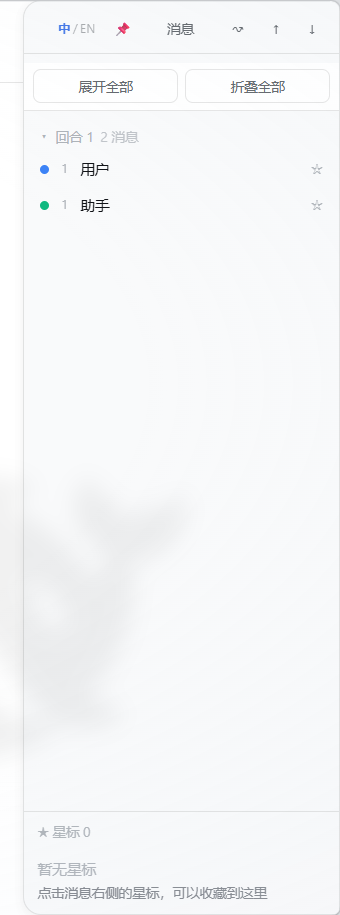
A lightweight timeline navigation overlay for long DeepSeek Harness conversations, featuring searchable turns, bookmarks, and history-aware message jumping.
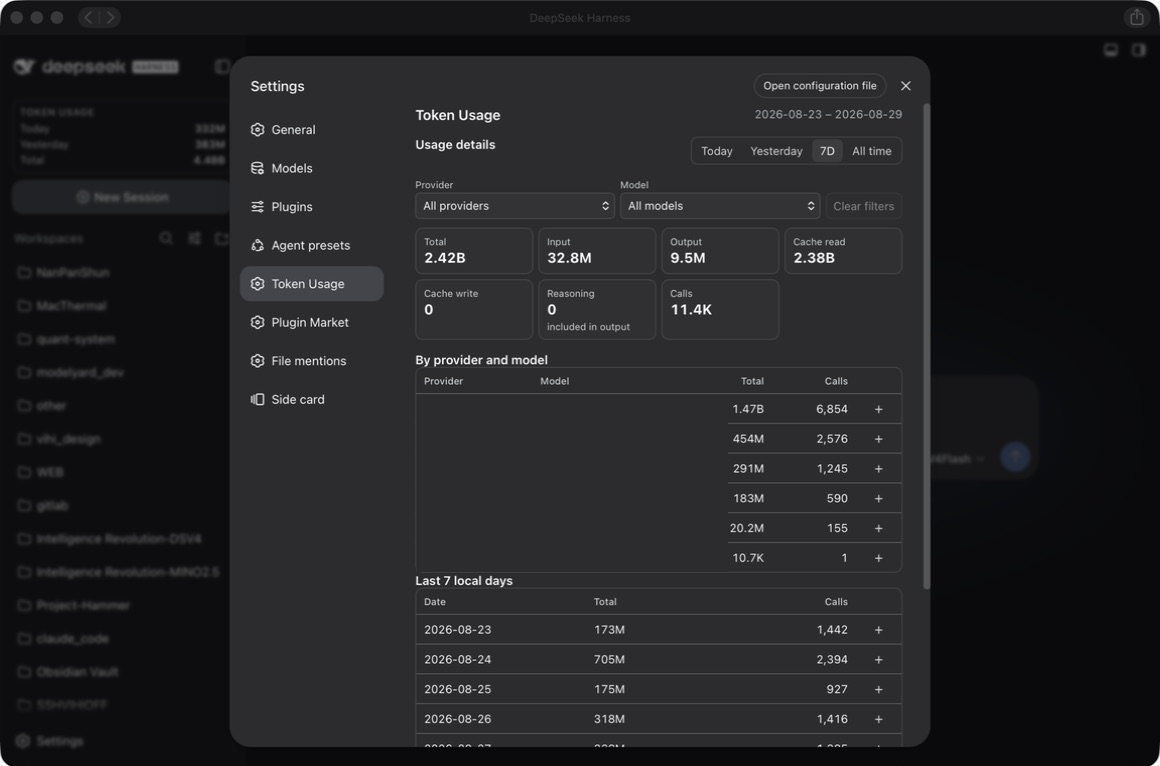
A community DSH plugin that locally tracks provider-reported token usage with a sidebar summary and native settings page, supporting date and provider/model filtering backed by SQLite persistence.
A temporary shim that fixes Python temporary directory permission issues in the DSH Windows sandbox, enabling pytest and other tools to work under workspace-write mode.
An enhanced plugin list for DeepSeek Harness with trust tiers, collapsible groups, full per-plugin details, and search & sort.
Fixes pnpm path encoding errors on DSH Desktop, auto-syncs web plugins to match desktop, and pre-adds minimum release age exclusion.
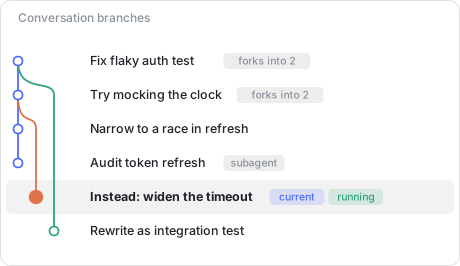
Visualises DSH conversation fork history as a git graph in the session header, with coloured lanes, curved fork lines, and click-to-jump navigation.
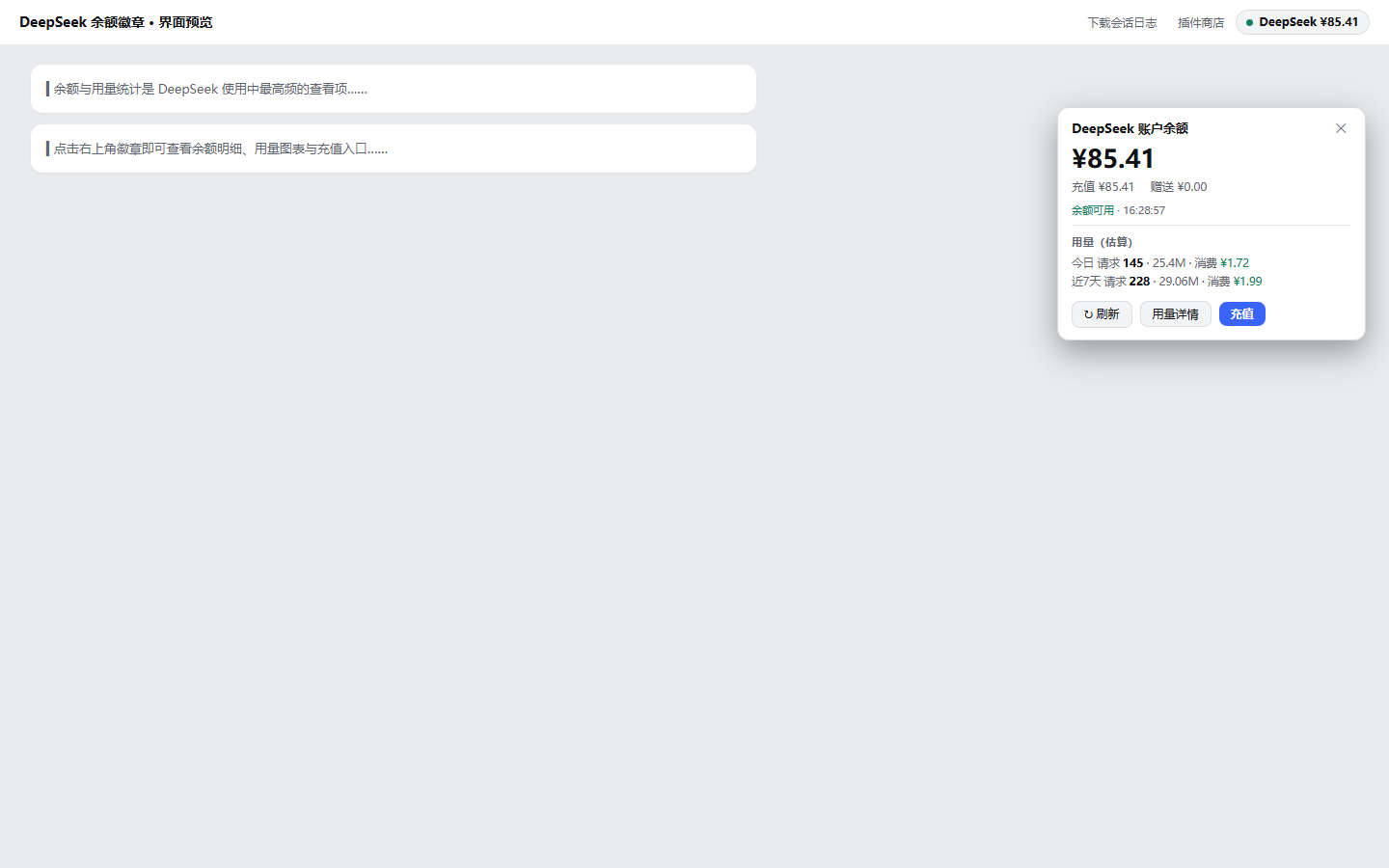
A DeepSeek balance badge in the session header featuring balance details, usage stats, consumption estimates, history backfill, low-balance alerts, and in-app top-up via the official payment gateway.
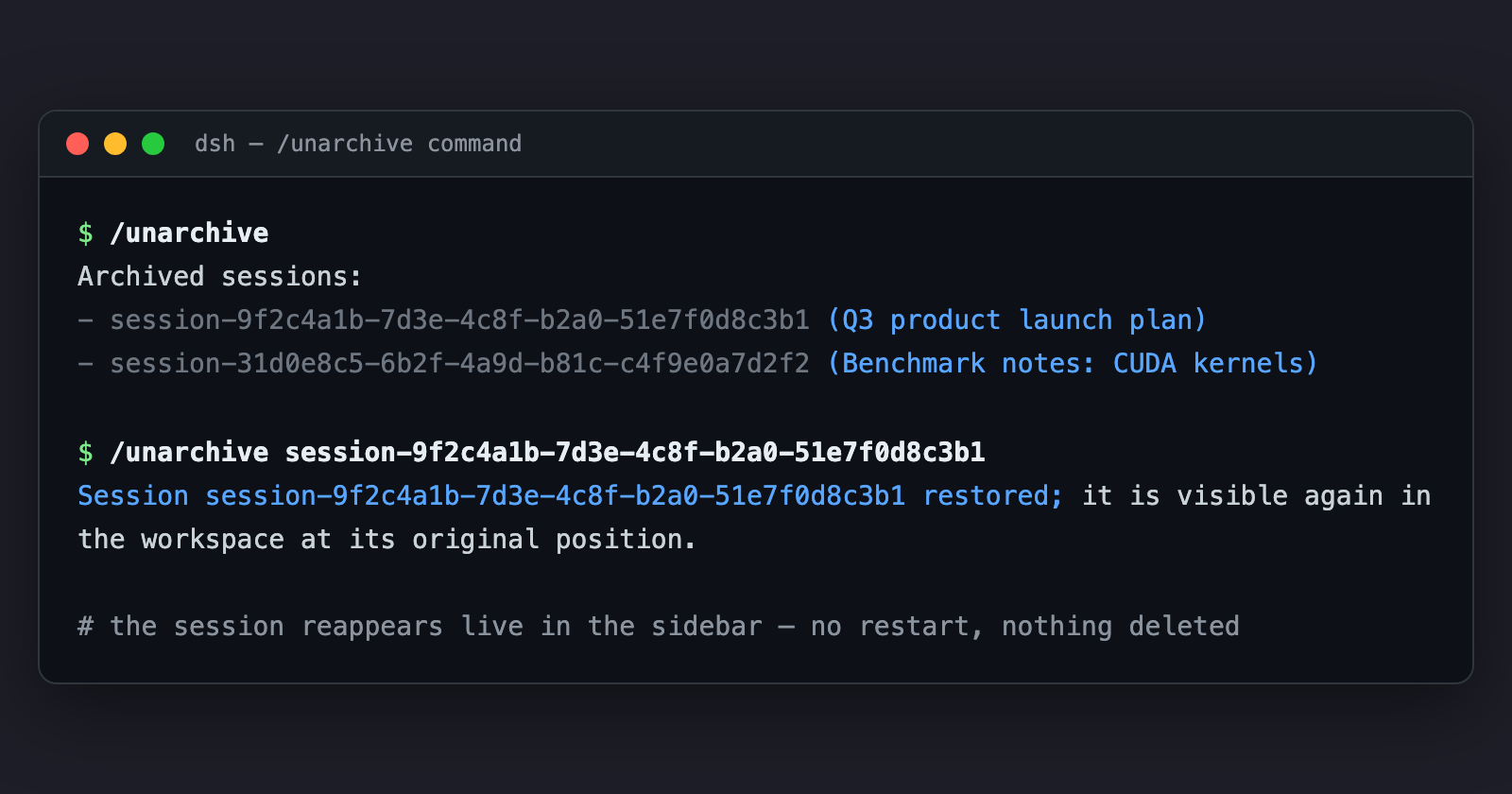
Restores archived sessions in DeepSeek Harness to their original position via the command palette or agent tool.
Tracks AI coding activity, lines of code, and time spent in DeepSeek Harness via WakaTime, with live heartbeats and batched reporting.
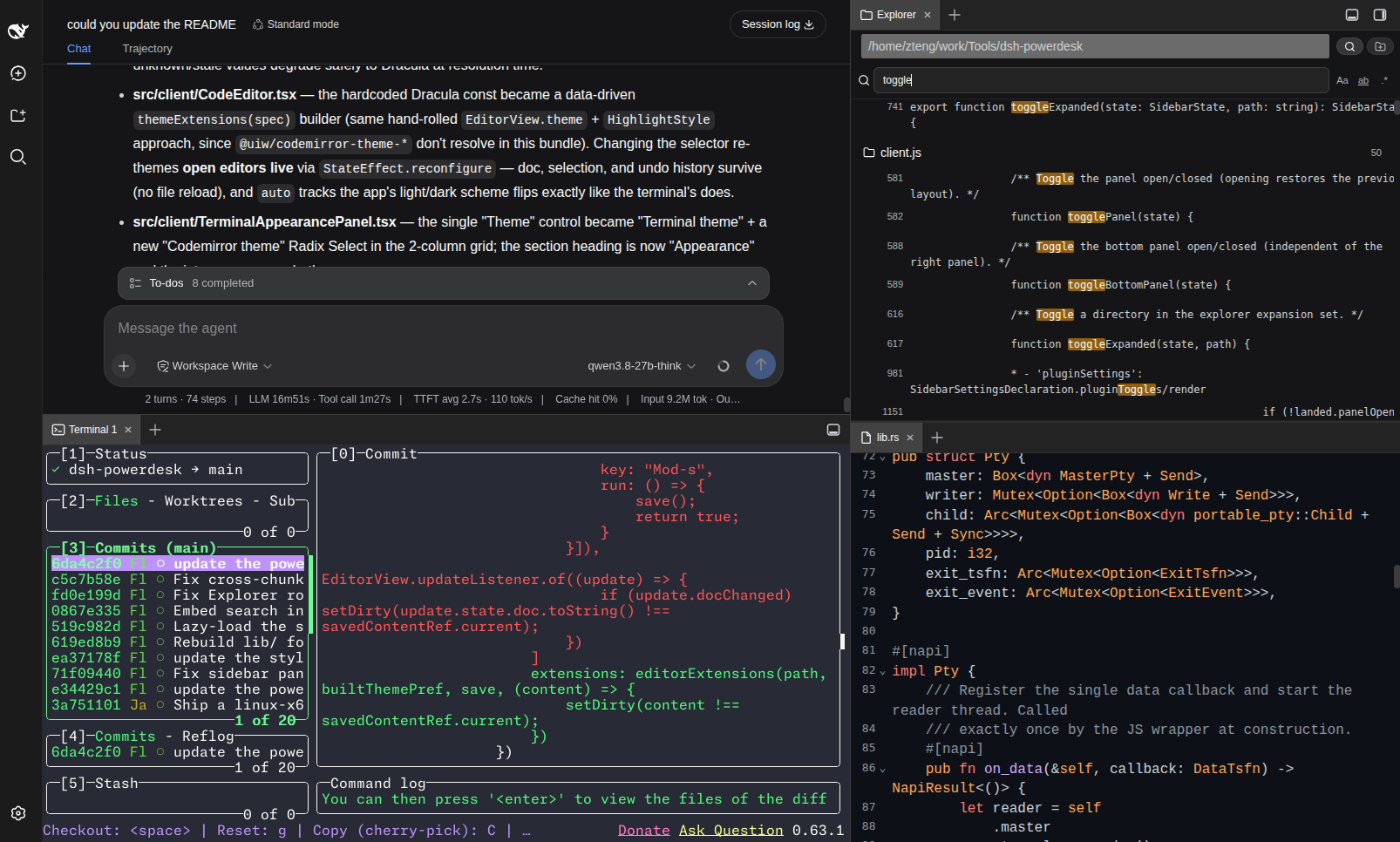
A VSCode-style dual workbench for the DSH web UI featuring a GPU-accelerated Rust-PTY terminal, file explorer, notes, CodeMirror 6 editor, sandboxed browser, and calendar in dockable, drag-to-split right and bottom panels.