dsh-powerdesk
Run the following command in DeepSeek Harness:
dsh plugin install FleetingEcho/dsh-powerdesk
Paste the following prompt into your AI chat to install this plugin:
Run dsh plugin install FleetingEcho/dsh-powerdesk in your terminal; the source lives at https://github.com/FleetingEcho/dsh-powerdesk . After installation, hard-refresh the browser with Cmd/Ctrl+Shift+R to load the plugin.
About this plugin
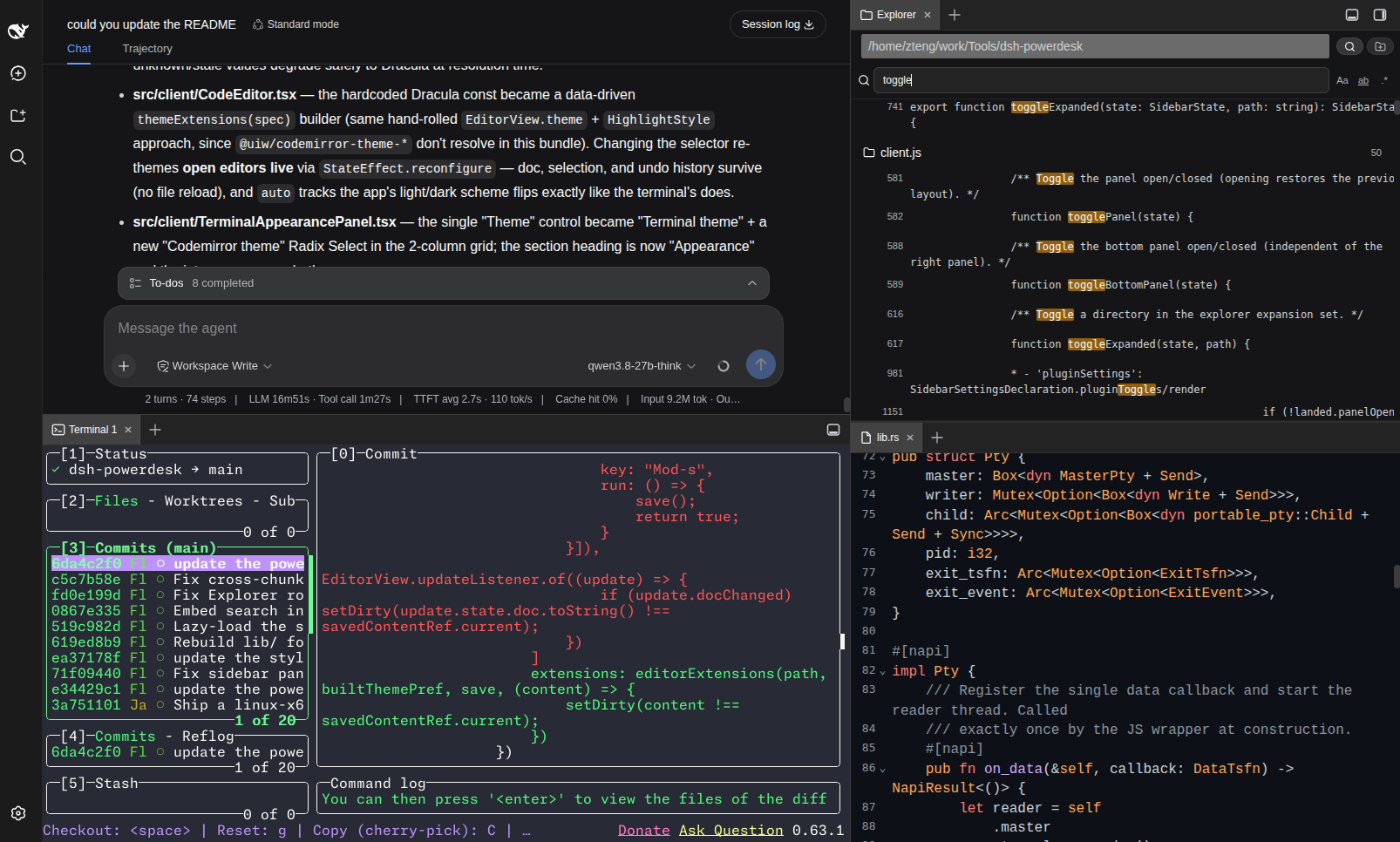
Writing code, reading files, and running commands inside a DSH chat session usually means breaking context: hopping to a terminal app, opening an IDE, then coming back. dsh-powerdesk embeds a lightweight IDE workbench directly into the DSH web UI as a dockable right panel and a dockable bottom panel, so you can develop without ever leaving the conversation page.
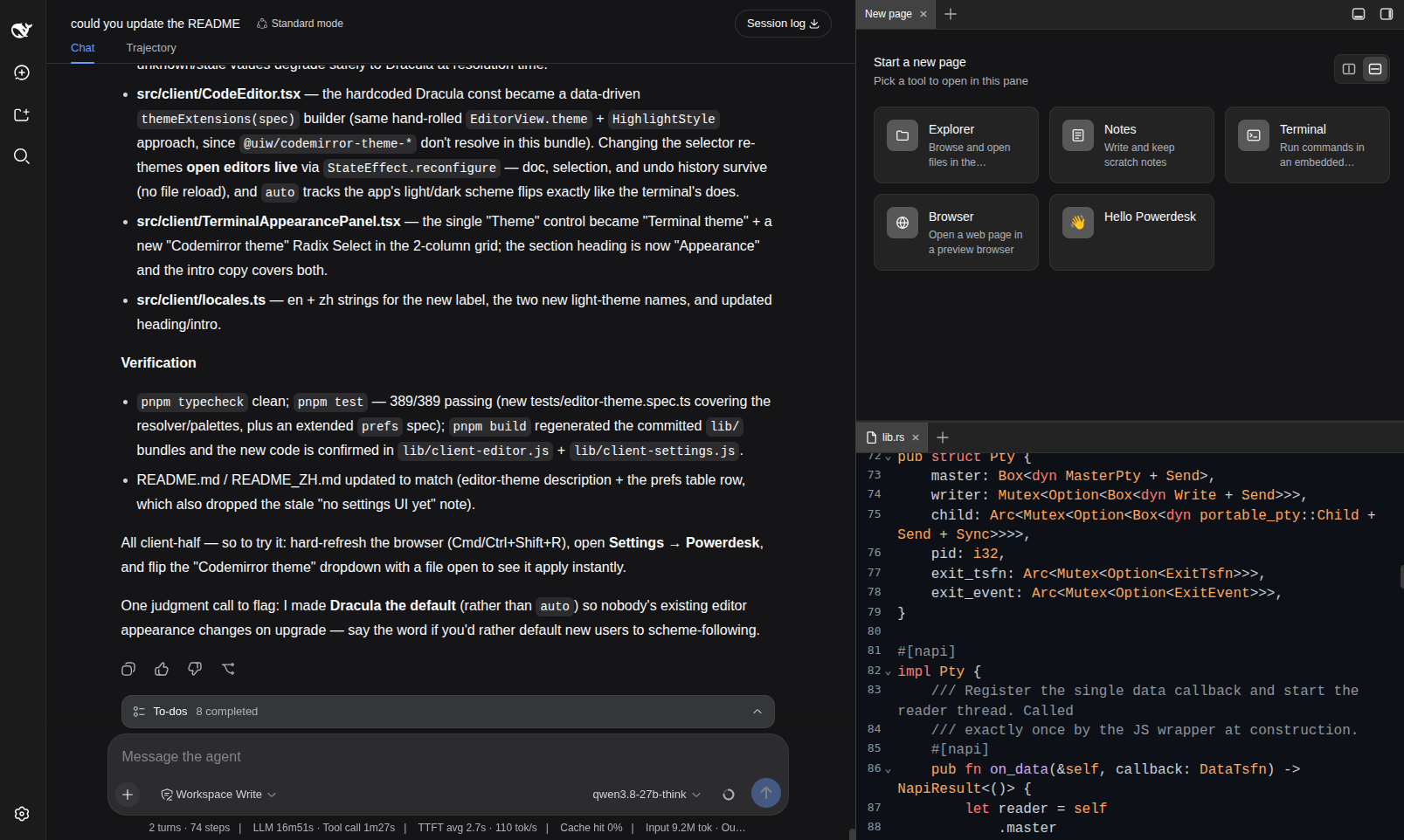
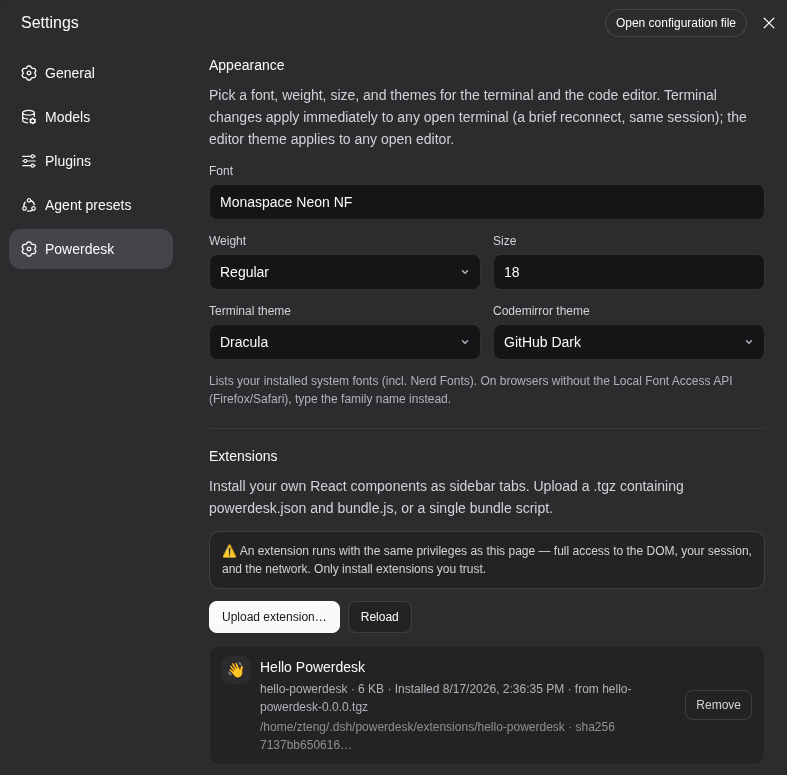
Six tools live as tabs in the dual draggable panel: a GPU-accelerated terminal built on restty (WebGPU/WebGL2 + WASM VT) backed by a Rust PTY via napi-rs and portable-pty, delivering noticeably faster I/O than the stock C++ node-pty; a file explorer with bookmarked local folders and per-file relative-path and absolute-path copy actions for chat mentions; a Markdown notes app that recursively lists .md files under a bound folder with inline create, rename, and delete; a CodeMirror 6 editor with syntax highlighting for TypeScript, JavaScript, Python, JSON, CSS, HTML, Markdown, Rust, and YAML, plus live theme switching; a sandboxed embedded browser that probes X-Frame-Options and frame-ancestors headers and explains embedding refusals instead of showing a blank frame; and a schedule-x calendar over a local SQLite database, lazy-loaded so it never weighs down startup. Any tab can be dragged to a pane edge to split it or dragged across panels to move it entirely, using the same drag-and-drop model as VS Code split editors.
It is built for developers who use DSH daily for coding, debugging, and documentation work and want every supporting tool kept one tab-click away from the chat. The terminal connection, editor undo stack, and browser state all persist while you switch between tabs, so a quick note lookup or a grep in the terminal never costs you your place in the conversation.
Screenshots
Use Cases
- Edit and browse project files directly inside a DSH chat without switching to an external IDE
- Run commands or grep searches mid-conversation without breaking chat context
- Use DSH as a daily dev workbench with terminal, notes, and calendar side by side
Best For
- Developers who code and debug daily inside DSH sessions
- Engineers who want to finish lightweight dev tasks without leaving the chat page
- Terminal-heavy users seeking GPU-accelerated and Rust-PTY performance gains
Related Plugins
A service-oriented sidebar framework for DSH, offering a full workbench with file explorer, embedded browser, real terminal, Git panel, and extensible plugin services.

A beautiful, practical Claude Code-style TUI plugin with pixel whale top bar, flowing glow title, real-time status line, streaming thought expansion, time rewind, context progress bar and TPS gauge — zero core changes.

The plugin market for DeepSeek Harness: browse/search/one-click install community plugins and themes, with updates, backup/restore, hot disable, diagnostics, and AI fix.

A persistent whale widget on the DSH web UI that shows DeepSeek balance, today's usage, and per-turn cost, with drag-and-snap and sound effects.