
DeepSeek-Balance-Whale-Widget
Run the following command in DeepSeek Harness:
dsh plugin install MeteorNOX/DeepSeek-Balance-Whale-Widget
Paste the following prompt into your AI chat to install this plugin:
Run `dsh plugin install MeteorNOX/DeepSeek-Balance-Whale-Widget` in DeepSeek Harness to install this plugin from https://github.com/MeteorNOX/DeepSeek-Balance-Whale-Widget.
About this plugin
As a heavy user of DeepSeek Harness, have you ever worried about running out of API balance in the middle of a conversation? Switching to the platform page to check balance is a hassle. This little whale widget is exactly built for that—it stays in the bottom-right corner of the DSH web UI, appears automatically every time you open the interface, and puts your DeepSeek API balance, today's usage, and per-turn cost right in front of you.
The core features are thoughtful: balance auto-refreshes every 60 seconds, clicking the whale refreshes manually, and there's a rolling animation when the number changes. Today's usage comes in two modes—the default 'whale bookkeeping' works with zero config, tracking balance differences automatically once you've set your API key, and archives across days; for more precision, you can switch to the 'realtime token' mode, which calls the platform usage API and converts costs with peak/off-peak pricing. Even better, after each conversation turn, a popup shows the exact cost based on real usage, with no extra token needed. The widget itself is playful: drag it to any edge for snap-fitting (with horizontal mirroring on the left), press for a squishy effect, and tweak size, sounds, and bubbles via the hamburger menu.
Who is this for? If you're a DSH user—especially developers who rely heavily on the DeepSeek API, track costs, or just want to know how much each chat round costs—this widget gives you real convenience with almost no setup. For those who don't want to deal with tokens, the default mode works out of the box; for precise reconciliation, the token mode has you covered. In short, it's a practical and adorable little tool that makes API usage tracking easy and fun.
Screenshots
Use Cases
- Keep an eye on your DeepSeek balance directly in the DSH web UI, avoiding mid-conversation interruptions due to insufficient funds
- See the exact cost right after each conversation turn, making it easy to control per-session spending
- Convert today's usage into accurate costs with peak/off-peak pricing, perfect for daily API expense reconciliation
Best For
- DeepSeek Harness users who want balance and usage at a glance
- Developers heavily relying on the DeepSeek API who need fine-grained per-turn cost tracking
- Individuals or teams focused on cost transparency who want a zero-config tool to simplify expense tracking
Related Plugins
A service-oriented sidebar framework for DSH, offering a full workbench with file explorer, embedded browser, real terminal, Git panel, and extensible plugin services.

A beautiful, practical Claude Code-style TUI plugin with pixel whale top bar, flowing glow title, real-time status line, streaming thought expansion, time rewind, context progress bar and TPS gauge — zero core changes.

The plugin market for DeepSeek Harness: browse/search/one-click install community plugins and themes, with updates, backup/restore, hot disable, diagnostics, and AI fix.
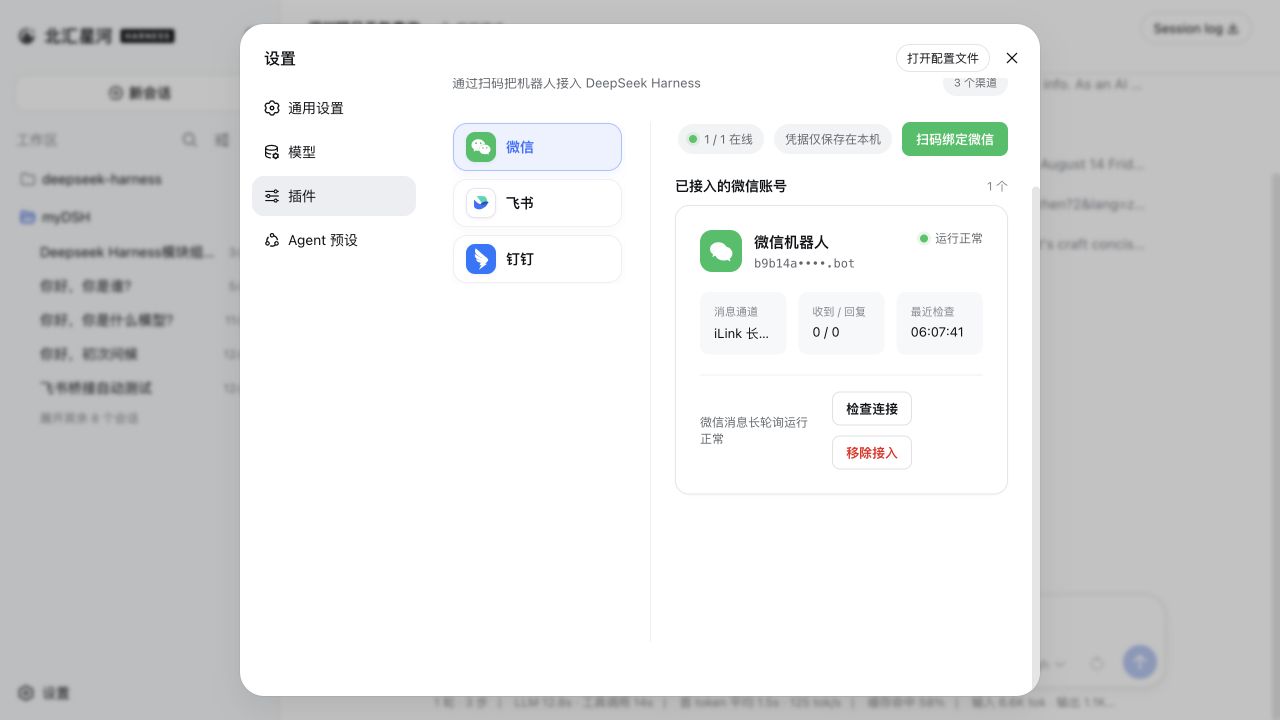
Connect IM bots to DeepSeek Harness with a single plugin managing nine multi-bot IM channels (Feishu, WeChat, DingTalk, WeCom, QQ, Slack, Telegram, Discord, WhatsApp) and the AI Office Connector, with streaming replies and file delivery.