
dsh-TUI
Run the following command in DeepSeek Harness:
dsh plugin install ccch1mneyyy/dsh-TUI
Paste the following prompt into your AI chat to install this plugin:
To install this plugin in DeepSeek Harness, run `dsh plugin install ccch1mneyyy/dsh-TUI`; the full source code is available at: https://github.com/ccch1mneyyy/dsh-TUI
About this plugin
dsh-TUI is a Claude Code-style terminal UI plugin for DeepSeek Harness. If you're tired of plain CLI output and want an intuitive, visually pleasing experience like a modern IDE, it instantly transforms your terminal. It doesn't touch any core code — install to enable, uninstall to leave no trace.
The plugin brings a rich set of visual elements and a real-time status panel: a pixel whale top bar, a flowing glow title, a work status line, a context progress bar, and a TPS gauge, keeping you informed of inference level, token usage, cache hit rate, and more. On the interaction side, it supports streaming thought expansion, double-Esc time rewind, hot model switching, session workflows, and Vim editing mode — greatly improving efficiency in the terminal. Furthermore, extensions like browser interaction and computer use make it far more than just a "skin."
dsh-TUI is for all TUI-loving developers pursuing peak efficiency. Whether you're debugging daily, managing long sessions, or exploring the edge of AI programming, it provides a stable, beautiful, and powerful working environment. With zero core changes and clean uninstall, it's a low-risk, high-reward terminal upgrade.
Screenshots

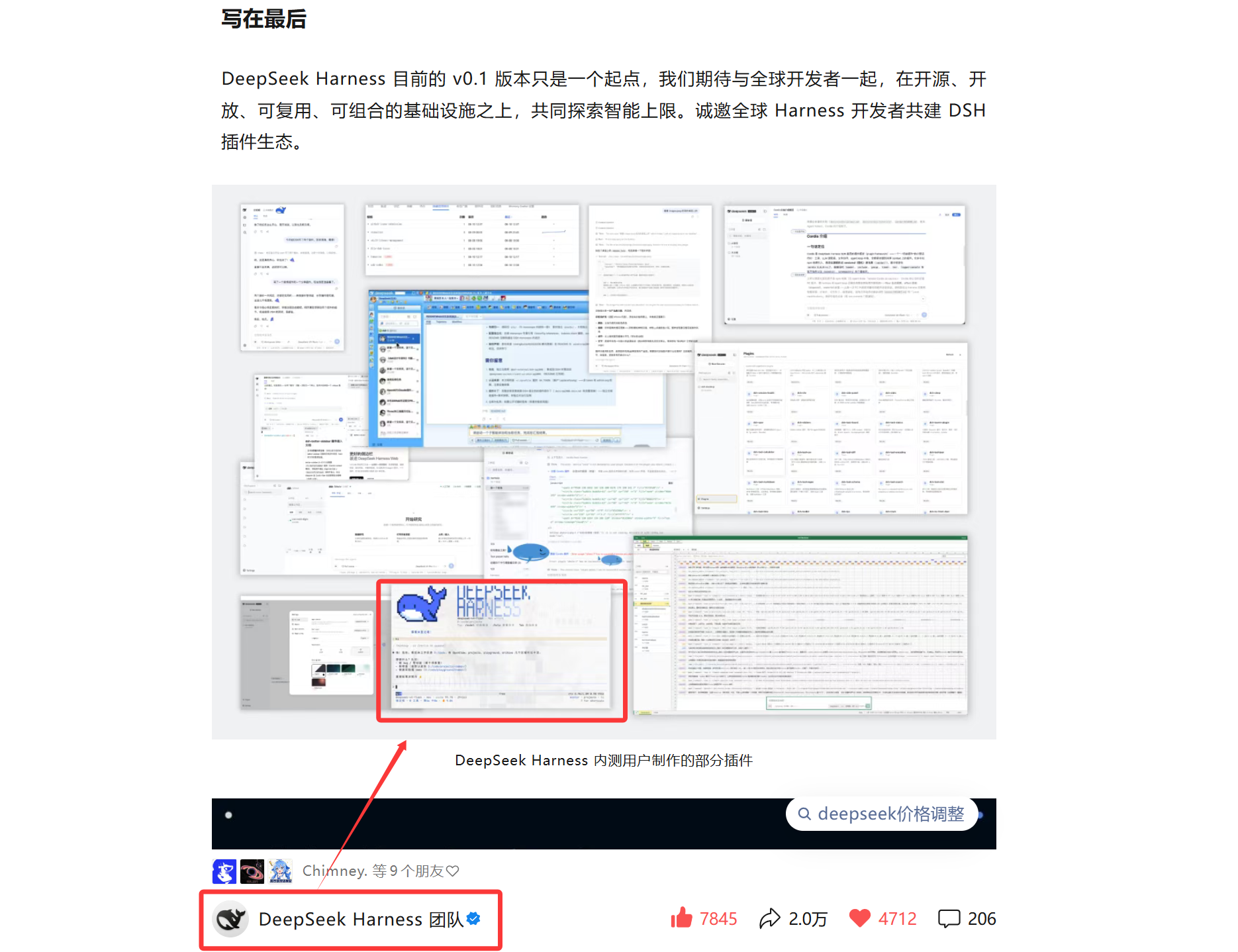
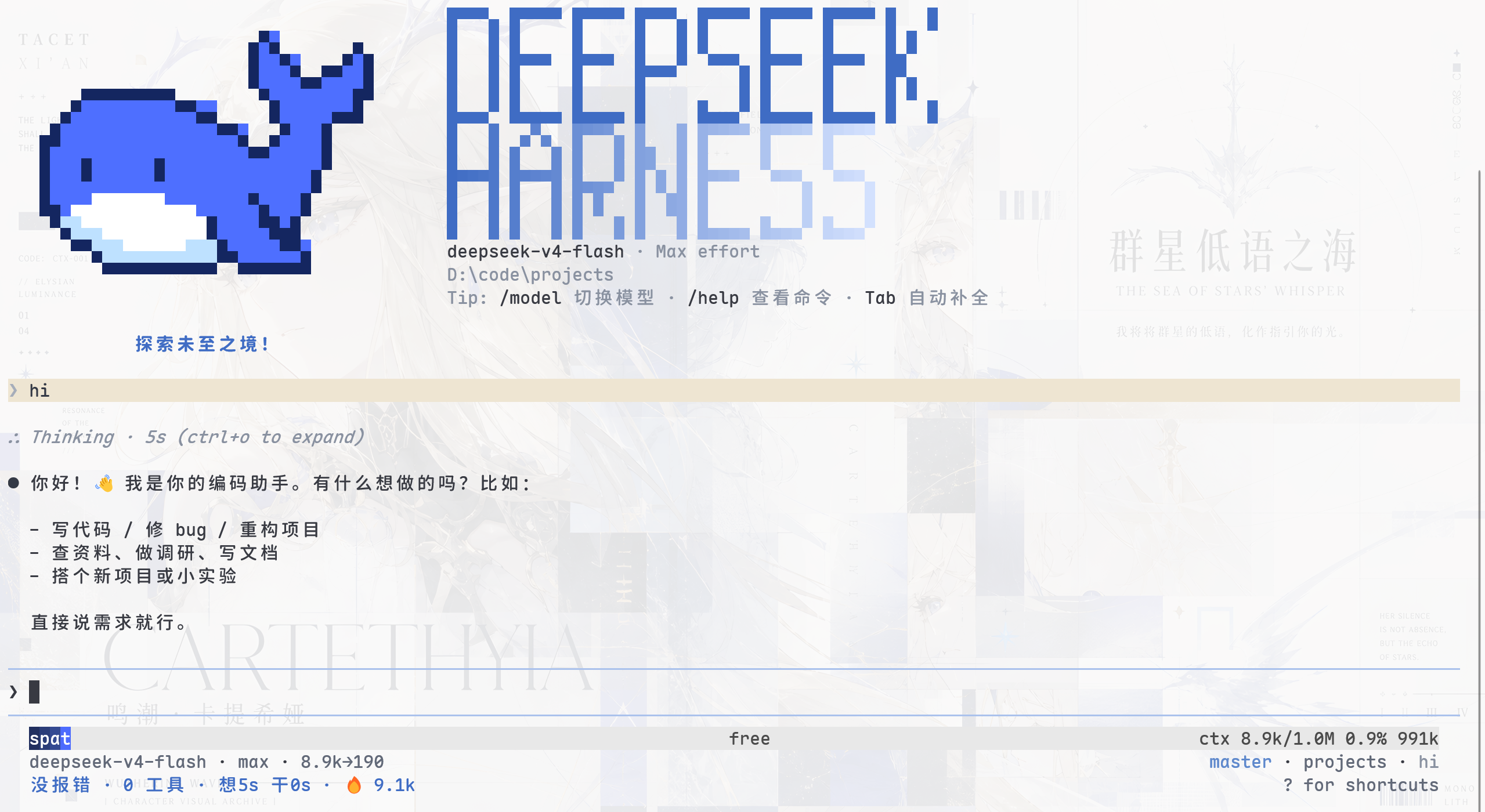
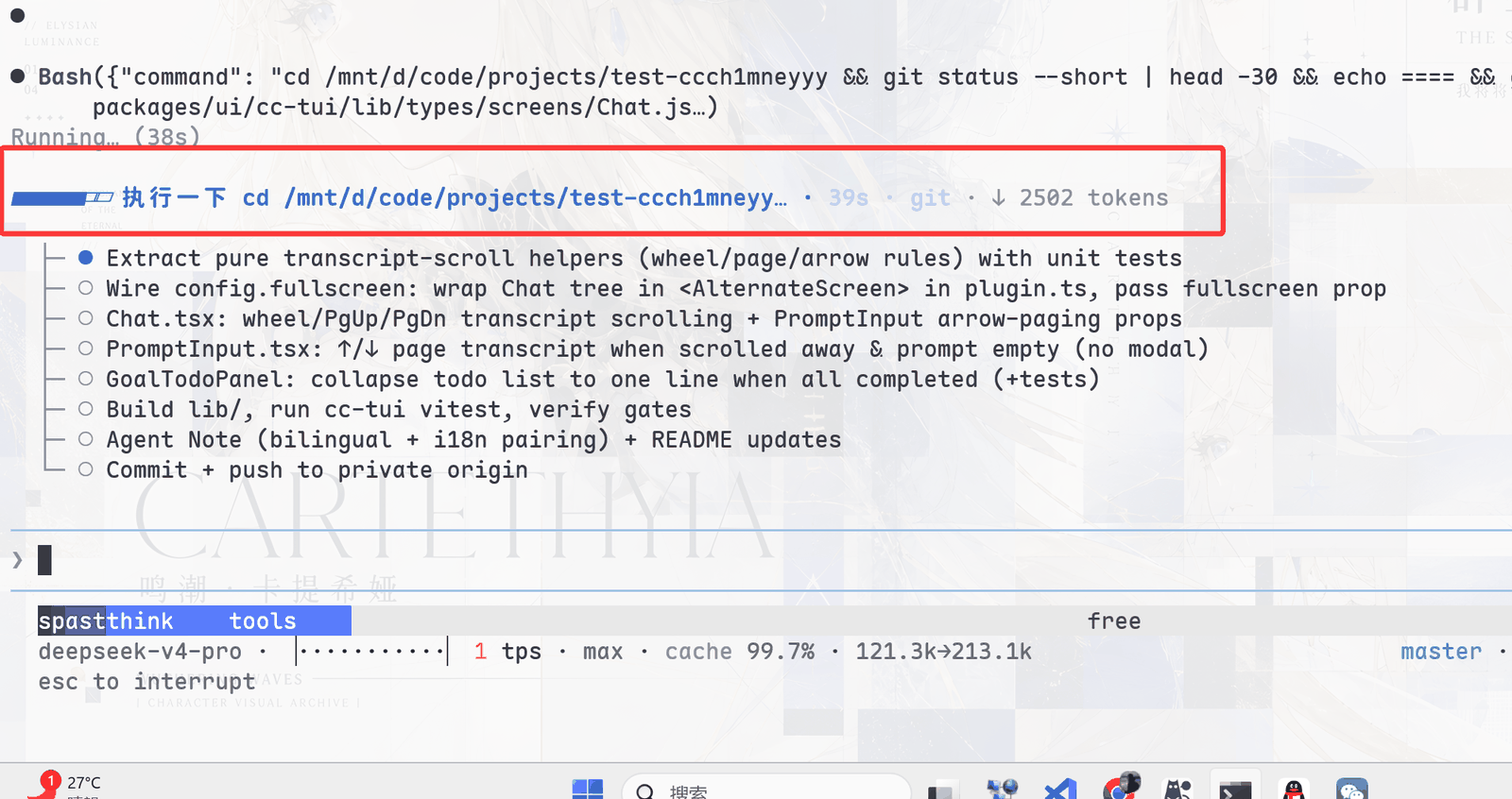
Use Cases
- Long AI conversations and coding tasks in the terminal with clear status feedback.
- Want a beautiful interface showing inference progress, token usage, and key metrics.
- Need to efficiently manage multiple sessions and quickly rewind past actions.
Best For
- Developers who love terminal workflows and pursue peak efficiency.
- Users of DeepSeek Harness for AI-assisted coding and research.
- Geeks and tech enthusiasts looking to beautify CLI interactions.
Related Plugins
A service-oriented sidebar framework for DSH, offering a full workbench with file explorer, embedded browser, real terminal, Git panel, and extensible plugin services.

The plugin market for DeepSeek Harness: browse/search/one-click install community plugins and themes, with updates, backup/restore, hot disable, diagnostics, and AI fix.

A persistent whale widget on the DSH web UI that shows DeepSeek balance, today's usage, and per-turn cost, with drag-and-snap and sound effects.
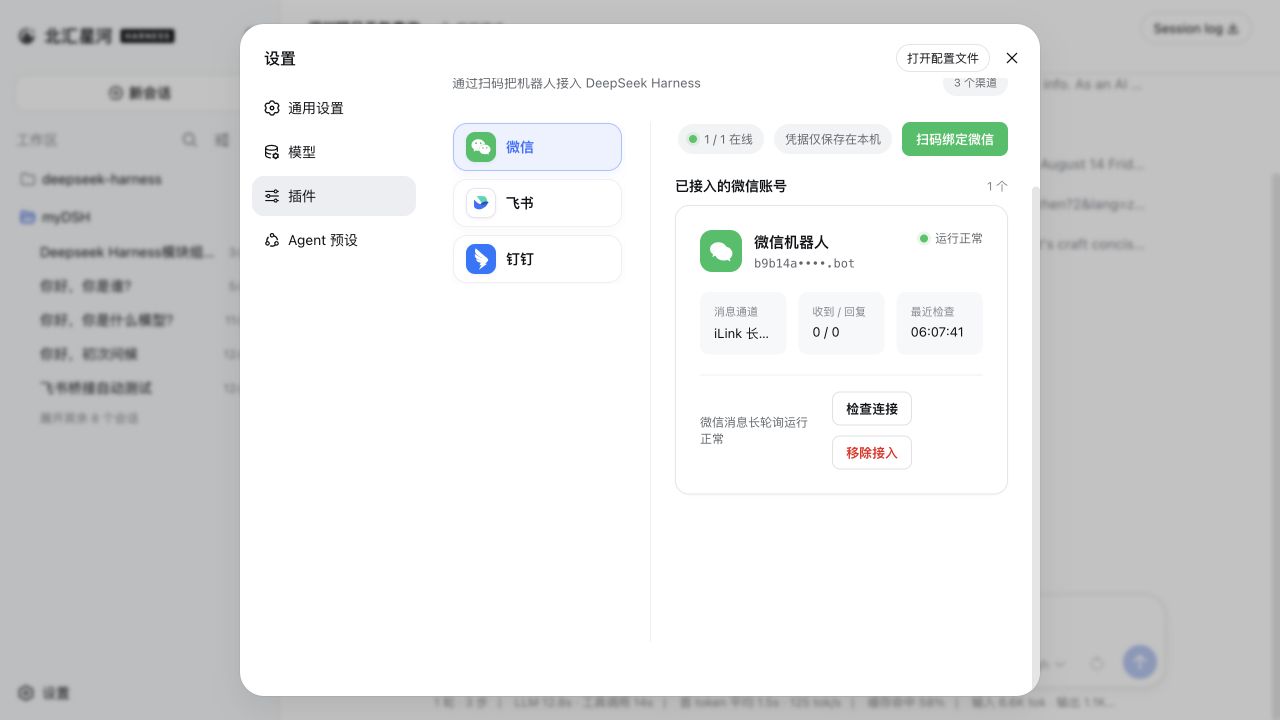
Connect IM bots to DeepSeek Harness with a single plugin managing nine multi-bot IM channels (Feishu, WeChat, DingTalk, WeCom, QQ, Slack, Telegram, Discord, WhatsApp) and the AI Office Connector, with streaming replies and file delivery.