dsh-fork-graph
Run the following command in DeepSeek Harness:
dsh plugin install chouyong/dsh-fork-graph
Paste the following prompt into your AI chat to install this plugin:
Run dsh plugin install chouyong/dsh-fork-graph in your terminal, or clone the source from https://github.com/chouyong/dsh-fork-graph and follow the README to build with pnpm.
About this plugin
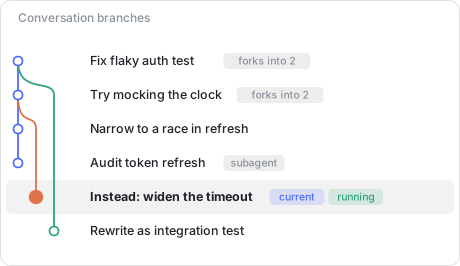
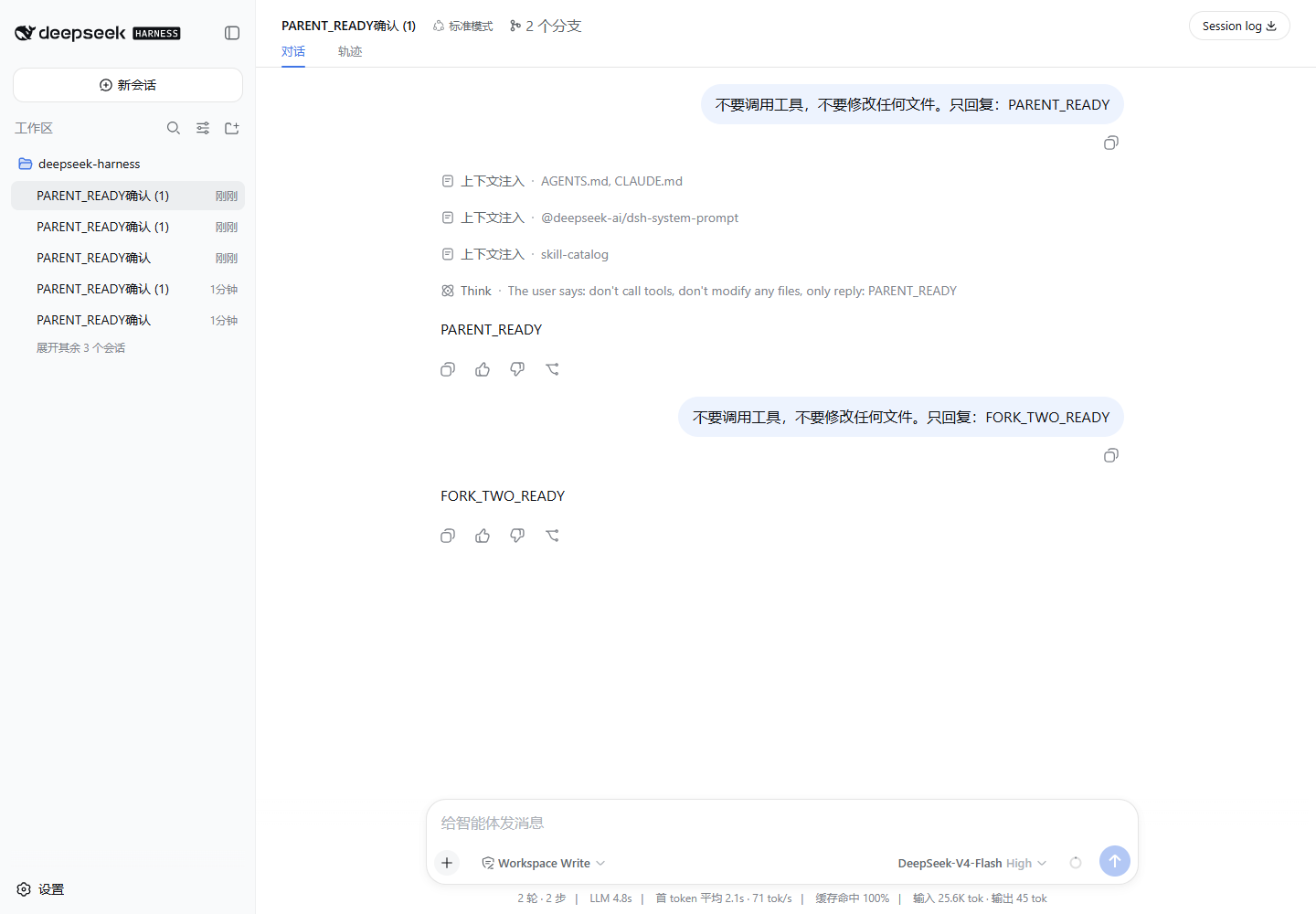
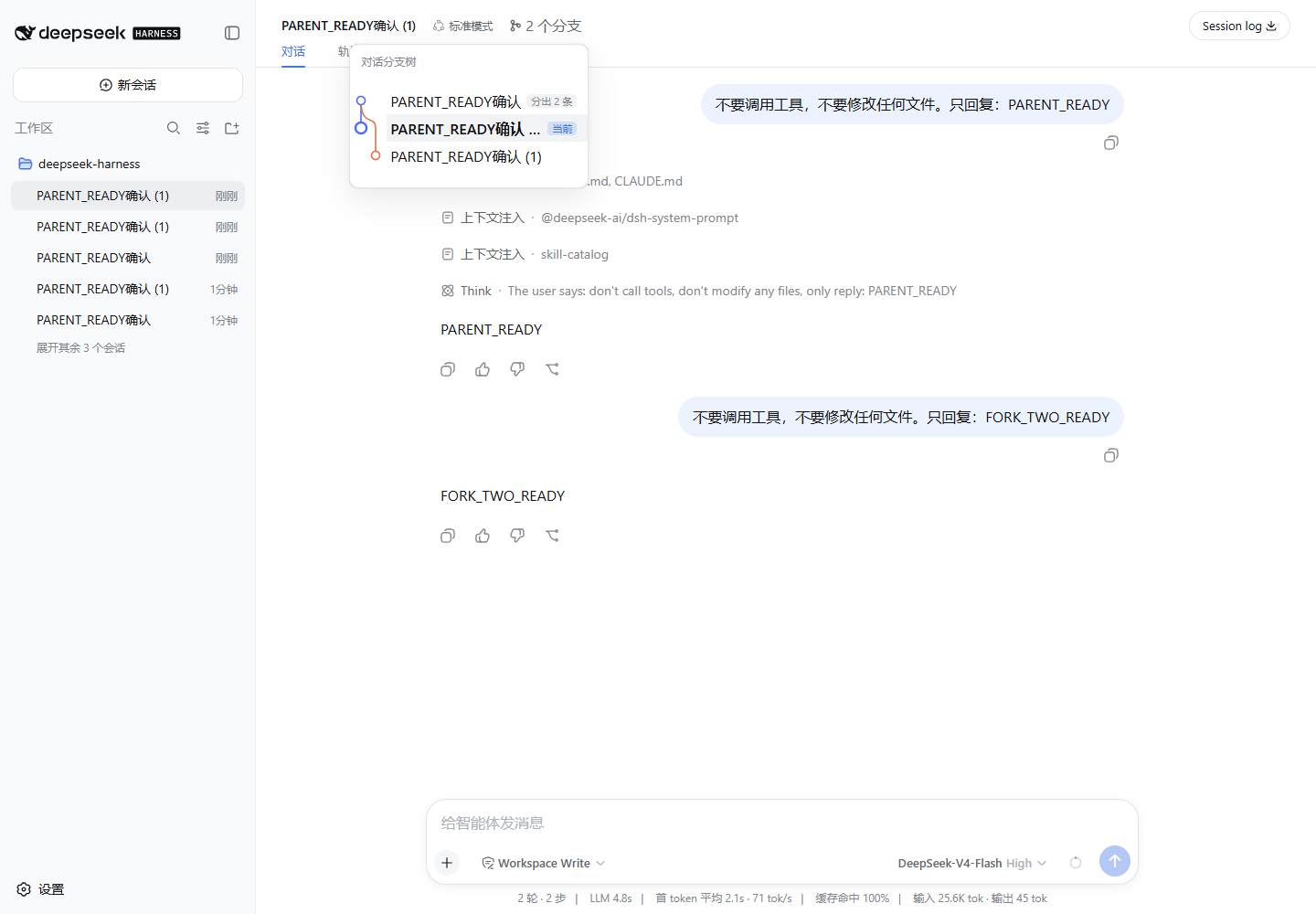
After a day of forking DSH sessions, the sidebar shows only a flat, indented list: it tells you what exists but not what came from what. dsh-fork-graph renders the lineage as a git-style graph in the session header. Each branch gets its own coloured lane, forks leave the parent node as a curve, and every row carries the facts that matter (current, running, subagent, fork count). Clicking any node jumps you to that session.
The plugin is a pure read-only projection: no writes, no second source of truth, no extra global type surface. By default it shows only the current session family, and when there is no fork in that lineage the control simply does not render.
It is built for heavy DSH users who fork sessions to test risky changes, dispatch subagents to audit files, or repurpose a dead end as a new starting point, and who need to locate the session where it still worked without scrolling through a wall of indentation.
Screenshots
Use Cases
- Trace which session forked from which after a day of branching
- See branch topology inline in the session header without switching tabs
- Click any node in the graph to jump directly to that session
Best For
- Heavy DSH users who fork sessions frequently
- Developers running subagents in parallel with rapidly growing session counts
- Technical users who think in git graphs and want intuitive session lineage
Related Plugins
A service-oriented sidebar framework for DSH, offering a full workbench with file explorer, embedded browser, real terminal, Git panel, and extensible plugin services.

A beautiful, practical Claude Code-style TUI plugin with pixel whale top bar, flowing glow title, real-time status line, streaming thought expansion, time rewind, context progress bar and TPS gauge — zero core changes.

The plugin market for DeepSeek Harness: browse/search/one-click install community plugins and themes, with updates, backup/restore, hot disable, diagnostics, and AI fix.

A persistent whale widget on the DSH web UI that shows DeepSeek balance, today's usage, and per-turn cost, with drag-and-snap and sound effects.