DSH-Timeline-Navigator
Run the following command in DeepSeek Harness:
dsh plugin install 7A7K/DSH-Timeline-Navigator
Paste the following prompt into your AI chat to install this plugin:
Run dsh plugin install 7A7K/DSH-Timeline-Navigator in the DeepSeek Harness terminal to install the plugin; the full source is hosted at https://github.com/7A7K/DSH-Timeline-Navigator . Reload the Web UI after installation to activate the timeline panel.
About this plugin
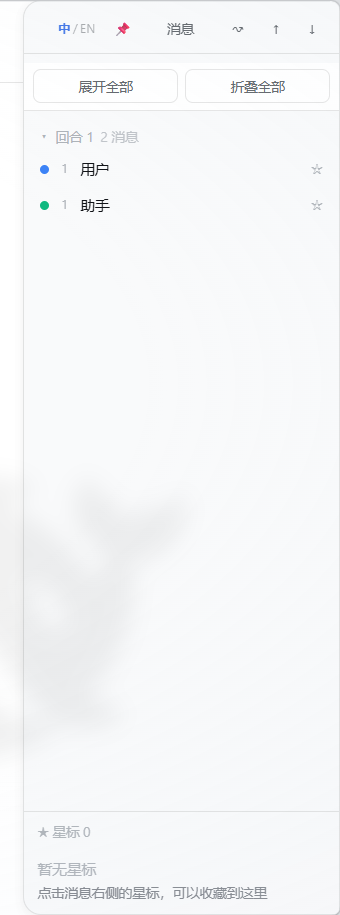
A long DeepSeek Harness session can easily grow into hundreds of messages. When the answer you need sits far above the current viewport, constant scrolling is slow and breaks your train of thought. DSH-Timeline-Navigator adds a compact side panel that maps the entire conversation so you can scan, search, and jump without leaving where you are.
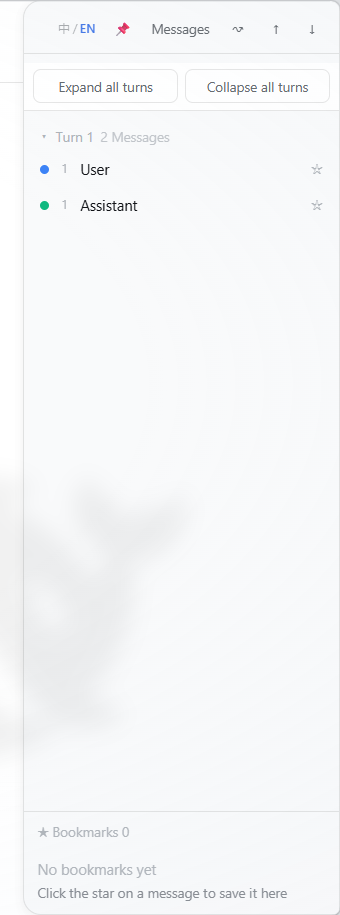
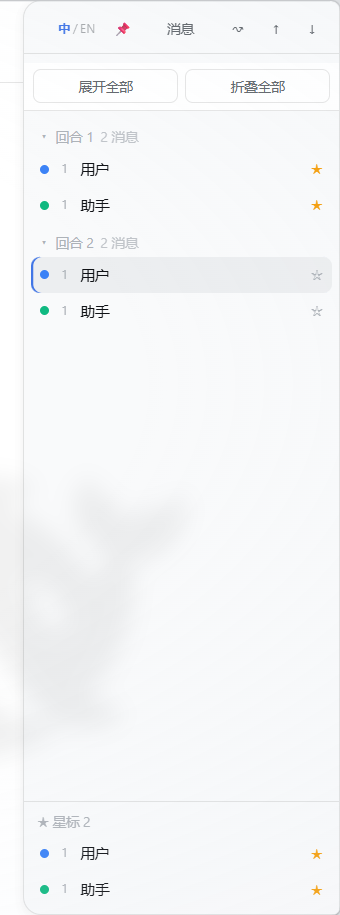
Messages are grouped by turn and collapsed by default. A search box lets you locate a specific title or preview, and one-click buttons expand or collapse every group at once. A star toggle bookmarks individual messages for later review, the message currently in view is highlighted automatically, and simple arrow-key presses jump to the first or last entry. The panel slides out from the right edge, resizes by dragging, and switches to a bottom sheet on mobile while honoring the system reduced-motion preference. All settings and bookmarks live in browser local storage, scoped per conversation.
Under the hood the plugin reads through the host ChatSnapshot and data-chat-anchor-key contract rather than scraping raw events, and it ships no modifications to the Harness codebase. It is built for developers and power users who run long reasoning chains in Harness and regularly need to revisit earlier turns or curate key takeaways.
Screenshots
Use Cases
- Quickly locate key conclusions in a multi-hundred-message session
- Bookmark important messages for later review
- Expand or collapse turn groups to get an at-a-glance view of the whole conversation
Best For
- Developers running long reasoning chains in DeepSeek Harness
- Power users who frequently revisit historical messages
- Team members curating key takeaways from multi-turn conversations
Related Plugins
A service-oriented sidebar framework for DSH, offering a full workbench with file explorer, embedded browser, real terminal, Git panel, and extensible plugin services.

A beautiful, practical Claude Code-style TUI plugin with pixel whale top bar, flowing glow title, real-time status line, streaming thought expansion, time rewind, context progress bar and TPS gauge — zero core changes.

The plugin market for DeepSeek Harness: browse/search/one-click install community plugins and themes, with updates, backup/restore, hot disable, diagnostics, and AI fix.

A persistent whale widget on the DSH web UI that shows DeepSeek balance, today's usage, and per-turn cost, with drag-and-snap and sound effects.