ds-balance
Run the following command in DeepSeek Harness:
dsh plugin install Lateautumns/ds-balance
Paste the following prompt into your AI chat to install this plugin:
Run dsh plugin install Lateautumns/ds-balance in the terminal (source at https://github.com/Lateautumns/ds-balance); after restarting DSH the balance badge appears at the top of every session.
About this plugin
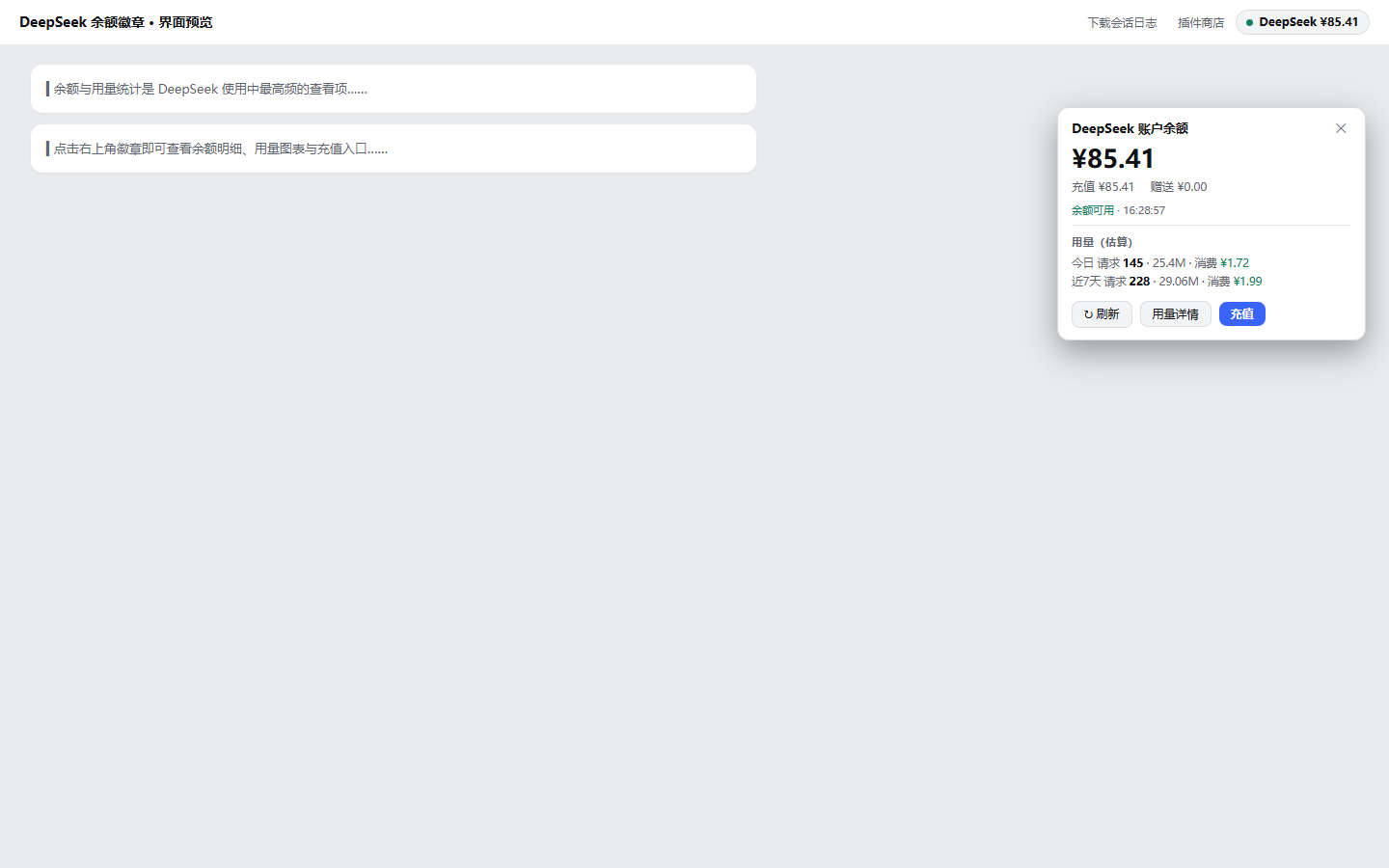
Checking your DeepSeek balance or token spend usually means switching tabs to the official dashboard mid-conversation. ds-balance pins a persistent status-dot badge to the top-right of every session header—green, amber, or red at a glance—so balance health is always in view without leaving the chat.
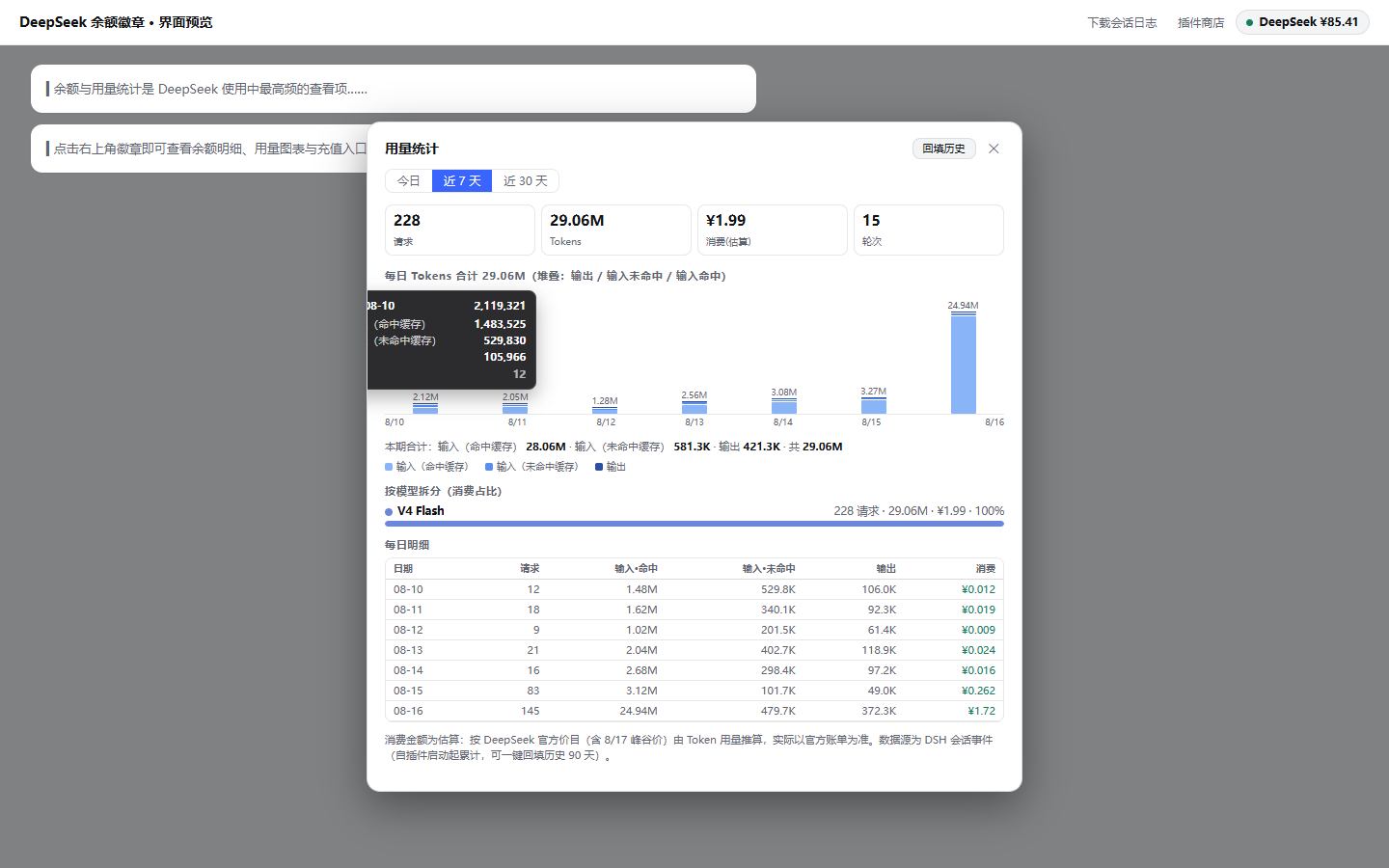
Click the badge to open a detail and usage panel: API call counts, input tokens (cache-hit and cache-miss), and output tokens are aggregated by day, hour, and model, rendered as stacked bar charts with hover tooltips showing precise breakdowns. Built-in DeepSeek pricing tables (including the post-Aug-17 peak/off-peak schedule) auto-select the correct rate to estimate per-interval cost. A one-click backfill can recover up to 90 days across 60 sessions, and the refresh cadence tightens to one minute when balance drops below the alert threshold, with 30-second retries on failure.
Ideal for developers making heavy daily API calls, team leads monitoring token spend, or anyone who wants balance, usage, cost breakdown, history backfill, and in-app top-up in a single interface. The top-up button opens an in-site overlay that redirects to DeepSeek's official checkout (Alipay or WeChat); the balance refreshes automatically once payment lands—no manual steps required.
Screenshots
Use Cases
- Monitor balance and token usage in real time during heavy DeepSeek API sessions
- Break down consumption per model and estimate costs to optimize call strategies
- Top up directly from within the session without leaving the conversation
Best For
- Developers making heavy daily DeepSeek API calls
- Tech leads tracking token spend and cost across the team
- DeepSeek users who want balance, usage, and top-up in one panel
Related Plugins
A service-oriented sidebar framework for DSH, offering a full workbench with file explorer, embedded browser, real terminal, Git panel, and extensible plugin services.

A beautiful, practical Claude Code-style TUI plugin with pixel whale top bar, flowing glow title, real-time status line, streaming thought expansion, time rewind, context progress bar and TPS gauge — zero core changes.

The plugin market for DeepSeek Harness: browse/search/one-click install community plugins and themes, with updates, backup/restore, hot disable, diagnostics, and AI fix.

A persistent whale widget on the DSH web UI that shows DeepSeek balance, today's usage, and per-turn cost, with drag-and-snap and sound effects.