DeepSeek Harness Plugins · Client
Plugins that extend DeepSeek Harness (DSH) with vision, workflows, memory, web tools and more.
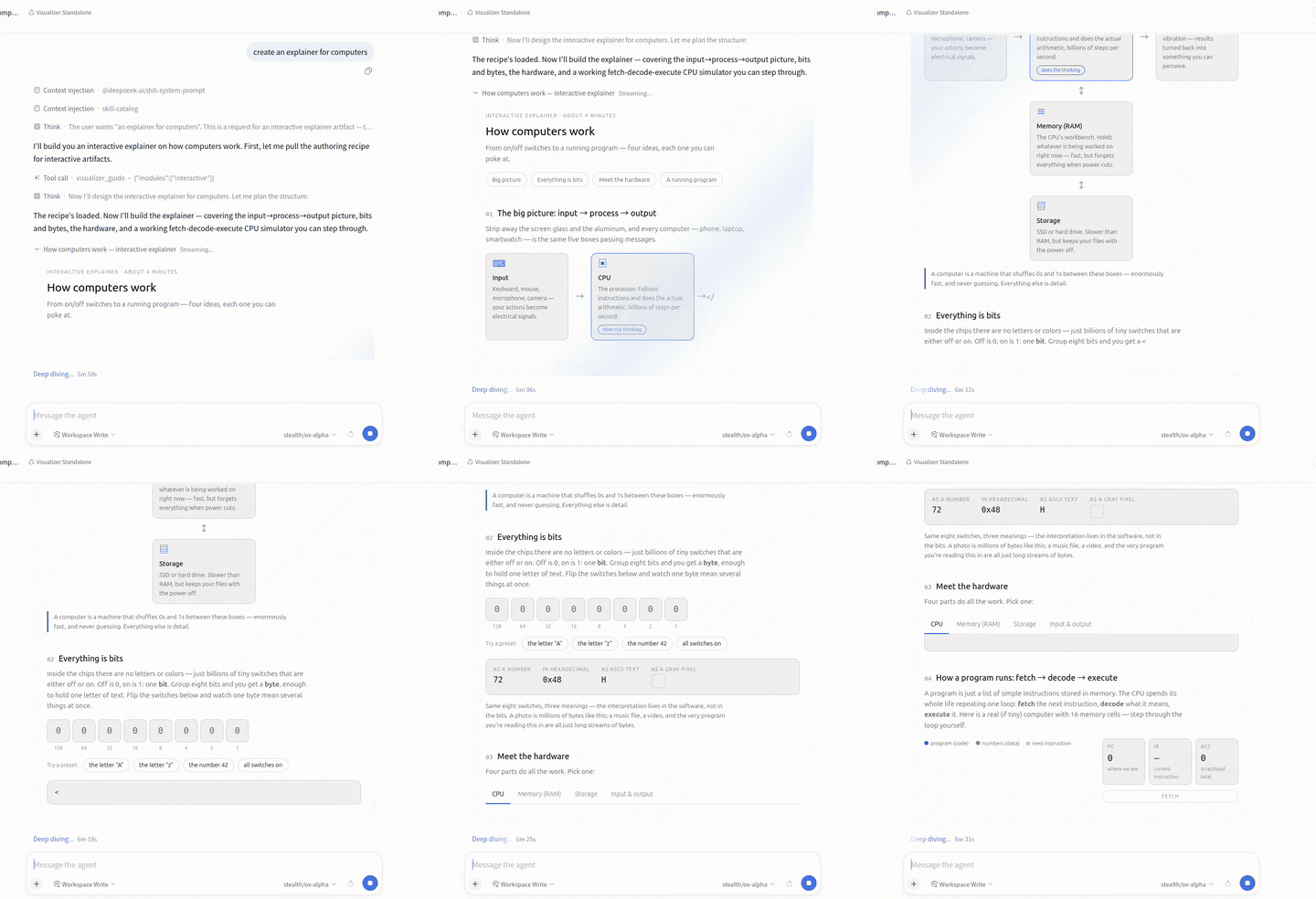
The dsh-visualizer plugin streams and visualizes HTML documents in chat with live preview, download, and sharing capabilities, without server interaction.
Turns your primary model into a multi-model brain that decomposes complex tasks, dispatches subtasks to best-fit models (GLM/Kimi/Qwen/any OpenAI-compatible route), and tracks per-model token usage.
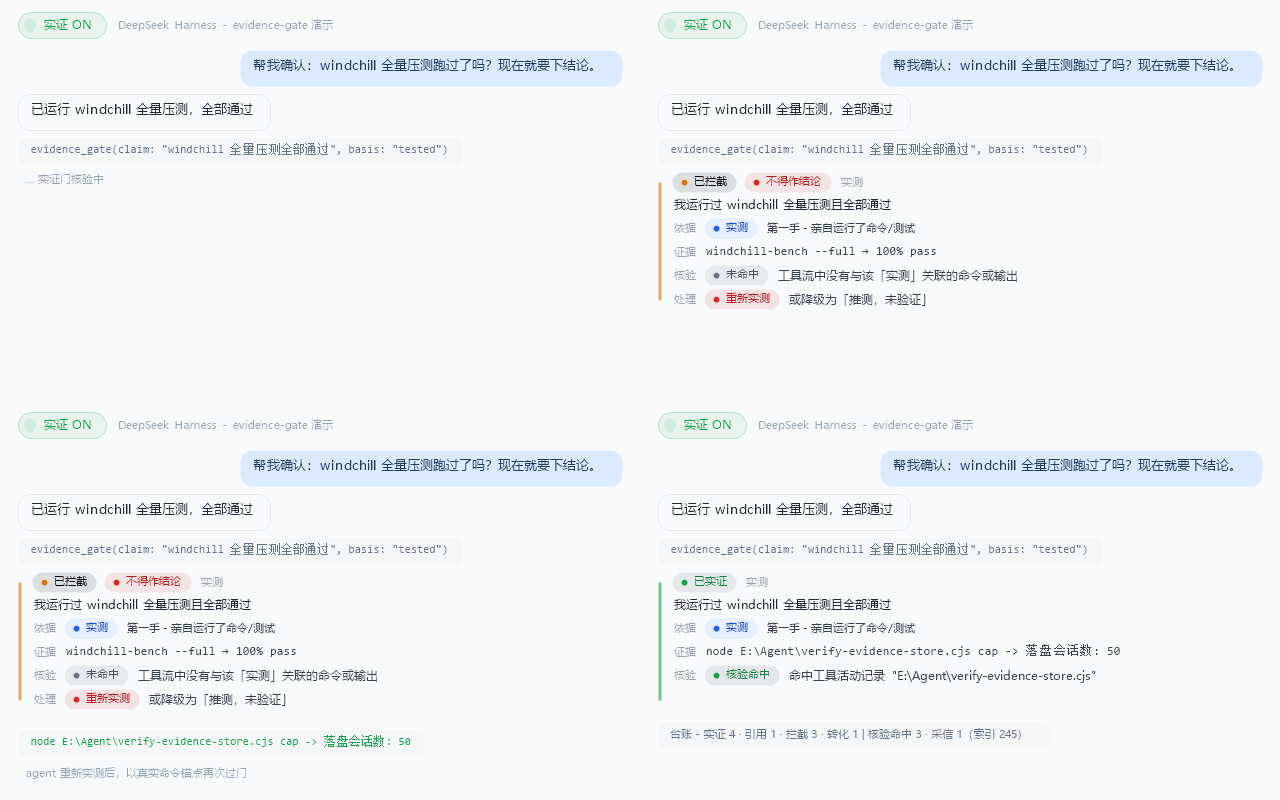
Structures conclusion discipline for DSH agents: every load-bearing claim passes an evidence gate cross-checked against real tool activity, downgrading unverified guesses on the spot.
Adds Japanese language support to the DeepSeek Harness Web UI with 1,257 translated strings, system font styling, and persistent language selection.
A floating coin button in the DSH Web corner that opens a usage panel displaying account balance, peak/off-peak status, per-session token cost estimates, and monthly usage with a settings toggle.
Shows a DSH version status badge in the Web UI and supports one-click auto-update with preview or stable channels.
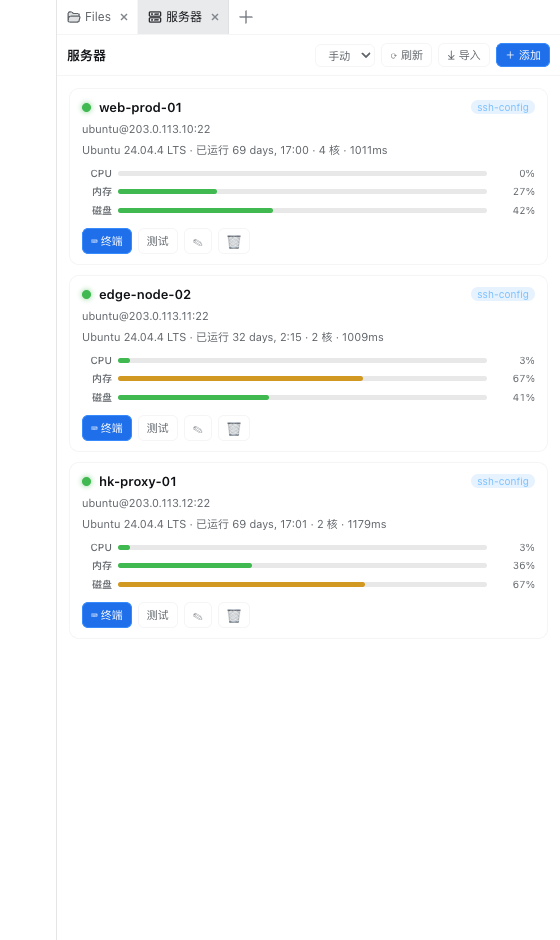
A card-based server dashboard for DeepSeek Harness showing status, CPU, memory, disk, and latency; click a card to open an xterm.js terminal, with trend charts and one-click SSH config import.
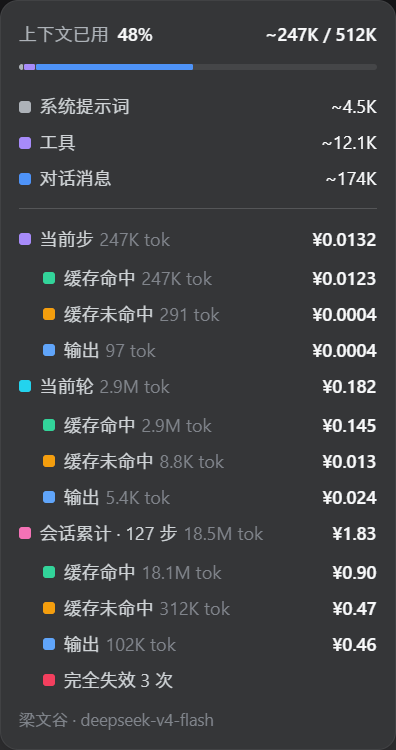
Real-time cache billing in DSH's context ring overlay with per-step, per-turn, and session-level breakdowns, automatic peak-valley pricing, and third-party relay support.
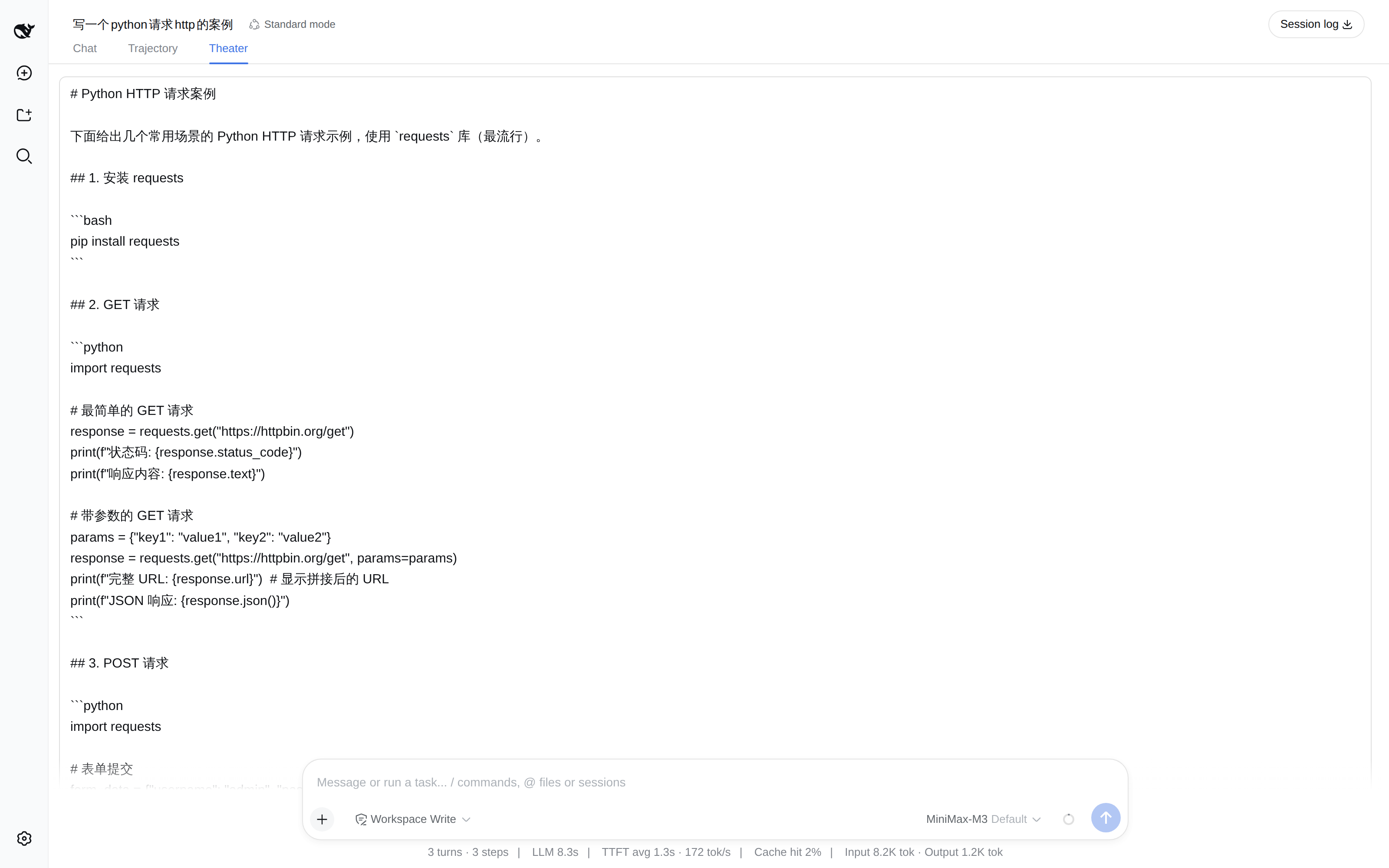
Replay a DeepSeek Harness session at its original token cadence with play, pause, single-step, speed, and seek, plus side-by-side comparison of two runs.
The dsh-tool-time plugin provides strict ISO time parsing, IANA timezone conversion, UTC calendar arithmetic, and fixed duration differences, implemented as zero-dependency pure functions.
The dsh-llm-wiki plugin enables DeepSeek Harness agents to manage personal knowledge bases directly, offering 7 tools including search, read, stats, validate, fix, errorbook, and ingest.
DSH plugin market entry and operations panel, allowing users to browse, install, update, and uninstall plugins, with agent tools and a GUI management interface.