DeepSeek Harness Plugins
Plugins that extend DeepSeek Harness (DSH) with vision, workflows, memory, web tools and more.
SSH/SFTP remote host toolkit for DSH: connection management, persistent session reuse, remote command execution, file transfer, and a web GUI with file browser and multi-terminal console.
Turns your primary model into a multi-model brain that decomposes complex tasks, dispatches subtasks to best-fit models (GLM/Kimi/Qwen/any OpenAI-compatible route), and tracks per-model token usage.

Pauses agent before the next model request so you can interject or resume seamlessly without the model noticing.

A lazy MCP gateway for DeepSeek Harness that collapses N server tool schemas into one constant tool, spawning servers on demand and caching metadata on disk to cut per-request token overhead dramatically.
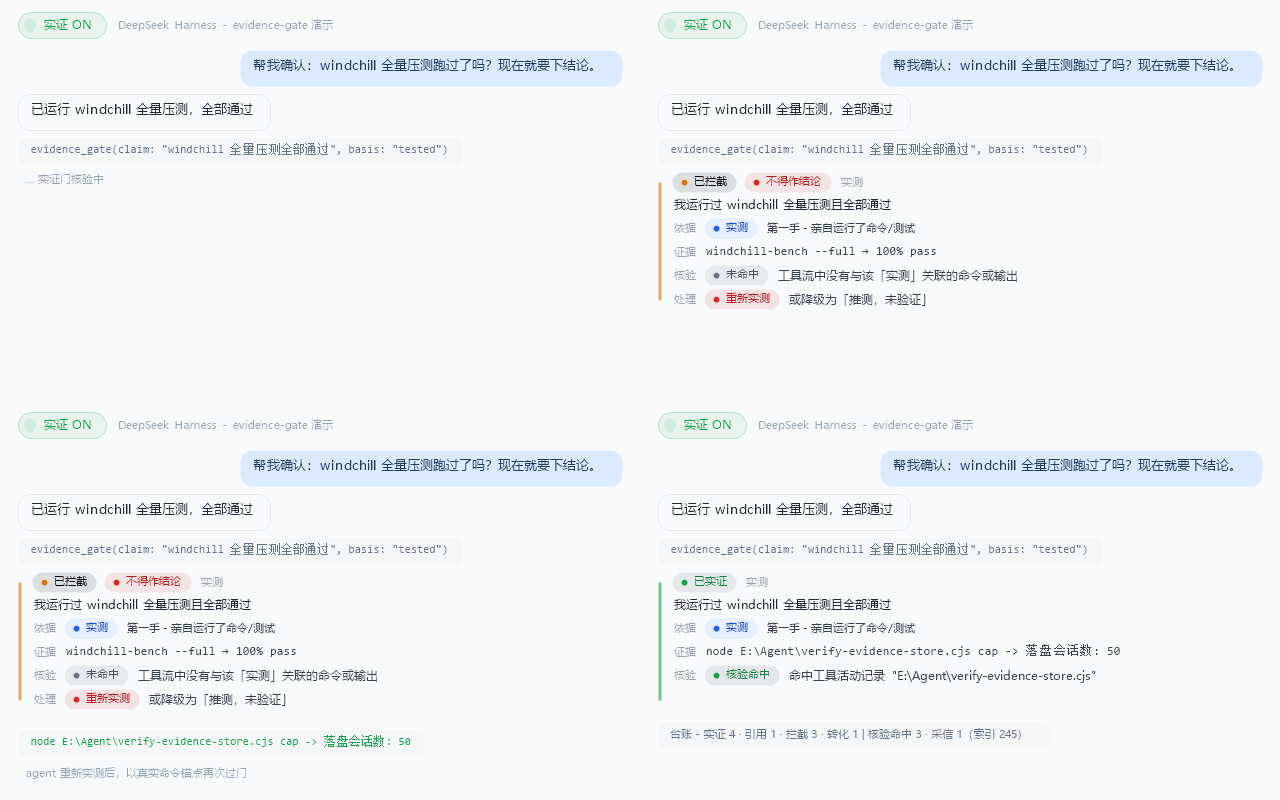
Structures conclusion discipline for DSH agents: every load-bearing claim passes an evidence gate cross-checked against real tool activity, downgrading unverified guesses on the spot.
Adds Japanese language support to the DeepSeek Harness Web UI with 1,257 translated strings, system font styling, and persistent language selection.

Power DSH with Zhihu's official API providing in-site search, global index lookup, and AI-drafted answers, each with citable source links.

A local DSH plugin for personal memory and document knowledge, featuring auto-distilled chat memories, multi-format import, FTS search with optional semantic retrieval, and a built-in management UI.
A floating coin button in the DSH Web corner that opens a usage panel displaying account balance, peak/off-peak status, per-session token cost estimates, and monthly usage with a settings toggle.
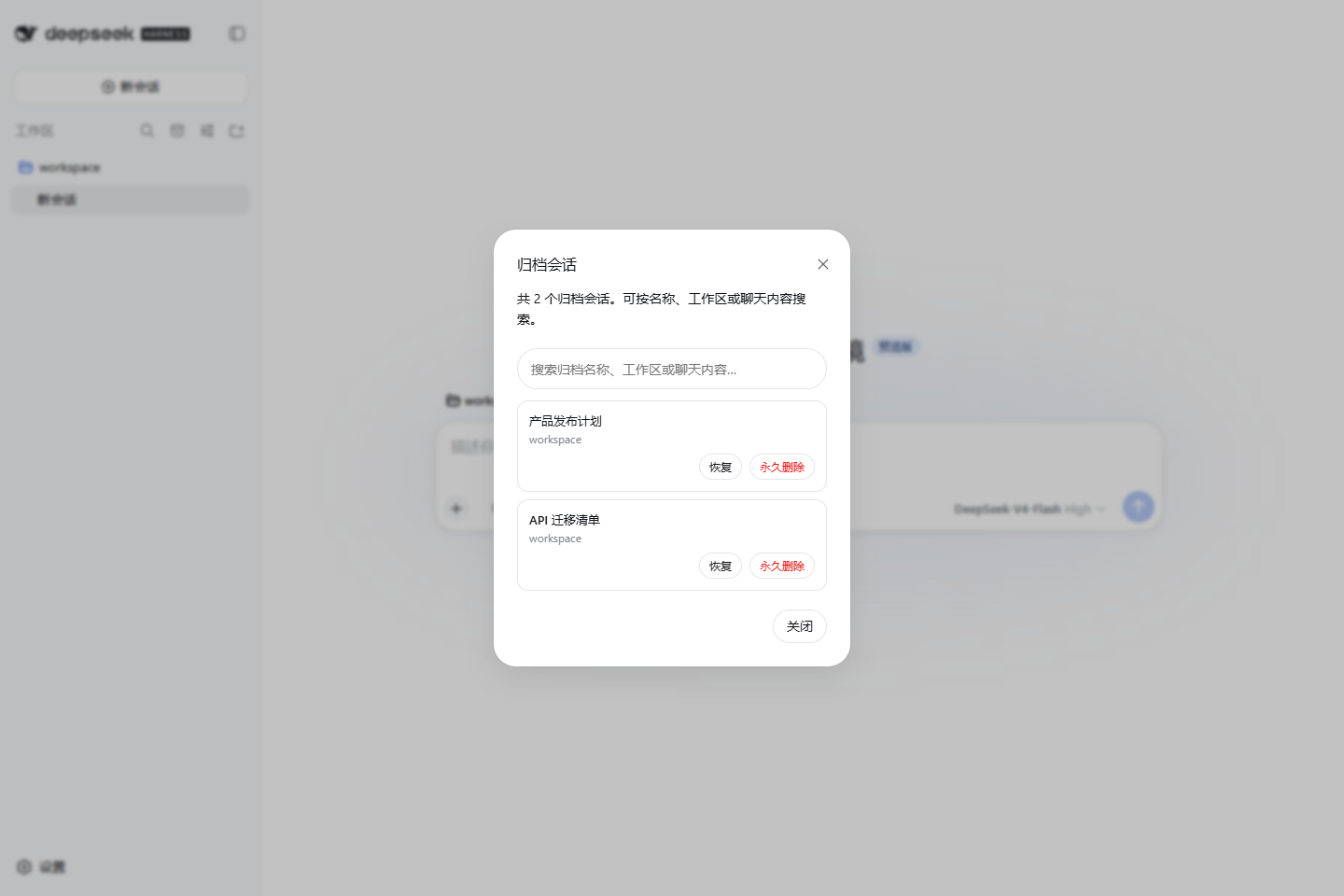
Manage DSH archived sessions from the native sidebar: search by name, workspace, or chat content; restore hidden sessions; and safely delete target sessions with confirmation.
Shows a DSH version status badge in the Web UI and supports one-click auto-update with preview or stable channels.
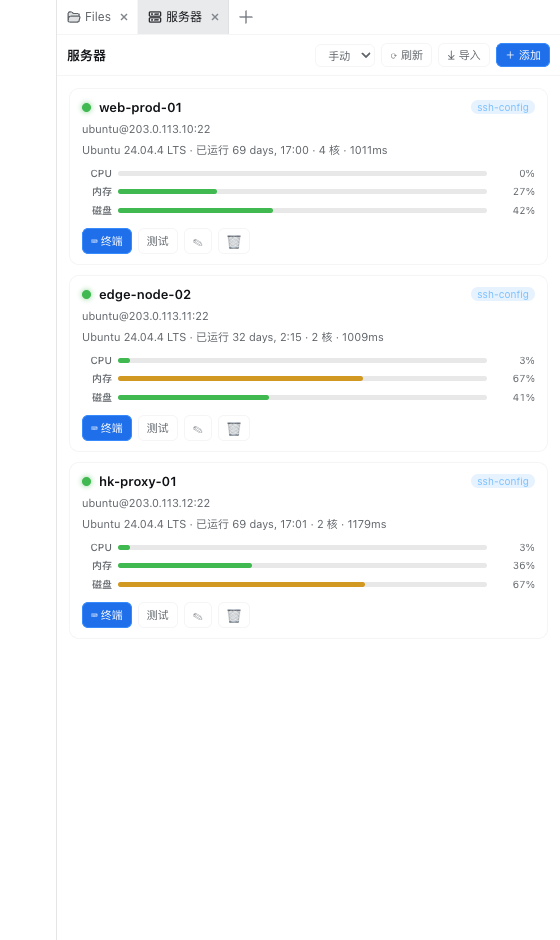
A card-based server dashboard for DeepSeek Harness showing status, CPU, memory, disk, and latency; click a card to open an xterm.js terminal, with trend charts and one-click SSH config import.