dsh-chat-manager
Run the following command in DeepSeek Harness:
dsh plugin install WSL043/dsh-chat-manager
Paste the following prompt into your AI chat to install this plugin:
In DeepSeek Harness, ask your Agent to run dsh plugin install WSL043/dsh-chat-manager; the full source is available at https://github.com/WSL043/dsh-chat-manager. After installation, restart DSH normally to apply the new bundle configuration.
About this plugin
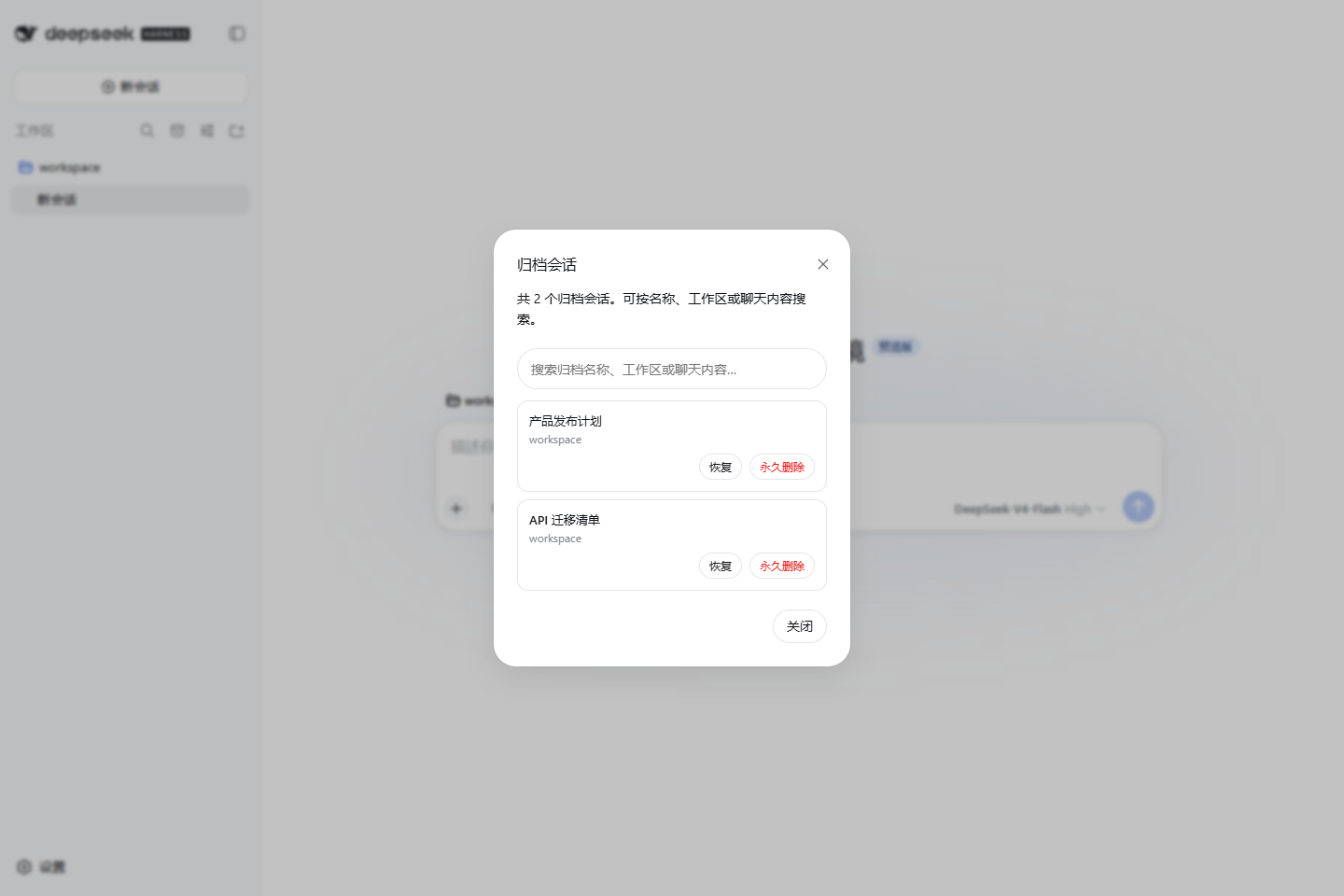
The native DeepSeek Harness sidebar offers limited control over archived sessions: once a conversation is archived, it is hard to locate again, impossible to search by chat content, and deletion lacks adequate safety guards. dsh-chat-manager is a community plugin that fills exactly this gap, layering a full session-management experience on top of the native interface.
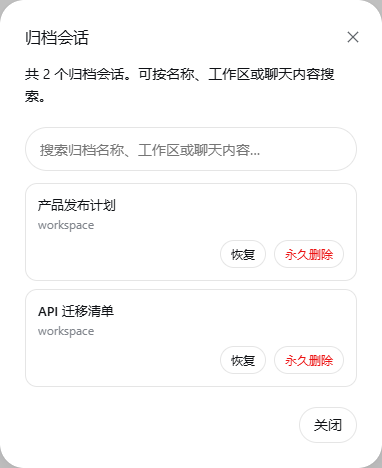
Four core capabilities are at work. The archive manager lets you browse every hidden session and search by session name, workspace, or the user-assistant message content. Restoring a session sends it back to its original workspace with a single click. When a session needs to go for good, the native action menu first safely stops any running task, then requires a forced secondary confirmation before removing the local session record. Every operation stays within DSH boundaries: it only toggles hidden state or deletes the explicitly confirmed session, without touching other conversations, plugin data, or external copies.
If you juggle multiple workspaces, carry large backlogs of historical sessions, or want a safety net before wiping old chats, this plugin makes archiving, searching, restoring, and secure deletion straightforward—without altering DSH core logic.
Screenshots

Use Cases
- Locate and restore an archived conversation across workspaces using a keyword search
- Clean up old sessions while ensuring running tasks safely stop before deletion
- Search historical user or assistant messages to find specific discussion threads
Best For
- Daily DSH users who juggle multiple workspaces and accumulate many sessions
- Cautious users who want to verify no important content is lost before deleting
- Developers who need to search past conversations to reproduce issues or trace context
Related Plugins

Memory layer for coding agents that indexes local session history and auto-recalls relevant context before edits, commands, and failures, with no manual search needed.

Traceable, searchable cross-session memory for AI agents that turns conversation knowledge into a typed knowledge graph and recalls relevant subgraphs instead of replaying full history, natively integrated with DeepSeek Harness.
Gives DSH AI cross-session long-term memory, to-do and skill management, plus multi-session orchestration, external AI delegation, and an infinite canvas that grows with you.

dsh-mnemon is a three-tier, pluggable, Agent-driven memory system for DeepSeek Harness, combining Runtime memory, Project Documents, and replaceable Memory Spaces with nine long-term providers.