dsh-memoknow
Run the following command in DeepSeek Harness:
dsh plugin install twoyoung91/dsh-memoknow
Paste the following prompt into your AI chat to install this plugin:
Run dsh plugin install twoyoung91/dsh-memoknow in your DSH terminal and restart the web profile afterwards; source repository: https://github.com/twoyoung91/dsh-memoknow
About this plugin
Every time a chat session ends, the preferences you confirmed, the decisions you locked in, the constraints you kept repeating tend to vanish with it. Reference material buried in Word files, PDFs, or spreadsheets has no unified entry point an AI can reach on demand. MemoKnow fills that gap inside a local DSH profile: a personal, persistent memory store plus a local document knowledge base, with every byte staying on your own disk.
Capabilities span two axes. On the memory side, after a completed root-agent turn the plugin captures only new user and assistant text, distils candidate memories with the session model already in use, and writes them to SQLite. An explicit request such as "please remember" bypasses the two-minute batch window. The management page under Settings lets you inspect, edit, or permanently forget individual records. On the knowledge side, pasted Markdown and files up to 25 MiB (Word, PDF with extractable text, CSV, Excel xlsx) are snapshotted immutably by SHA-256 and indexed with FTS5 full-text search out of the box; optional CPU-local or OpenAI-compatible embeddings add semantic retrieval on top. Seven agent tools expose memory read-write and knowledge import directly to the model during conversation.
It is designed for one person running DSH locally who wants cross-session long-term memory while keeping all data under personal control. No multi-tenancy, no cloud sync, no OCR for scanned pages, no legacy xls support. The scope is deliberately narrow: a lightweight local memory and knowledge layer that plugs into your existing DSH workflow.
Screenshots
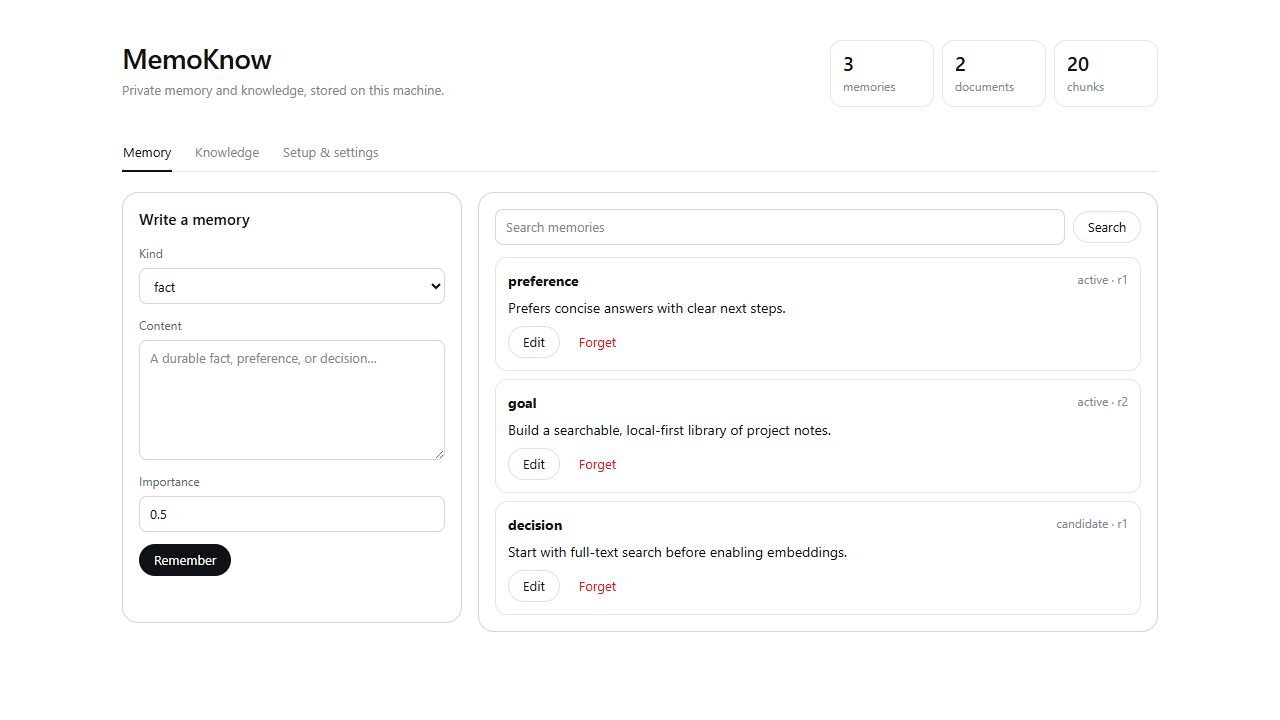
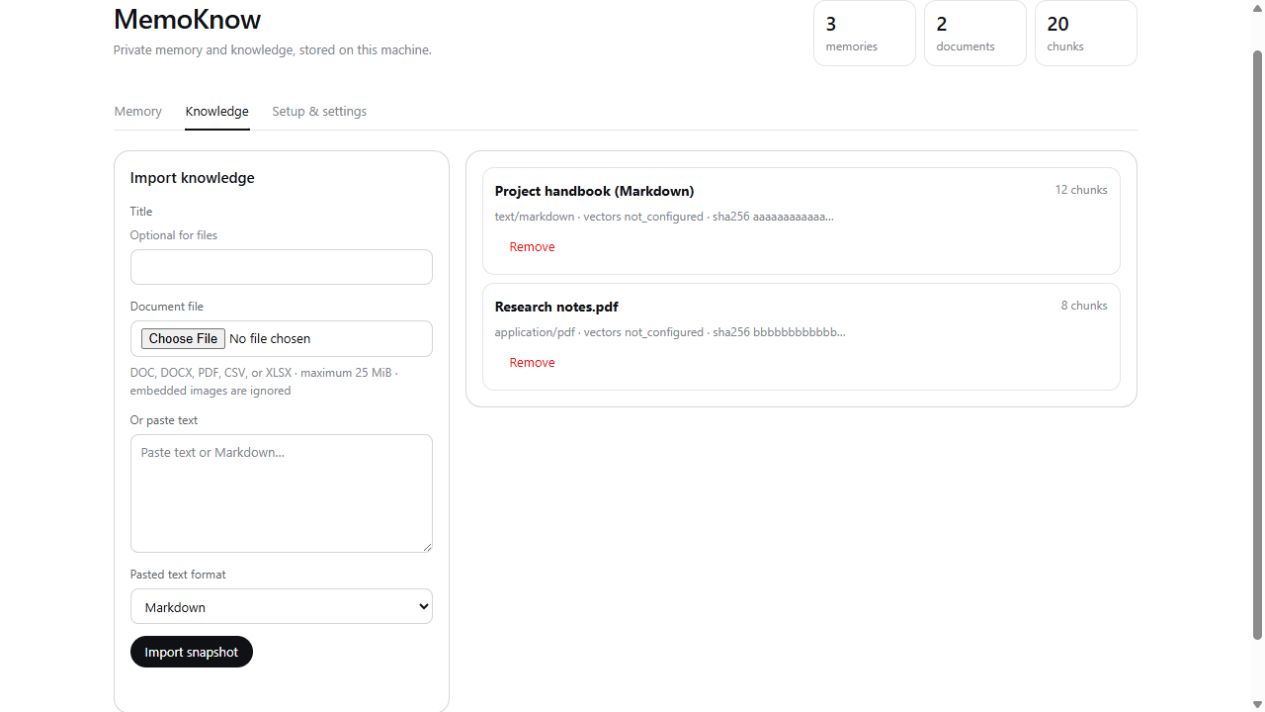
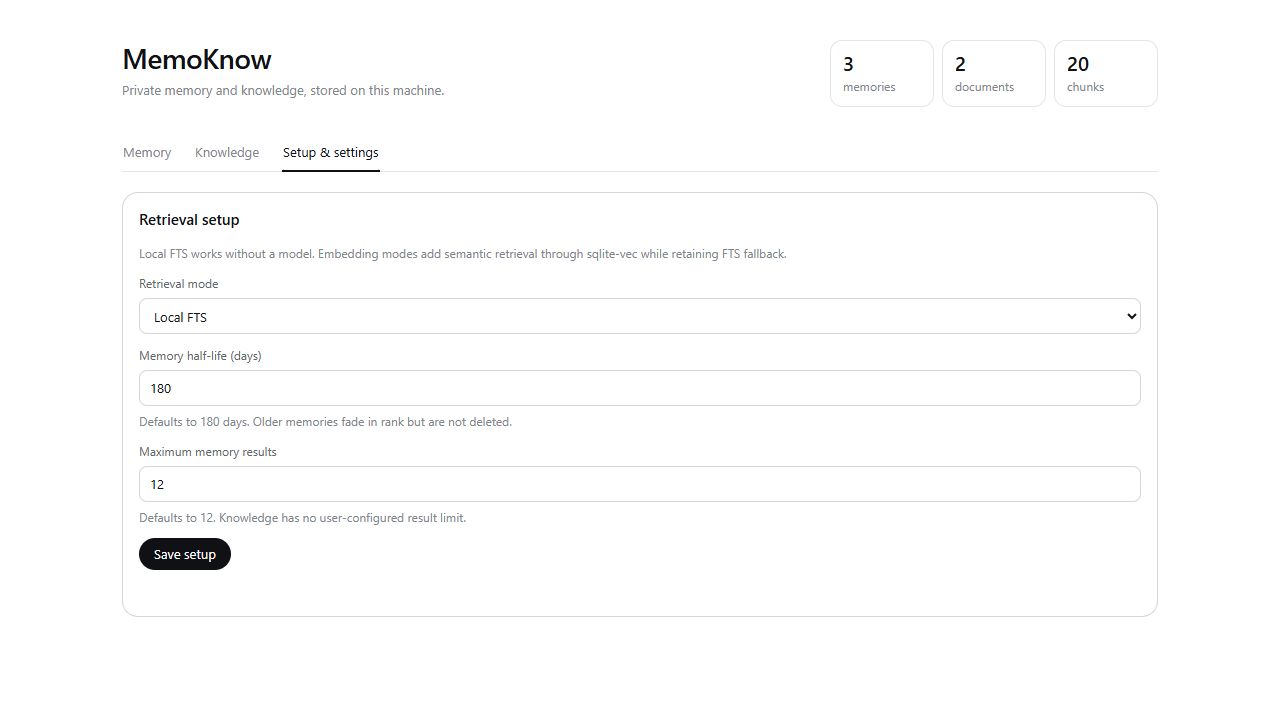
Use Cases
- Retain confirmed preferences, decisions, and constraints across sessions so users stop repeating context
- Import reference material from Word, PDF, and Excel files so the AI can search and cite it mid-conversation
- Search memories and documents locally via FTS5 without needing an external network or API key
Best For
- Solo DSH users who want cross-session long-term memory for their AI assistant
- Users who value data locality and refuse to upload chat logs or documents to the cloud
- Developers who want their AI to query a personal document library instead of pasting context manually
Related Plugins

Memory layer for coding agents that indexes local session history and auto-recalls relevant context before edits, commands, and failures, with no manual search needed.

Traceable, searchable cross-session memory for AI agents that turns conversation knowledge into a typed knowledge graph and recalls relevant subgraphs instead of replaying full history, natively integrated with DeepSeek Harness.
Gives DSH AI cross-session long-term memory, to-do and skill management, plus multi-session orchestration, external AI delegation, and an infinite canvas that grows with you.

dsh-mnemon is a three-tier, pluggable, Agent-driven memory system for DeepSeek Harness, combining Runtime memory, Project Documents, and replaceable Memory Spaces with nine long-term providers.