DeepSeek Harness Plugins · Client
Plugins that extend DeepSeek Harness (DSH) with vision, workflows, memory, web tools and more.
A DeepSeek Harness plugin that provides read-only GitHub access via five tools and internal routing to fetch PRs, issues, files, and API data without shell retry issues.
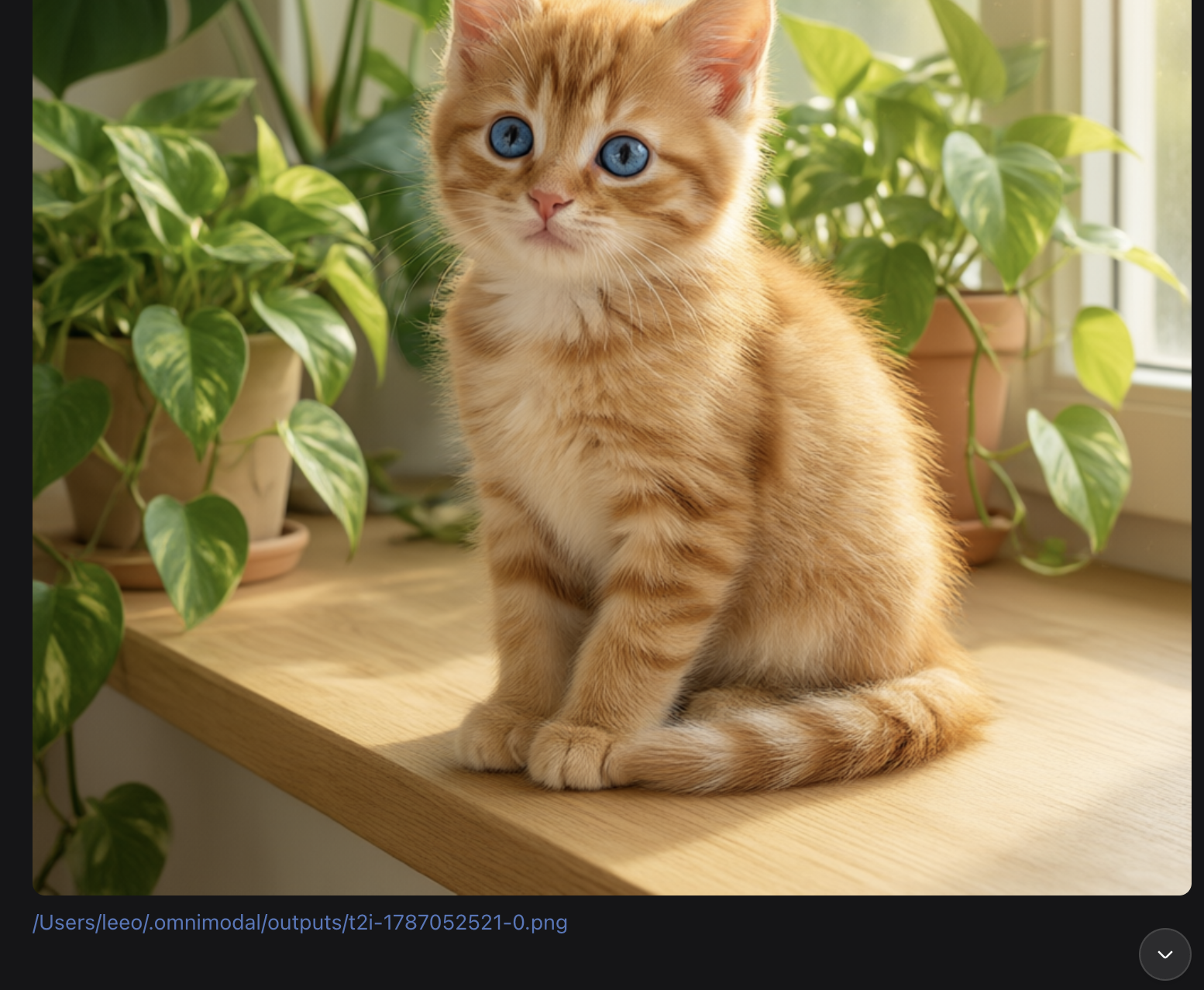
Inlines local image and video paths from assistant replies into the dsh Web chat as embedded previews with a clickable local-open link.
A minimal balance monitor for DeepSeek Harness: a persistent badge showing multi-provider balances with traffic-light alerts, auto-refreshing every 60 seconds, zero config required.
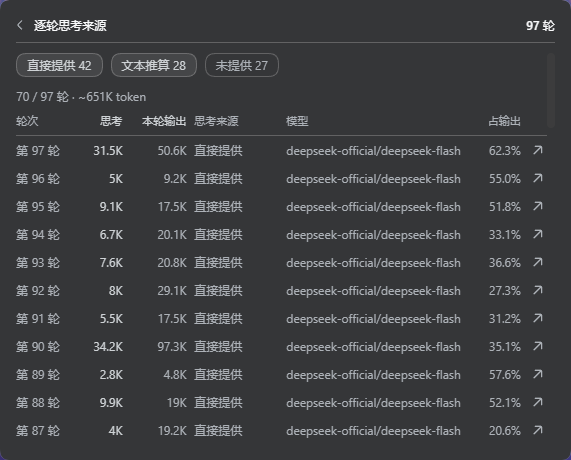
Adds a session-level thinking-token stat line and a turn-by-turn breakdown table to the DSH statistics bar, distinguishing reported counts from text-derived estimates.
Conversational PPT generator plugin for DeepSeek Harness: outlines, page-by-page creation, auto-checking, and editable .pptx delivery.
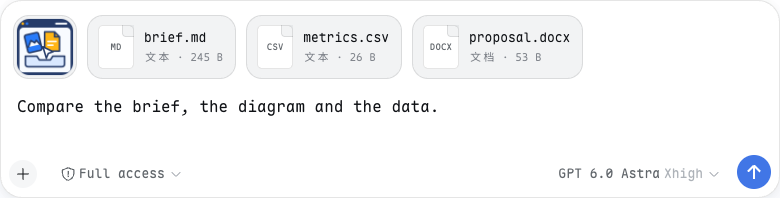
Drag or paste files into DeepSeek Harness Web with a shared preview rail; file paths are appended only on send.
A mobile shell for the dsh web GUI that converts the sidebar into an overlay drawer, makes settings full-screen single-column, and retunes transcript density for phone reading, with zero desktop impact.

A unified search palette for DeepSeek Harness Web that surfaces commands, sessions, models, and conversation history in one keystroke, powered entirely by DSH public APIs.
A Git workspace manager for DSH Web UI covering status, branches, conflict resolution, worktrees, and branch-graph commit history — no external client required.
Open remote SSH directories as first-class Harness workspaces, with all file I/O and shell commands executing directly on the remote host in real time, no mirroring or sync required.
An inline pill badge in the DSH composer toolbar that shows Command Code 5-hour and weekly window usage alongside remaining credits, expandable for account details without occupying sidebar space.
Split-screen workspace for the DeepSeek Harness web GUI, letting you chat with multiple agents side by side in panes that look and behave exactly like the stock conversation.