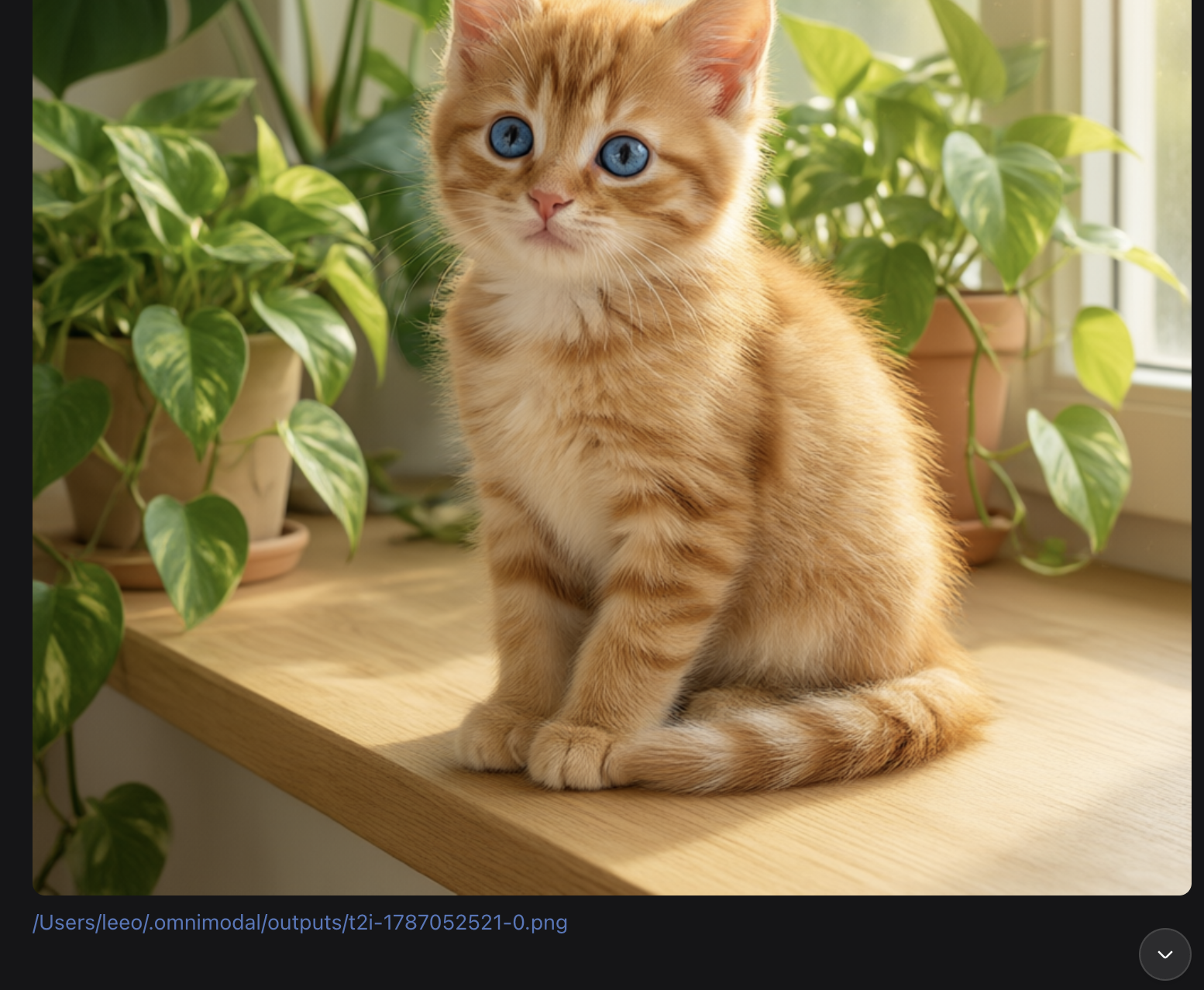
dsh-image-preview
Run the following command in DeepSeek Harness:
dsh plugin install ywleeo/dsh-image-preview
Paste the following prompt into your AI chat to install this plugin:
Install by running dsh plugin install ywleeo/dsh-image-preview in your dsh profile directory; the open-source repository is at https://github.com/ywleeo/dsh-image-preview
About this plugin
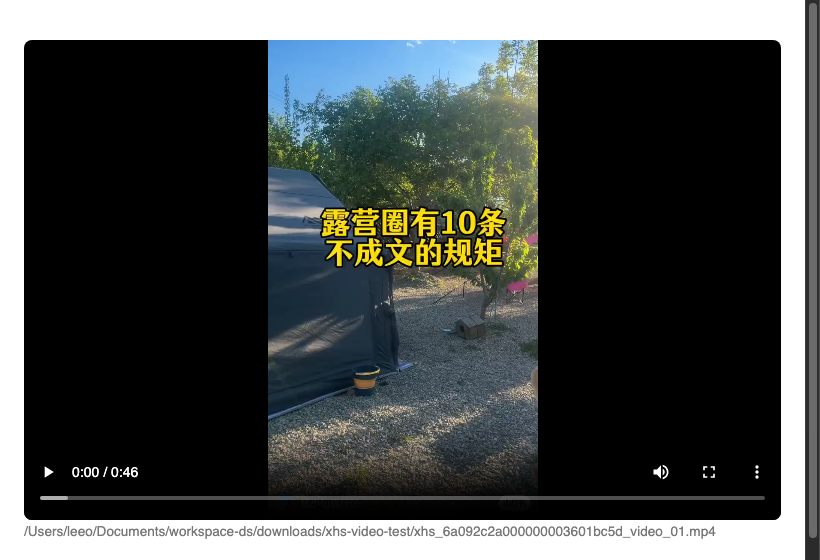
In a dsh Web chat session, when the assistant reply mentions a local image or video file, that path usually appears as plain text: no inline preview, no scrubber, just a string you have to copy into a file manager. dsh-image-preview brings the preview right back into the conversation. Real, existing local media absolute paths in the assistant streaming text are automatically rewritten into an embedded image or an HTML5 video player, with a small clickable local-path line beneath each media block that opens the file in the system default app without spawning a new tab.
Images cover png, jpg, webp, gif, svg, avif and more (20 MB per file); videos cover mp4, webm, mov, and ogv (512 MB per file) with HTTP Range 206 partial responses so the progress bar actually scrubs. The plugin uses a startup-shell plus child-plugin layered architecture: the host side wraps llm/stream to rewrite paths and serves three routes (image read, video read, local open), while the client side injects minimal CSS and a player-replacement script. Zero build step, pure ESM, and if the host logic ever breaks after a core upgrade, dsh still boots normally and the rest of the session is unaffected. Only the inline preview feature is lost. If your daily workflow involves the assistant producing or referencing local assets in a dsh Web chat, this plugin keeps the preview exactly where you are looking.
Screenshots
Use Cases
- Assistant reply references a local screenshot path, which auto-inlines as a full image with a clickable local-path line beneath
- Assistant generates a local video file, which inline-renders as a scrubbable HTML5 player
- Clicking the local-path line under a media block opens the file in the system default app without manual path copying
Best For
- Developers who frequently inspect locally generated or referenced images in dsh Web chat
- Users who need instant preview of local video renders without switching to a file manager
- Heavy dsh users who value zero-build, plug-and-play chat experience
Related Plugins
A service-oriented sidebar framework for DSH, offering a full workbench with file explorer, embedded browser, real terminal, Git panel, and extensible plugin services.

A beautiful, practical Claude Code-style TUI plugin with pixel whale top bar, flowing glow title, real-time status line, streaming thought expansion, time rewind, context progress bar and TPS gauge — zero core changes.

The plugin market for DeepSeek Harness: browse/search/one-click install community plugins and themes, with updates, backup/restore, hot disable, diagnostics, and AI fix.

A persistent whale widget on the DSH web UI that shows DeepSeek balance, today's usage, and per-turn cost, with drag-and-snap and sound effects.