DeepSeek Harness Plugins
Plugins that extend DeepSeek Harness (DSH) with vision, workflows, memory, web tools and more.
Injects a Solo pure-orchestration preset where the main agent only dispatches while explore, editor, verify, and general subagents form a closed-loop workflow, reducing context overhead.
Drop local files or folders into the chat input for the Agent to process, with text injected as content and binaries as path hints, while images are left to the vision bridge.
Adds Codex-style server compaction to OpenAI Responses routes with manual, token-pressure, and overflow triggers, retaining recent context and producing portable checkpoints.
Manage MCP servers in the DSH settings panel with live status, hot-reload toggles, CRUD, and one-click restart.
Turn a video into a script or storyboard inside DeepSeek Harness with automatic cut detection, keyframe extraction, and docx/xlsx/html export, powered by the current session vision model.
AST-based heuristic scanner that detects malicious-intent patterns in installed dsh plugins, with optional periodic scanning and auto-quarantine on critical findings.
A ModLens-style vision bridge plugin that lets a text-only LLM leverage a vision model for structured image evidence via a vision tool or a visual twin model, with zero runtime dependencies.
Injects a system-prompt section that shapes the model's chain of thought to think in English and open every reasoning block with a configurable opening phrase.
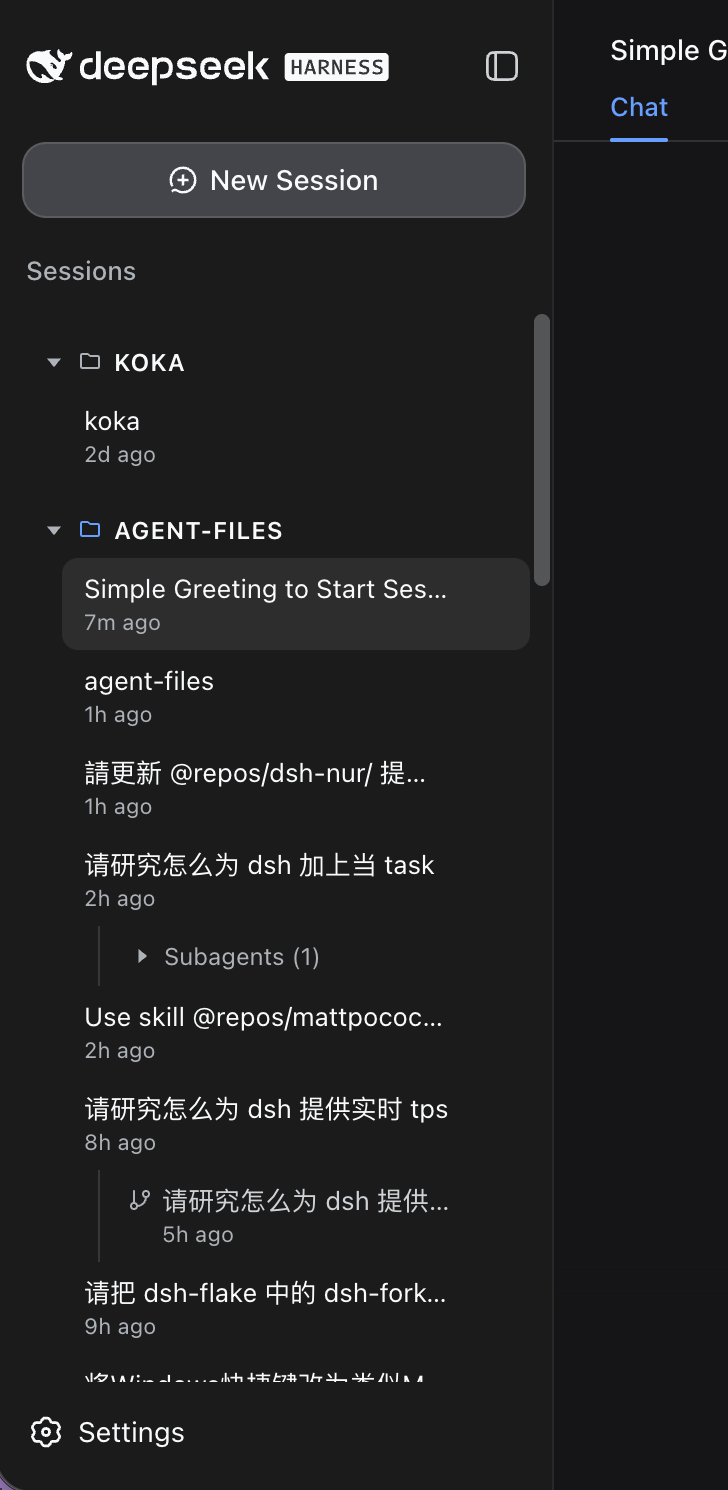
Replaces the DSH sidebar with a session tree (workspace, sessions, forks, subagents), flat by default with configurable nesting depth.
Adds a conversation tree to DeepSeek Harness, letting you branch follow-up questions from any answer with isolated context and full tool-call and reasoning visibility.
Generate images and videos in DSH sessions via OpenAI-compatible APIs, supporting text-to-image, image editing, and video generation with inline preview.
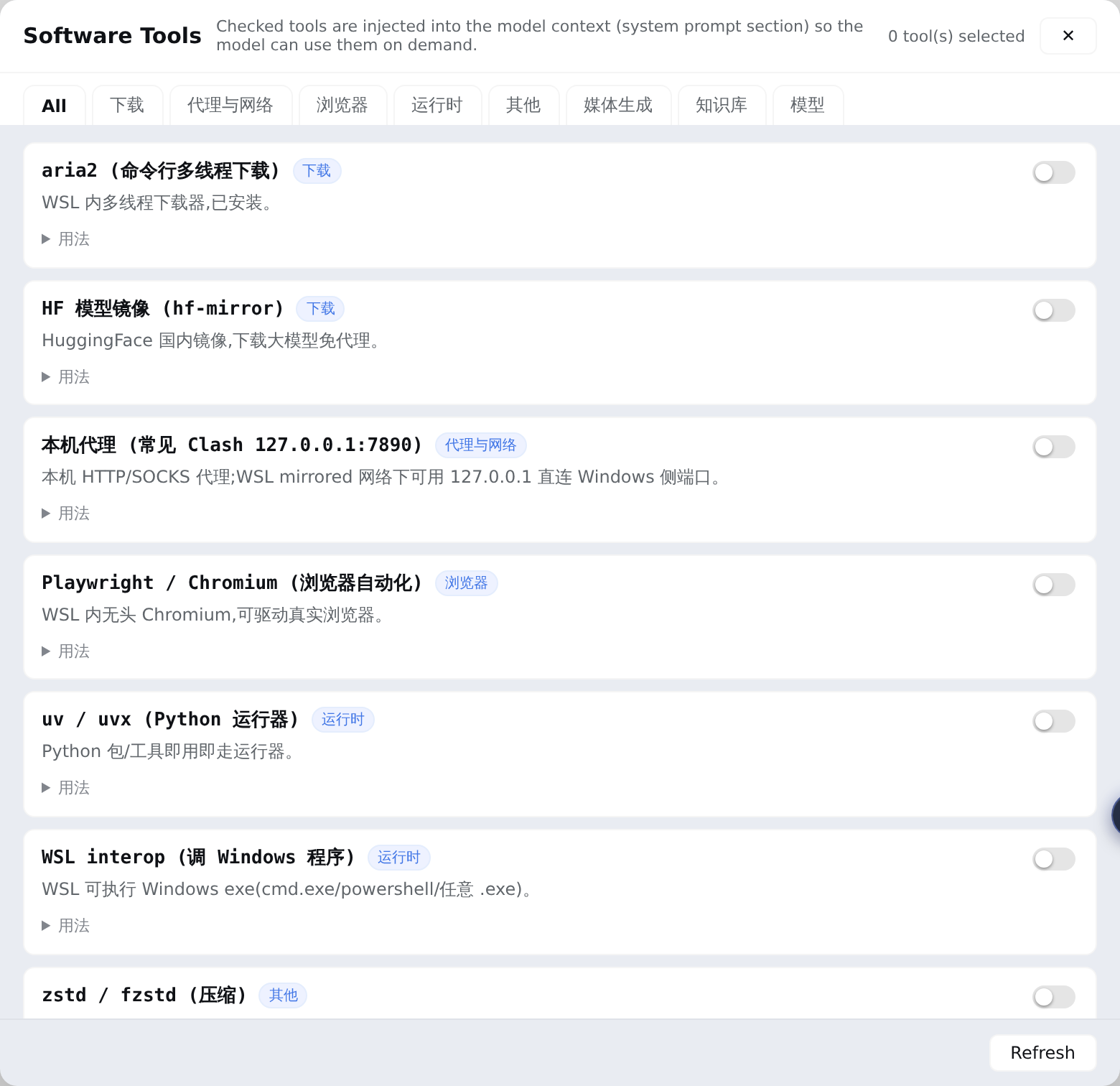
A sidebar tool manager for DSH Web that maintains a local software inventory and auto-injects checked tools into the system prompt so the model knows what is available and how to invoke it.