dsh-software-tools
Run the following command in DeepSeek Harness:
dsh plugin install AllenLogo/dsh-software-tools
Paste the following prompt into your AI chat to install this plugin:
Run dsh plugin install AllenLogo/dsh-software-tools inside DeepSeek Harness to install; full source at https://github.com/AllenLogo/dsh-software-tools
About this plugin
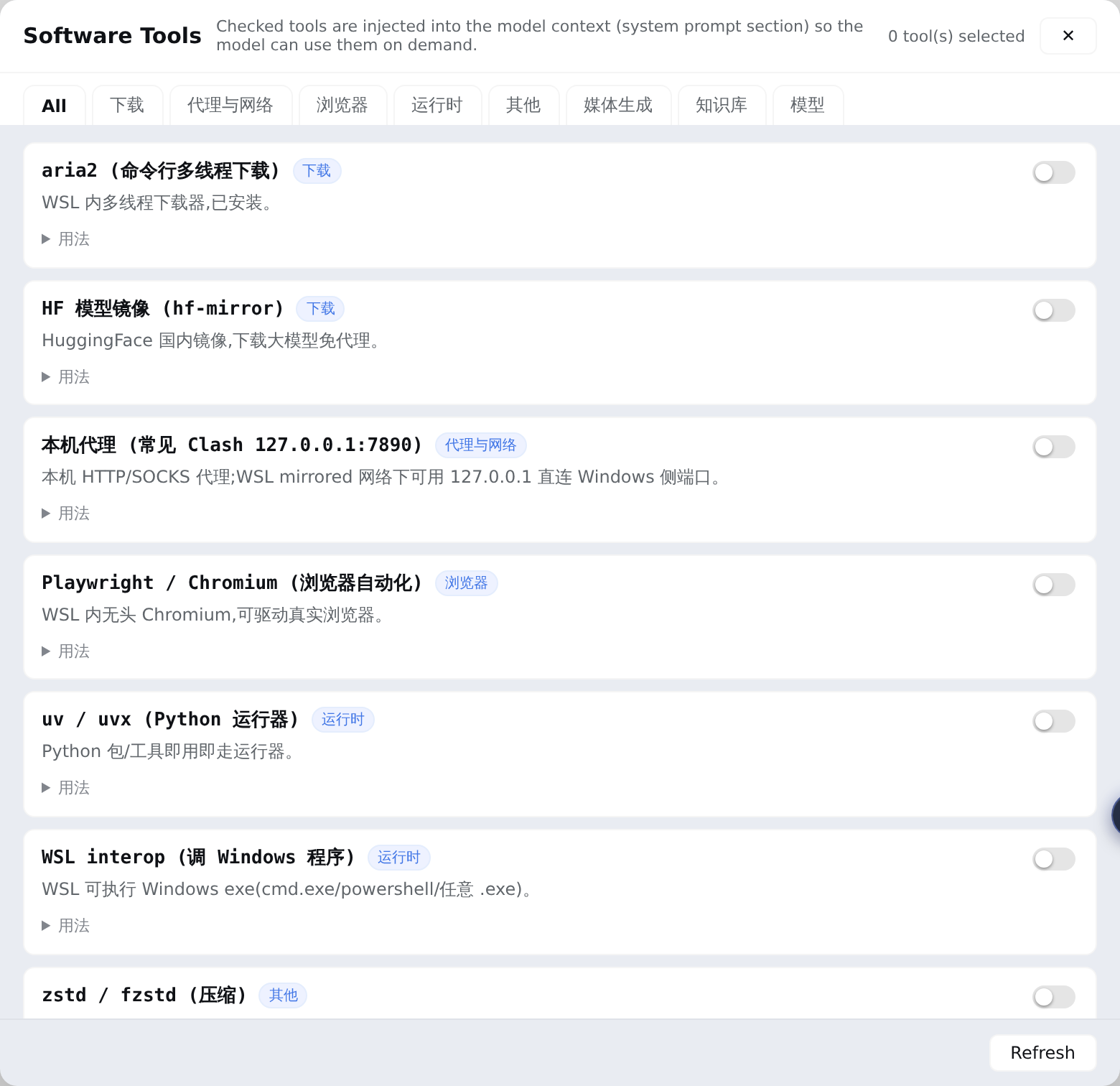
Every time you ask the model to run aria2, spin up ComfyUI, or search your Obsidian vault, you end up manually explaining that the tool exists and how to invoke it. dsh-software-tools turns your local software inventory into a persistent, checkable system-prompt section: open the "Software Tools" panel in the sidebar, tick the WSL CLI tools and Windows interop apps you want the model to know about, and their usage recipes are injected into every session automatically. No more pasting commands ad hoc.
The plugin ships a portable built-in catalog (aria2, proxy, playwright, uvx, zstd, and more) and lets you extend it through catalog.json with your own entries that override built-ins by id. A bundled add-software-tool skill goes a step further: after installing a new program, simply tell the model "add XXX to software tools" and it researches the usage, writes the entry into the catalog, and the panel picks it up on refresh — no rebuild, no restart. Grouping, instant toggling, and a loopback-pinned RPC channel that only reads local JSON keep the whole setup lightweight and zero-config.
It is built for developers juggling a WSL + Windows toolchain, anyone who frequently asks the model to drive local CLI utilities or GUI apps like aria2, ComfyUI, Obsidian, or Playwright, and teams that want "what is installed on this machine" to stop being an oral convention and start being durable, prompt-level context.
Screenshots
Use Cases
- Let the model invoke local tools like aria2, ComfyUI, or Obsidian without re-explaining commands each time
- Register a newly installed tool with a single instruction and see it picked up on panel refresh
- Keep a durable, prompt-level record of every local utility in a multi-tool workflow
Best For
- Developers working across WSL and Windows interop with a local toolchain
- Users who frequently ask the model to drive local CLI utilities or GUI apps
- Teams that want machine-level software inventory to be durable prompt context rather than tribal knowledge
Related Plugins
A service-oriented sidebar framework for DSH, offering a full workbench with file explorer, embedded browser, real terminal, Git panel, and extensible plugin services.

A beautiful, practical Claude Code-style TUI plugin with pixel whale top bar, flowing glow title, real-time status line, streaming thought expansion, time rewind, context progress bar and TPS gauge — zero core changes.

The plugin market for DeepSeek Harness: browse/search/one-click install community plugins and themes, with updates, backup/restore, hot disable, diagnostics, and AI fix.

A persistent whale widget on the DSH web UI that shows DeepSeek balance, today's usage, and per-turn cost, with drag-and-snap and sound effects.