DeepSeek Harness Plugins · Client
Plugins that extend DeepSeek Harness (DSH) with vision, workflows, memory, web tools and more.
Extends the DeepSeek Harness composer's + button with file, folder, device-upload, and slash-command options, supporting cross-scope multi-select and image attachment preview.
A DeepSeek Harness web plugin that opens workspace projects and in-chat file references directly in VSCode, with precise line/column navigation and automatic system fallback.
Configure and independently hide any Harness conversation stats metric (TTFT, throughput, token counts, etc.) with live settings, no patching required.
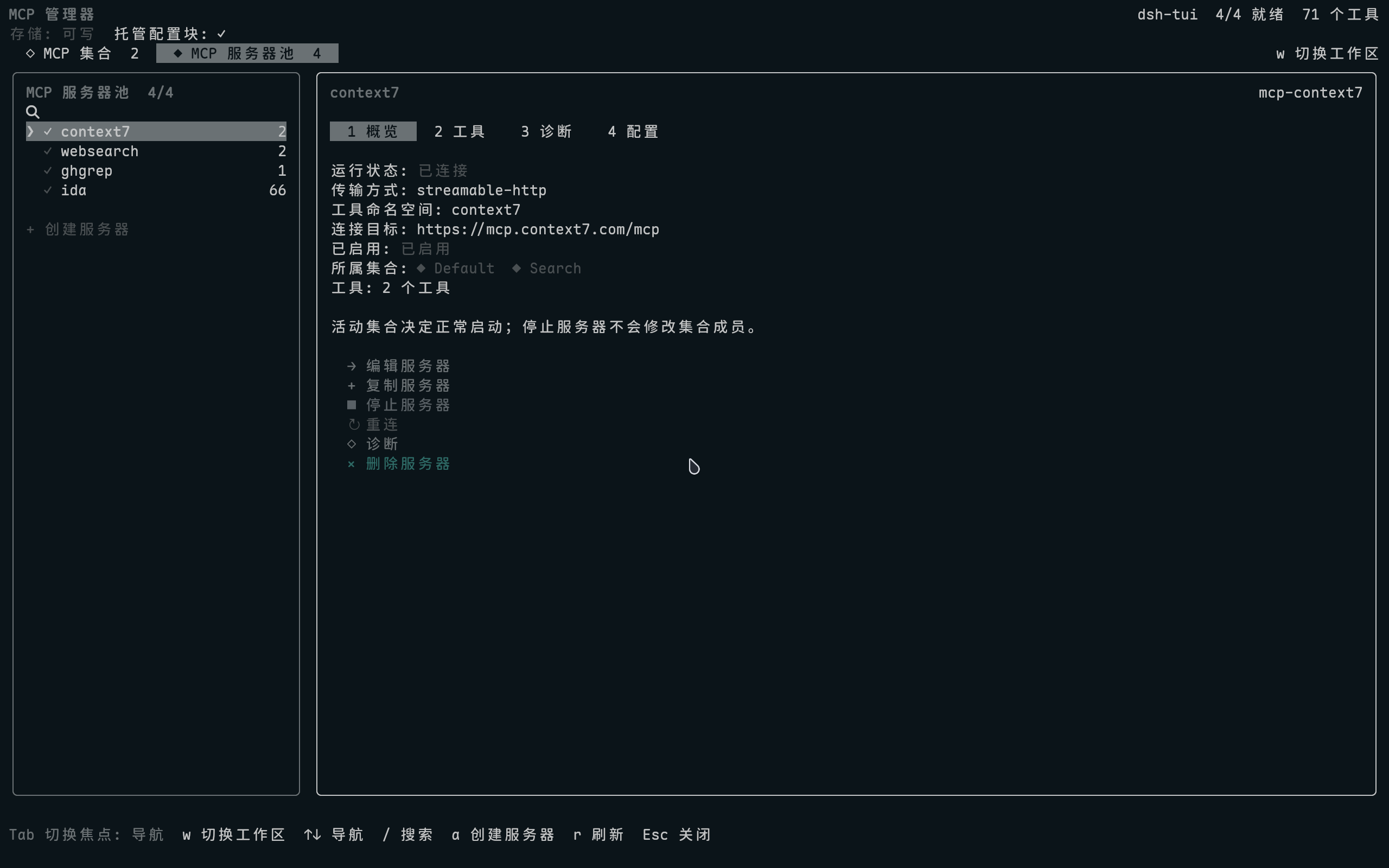
Manage MCP servers, Sets, tools, diagnostics, and credentials in a full-screen TUI within dsh-TUI.
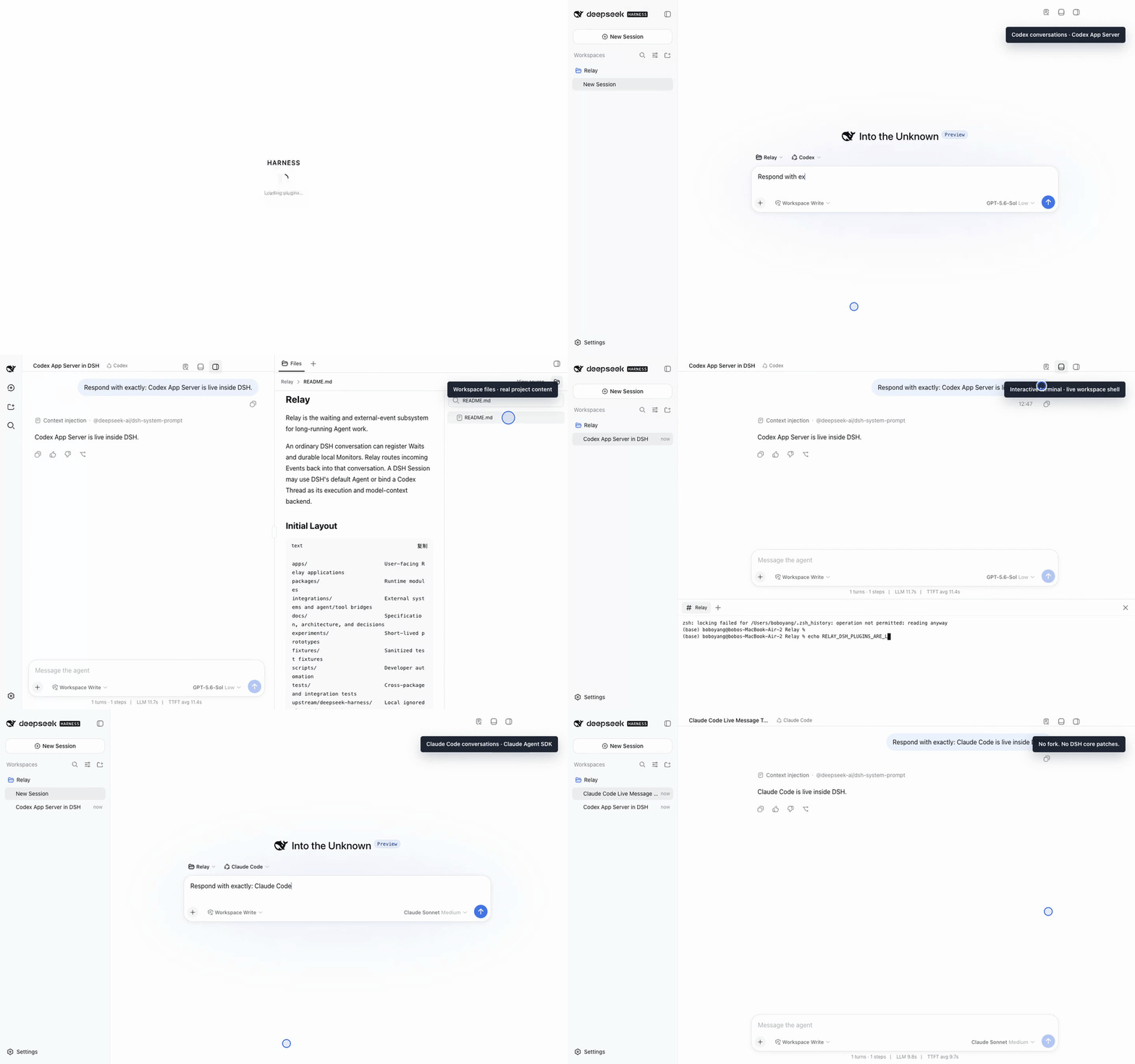
A reusable Workbench shell for the DeepSeek Harness Web UI that lets other plugins safely register right-side and bottom panel views without modifying DSH core code.
Let any MCP-based AI agent see and operate a real Android phone, fusing vision-model perception with UI-tree precision for tapping, swiping, typing, and multi-device control.
Offline, body-free proof that a recorded retention/deletion request settled across declared storage surfaces and remained absent after restart, emitting only hashes and verdicts without deleting anything.
Registers all stool CLI capabilities as DSH tools, enabling the Agent to automate server management, log search, database queries, and CI/CD deployment.
Codex-style text annotation for chat: select any text, add a quote with a comment, and view it as an expandable comment pill after sending.
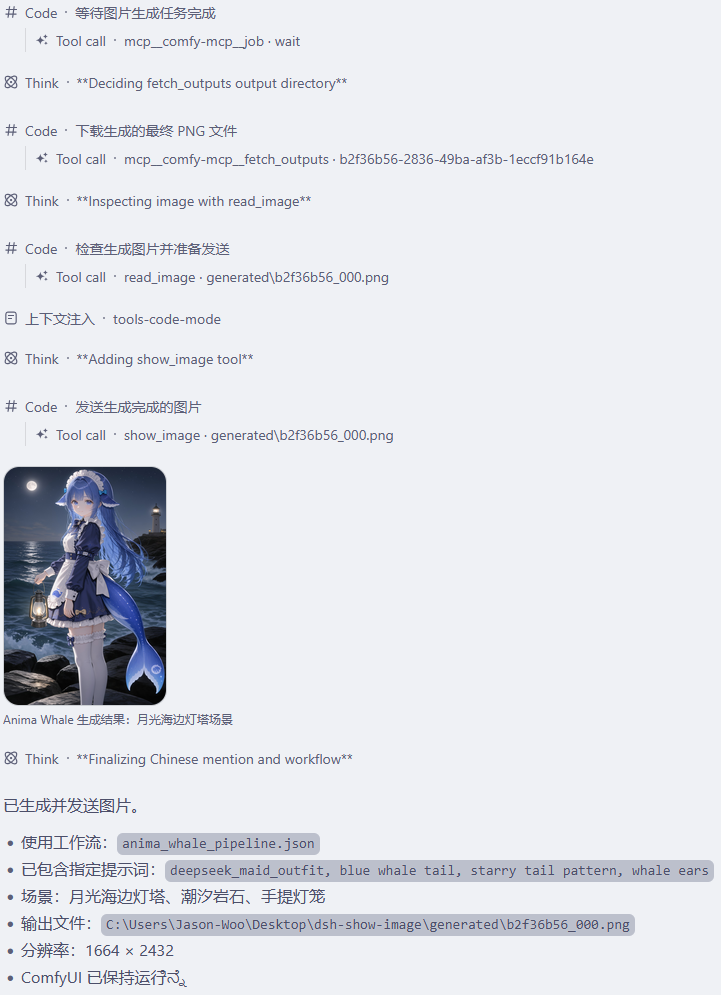
Registers a show_image tool that renders workspace images as a gallery with lightbox preview in the DSH WebUI chat, keeping image bytes out of the model context.
Voice chat plugin for DeepSeek Harness: tap the mic to speak, get AI replies read aloud via TTS, with multiple ASR/TTS engines, single-channel playback, and hotkey control.
A DeepSeek Harness session enhancer: one-click workspace opening, model provider display in the menu header, and selected-text insertion into the chat input as a Markdown code block.