
relay-dsh-plugin-workbench
Run the following command in DeepSeek Harness:
dsh plugin install yangbobo2021/relay-dsh-plugin-workbench
Paste the following prompt into your AI chat to install this plugin:
Install it in DeepSeek Harness by running dsh plugin install yangbobo2021/relay-dsh-plugin-workbench; source code is available at https://github.com/yangbobo2021/relay-dsh-plugin-workbench
About this plugin
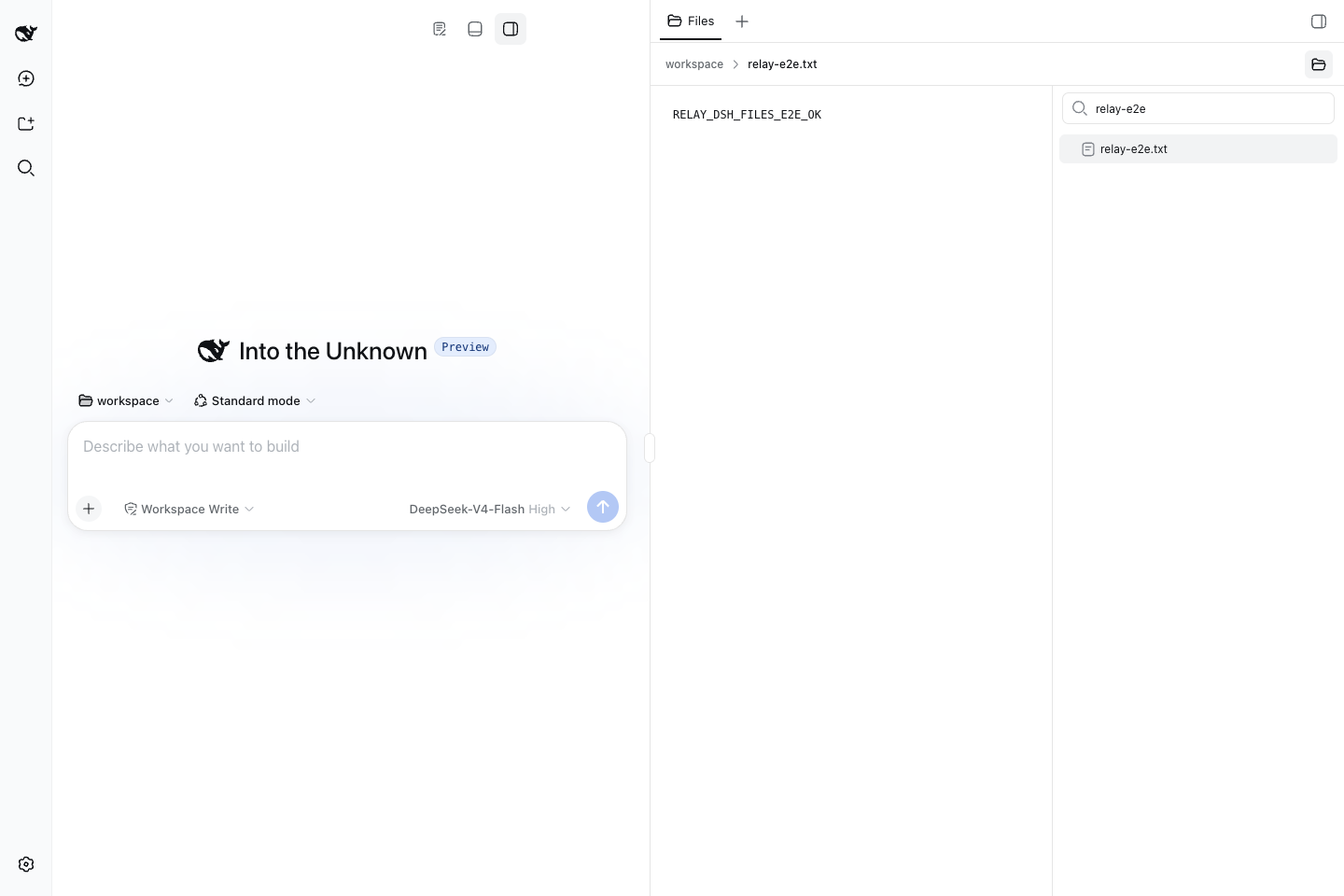
The DeepSeek Harness (DSH) Web UI ships with a single conversation stream and no extensible panel area. relay-dsh-plugin-workbench solves this by giving multiple feature plugins a safe, shared shell in which to register right-side and bottom panel views—without modifying DSH core code or conflicting with one another. It exposes a generic right-side panel region, a generic bottom panel region, a public ctx.workbench registry, and stable contracts at a well-defined entry point. An idempotent activation model ensures that several feature plugins can safely bring Workbench into the same DSH profile.
It is worth emphasising that installing Workbench on its own produces no visible UI change. It is purely a host shell: the layout stays identical to the default DSH view until a feature plugin registers a concrete side or bottom view. End users typically install Workbench alongside a companion such as Files or Terminal. You should install it directly only when you are building the next Workbench view plugin, need to test the shared panel shell in isolation, or want to verify that a DSH profile already carries the common layout before layering local feature plugins on top.
The package is deliberately small. It owns only the shared panel shell and the public contracts; concerns like file browsing, terminal execution, multi-backend conversations, and event delivery are intentionally left to separate optional plugins. It is best suited for DSH plugin developers and teams that want to pre-stage the Workbench foundation in a production profile before adding domain-specific views.
Screenshots
Use Cases
- Registering right-side or bottom panel views via ctx.workbench while developing a new DSH plugin
- Testing the shared panel shell layout and idempotent activation in isolation
- Pre-staging the common Workbench layout in a DSH Profile before layering feature plugins
Best For
- Developers building DSH view plugins that need side or bottom panels
- Teams composing multiple feature plugins in a single DSH Profile
- Developers installing Files or Terminal from GitHub development branches alongside Workbench
Related Plugins
A service-oriented sidebar framework for DSH, offering a full workbench with file explorer, embedded browser, real terminal, Git panel, and extensible plugin services.

A beautiful, practical Claude Code-style TUI plugin with pixel whale top bar, flowing glow title, real-time status line, streaming thought expansion, time rewind, context progress bar and TPS gauge — zero core changes.

The plugin market for DeepSeek Harness: browse/search/one-click install community plugins and themes, with updates, backup/restore, hot disable, diagnostics, and AI fix.

A persistent whale widget on the DSH web UI that shows DeepSeek balance, today's usage, and per-turn cost, with drag-and-snap and sound effects.