dsh-show-image
Run the following command in DeepSeek Harness:
dsh plugin install KureKaruna/dsh-show-image
Paste the following prompt into your AI chat to install this plugin:
Run dsh plugin install KureKaruna/dsh-show-image to install the plugin from https://github.com/KureKaruna/dsh-show-image, then restart DSH WebUI to activate it.
About this plugin
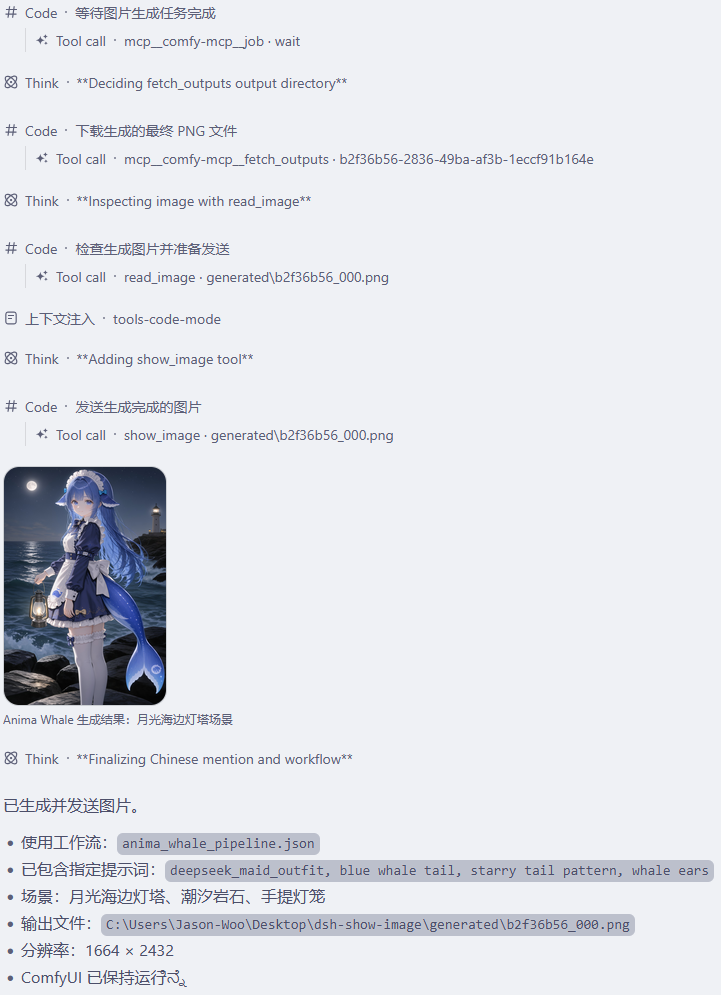
In a DSH WebUI conversation, the model references a workspace image and the chat thread simply shows a file path, forcing you to switch to an editor just to view it. dsh-show-image closes that gap by rendering images directly inside the chat flow as a gallery with lightbox preview.
The plugin registers a show_image tool that accepts PNG, JPEG, WebP, and GIF. On invocation, the host-side reads bytes from the DSH file-system service, persists them via attachments.saveImage(), and returns a structured ImageBlock as a session attachment reference. Image bytes never enter the model context, keeping token usage clean. The browser side reuses the built-in WebUI gallery and lightbox components for rendering and supports history replay. Both top-level native tool calls and run_code sub-dispatches are supported, and no custom top-level session events are created, preserving full compatibility with DSH known event types and replay logic.
Ideal for developers and designers who regularly work with renders, design assets, or data-visualization output inside a DSH workspace, where a casual request like
Screenshots
Use Cases
- Viewing a rendered image inline in the chat after the model generates it
- Browsing existing PNG, JPEG, WebP, or GIF files in the workspace during a conversation
- Reviewing image output produced by a run_code sub-task
Best For
- Developers working with renders or design assets in a DSH workspace
- Designers who frequently review data-visualization output
- Daily DSH users who want to avoid manually opening file paths
Related Plugins
A service-oriented sidebar framework for DSH, offering a full workbench with file explorer, embedded browser, real terminal, Git panel, and extensible plugin services.

A beautiful, practical Claude Code-style TUI plugin with pixel whale top bar, flowing glow title, real-time status line, streaming thought expansion, time rewind, context progress bar and TPS gauge — zero core changes.

The plugin market for DeepSeek Harness: browse/search/one-click install community plugins and themes, with updates, backup/restore, hot disable, diagnostics, and AI fix.

A persistent whale widget on the DSH web UI that shows DeepSeek balance, today's usage, and per-turn cost, with drag-and-snap and sound effects.