dsh-temp-chat
Run the following command in DeepSeek Harness:
dsh plugin install winditer/dsh-temp-chat
Paste the following prompt into your AI chat to install this plugin:
Run dsh plugin install winditer/dsh-temp-chat in DeepSeek Harness to install; full source is available at https://github.com/winditer/dsh-temp-chat
About this plugin
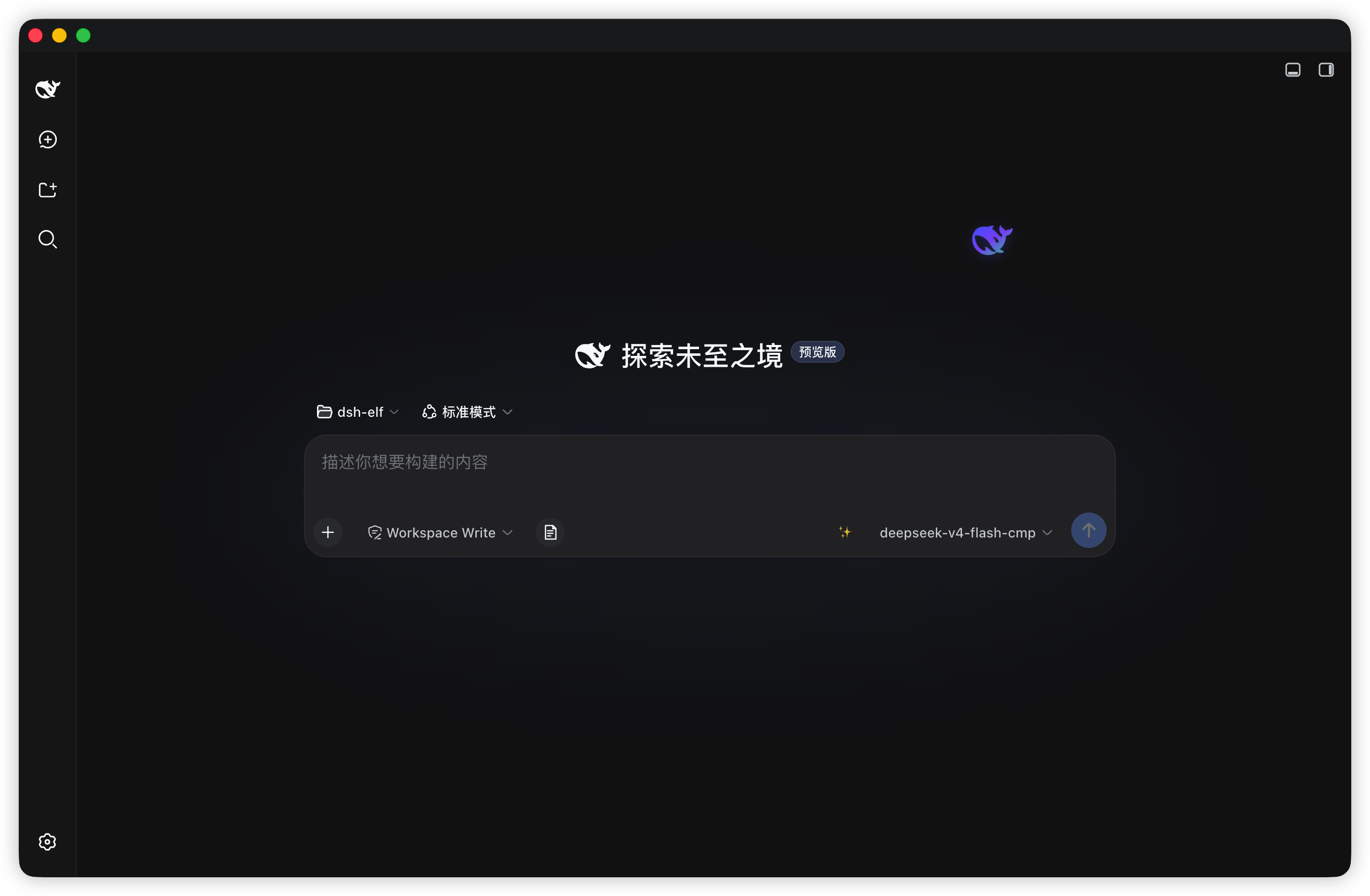
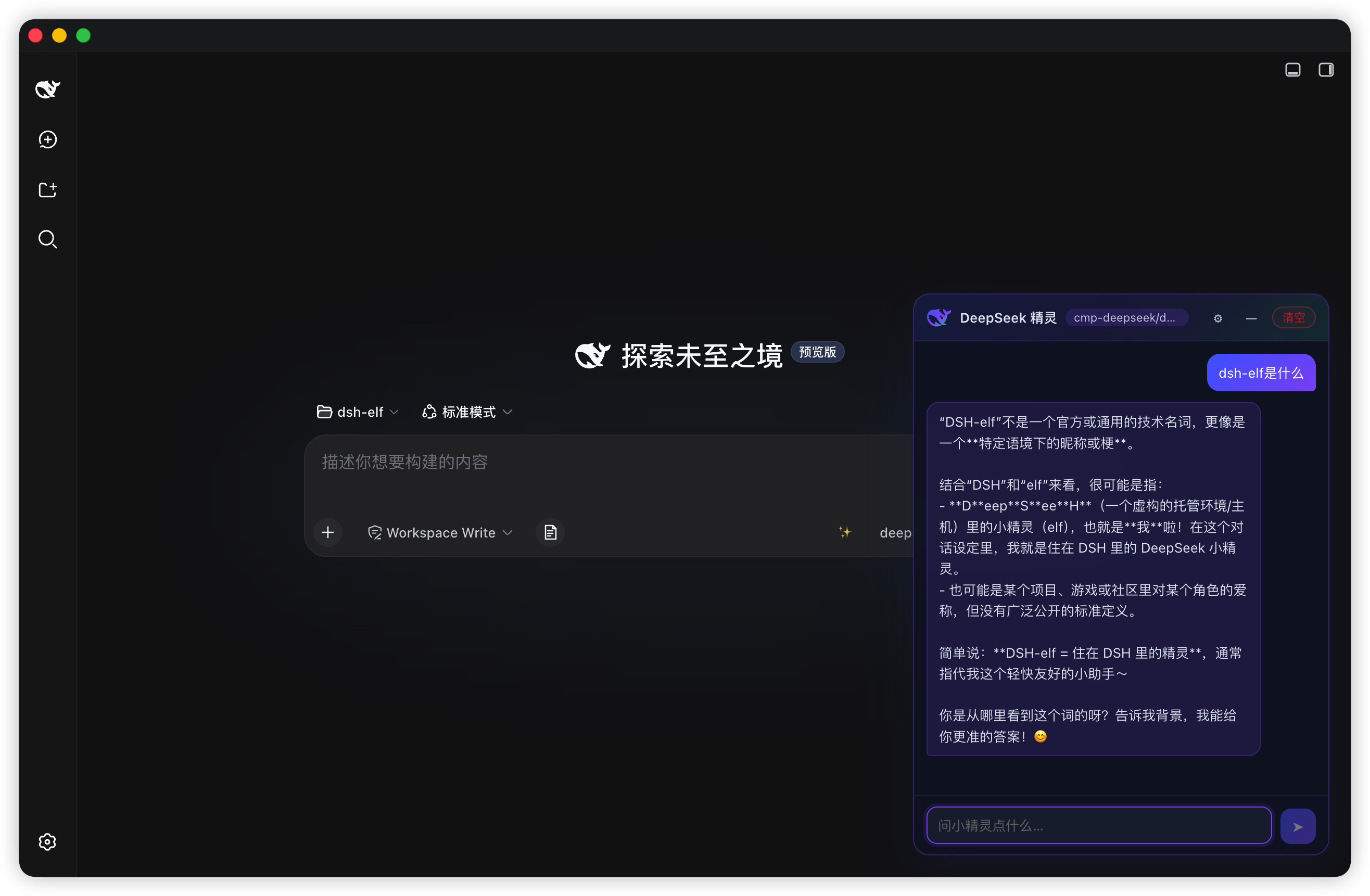
Sometimes you just want to ask a quick question or test-drive a new model without polluting your main session history. dsh-temp-chat was built for exactly that: a translucent, slowly drifting whale elf hovers at the edge of your DSH page. Click it and a lightweight, draggable chat window slides open; when you are done, everything vanishes. All conversations live only in memory and are never written into DSH session records.
Out of the box it reuses the session default model and provider the harness already has configured, so there is zero setup and no extra API key required. Switch to custom-endpoint mode and you can point it at any OpenAI-compatible API, whether that is DeepSeek, OpenAI, Moonshot, GLM, Qwen, or a self-hosted base URL. Responses stream token by token directly in the browser, so text appears as it is generated. The whale can be dragged anywhere on screen and its position survives restarts. The chat window supports minimizing, one-click clearing, per-message copying, and its labels automatically follow the Chinese or English language setting in DSH.
It is a great fit for anyone who regularly wants to compare model outputs, run a one-off verification, or simply keep throwaway questions out of their working session. No extra configuration is needed, and after a restart the whale is quietly waiting at the corner of your page.
Screenshots
Use Cases
- Compare outputs from two models side by side without polluting your main session
- Quickly verify that a newly wired API endpoint streams back correctly
- Ask a single throwaway question and clear it without leaving any trace
Best For
- Developers who often switch between and compare multiple LLM model outputs
- DSH users who want ephemeral questions without disrupting their working session
- Technical users who want zero-config, key-free quick experiments with different models
Related Plugins
A unified suite combining hot runtime injection, task-aware thinking-mode routing, and a graded session protocol with red-team gates to sustain model diligence across long-horizon inference.

ModLens is a vision plugin for DeepSeek Harness that gives text-only models sight by reading images pasted directly into chat, with zero-config setup and multiple vision engines.

On-demand vision for text-only DeepSeek Harness agents: built-in free keyless vision chain and 14 vision tools, routing image turns as tool calls to vision models with pixel fidelity, no Python needed, one-command install.

Give text-only models in DeepSeek Harness eyes, enabling image Q&A, long-screenshot OCR, UI restoration, and GUI visual tasks.