
modlens
Run the following command in DeepSeek Harness:
dsh plugin install liustack/modlens
Paste the following prompt into your AI chat to install this plugin:
To install ModLens in DeepSeek Harness, run `dsh plugin install liustack/modlens`; the full source repository is at https://github.com/liustack/modlens .
About this plugin
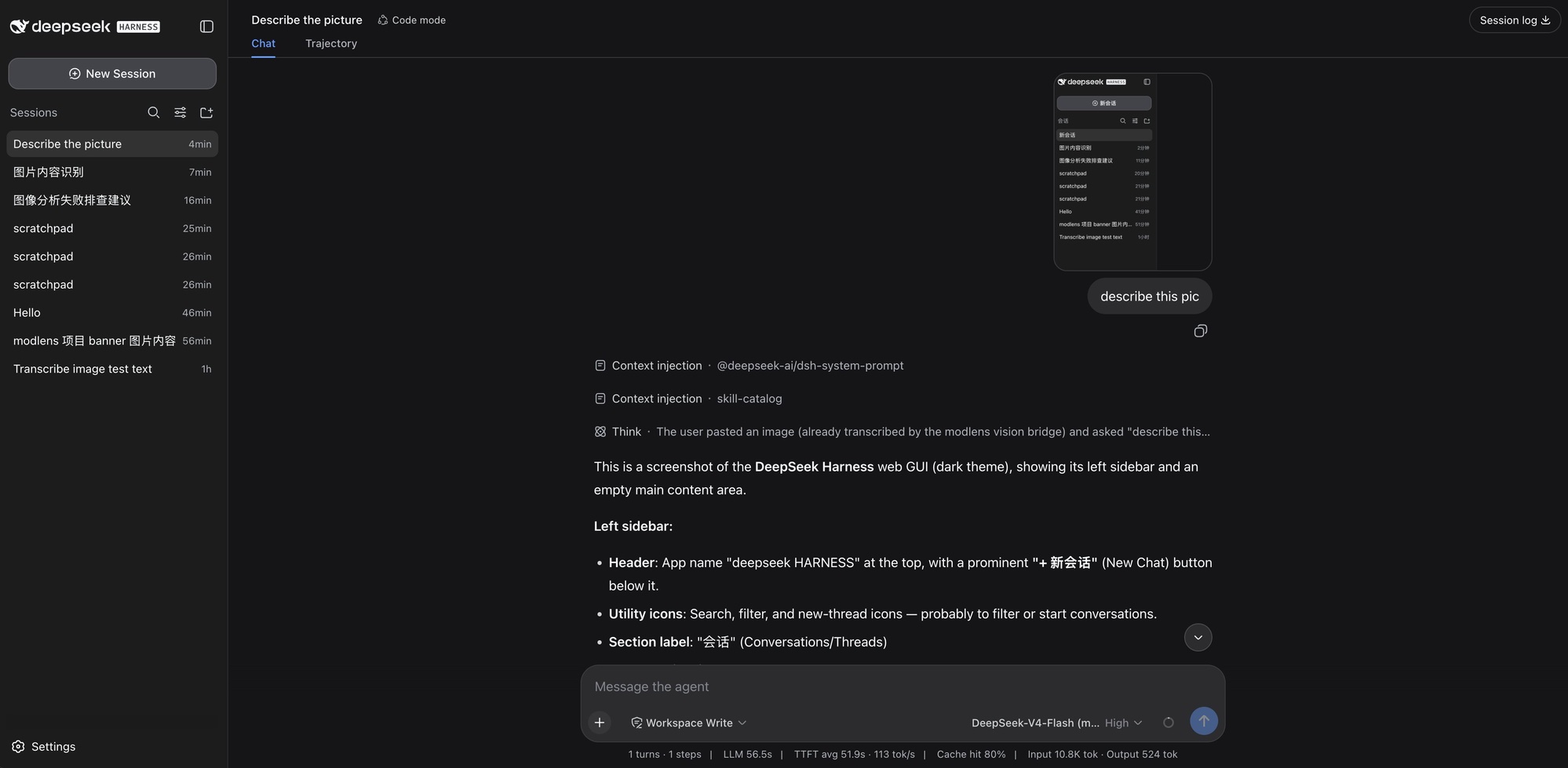
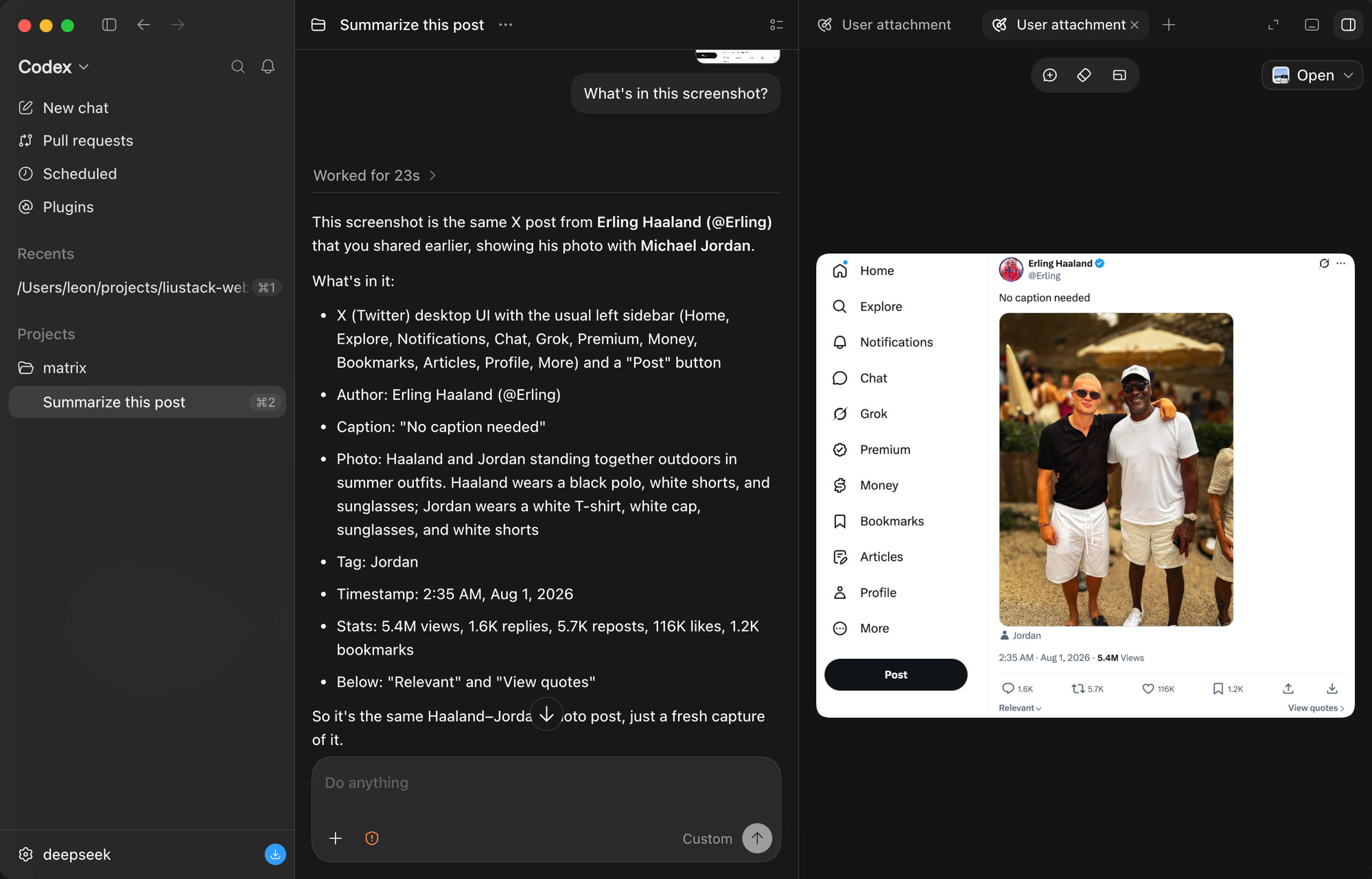
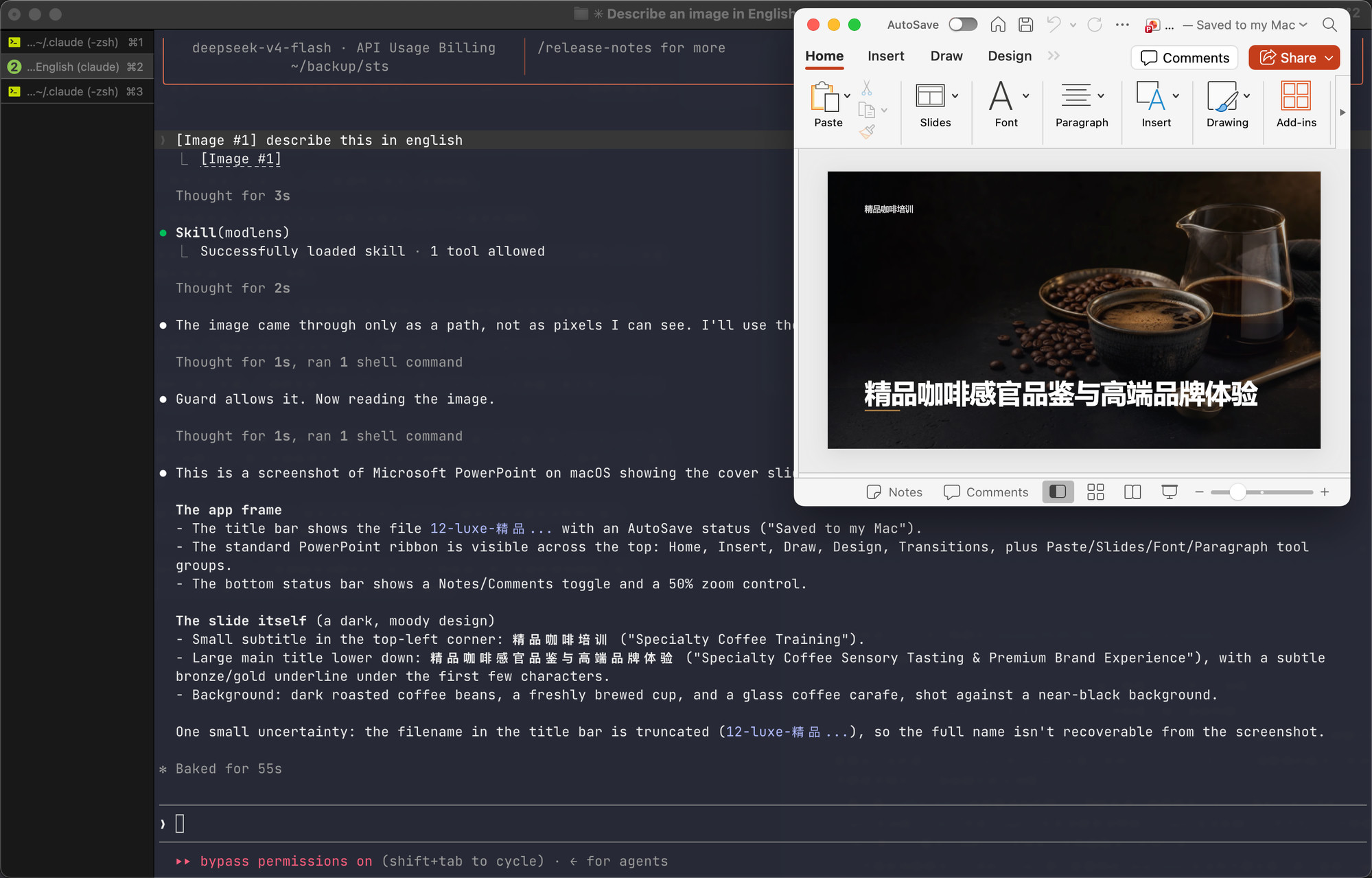
ModLens solves a specific and annoying problem: DeepSeek and GLM's flagship chat models are text-only and cannot see images. Previously, to get a model to analyze a screenshot, you had to save the file and pass its path into the conversation—clunky and disjointed. ModLens makes that disappear. You simply paste an image into the chat, and it automatically reads, transcribes, and understands it, so the model answers based on real pixel content rather than guesses. It's like giving a text-only model a pair of eyes, plugged in instantly.
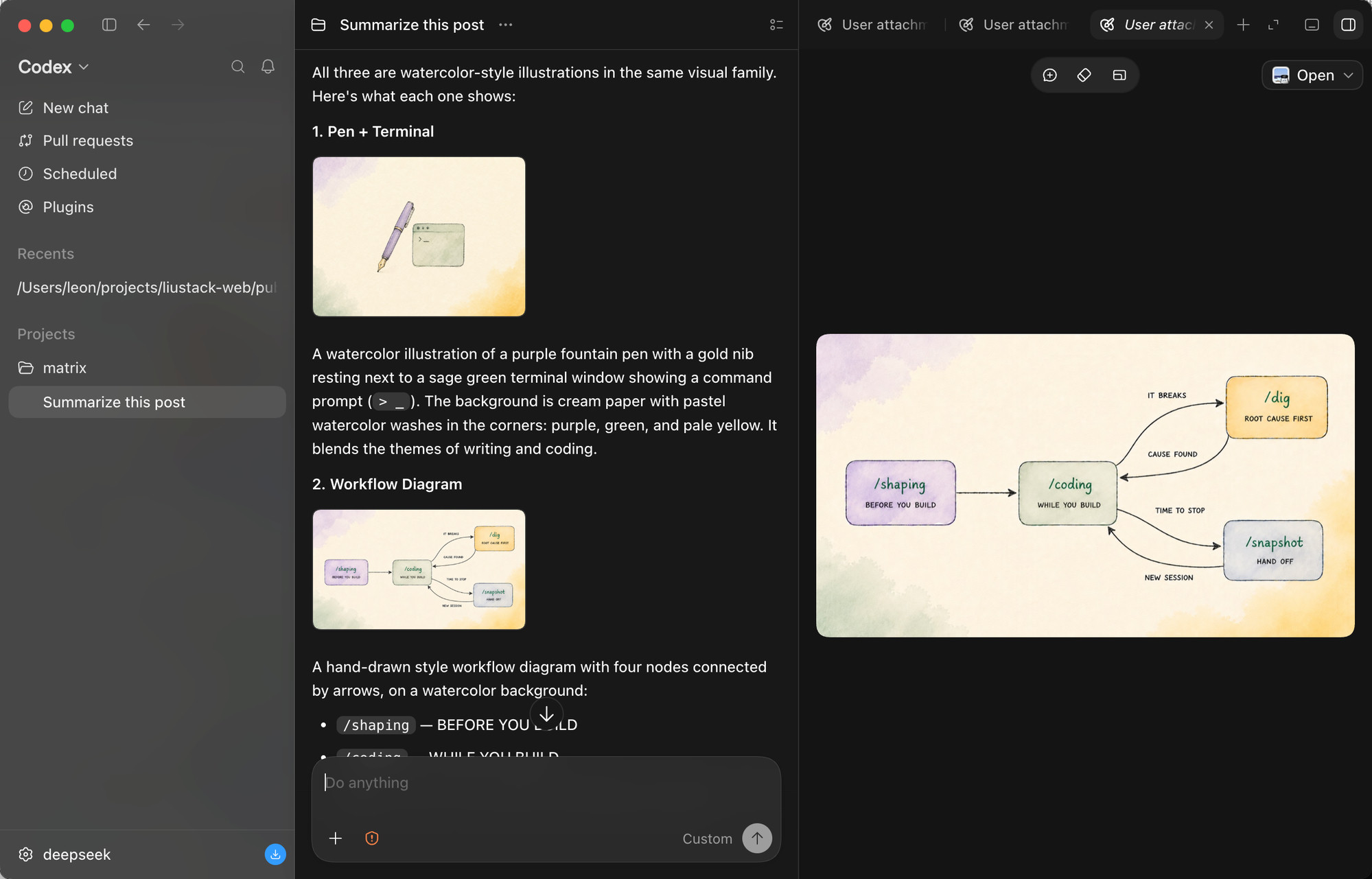
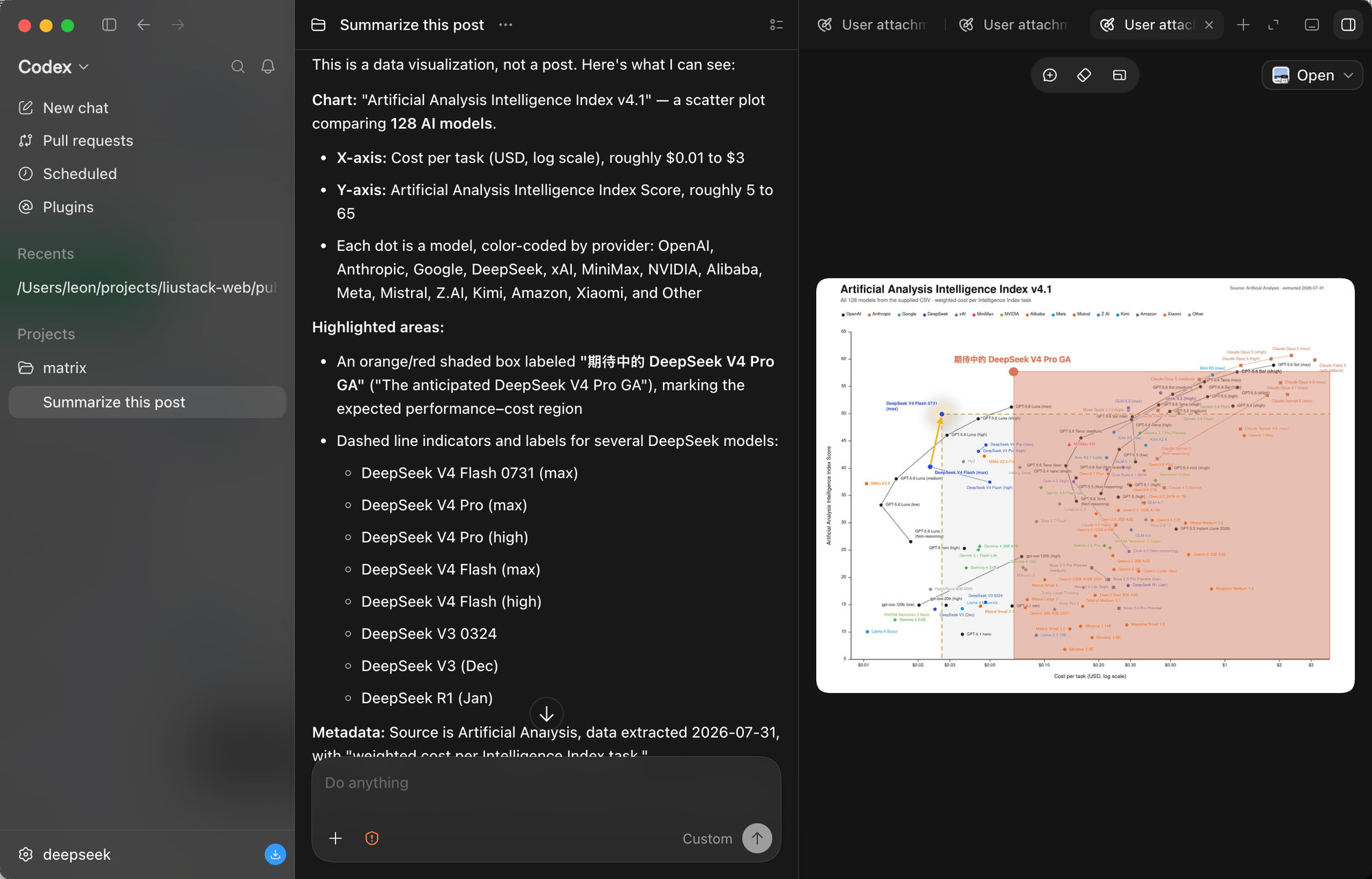
Its core abilities go far beyond basic image description. ModLens outputs full transcription, reading-order layout regions, and entity/relation lists, letting the model quote specific details instead of making vague statements. It handles multiple images pasted at once, and it can tackle dense charts—like a scatter plot comparing 128 AI models, reading both axes, the log scale, color coding per provider, and highlighted regions. Under the hood, it bundles six built-in vision engines and four reusable local CLI logins into one automatic failover chain: a free Gemini key gives the fastest reads, while existing Claude Code, Codex, OpenCode, or Pi logins can back it up with your explicit consent, and every reused read is labeled with whose quota it spent. The footprint is minimal: on DeepSeek Harness it's exactly one plugin, and uninstalling is deleting a folder.
Who is it for? If you use Claude Code, Codex, OpenCode, Pi, or DeepSeek Harness with a text-only model, and you regularly need to analyze screenshots, charts, UI mockups, or long image documents, ModLens is built for you. It's especially great for people who want zero configuration—it auto-detects and reuses logins and keys already on your machine—and for those who care about privacy and transparency: image content is treated as untrusted input, and file permissions and fetch policies are clearly documented. In short, if you want your model to genuinely "see" what you paste rather than pretend to, ModLens is the most effortless way to get there.
Screenshots
Use Cases
- Paste screenshots to analyze UI and layouts
- Read chart data and cite specific details
- Paste multiple images at once for content recognition
Best For
- Developers using text-only models
- Everyday users who need quick screenshot analysis
- AI tool users who want a zero-config experience
Related Plugins
A unified suite combining hot runtime injection, task-aware thinking-mode routing, and a graded session protocol with red-team gates to sustain model diligence across long-horizon inference.

On-demand vision for text-only DeepSeek Harness agents: built-in free keyless vision chain and 14 vision tools, routing image turns as tool calls to vision models with pixel fidelity, no Python needed, one-command install.

Give text-only models in DeepSeek Harness eyes, enabling image Q&A, long-screenshot OCR, UI restoration, and GUI visual tasks.
An armor-breaking plugin for DeepSeek: rewrites instruction priority, expands refusal-blocked phrases, persists across sessions, and shows a green active indicator.