dsh-paperpanel
Run the following command in DeepSeek Harness:
dsh plugin install Floatingfur/dsh-paperpanel
Paste the following prompt into your AI chat to install this plugin:
Run dsh plugin install Floatingfur/dsh-paperpanel in the DeepSeek Harness terminal. Source: https://github.com/Floatingfur/dsh-paperpanel. After installing, restart dsh web and the Library drawer will appear on the right.
About this plugin
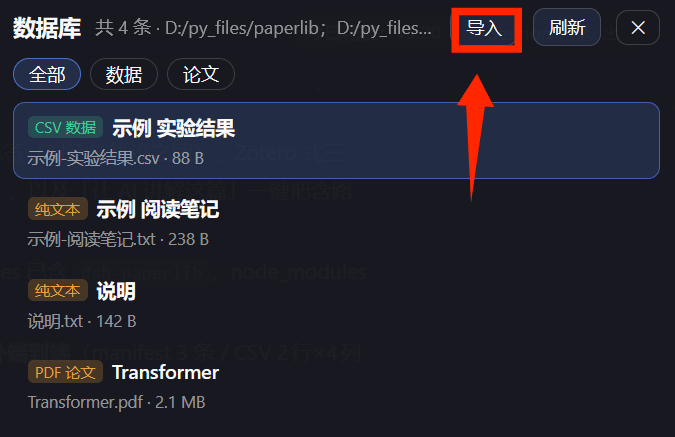
Papers, word documents, and spreadsheets live in scattered folders, and juggling a reader, a note-taker, and a table editor across separate apps breaks flow. dsh-paperpanel folds all three into a single right-side floating drawer inside DSH Web: import local files, double-click to read, select text to annotate, and edit spreadsheet cells in place. The entire read, record, and analyze loop happens in one window.
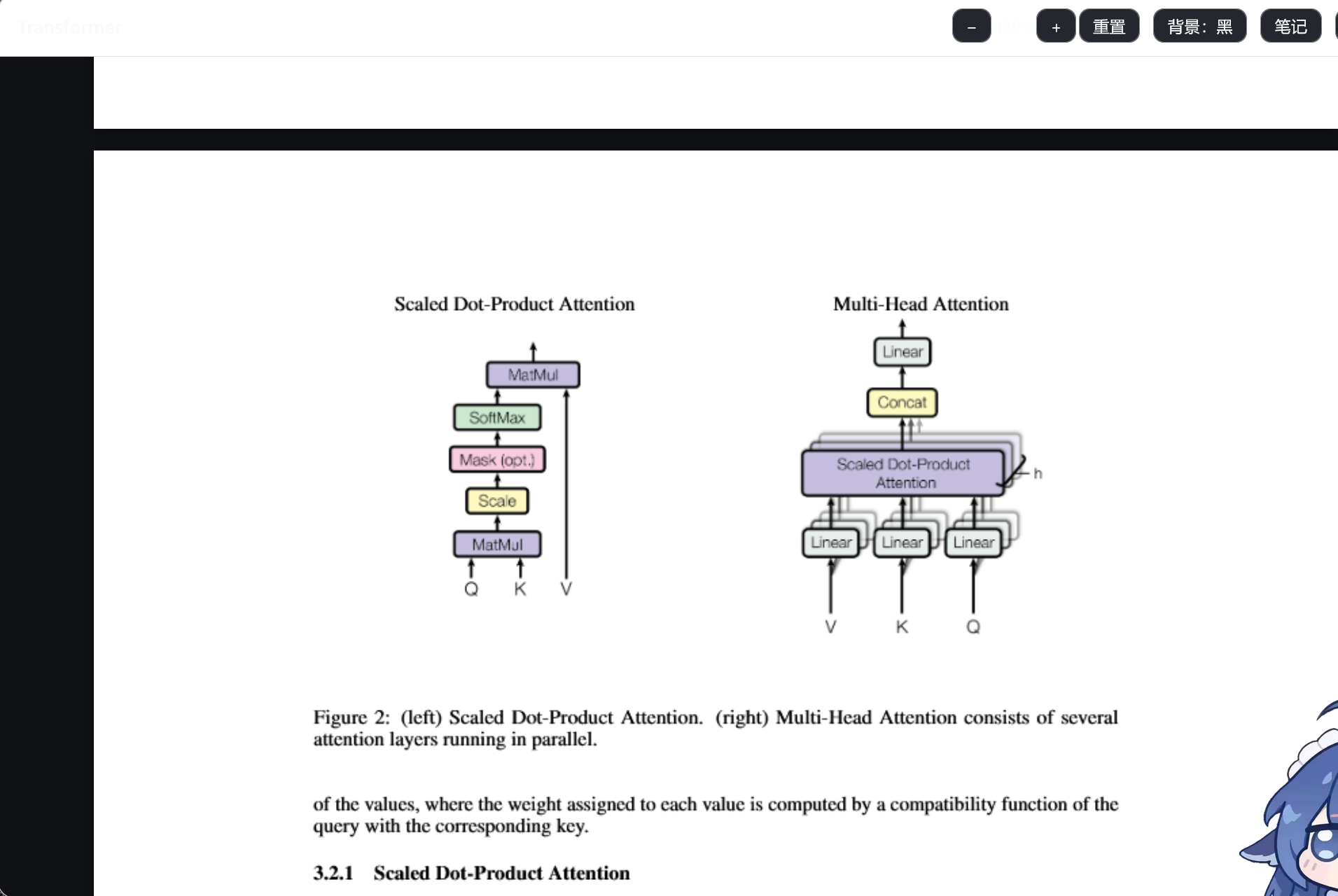
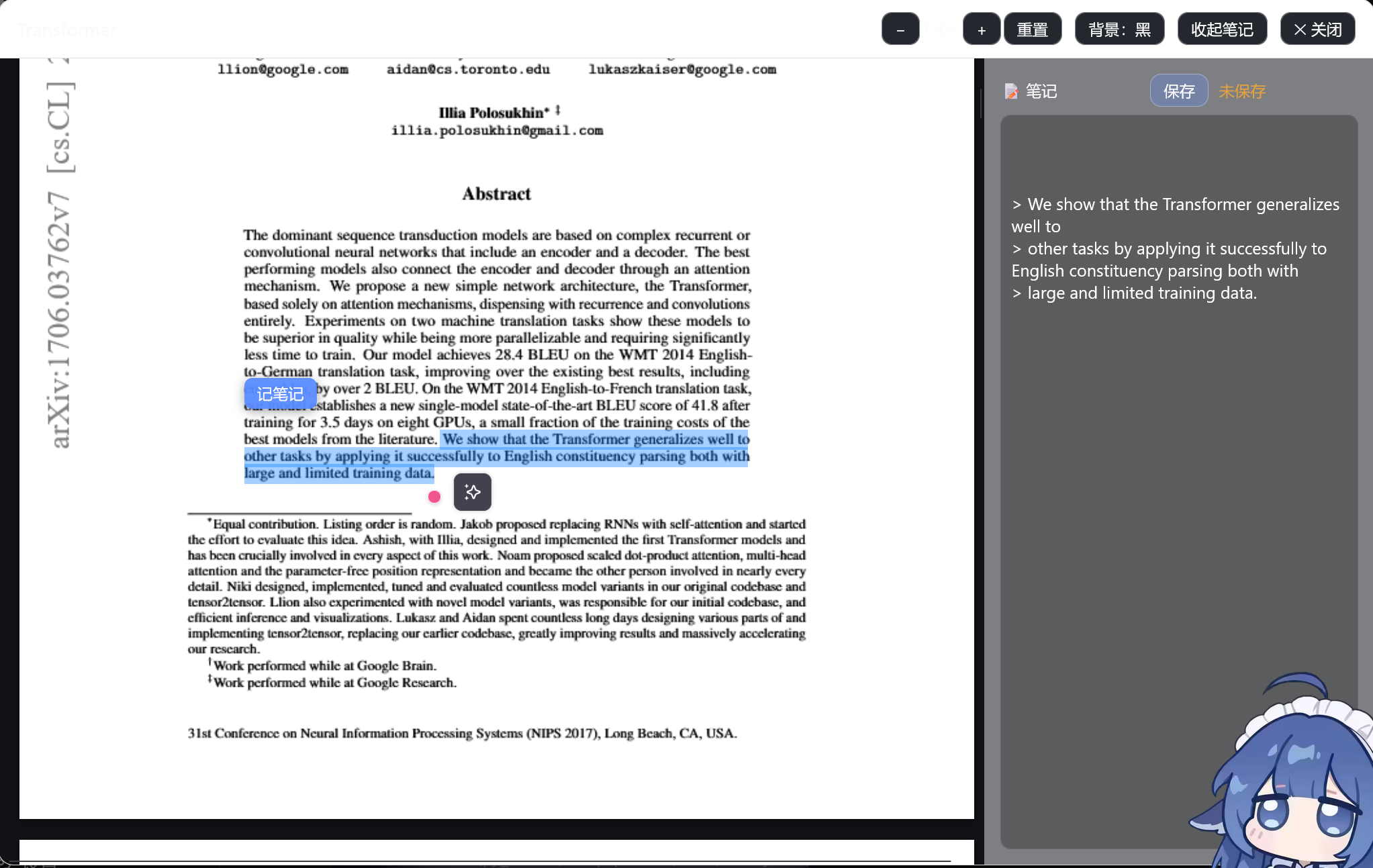
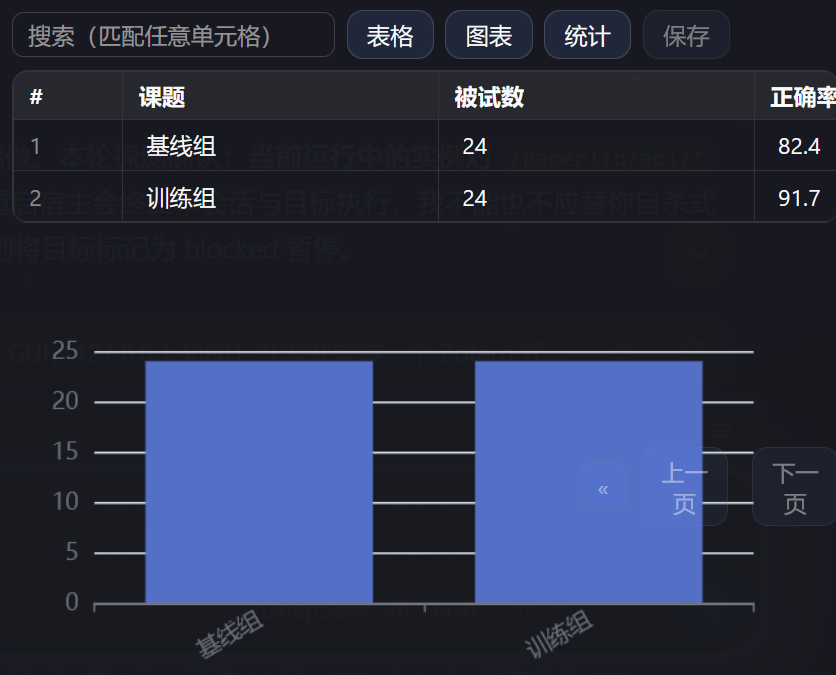
Three document families are covered. For papers, PDFs render through pdf.js with multi-page support and selectable text, while Word files keep headings and tables via docx-preview; zoom in or out, flip between light and dark backgrounds, and turn any selection into a Markdown blockquote saved to a co-located .notes.md file alongside a live note panel. For data, CSV, TSV, and Excel cells are editable and write back to the original file (with an automatic .bak backup first), alongside sorting, search, pagination, and ECharts bar, line, or pie charts plus column statistics. A one-click button also hands any item to the AI agent for explanation or summarization.
Built for researchers, analysts, and power users who prefer a local, offline-first workflow with no cloud sync. It does not occupy DSH's built-in details slot; the drawer appears as soon as you restart the web interface after installing.
Screenshots
Use Cases
- Select key paragraphs in a PDF while reading and append them as Markdown blockquotes saved to a co-located note file
- Open a local Excel or CSV spreadsheet, edit cells inline, sort and filter rows, then render ECharts bar or pie charts
- Bulk-import Word and CSV files from a folder and browse them in a type-filterable right-side drawer
Best For
- Graduate students and researchers who prefer local, cloud-free literature management
- Data analysts who routinely work with CSV/Excel and need quick inline visualization and analysis
- Power users who want a fully offline workflow combining reading, noting, and spreadsheet analysis in one window
Related Plugins

Memory layer for coding agents that indexes local session history and auto-recalls relevant context before edits, commands, and failures, with no manual search needed.

Traceable, searchable cross-session memory for AI agents that turns conversation knowledge into a typed knowledge graph and recalls relevant subgraphs instead of replaying full history, natively integrated with DeepSeek Harness.
Gives DSH AI cross-session long-term memory, to-do and skill management, plus multi-session orchestration, external AI delegation, and an infinite canvas that grows with you.

dsh-mnemon is a three-tier, pluggable, Agent-driven memory system for DeepSeek Harness, combining Runtime memory, Project Documents, and replaceable Memory Spaces with nine long-term providers.