dsh-lost-and-found
Run the following command in DeepSeek Harness:
dsh plugin install wangzhanchao883/dsh-lost-and-found
Paste the following prompt into your AI chat to install this plugin:
Run dsh plugin install wangzhanchao883/dsh-lost-and-found in DeepSeek Harness; the source repository is at https://github.com/wangzhanchao883/dsh-lost-and-found . After installation, restart DSH to activate the plugin.
About this plugin
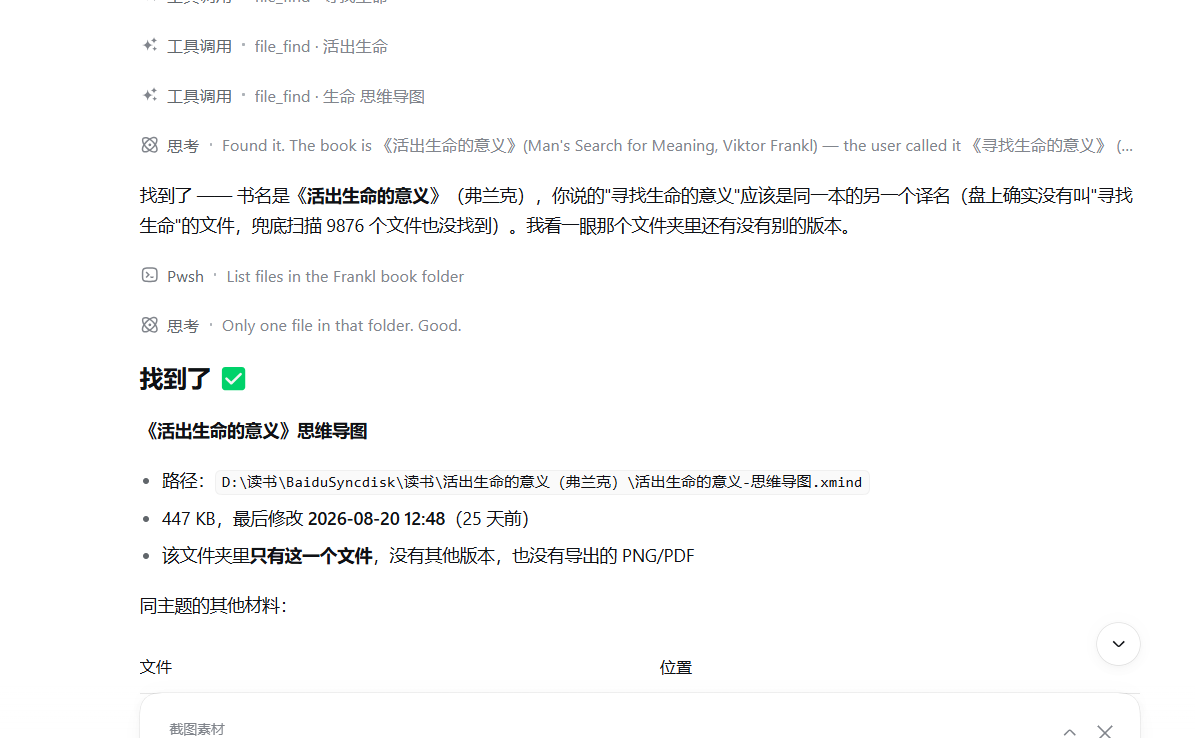
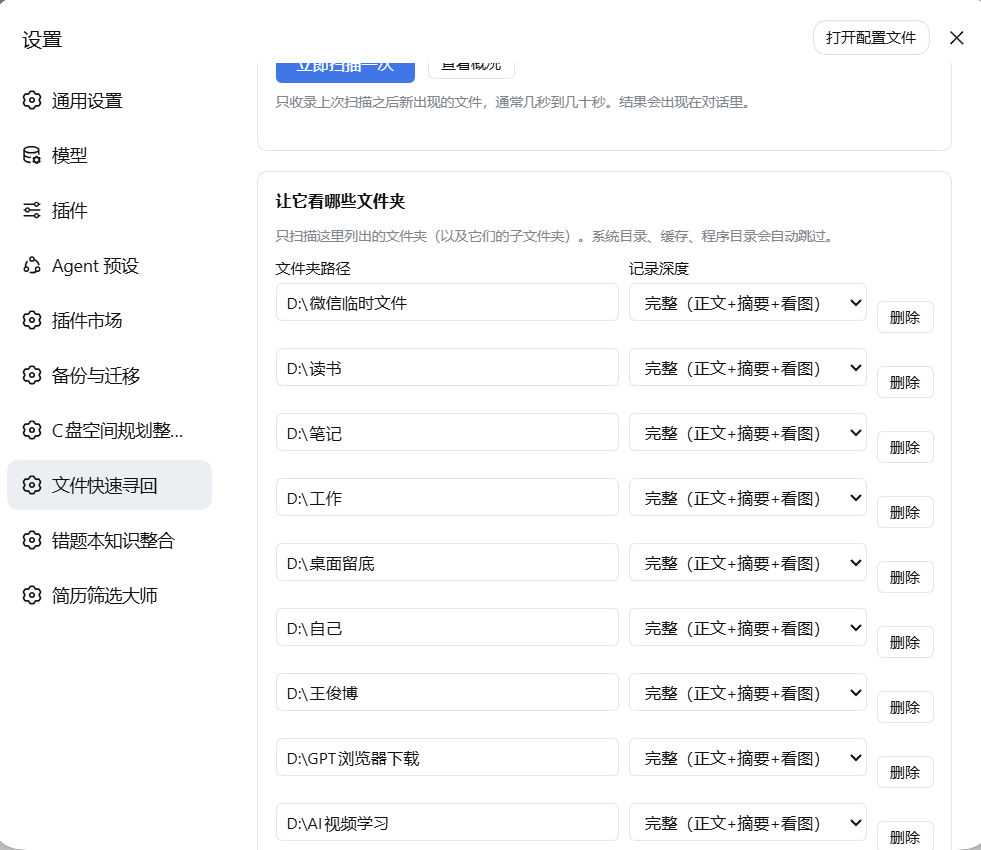
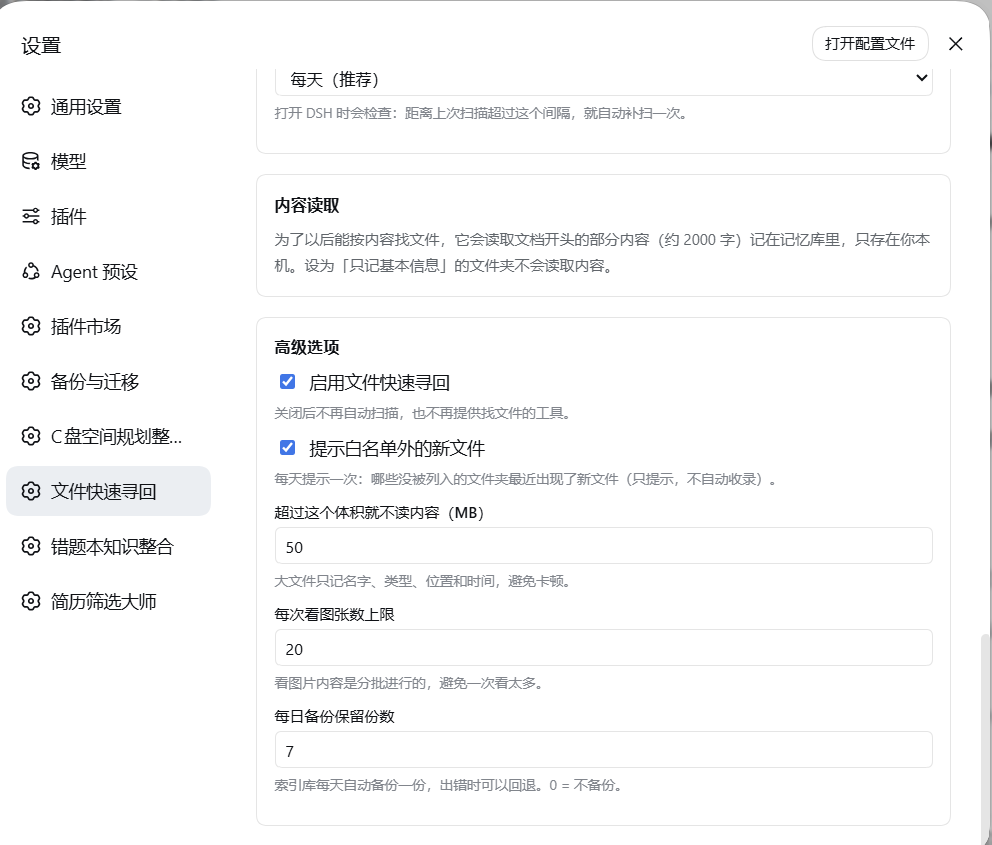
Files pile up and the real pain is not losing them but forgetting where they went. Every time you ask an LLM where that invoice is, it either crawls the disk for a long time or simply cannot find it. dsh-lost-and-found turns the problem into a local index: you designate a few folders, the plugin scans them on a daily or weekly cadence, and records name, type, size, appeared-at, location, and origin into a single SQLite file on your machine. Tens of thousands of files finish in seconds thanks to directory-level pruning of caches, VCS, and program folders.
Search is two-stage. SQL hard filters on time, type, folder, and origin run first, then multi-keyword AND matching is scored by where the hit landed (name, tags, path, summary, image description, excerpt), and the result tells you which layer matched. Images can be passed to a model for a written description that is stored back, so you can search by visual content. When the index has no hit, the watched folders are scanned live as a fallback, compared only, never written to the database. The plugin is strictly read-only: it never modifies, moves, renames, or deletes your files. No network, no upload, no API key required.
Ideal for people whose files are scattered across many directories and who keep asking where did I put that. It suits anyone who wants fast, repeatable, controllable file recall without relying on an LLM to walk the disk every time. All data lives in one local SQLite file, and the index can be rebuilt from scratch at any moment.
Screenshots
Use Cases
- Quickly locate a misplaced invoice or report with natural-language queries
- Find a screenshot by the visual description written back by an LLM
- Filter tens of thousands of files by time range, file type, and origin
Best For
- Users whose files are scattered across many directories and they keep forgetting where they went
- Developers who want fast, repeatable file recall without relying on LLM disk crawling every time
- Privacy-conscious professionals who refuse to upload any data to the cloud
Related Plugins

Memory layer for coding agents that indexes local session history and auto-recalls relevant context before edits, commands, and failures, with no manual search needed.

Traceable, searchable cross-session memory for AI agents that turns conversation knowledge into a typed knowledge graph and recalls relevant subgraphs instead of replaying full history, natively integrated with DeepSeek Harness.
Gives DSH AI cross-session long-term memory, to-do and skill management, plus multi-session orchestration, external AI delegation, and an infinite canvas that grows with you.

dsh-mnemon is a three-tier, pluggable, Agent-driven memory system for DeepSeek Harness, combining Runtime memory, Project Documents, and replaceable Memory Spaces with nine long-term providers.