dsh-notebook
Run the following command in DeepSeek Harness:
dsh plugin install wyzh0117/dsh-notebook
Paste the following prompt into your AI chat to install this plugin:
Run dsh plugin install wyzh0117/dsh-notebook in your terminal to install the plugin, available at https://github.com/wyzh0117/dsh-notebook .
About this plugin
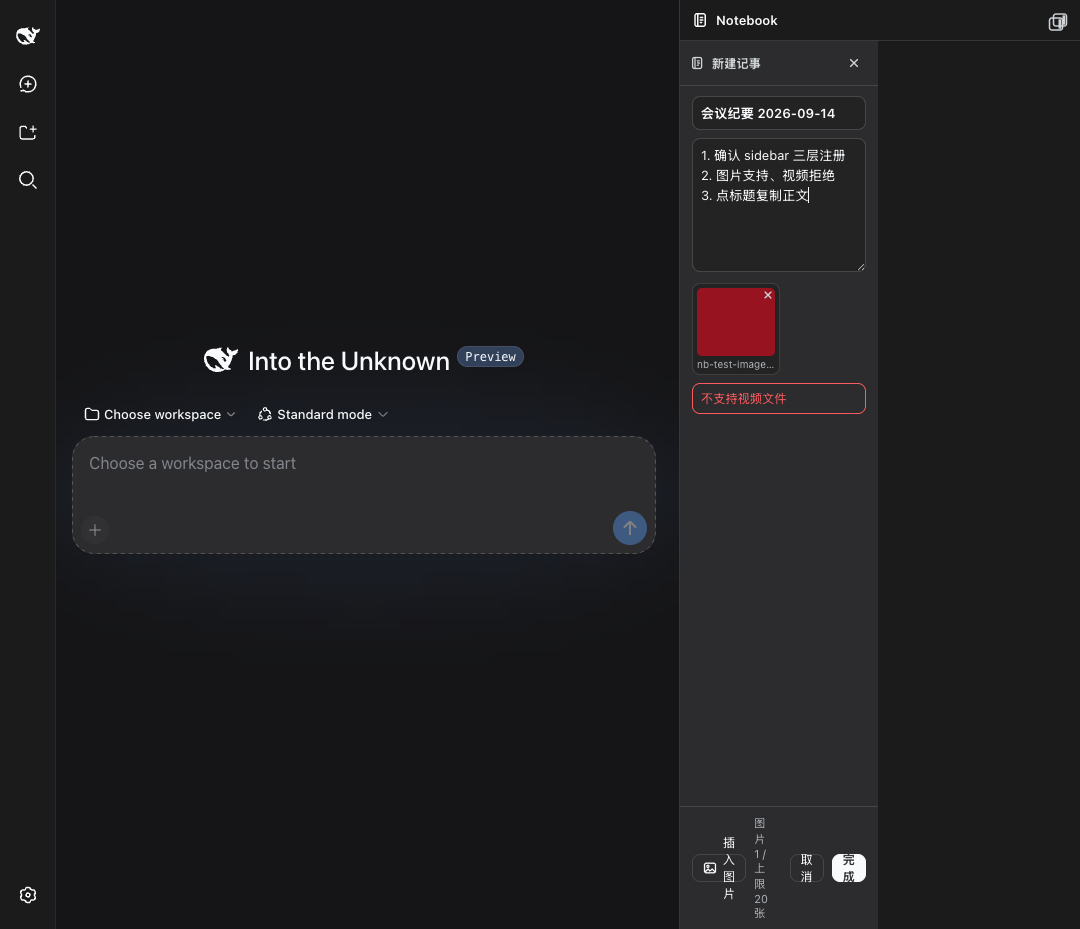
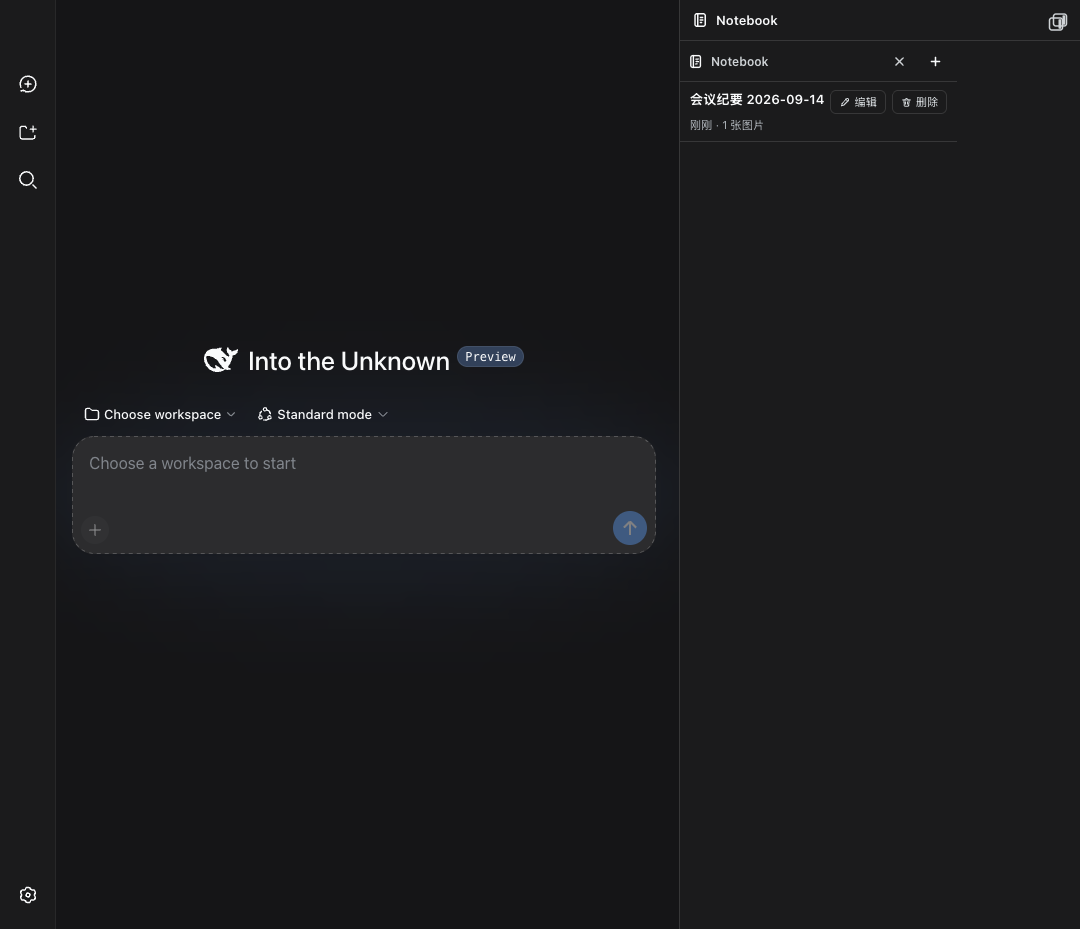
Working in DeepSeek Harness, you keep hitting content worth saving — a useful answer, a selected passage, a diagram — but pulling out a separate notes app breaks the flow. dsh-notebook solves that by putting a lean, local notebook directly in the DSH sidebar: no rich-text editor, no cloud sync, no version history. Open it, write, move on.
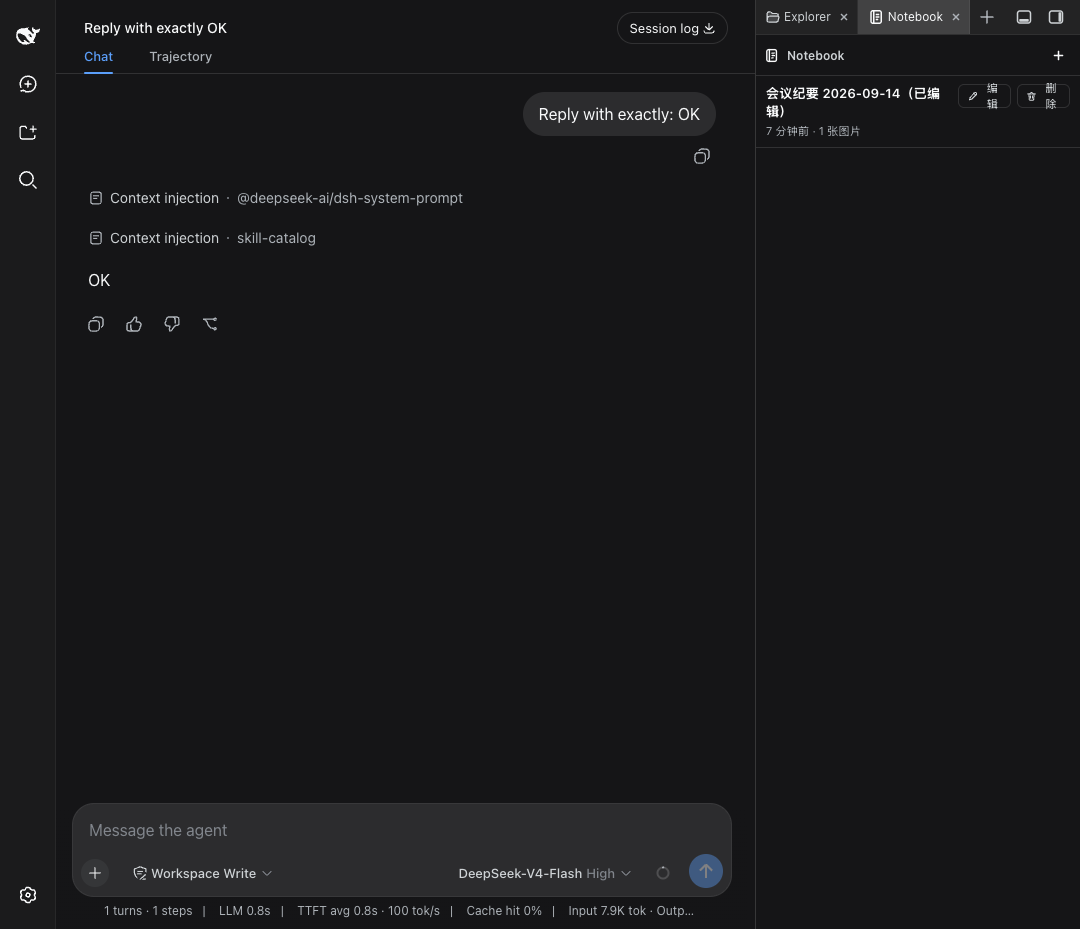
The core loop is write it down, bring it in. Give a note a title and a body, paste or drop in images (up to 10 MB each, 20 per note), and click Done to file it. When you need it back, click the title to copy the body into the clipboard, or type @ in the composer to reference a note as an atomic chip that sends only the body to the model. Since v0.2, selecting any text in a conversation surfaces a floating "To notebook" action, and every answer carries a small notebook icon that saves the full reply in one click. Images are decoded by the host into $DSH_HOME/storages/notebook-attachments/ using atomic writes (temp file, fsync, rename under a mutex); if the disk is not writable the host falls back to in-memory storage and the UI shows a degraded banner.
It is built for DSH users who want a zero-dependency, offline-first scratchpad: researchers collecting snippets, developers stashing code ideas, writers gathering material — all within the conversation, no context-switching required, and nothing lost when the tab closes.
Screenshots
Use Cases
- Capture a useful answer from any DSH conversation with one click and @-reference it later
- Jot down code snippets, config values, and ideas mid-development without leaving the IDE
- Collect paper abstracts and key arguments with images for quick retrieval during writing
Best For
- DSH users who want to capture and reuse content without switching tools
- Anyone preferring offline, local-first notes with zero cloud dependency
- Researchers, developers, and writers who frequently reference prior content mid-conversation
Related Plugins

Memory layer for coding agents that indexes local session history and auto-recalls relevant context before edits, commands, and failures, with no manual search needed.

Traceable, searchable cross-session memory for AI agents that turns conversation knowledge into a typed knowledge graph and recalls relevant subgraphs instead of replaying full history, natively integrated with DeepSeek Harness.
Gives DSH AI cross-session long-term memory, to-do and skill management, plus multi-session orchestration, external AI delegation, and an infinite canvas that grows with you.

dsh-mnemon is a three-tier, pluggable, Agent-driven memory system for DeepSeek Harness, combining Runtime memory, Project Documents, and replaceable Memory Spaces with nine long-term providers.