dsh-rollback
Run the following command in DeepSeek Harness:
dsh plugin install domitor-syh/dsh-rollback
Paste the following prompt into your AI chat to install this plugin:
Run dsh plugin install domitor-syh/dsh-rollback in your terminal, then restart the DSH Web server; the plugin source is available at https://github.com/domitor-syh/dsh-rollback
About this plugin
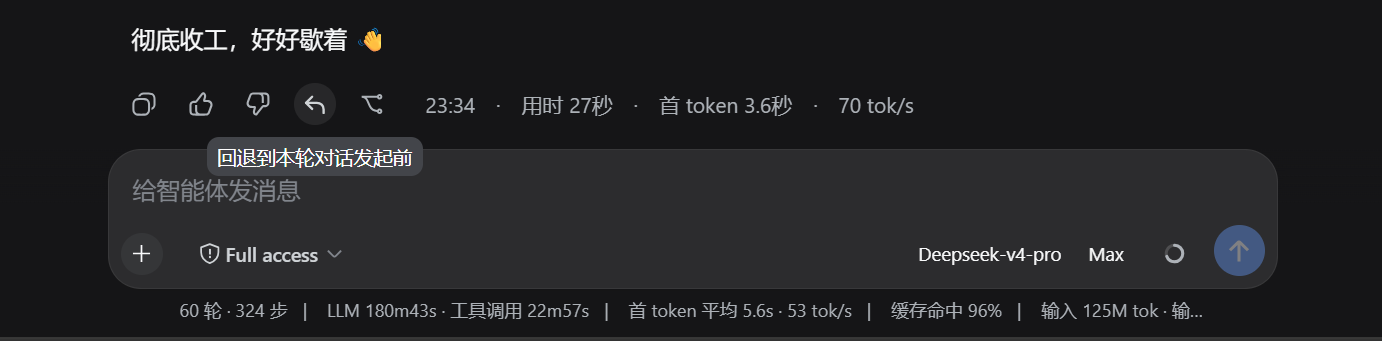
In a multi-turn DeepSeek Harness conversation, the model continuously modifies workspace files and accumulates context. The moment a turn goes off track, developers often want to undo it, but there is no convenient rollback entry and no mechanism to restore file state and conversation history in lockstep — rolling back files alone leaves hallucinated continuity, while truncating the dialog alone leaves the file changes in place.
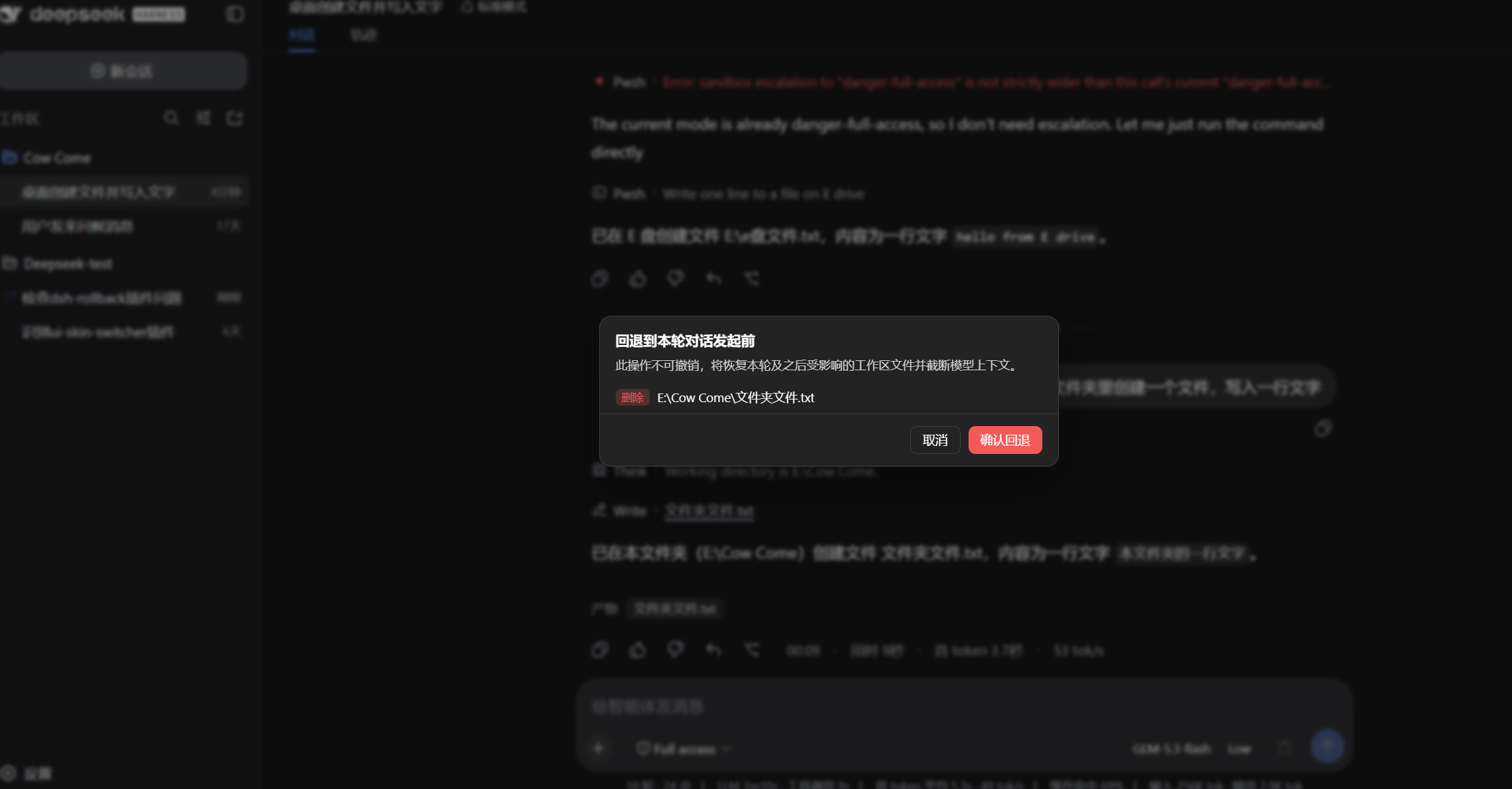
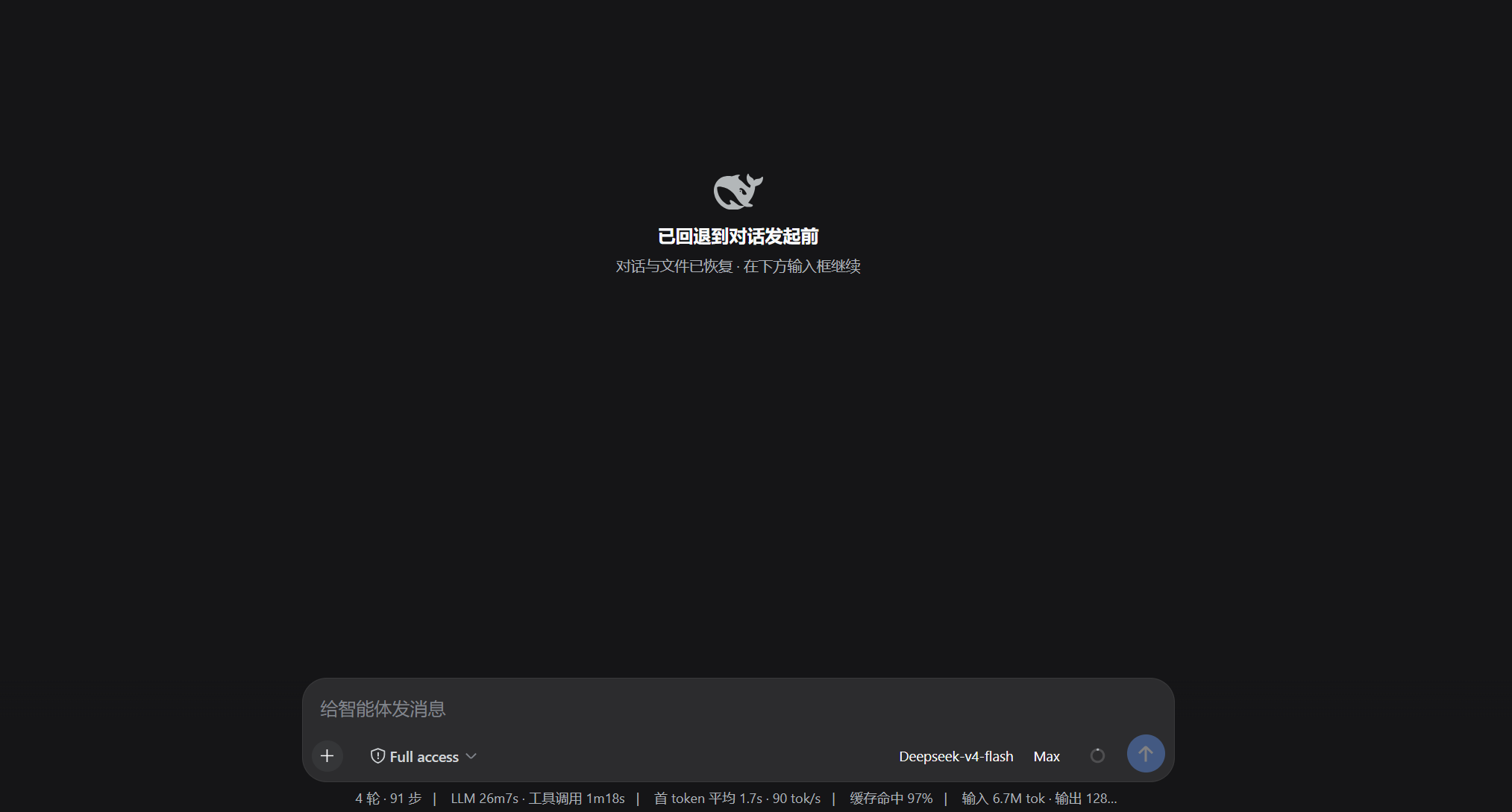
dsh-rollback follows TRAE-style rollback design, establishing lightweight per-turn checkpoints and restoring both the workspace files touched since that turn (writing back originals, restoring deleted files, removing newly created ones) and the model context (in-place truncation that preserves the same session id) to the state before that turn started. A 10-round sliding window is retained; targets beyond the range are explicitly rejected. In the DSH Web UI a rollback button appears after each completed turn, offering a reviewable list of affected files before confirmation, and the /rollback command supports listing, previewing, and executing. Empty directories created by the rolled-back turn are cleaned up, and rollback is denied while any turn is still running to prevent state interleaving.
Best for developers who iterate heavily in DSH Web and frequently need to undo model operations. It does not replace version control; instead, it treats the conversation plus workspace as a single atomic state, giving every step a reliable way to step back.
Screenshots

Use Cases
- Multi-turn conversation goes off track, roll back to a specific turn in one click
- Undo the most recent rounds of file changes after the model made multiple edits
- Truncate conversation history while restoring workspace files to prevent context drift
Best For
- Developers iterating in DSH Web who need to undo model operations
- AI-assisted programming users who frequently roll back agent changes
- Developers who care about conversation-to-workspace state consistency
Related Plugins

Memory layer for coding agents that indexes local session history and auto-recalls relevant context before edits, commands, and failures, with no manual search needed.

Traceable, searchable cross-session memory for AI agents that turns conversation knowledge into a typed knowledge graph and recalls relevant subgraphs instead of replaying full history, natively integrated with DeepSeek Harness.
Gives DSH AI cross-session long-term memory, to-do and skill management, plus multi-session orchestration, external AI delegation, and an infinite canvas that grows with you.

dsh-mnemon is a three-tier, pluggable, Agent-driven memory system for DeepSeek Harness, combining Runtime memory, Project Documents, and replaceable Memory Spaces with nine long-term providers.