dsh-peakrate
Run the following command in DeepSeek Harness:
dsh plugin install log-li/dsh-peakrate
Paste the following prompt into your AI chat to install this plugin:
Run dsh plugin install log-li/dsh-peakrate in your terminal to install the plugin; source repository at https://github.com/log-li/dsh-peakrate .
About this plugin
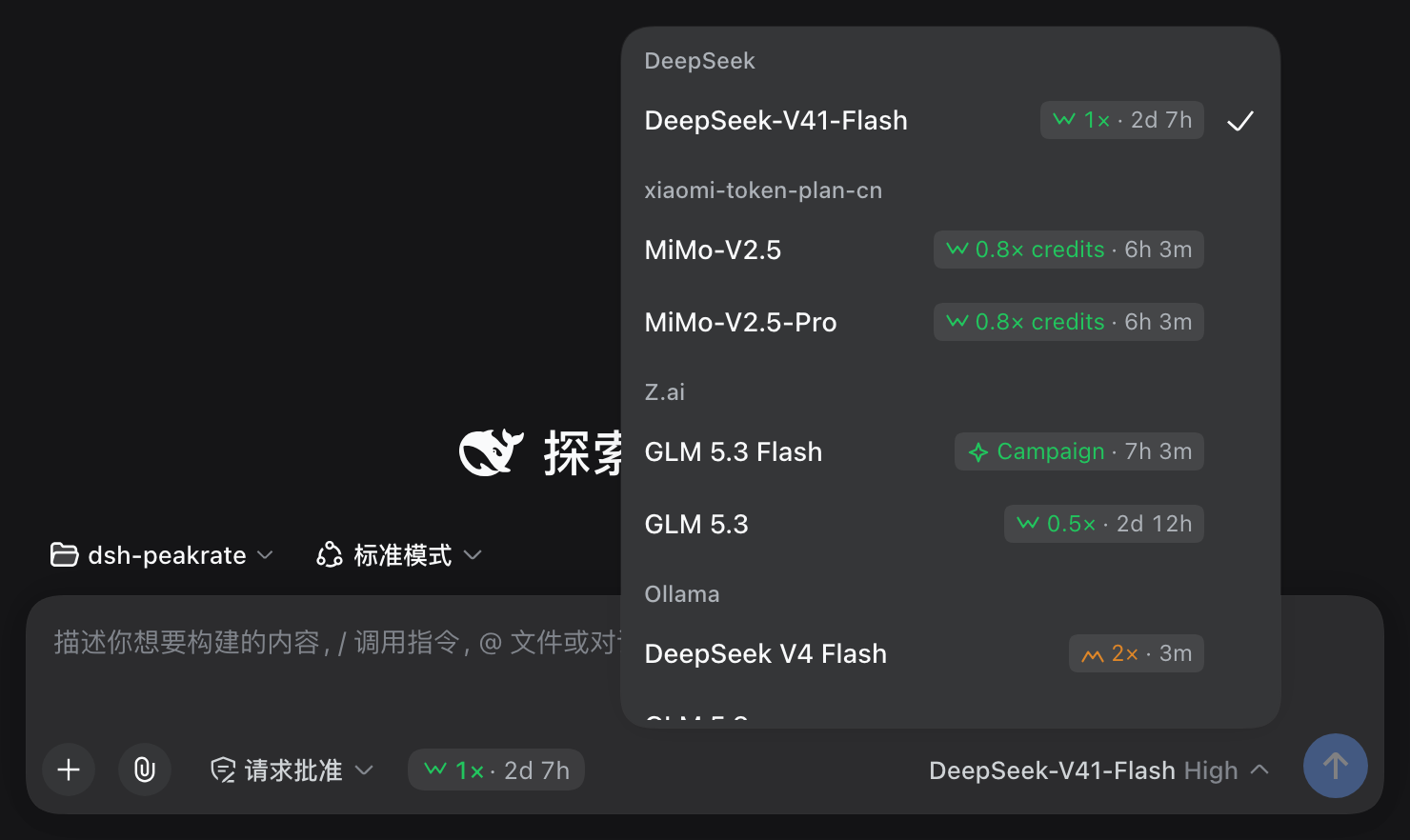
Every inference provider bills on its own clock. DeepSeek applies peak pricing on Beijing time, Ollama anchors to UTC, and Z.ai runs limited-date-range campaigns with their own weekday filter. Route the same model through two of them and the rate you are paying can differ at this very moment, yet the built-in model selector only shows names, not what you are actually about to pay.
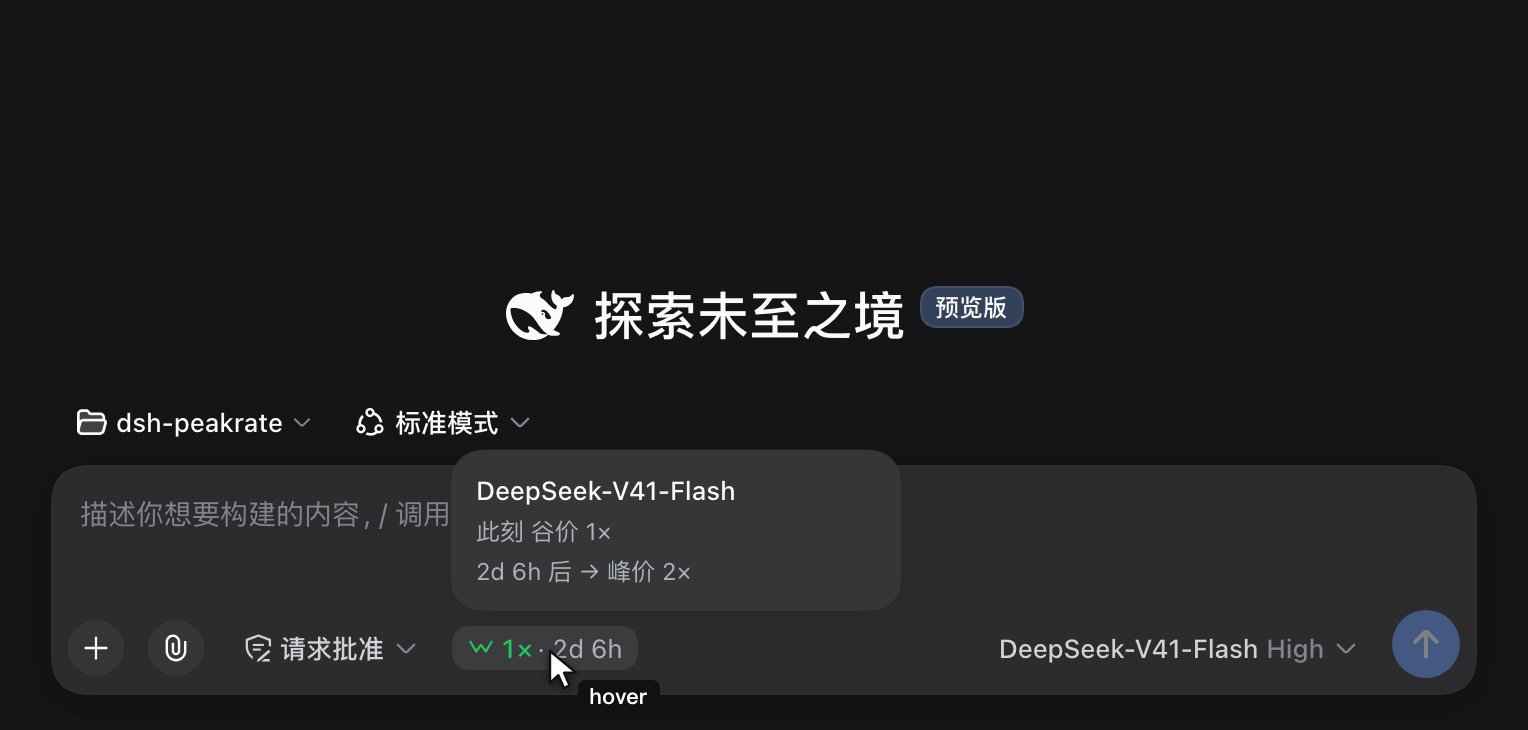
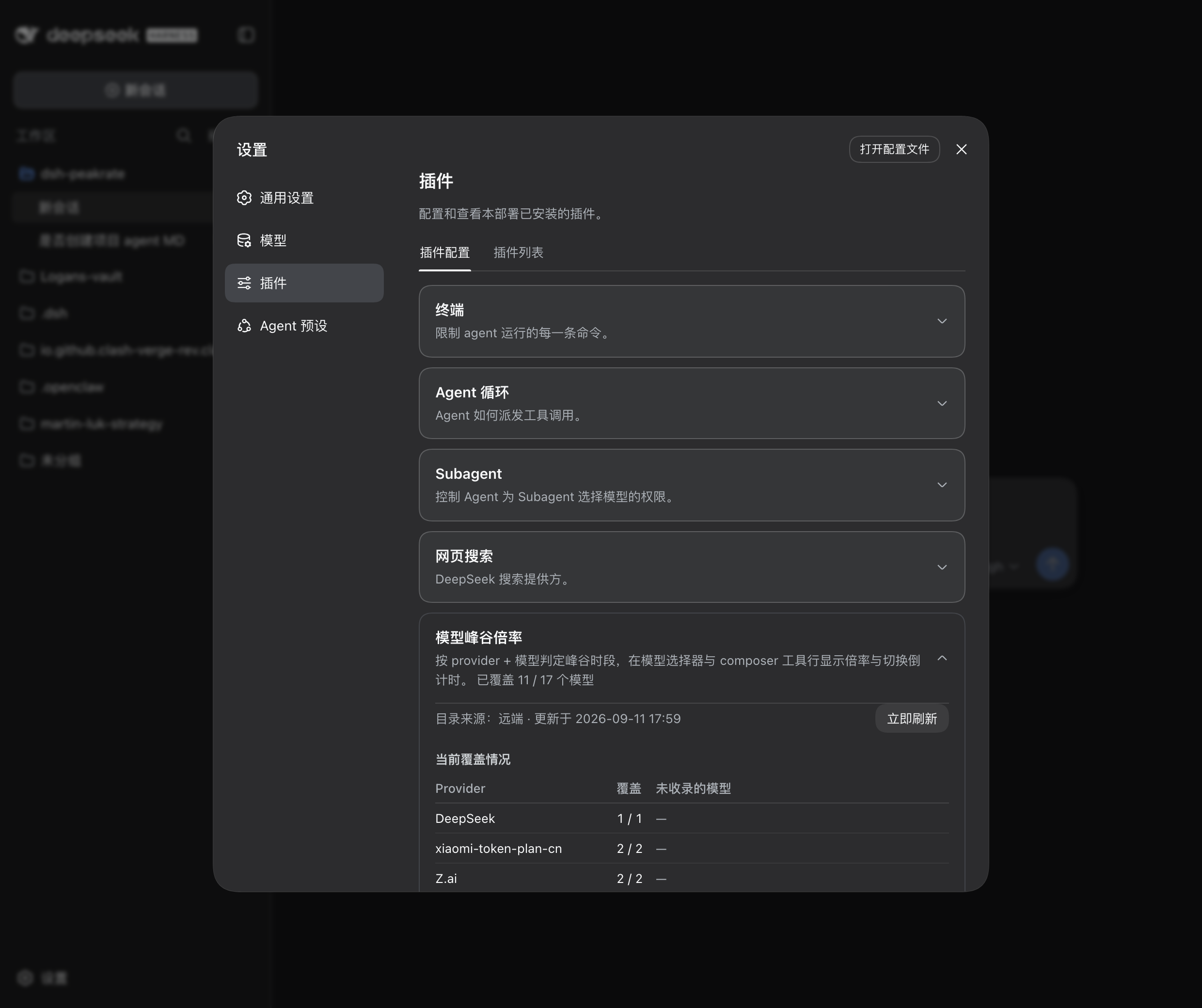
dsh-peakrate closes that gap. It pins a rate badge to every row in the model selector and to the composer tool row, covering three distinct states: peak (standard), offPeak (discounted), and campaign (a limited-time promotional window that outranks the regular cycle while it lasts). Hovering or keyboard-focusing the badge opens a theme-aware in-page card that tells you the current rate, when it ends, and what it becomes next. Every window is evaluated with real timestamps in the IANA time zone of each provider, so cross-midnight windows and DST boundaries come out correct rather than approximately correct. Under Settings and Plugins a coverage panel lists which providers matched and which silently fell through, with a one-click Refresh now for the live pricing catalog.
Built for DSH users who switch between providers often and want to ride off-peak windows or catch limited-time promotions to keep real costs down. Zero runtime dependencies, follows the harness light-dark theme and locale, and is a functional superset of the original selector: keyboard navigation, aria wiring, loading and retry states all preserved.
Screenshots
Use Cases
- Check the real-time rate of a model before switching providers
- Ride off-peak or campaign windows to lower inference costs
- Verify that a provider is correctly matched to its billing rules
Best For
- DSH users who switch between multiple providers frequently
- Teams focused on inference costs and off-peak discounts
- Operators needing to verify billing-rule coverage
Related Plugins
A unified suite combining hot runtime injection, task-aware thinking-mode routing, and a graded session protocol with red-team gates to sustain model diligence across long-horizon inference.

ModLens is a vision plugin for DeepSeek Harness that gives text-only models sight by reading images pasted directly into chat, with zero-config setup and multiple vision engines.

On-demand vision for text-only DeepSeek Harness agents: built-in free keyless vision chain and 14 vision tools, routing image turns as tool calls to vision models with pixel fidelity, no Python needed, one-command install.

Give text-only models in DeepSeek Harness eyes, enabling image Q&A, long-screenshot OCR, UI restoration, and GUI visual tasks.