dsh-knit
Run the following command in DeepSeek Harness:
dsh plugin install PolinniZhong/dsh-knit
Paste the following prompt into your AI chat to install this plugin:
Run dsh plugin install PolinniZhong/dsh-knit in DeepSeek Harness to install; source code at https://github.com/PolinniZhong/dsh-knit
About this plugin
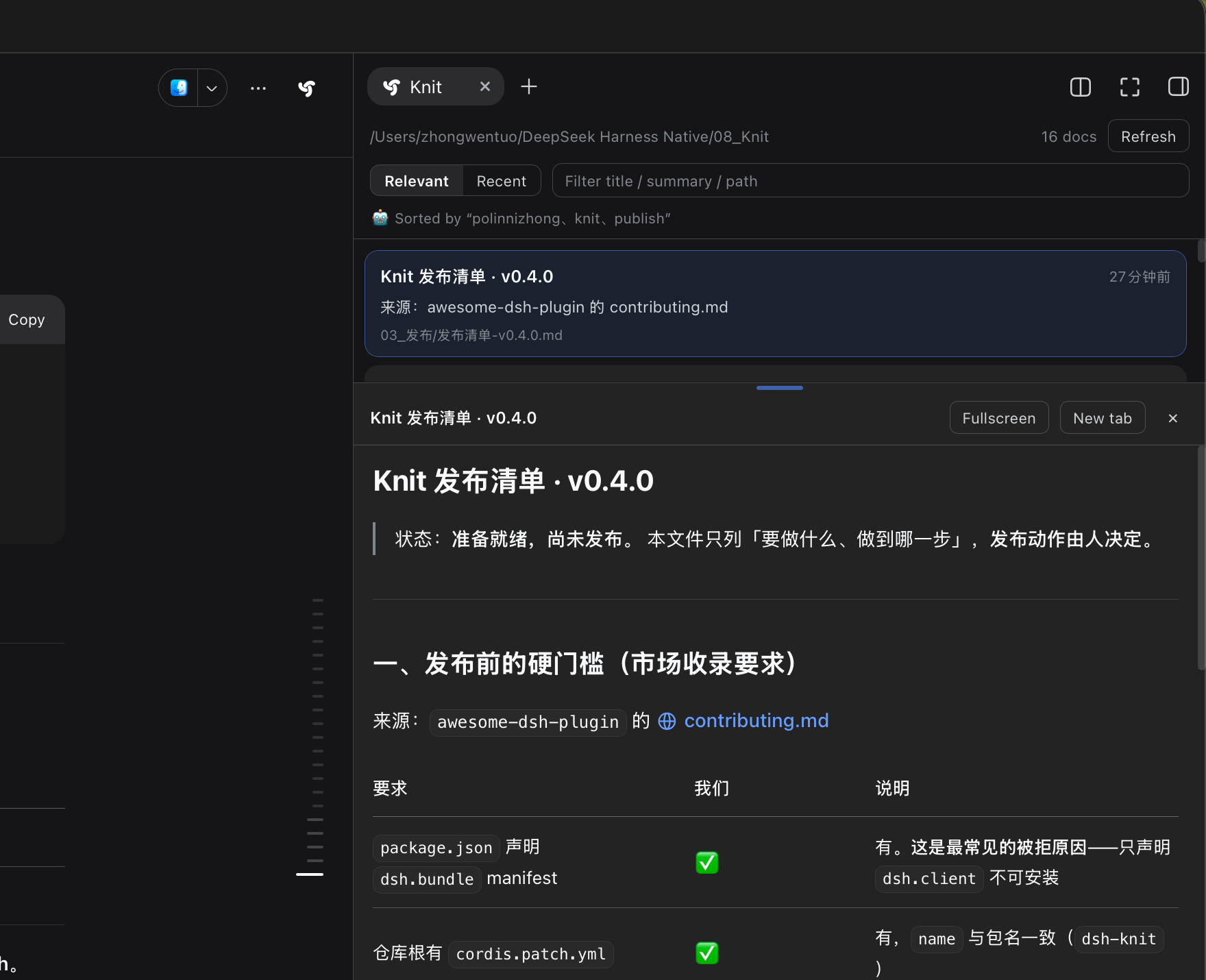
Your agent cranks out thirty Markdown files, a few screenshots, and some screen recordings in a single session, and you cannot remember which one you were just talking about. Knit does one thing well: it scans the entire working folder for documents and media, then ranks them by relevance to what you are actually discussing right now. An architecture chat floats the architecture doc to the top; a competitor discussion surfaces the competitive brief. No manual file hunting, nothing to store, and it persists across restarts, new sessions, and days.
Under the hood it is BM25 scoring on local string operations. The most recent user messages are mined for keywords (exact English tokens, Chinese 2/3-grams, boundary-fragment filtering), and every document in the folder is scored from there. No embeddings, no model calls, no network requests, zero latency, zero cost. The panel offers three views (documents, images and video, all), grid thumbnails with first-frame video previews, inline expansion for full-text reading, and double-click for a new-tab render. On the agent side, a knit_docs tool hands back the pre-ranked list of paths and summaries, saving the token cost of globbing paths and reading them one by one.
If you maintain a growing project folder where file names do not always describe the content, or if you want your agent to reference project history without guessing file paths, Knit is a zero-dependency, zero-network add-on that earns its place the first time you stop searching and start sorting.
Screenshots
Use Cases
- Agent dumps thirty Markdown files in one session; pinpoint the relevant one by whatever you are chatting about
- Come back days later and old docs still surface by current conversation topic, not just file date
- Hand the agent a pre-ranked list of project docs so it stops globbing paths and reading them one by one
Best For
- Developers maintaining large DSH projects where working folders accumulate dozens of Markdown files and media
- Anyone who wants the agent to reference project history without manually feeding file paths every turn
- Teams that prefer zero-dependency, zero-network tooling and want to avoid pulling in embedding services
Related Plugins

Memory layer for coding agents that indexes local session history and auto-recalls relevant context before edits, commands, and failures, with no manual search needed.

Traceable, searchable cross-session memory for AI agents that turns conversation knowledge into a typed knowledge graph and recalls relevant subgraphs instead of replaying full history, natively integrated with DeepSeek Harness.
Gives DSH AI cross-session long-term memory, to-do and skill management, plus multi-session orchestration, external AI delegation, and an infinite canvas that grows with you.

dsh-mnemon is a three-tier, pluggable, Agent-driven memory system for DeepSeek Harness, combining Runtime memory, Project Documents, and replaceable Memory Spaces with nine long-term providers.