dsh-usage-analytics
Run the following command in DeepSeek Harness:
dsh plugin install 3361805598-gif/dsh-usage-analytics
Paste the following prompt into your AI chat to install this plugin:
Run dsh plugin install 3361805598-gif/dsh-usage-analytics in your terminal, then restart dsh web and hard-refresh your browser; the source is available at https://github.com/3361805598-gif/dsh-usage-analytics
About this plugin
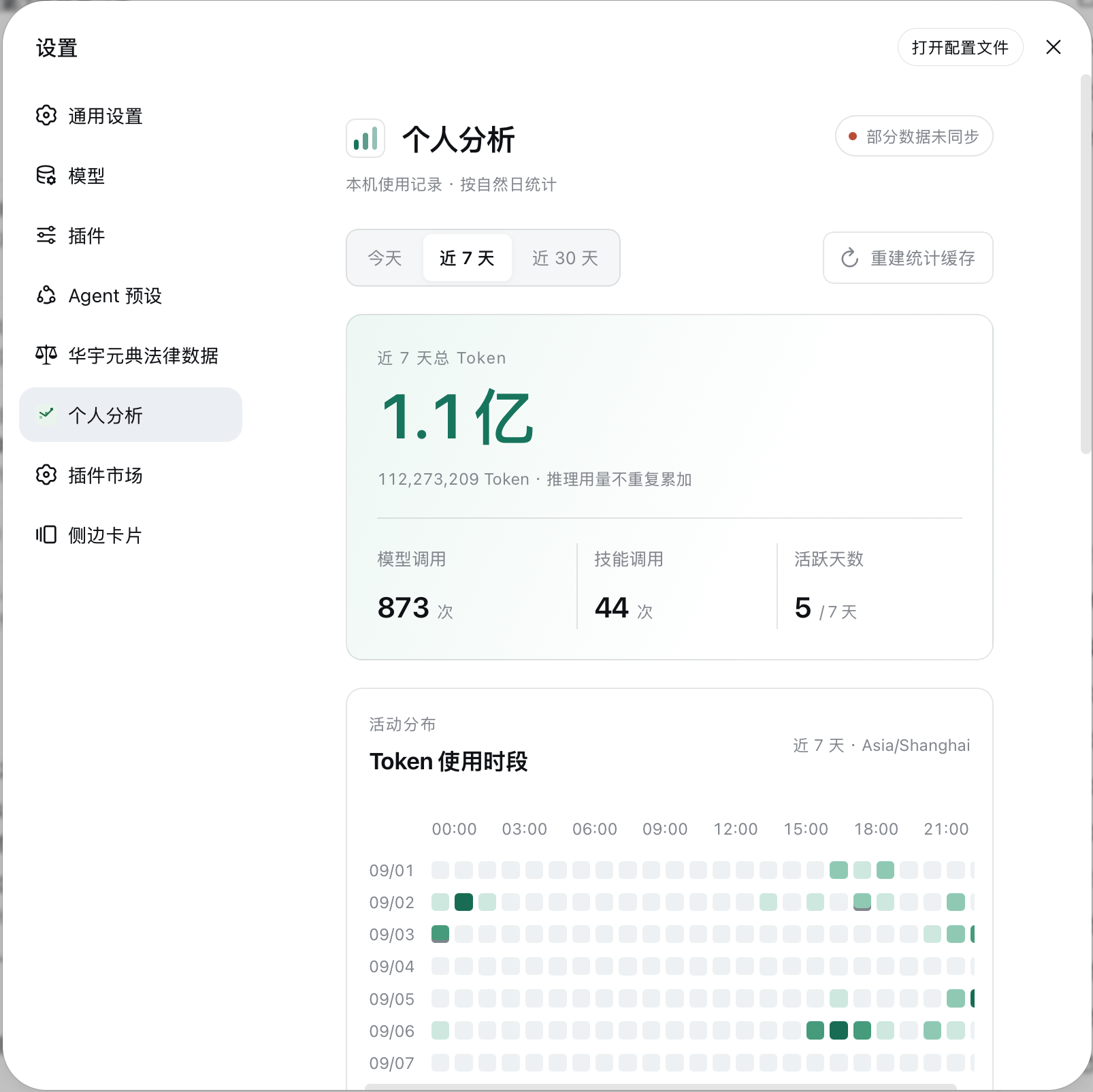
If you call multiple models and trigger various skills in DeepSeek Harness every day but can never quite tell how many Tokens you actually used, on which models, or which skills keep failing, dsh-usage-analytics is built for exactly that heavy-usage, low-visibility gap. This personal analytics plugin aggregates your local session data into an intuitive dashboard under Settings > Personal Analytics, so you can review your usage rhythm at a glance.
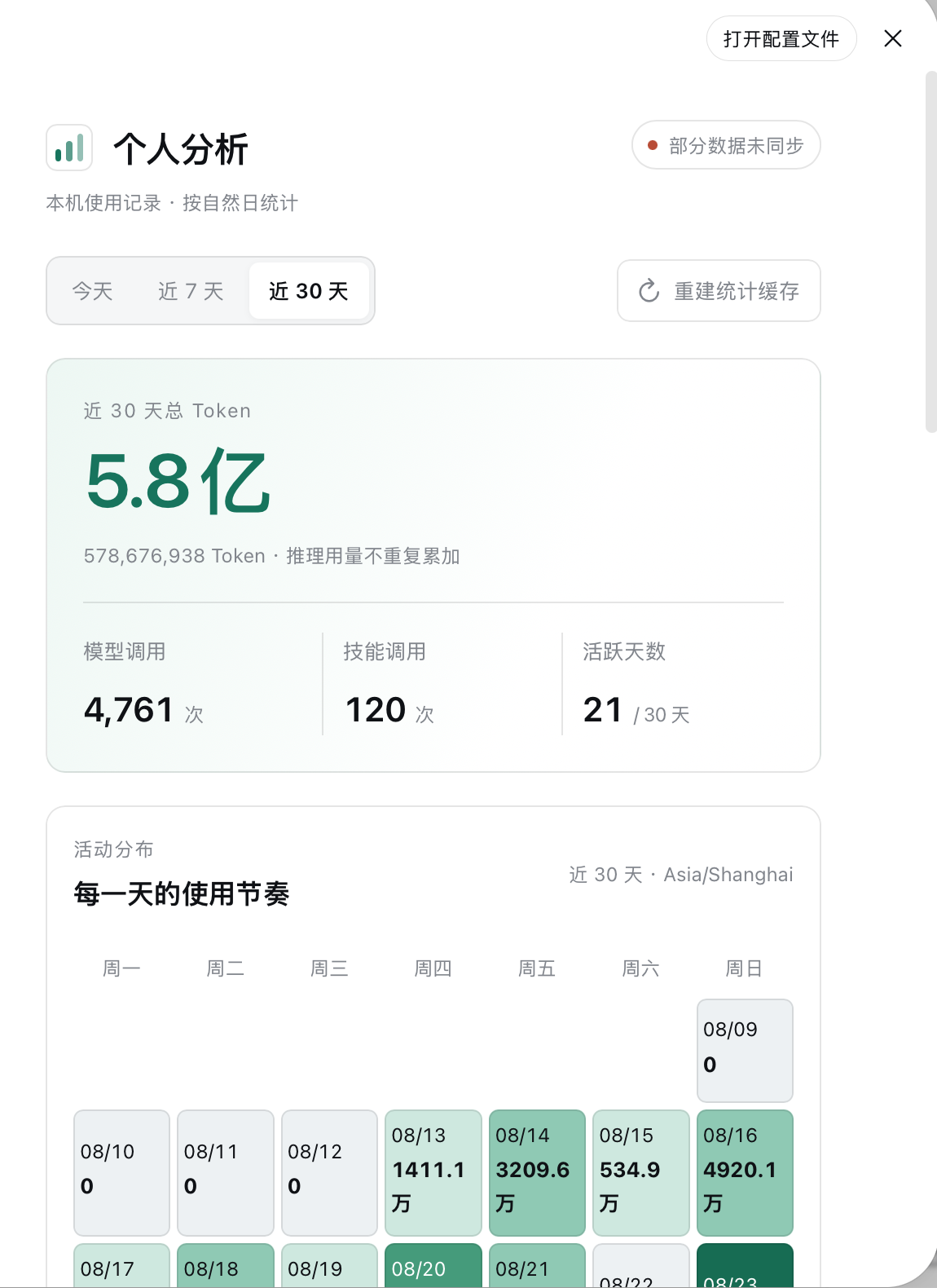
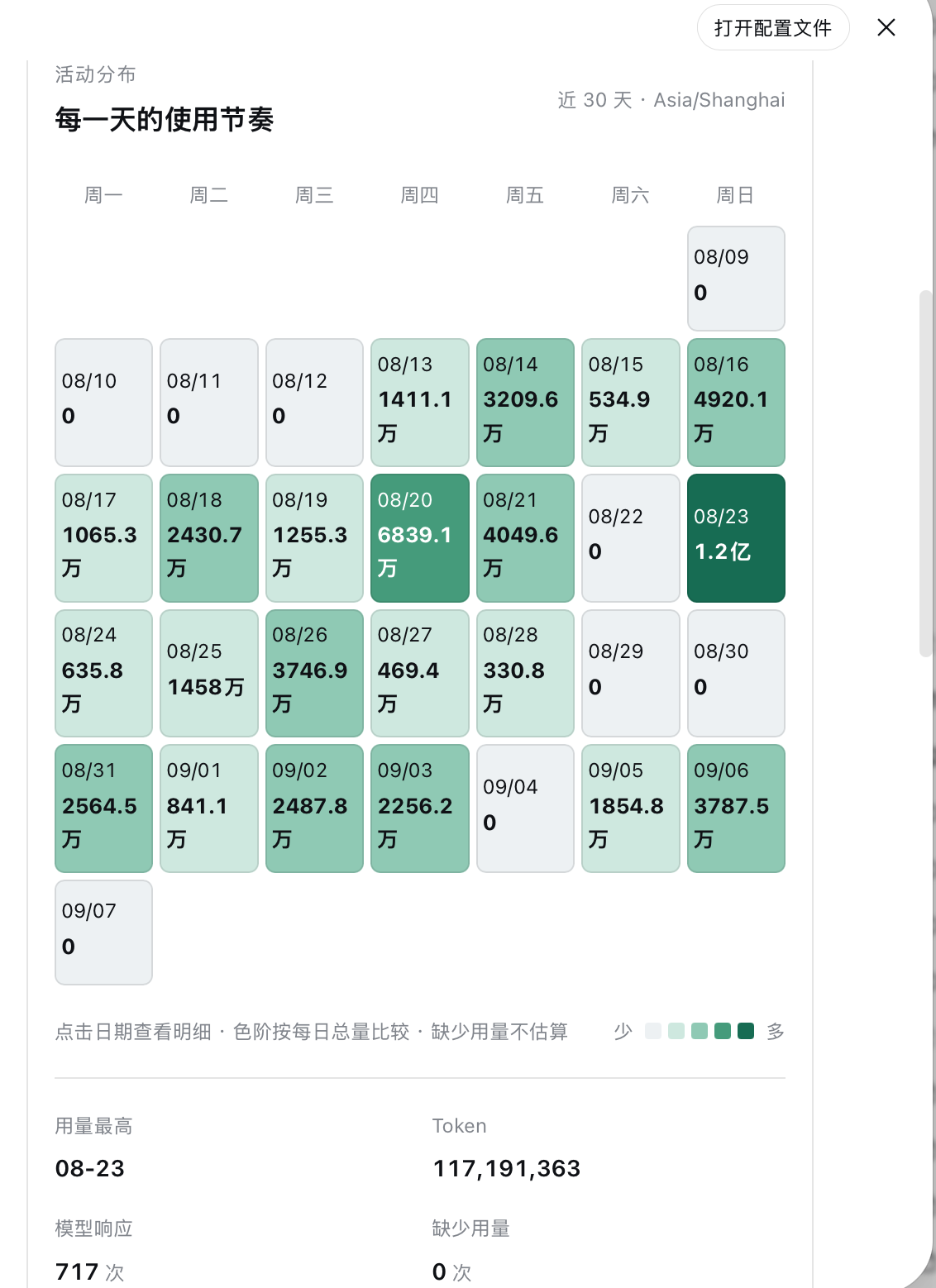
Core capabilities include switchable 1-day, 7-day, and 30-day windows with hourly bar charts, a 7-day activity heatmap, and a clickable 30-day calendar. The Token composition bar breaks down input, output, cache read, and cache write, with reasoning shown as a subset of output rather than double-counted. Model distribution groups by provider with call counts and usage shares. Skill invocations are split between auto-triggered and user-explicit calls, reporting success, failure, and incomplete counts along with success rates. All statistics are derived from local DSH sessions, support one-click index rebuilds, and auto-expire after a 90-day window.
The plugin writes only derived indices — timestamps, numeric Token counts, model identifiers, and skill names — and never stores prompts, model replies, tool parameters, or keys. It is ideal for DSH Web users who want to understand their personal usage structure and refine their skill invocation strategy without sending data to any external service.
Screenshots
Use Cases
- Review which time slots consumed the most Tokens over the past 7 days
- Compare call counts and usage shares across model providers
- Identify skills that repeatedly trigger failures
Best For
- DSH Web users who call multiple models at high frequency
- Developers looking to optimize their skill invocation strategy
- Privacy-conscious users who prefer keeping prompts local
Related Plugins

Memory layer for coding agents that indexes local session history and auto-recalls relevant context before edits, commands, and failures, with no manual search needed.

Traceable, searchable cross-session memory for AI agents that turns conversation knowledge into a typed knowledge graph and recalls relevant subgraphs instead of replaying full history, natively integrated with DeepSeek Harness.
Gives DSH AI cross-session long-term memory, to-do and skill management, plus multi-session orchestration, external AI delegation, and an infinite canvas that grows with you.

dsh-mnemon is a three-tier, pluggable, Agent-driven memory system for DeepSeek Harness, combining Runtime memory, Project Documents, and replaceable Memory Spaces with nine long-term providers.