commandcode-dash
Run the following command in DeepSeek Harness:
dsh plugin install Momonaka/commandcode-dash
Paste the following prompt into your AI chat to install this plugin:
Run dsh plugin install Momonaka/commandcode-dash in your terminal to install the plugin inside DeepSeek Harness; the full source is at https://github.com/Momonaka/commandcode-dash
About this plugin
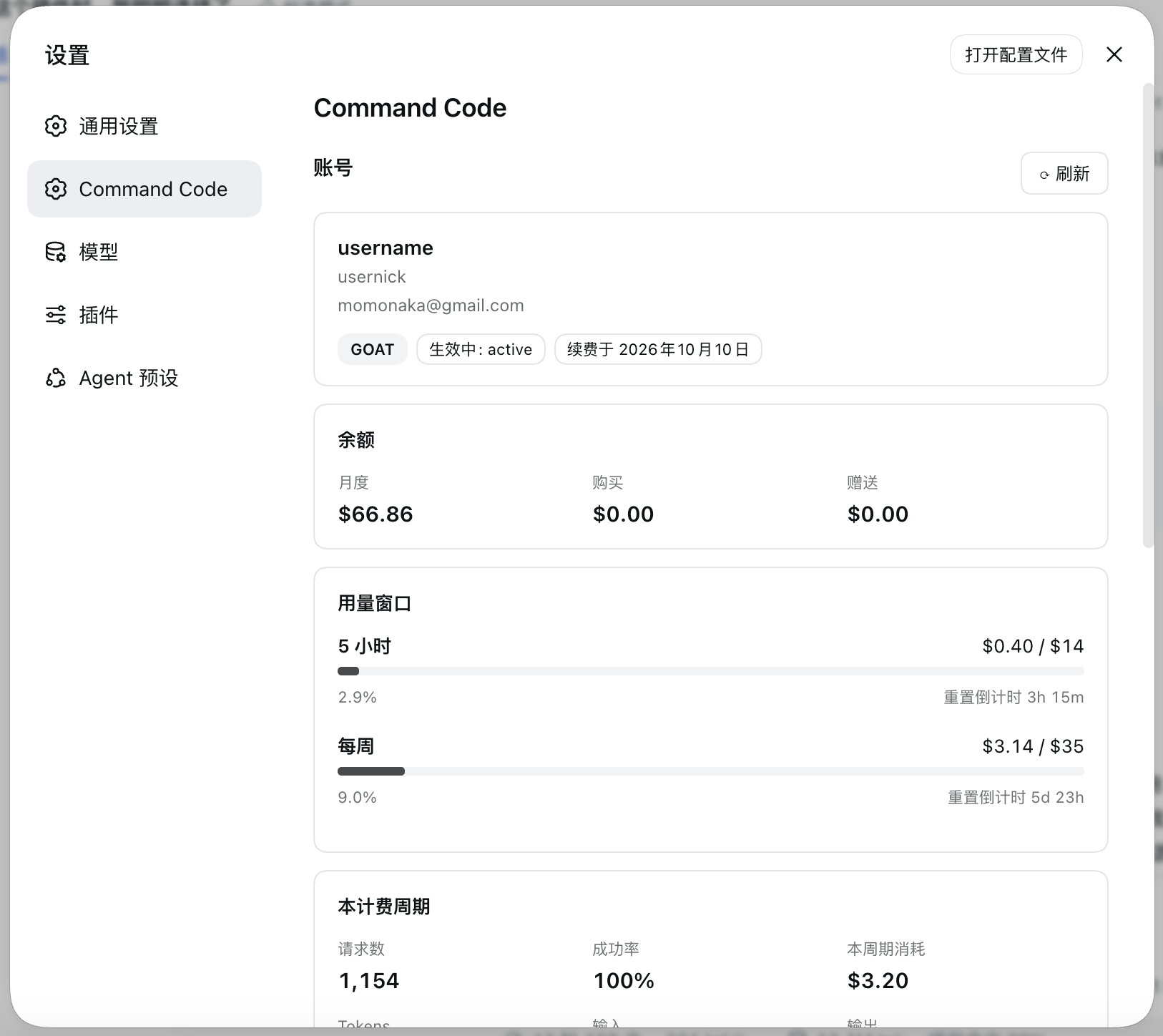
If you run Command Code and DeepSeek Harness side by side, checking credits, watching the 5-hour or weekly window reset, and verifying your model catalog usually means hopping to another terminal or web page. commandcode-dash folds all of that into the DSH settings panel: monthly and free credit balances, progress bars against usage caps, live reset countdowns that tick without refetching, and billing-period totals for requests, success rate, credits consumed, and token usage. Open the section and everything is at a glance.
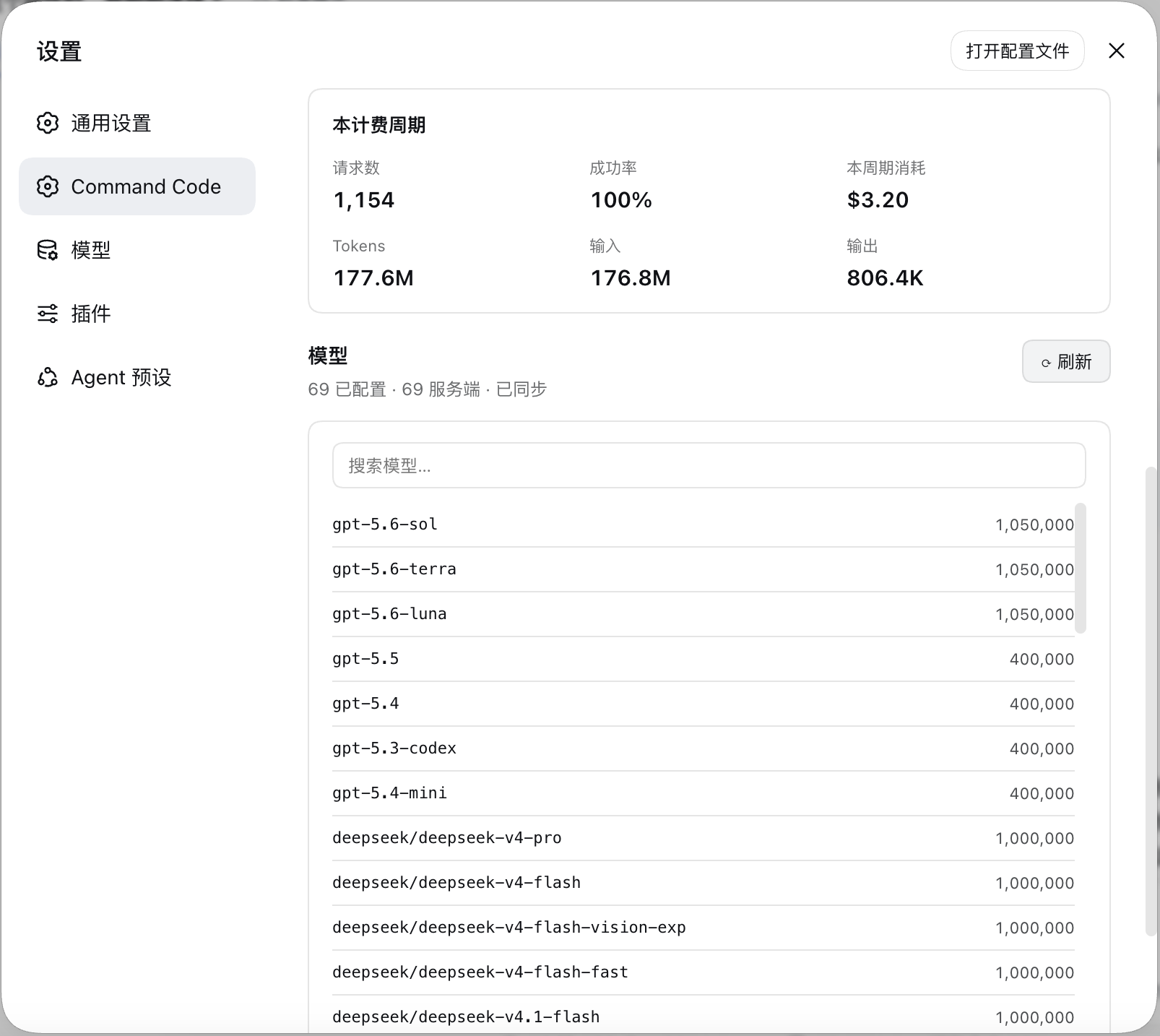
Core capabilities include pulling real-time balances and usage windows from the Provider API, listing every configured model with its context window in a searchable view, and diffing your local catalog against the live provider/v1/models endpoint. A one-click sync applies additions, fills in missing context windows, and removes stale entries, with each step confirmed by you. On first visit the section renders a setup card; once you save the key it auto-registers the commandcode and commandcode-anthropic inference routes, and the change takes effect on the next refresh without a restart. The Sign out button at the bottom clears the stored credential and restores the setup card.
Best suited for developers who already use Command Code as a reasoning backend inside DSH and hold any plan except Go (i.e., they have Provider API access). No extra services are required, the key lives only in the local harness credential store, and nothing is sent to any third party.
Screenshots
Use Cases
- Check monthly credit balances, 5-hour and weekly usage windows with live reset countdowns
- Diff local model catalog against the live provider endpoint and sync additions, context fills, and removals in one click
- Configure the API key, auto-register inference routes, and sign out—all from the DSH settings panel
Best For
- Developers who run Command Code and DeepSeek Harness side by side
- Users holding any Command Code plan except Go (i.e., Provider API access)
- Teams that want credit, usage, and catalog management without extra terminals or restarts
Related Plugins
A unified suite combining hot runtime injection, task-aware thinking-mode routing, and a graded session protocol with red-team gates to sustain model diligence across long-horizon inference.

ModLens is a vision plugin for DeepSeek Harness that gives text-only models sight by reading images pasted directly into chat, with zero-config setup and multiple vision engines.

On-demand vision for text-only DeepSeek Harness agents: built-in free keyless vision chain and 14 vision tools, routing image turns as tool calls to vision models with pixel fidelity, no Python needed, one-command install.

Give text-only models in DeepSeek Harness eyes, enabling image Q&A, long-screenshot OCR, UI restoration, and GUI visual tasks.