dsh-omni-workstation
Run the following command in DeepSeek Harness:
dsh plugin install huashenglian/dsh-omni-workstation
Paste the following prompt into your AI chat to install this plugin:
Run dsh plugin install huashenglian/dsh-omni-workstation in your terminal to install the plugin from https://github.com/huashenglian/dsh-omni-workstation and auto-register it into the current profile.
About this plugin
When working with multi-modal AI, the most common pain is scattered configuration: image analysis relies on a long Skill text block re-pasted into context every turn, video generation means hand-editing script paths and parameters, and swapping an API card requires another full re-paste. dsh-omni-workstation consolidates all of this into a single plugin — tools register into the Harness global registry, configuration lives in one JSON file, and changes take effect instantly without re-feeding instructions every session.
Core capabilities span five tracks: image analysis (ordered multi-card failover, 28 built-in providers, dynamic multimodal adaptation), six pure-local vision tools (zero-token zoom, color sampling, OCR, element detection, and more), image generation (OpenAI / DashScope / ComfyUI with multi-workflow management), multi-card async video generation (up to 10 cards, 7 protocols, plus /build-video-tool to let the AI assemble a custom tool on the fly), and voice synthesis with cloning (cloud MiMo / MiniMax / Doubao plus four local engines including IndexTTS and GPT-SoVITS). Each module has its own switch — turning one off completely unregisters its tools at zero token cost while preserving your config.
It is built for product managers, AI engineers, and independent creators working inside DeepSeek Harness who want a unified multi-modal workflow: fill in your cards and models in the settings page, and the AI immediately gains the ability to see images, generate art, produce video, and speak — without the mechanical chore of re-pasting recipes or hand-editing scripts.
Screenshots
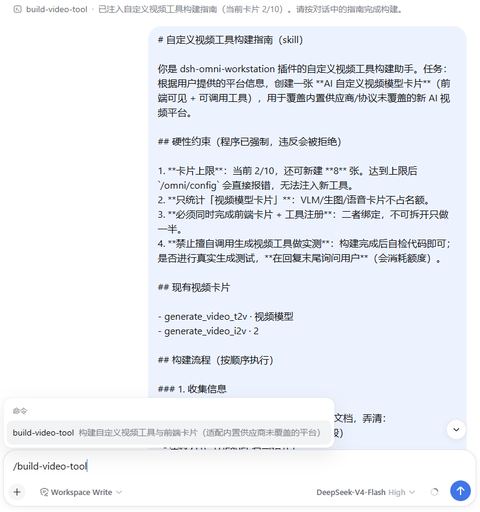
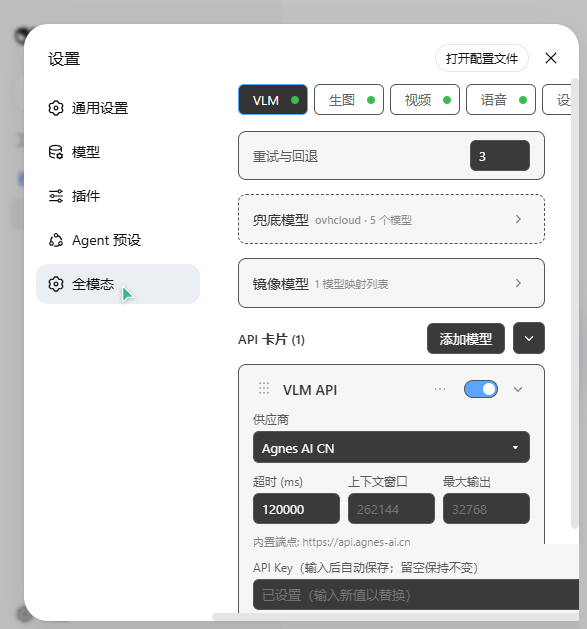
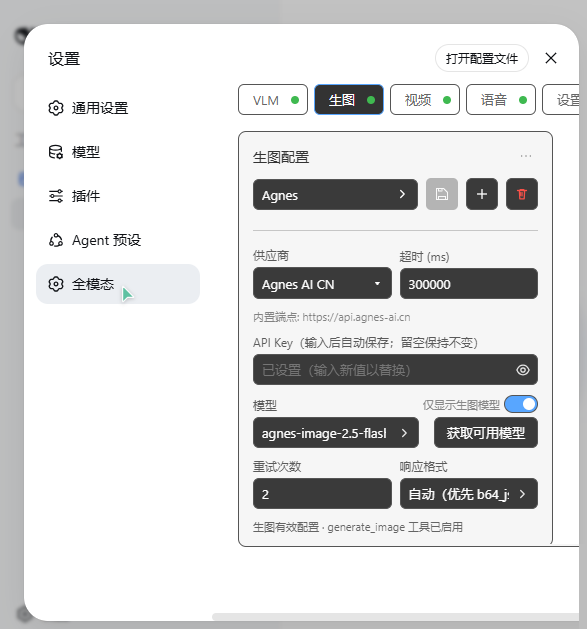
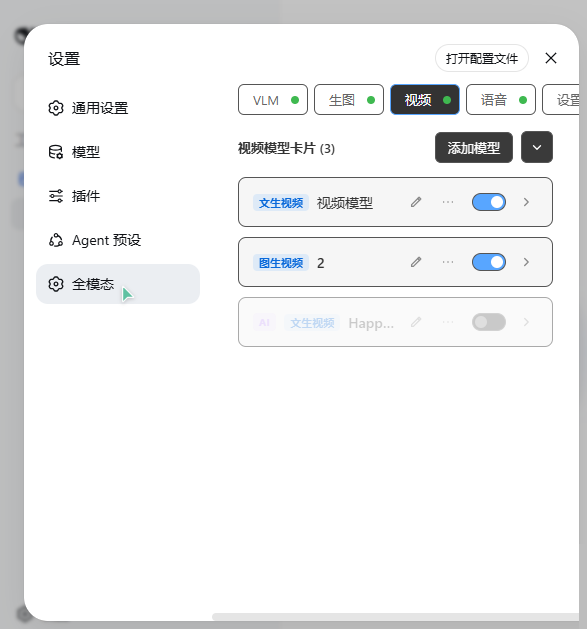
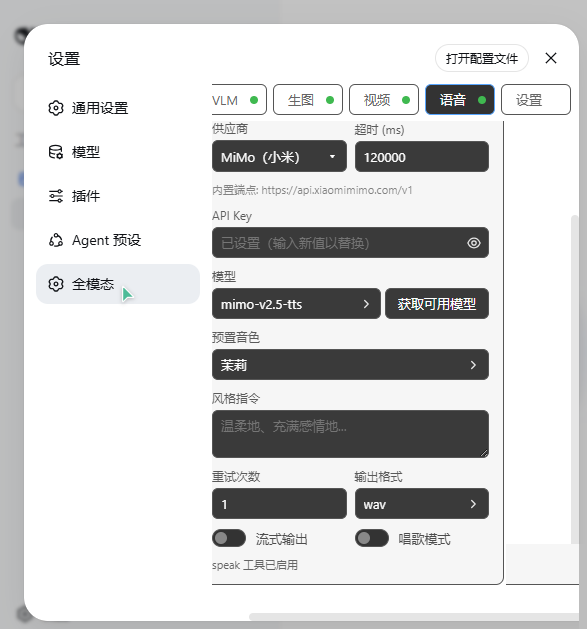
Use Cases
- Multi-card VLM image analysis with automatic failover
- Six pure-local vision tools at zero token cost
- One-stop image, video, and voice generation with centralized config
Best For
- AI engineers building multi-modal workflows in DeepSeek Harness
- Product managers centrally managing multiple API cards
- Independent creators who want low context overhead
Related Plugins
A unified suite combining hot runtime injection, task-aware thinking-mode routing, and a graded session protocol with red-team gates to sustain model diligence across long-horizon inference.

ModLens is a vision plugin for DeepSeek Harness that gives text-only models sight by reading images pasted directly into chat, with zero-config setup and multiple vision engines.

On-demand vision for text-only DeepSeek Harness agents: built-in free keyless vision chain and 14 vision tools, routing image turns as tool calls to vision models with pixel fidelity, no Python needed, one-command install.

Give text-only models in DeepSeek Harness eyes, enabling image Q&A, long-screenshot OCR, UI restoration, and GUI visual tasks.