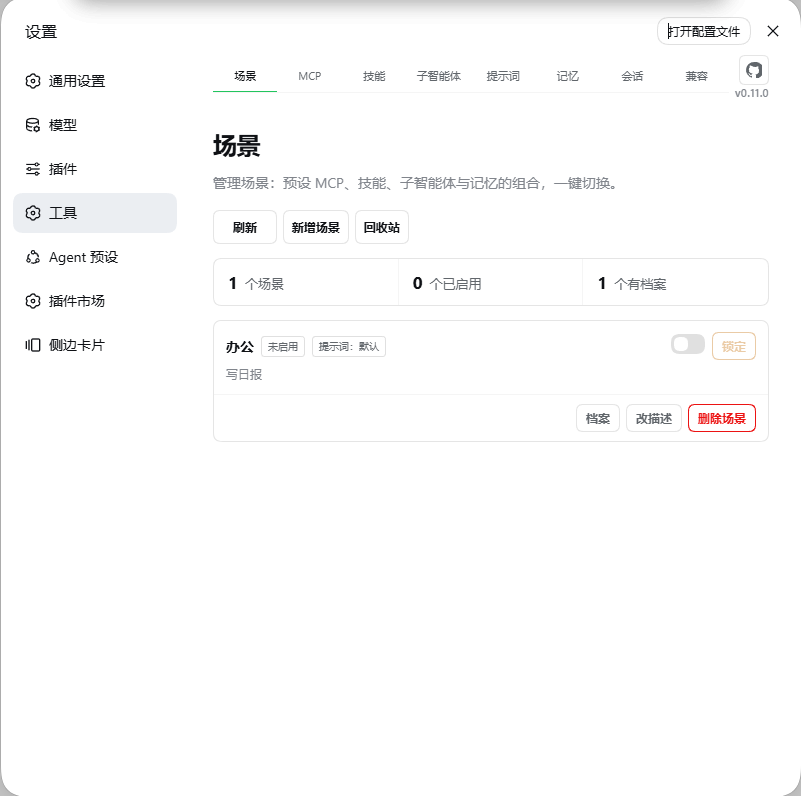
dsh-plugin-tool-management
Run the following command in DeepSeek Harness:
dsh plugin install ouli-1242/dsh-plugin-tool-management
Paste the following prompt into your AI chat to install this plugin:
Run dsh plugin install ouli-1242/dsh-plugin-tool-management in the DeepSeek Harness terminal to install; the full source repository is https://github.com/ouli-1242/dsh-plugin-tool-management.
About this plugin
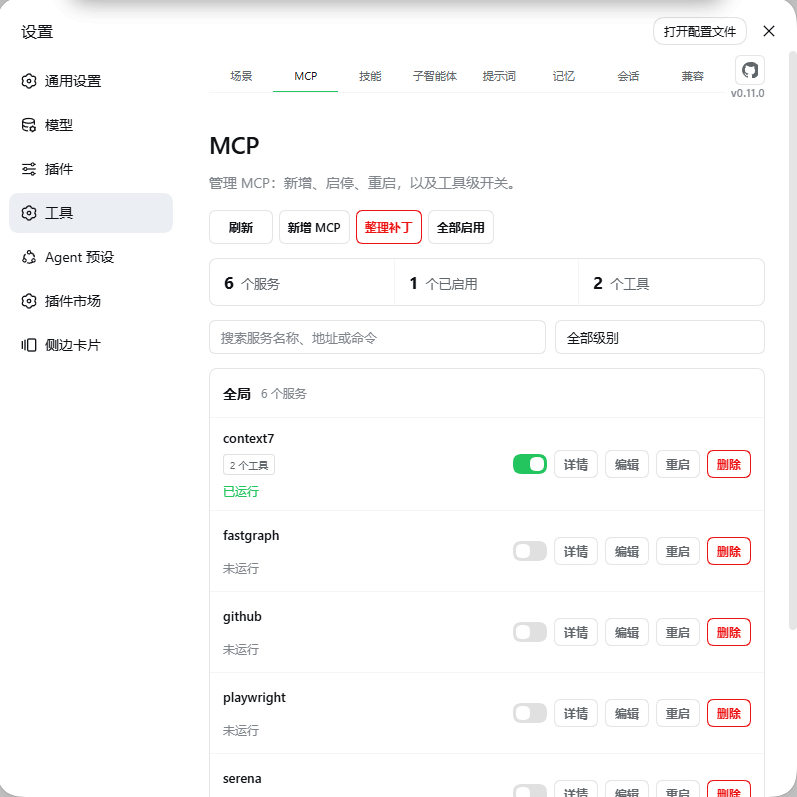
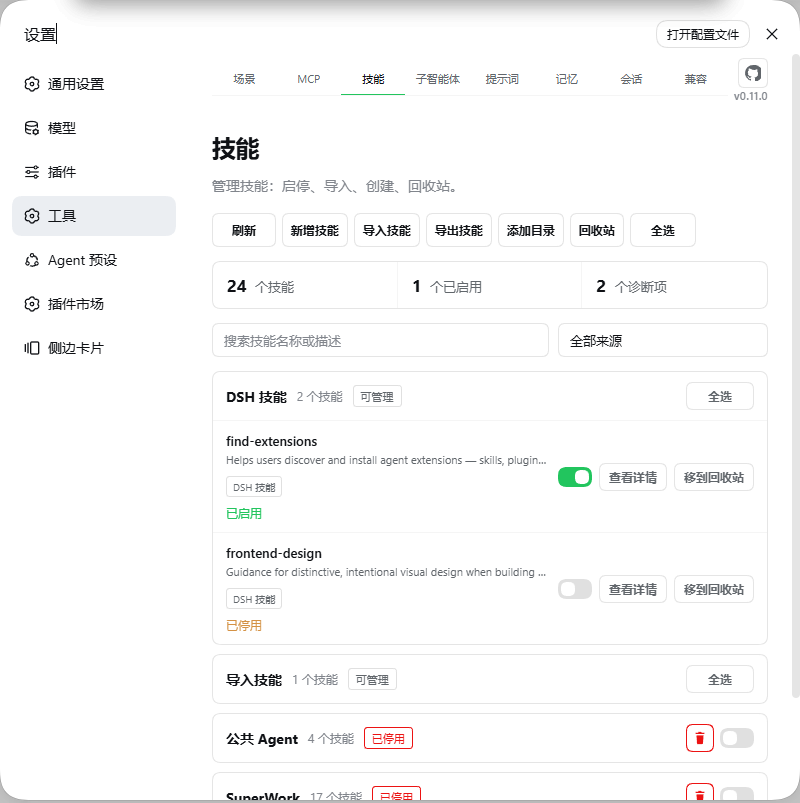
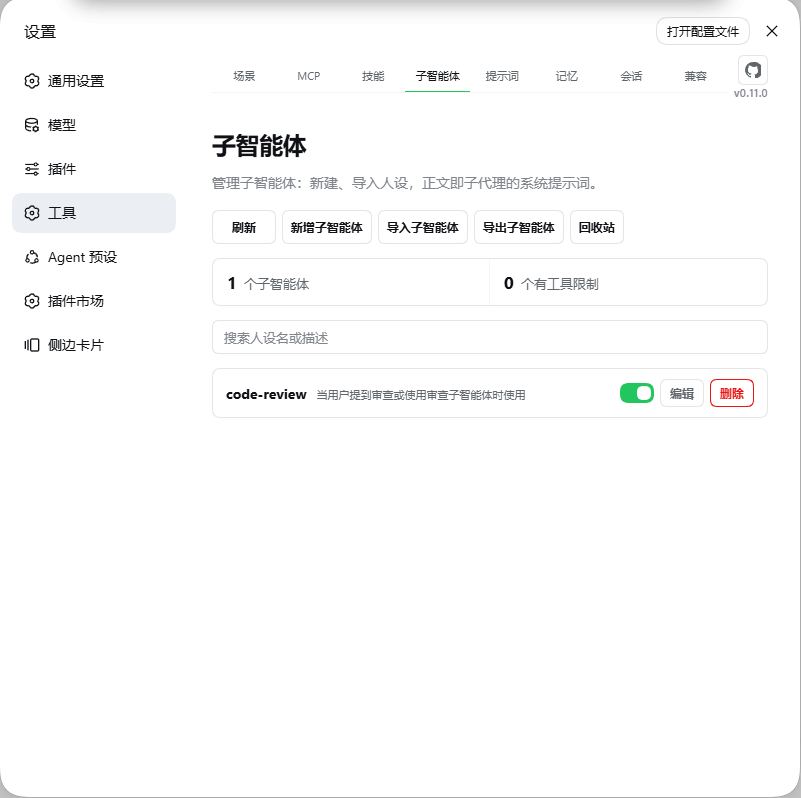
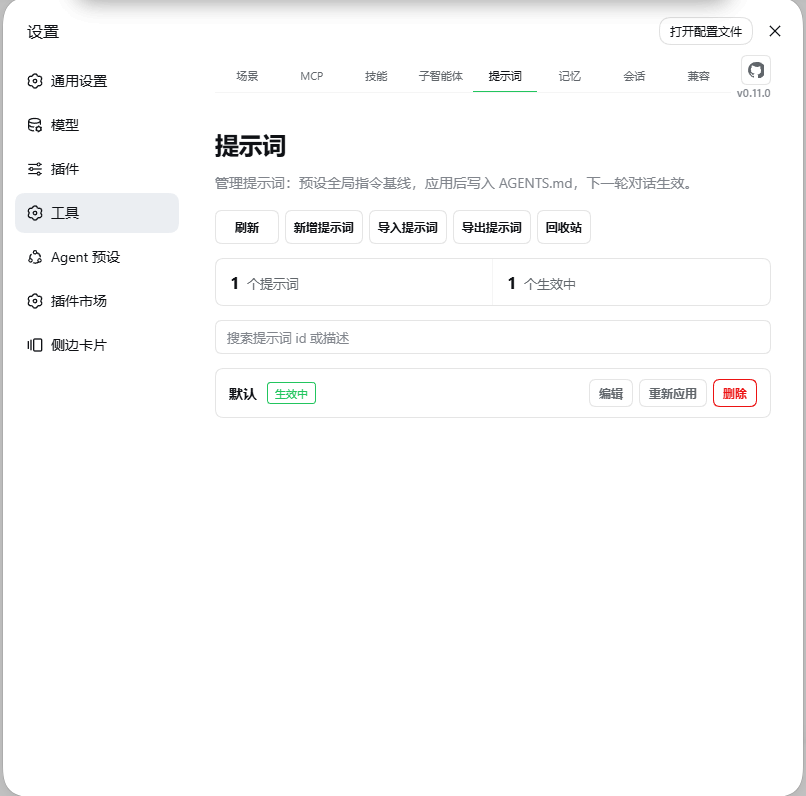
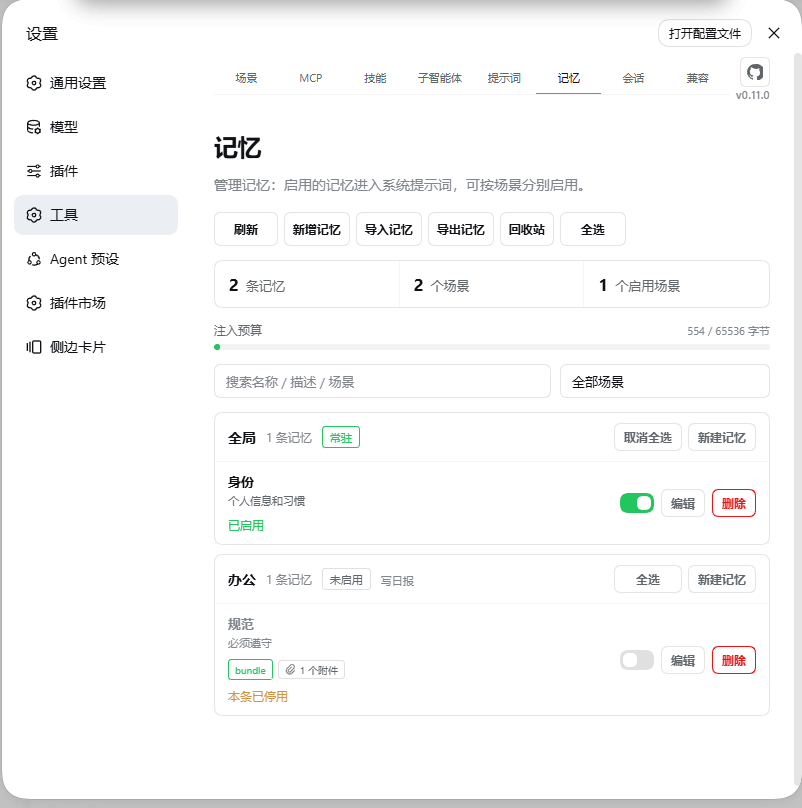
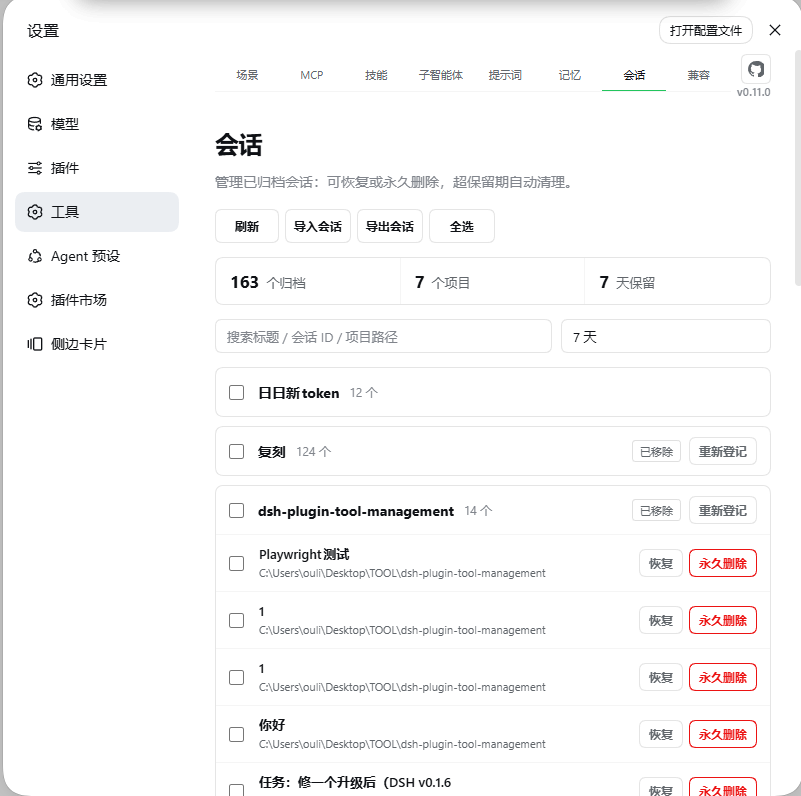
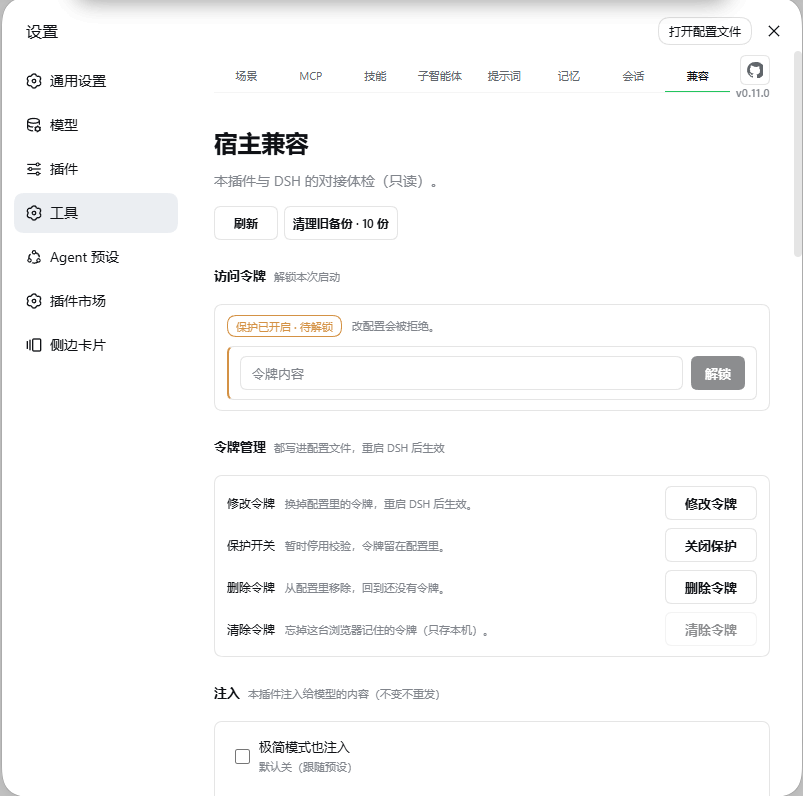
Managing MCP servers, skills, subagents, prompts, and memory in DeepSeek Harness has usually meant juggling config files, toggling tools one by one, and mentally tracking which persona goes with which memory set. dsh-plugin-tool-management folds all five domains into a single interface with eight tabs—Scenes, MCP, Skills, Subagents, Prompts, Memory, Sessions, and Host Compatibility—so configuration stops living in scattered YAML blocks. The core problem it solves is the friction of switching work modes: build a dedicated scene for coding, writing, or general work, bind a specific set of MCP servers, skills, subagents, and memory files to each, then flip one switch to activate the whole bundle. Turning it off restores the previous state automatically—no copy-pasting prompts, no manual tool toggling.
At a granular level, the plugin makes model visibility an explicit, observable control. Memory markdown files are injected into context automatically. MCP servers accept decision hints in their remarks that the model actually reads and follows. Individual tools inside a server can be disabled in isolation. Subagents run and-return without polluting your session history. Prompt presets support multiple baselines with one-click application and five-generation backups. On the safety side, credentials are masked by default and mask values are never written back into patch files; skill source files remain read-only; deleted items land in a recoverable trash; and scenes can be locked to freeze add-modify-delete across all five domains.
This plugin suits DSH users who frequently shift between roles—coding agent on one tab, long-form drafting on another, MCP tool chains in play—while wanting each environment to stay independently configured, auditable, roll-back-able, and exportable as a portable bundle rather than a tangle of terminal flags.
Screenshots
Use Cases
- One-click switching between coding, writing, and general work with bundled tool-memory environments
- Fine-grained MCP tool toggling, decision-hint remarks, and credential-safe management
- Auto context injection of memory markdown and one-click prompt preset switching with versioned backups
Best For
- Heavy DeepSeek Harness users who shift between multiple roles frequently
- Dev teams wanting fine-grained MCP control with auditable, reversible configuration
- Indie developers who value roll-back-able, portable configs without touching skill source files
Related Plugins

Memory layer for coding agents that indexes local session history and auto-recalls relevant context before edits, commands, and failures, with no manual search needed.

Traceable, searchable cross-session memory for AI agents that turns conversation knowledge into a typed knowledge graph and recalls relevant subgraphs instead of replaying full history, natively integrated with DeepSeek Harness.
Gives DSH AI cross-session long-term memory, to-do and skill management, plus multi-session orchestration, external AI delegation, and an infinite canvas that grows with you.

dsh-mnemon is a three-tier, pluggable, Agent-driven memory system for DeepSeek Harness, combining Runtime memory, Project Documents, and replaceable Memory Spaces with nine long-term providers.