dsh-session-tree-extension
Run the following command in DeepSeek Harness:
dsh plugin install robiteame/dsh-session-tree-extension
Paste the following prompt into your AI chat to install this plugin:
Install the plugin in DeepSeek Harness by running dsh plugin install robiteame/dsh-session-tree-extension; the source repository is available at https://github.com/robiteame/dsh-session-tree-extension . Restart your profile after installation to activate the three commands.
About this plugin
In conversational workflows, history is strictly linear: once you move forward, revisiting an earlier prompt to explore an alternative line of reasoning usually means starting a fresh session, manually copying context, or abandoning the thread altogether. dsh-session-tree-extension turns DeepSeek-Harness sessions into an immutable, multi-branch conversation tree. Fork from any historical node and the new path coexists with the original; nothing is ever edited or deleted.
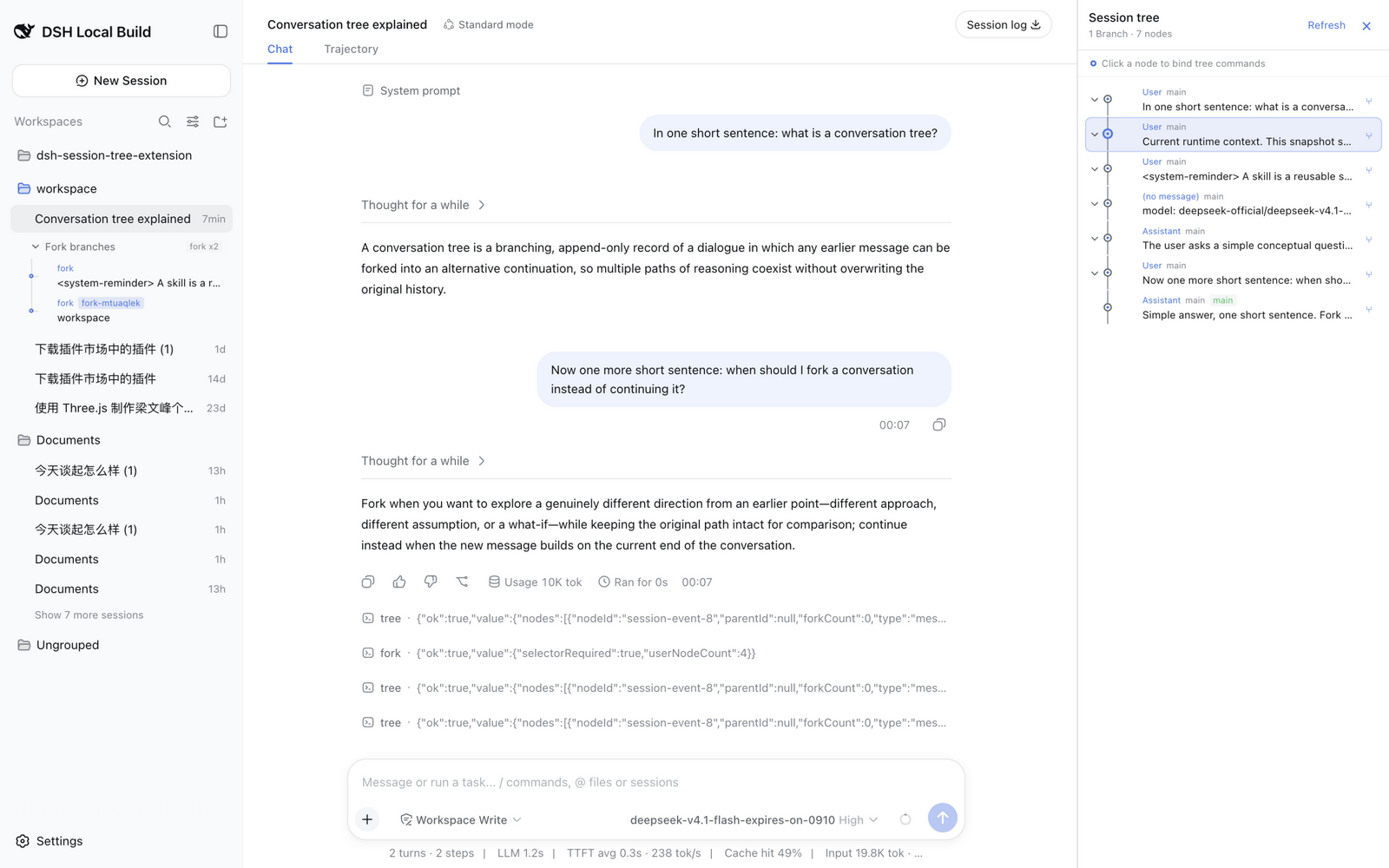
Three commands cover the full workflow. /tree renders the complete lineage of the current session, including ancestors, forks, and clones, as a single git-style merged graph where messages, tool calls, and model switches are all clickable, bindable nodes, shared prefixes are automatically deduplicated, and the active path stays highlighted. /fork grows a new branch from any earlier prompt while the original path stays intact; the new branch appears both in the merged graph and as an inline collapsible menu beneath its source session, with no page refresh needed. /clone duplicates the entire conversation into an independent session under the same project, keeping the source read-only and the clone freely continuable. All operations follow append-only semantics: navigation simply moves the active cursor, and existing data is never mutated.
It is built for developers and researchers who frequently need to revisit an earlier point in a conversation: comparing different model-switch paths from the same prompt, exploring an alternative reasoning route at a tool-call fork, or cloning a finished discussion as the starting point of a new experiment, all without losing or altering the original context.
Screenshots
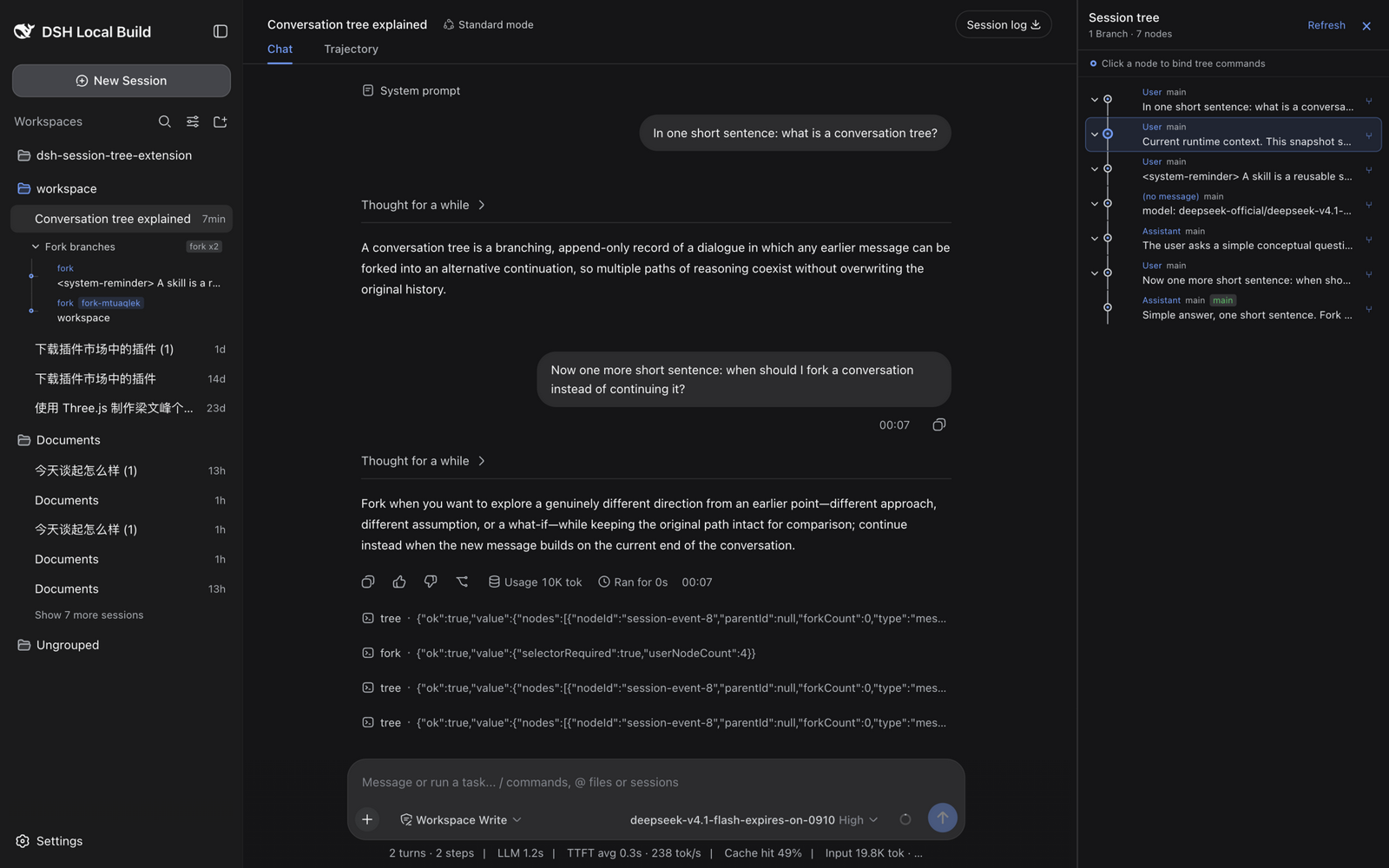
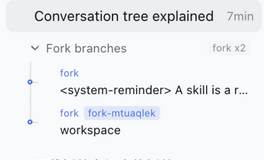
Use Cases
- Compare different model-switch or reasoning paths from the same prompt
- Explore alternative tool-call branches while the original path stays intact
- Clone a finished discussion into a new experiment without manually copying context
Best For
- Developers iterating on prompt engineering and model comparison
- Researchers who need to preserve multiple reasoning threads per conversation
- Power users managing complex, multi-topic long-form sessions
Related Plugins

Memory layer for coding agents that indexes local session history and auto-recalls relevant context before edits, commands, and failures, with no manual search needed.

Traceable, searchable cross-session memory for AI agents that turns conversation knowledge into a typed knowledge graph and recalls relevant subgraphs instead of replaying full history, natively integrated with DeepSeek Harness.
Gives DSH AI cross-session long-term memory, to-do and skill management, plus multi-session orchestration, external AI delegation, and an infinite canvas that grows with you.

dsh-mnemon is a three-tier, pluggable, Agent-driven memory system for DeepSeek Harness, combining Runtime memory, Project Documents, and replaceable Memory Spaces with nine long-term providers.