dsh-model-aliases
Run the following command in DeepSeek Harness:
dsh plugin install ZhangZiFei/dsh-model-aliases
Paste the following prompt into your AI chat to install this plugin:
Run dsh plugin install ZhangZiFei/dsh-model-aliases in the terminal (source: https://github.com/ZhangZiFei/dsh-model-aliases), then restart the dsh web process and refresh the page to get started.
About this plugin
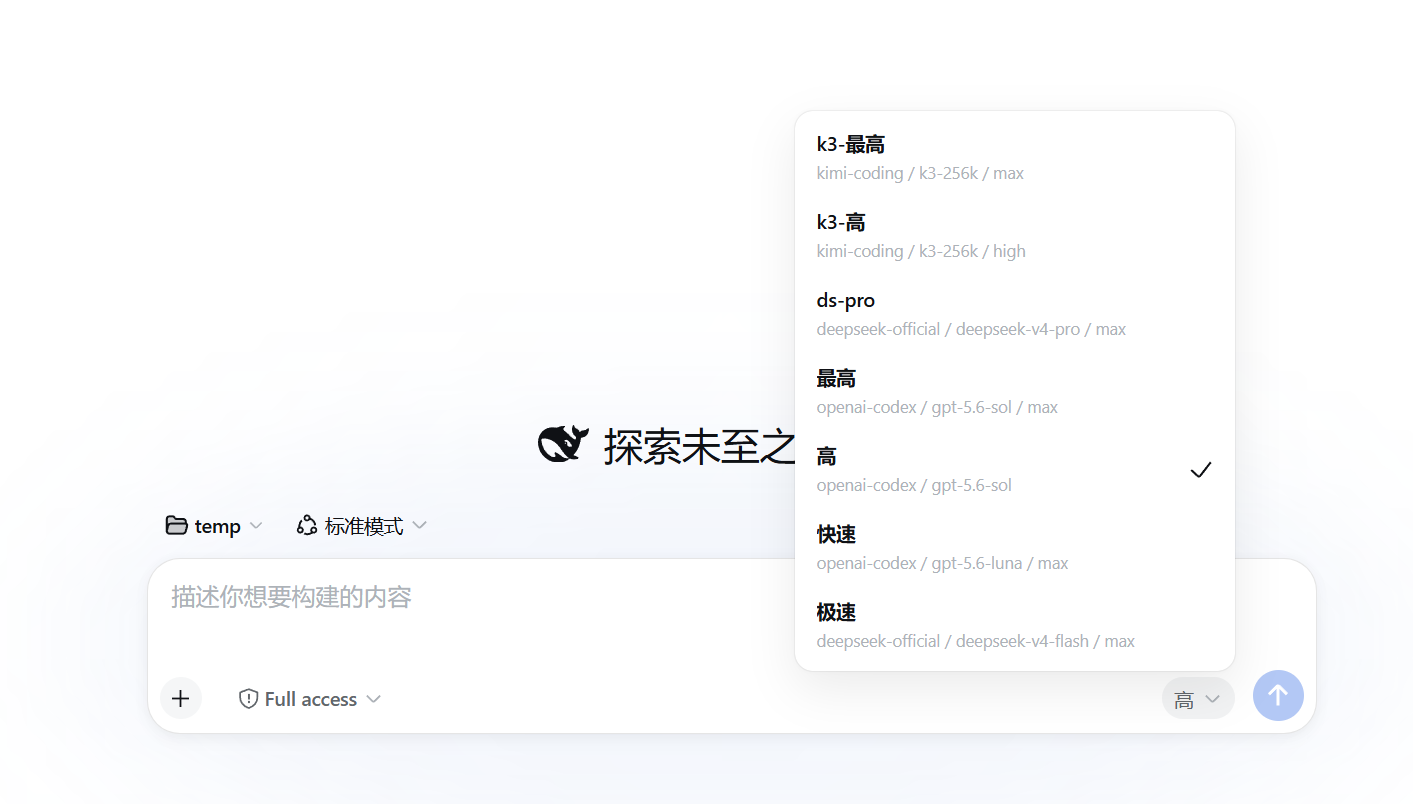
Switching models in DeepSeek Harness usually means walking through provider, model, and reasoning effort in sequence; with several providers and multiple reasoning tiers configured, every switch feels like digging through a nested menu. dsh-model-aliases collapses that entire chain into a single memorable name right beside the input box, so one click does what three dropdowns used to.
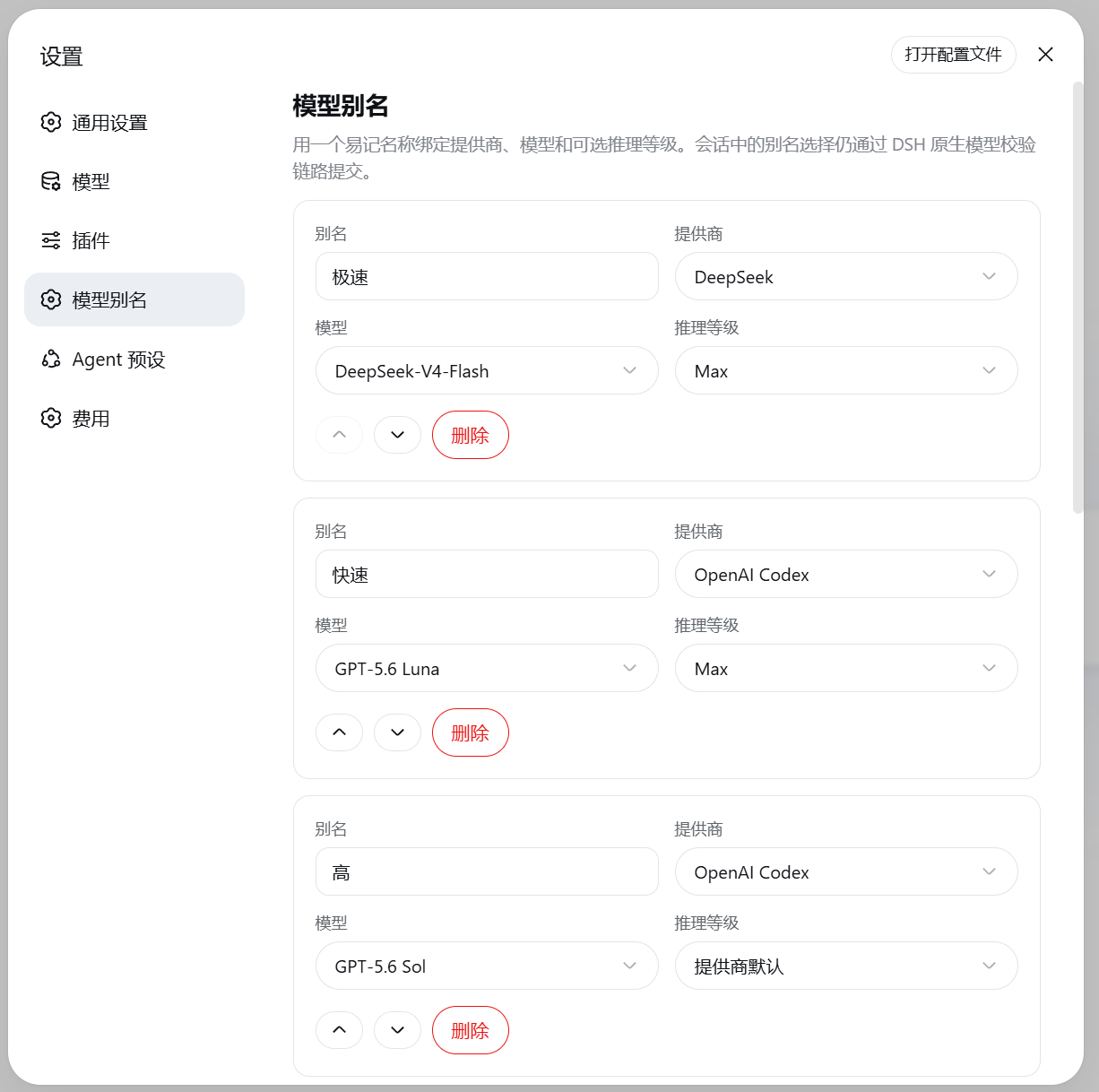
An alias is more than a shortcut. The settings panel lets you add, reorder, and remove entries centrally, each one pinning a provider, a model, and an optional reasoning level while automatically surfacing only what the current model directory actually offers. Configurations whose target has temporarily disappeared from the directory are kept rather than deleted, shown as disabled with a reason. The selector hides itself when a session is locked or when the conversation is addressed to a sub-agent, preventing accidental switches. Choosing provider default for reasoning effort writes no fabricated value, preserving the adapter's native behavior. Everything persists in the DSH model-aliases settings namespace and survives restarts; saving an empty list even restores the preset aliases automatically.
Built for heavy users who juggle multiple providers and reasoning tiers in Harness, especially those maintaining distinct workflows for everyday chat, long-form reasoning, and code assistance and would rather manage model configs by name than by a three-level path.
Screenshots
Use Cases
- Frequently switching model combinations across multiple providers and reasoning tiers
- Binding distinct model configs for everyday chat, long-form reasoning, and code assistance
- Reducing the nesting depth of the model selector to a single click per switch
Best For
- Harness users working with multiple model providers daily
- Power users who adjust reasoning depth per task type
- Operators who prefer named configs over multi-level provider-model-effort paths
Related Plugins
A unified suite combining hot runtime injection, task-aware thinking-mode routing, and a graded session protocol with red-team gates to sustain model diligence across long-horizon inference.

ModLens is a vision plugin for DeepSeek Harness that gives text-only models sight by reading images pasted directly into chat, with zero-config setup and multiple vision engines.

On-demand vision for text-only DeepSeek Harness agents: built-in free keyless vision chain and 14 vision tools, routing image turns as tool calls to vision models with pixel fidelity, no Python needed, one-command install.

Give text-only models in DeepSeek Harness eyes, enabling image Q&A, long-screenshot OCR, UI restoration, and GUI visual tasks.