dsh-archived-sessions
Run the following command in DeepSeek Harness:
dsh plugin install Jiangdl0220/dsh-archived-sessions
Paste the following prompt into your AI chat to install this plugin:
In DeepSeek Harness, install this plugin by running the command dsh plugin install Jiangdl0220/dsh-archived-sessions in the terminal; the full source code URL is https://github.com/Jiangdl0220/dsh-archived-sessions.
About this plugin
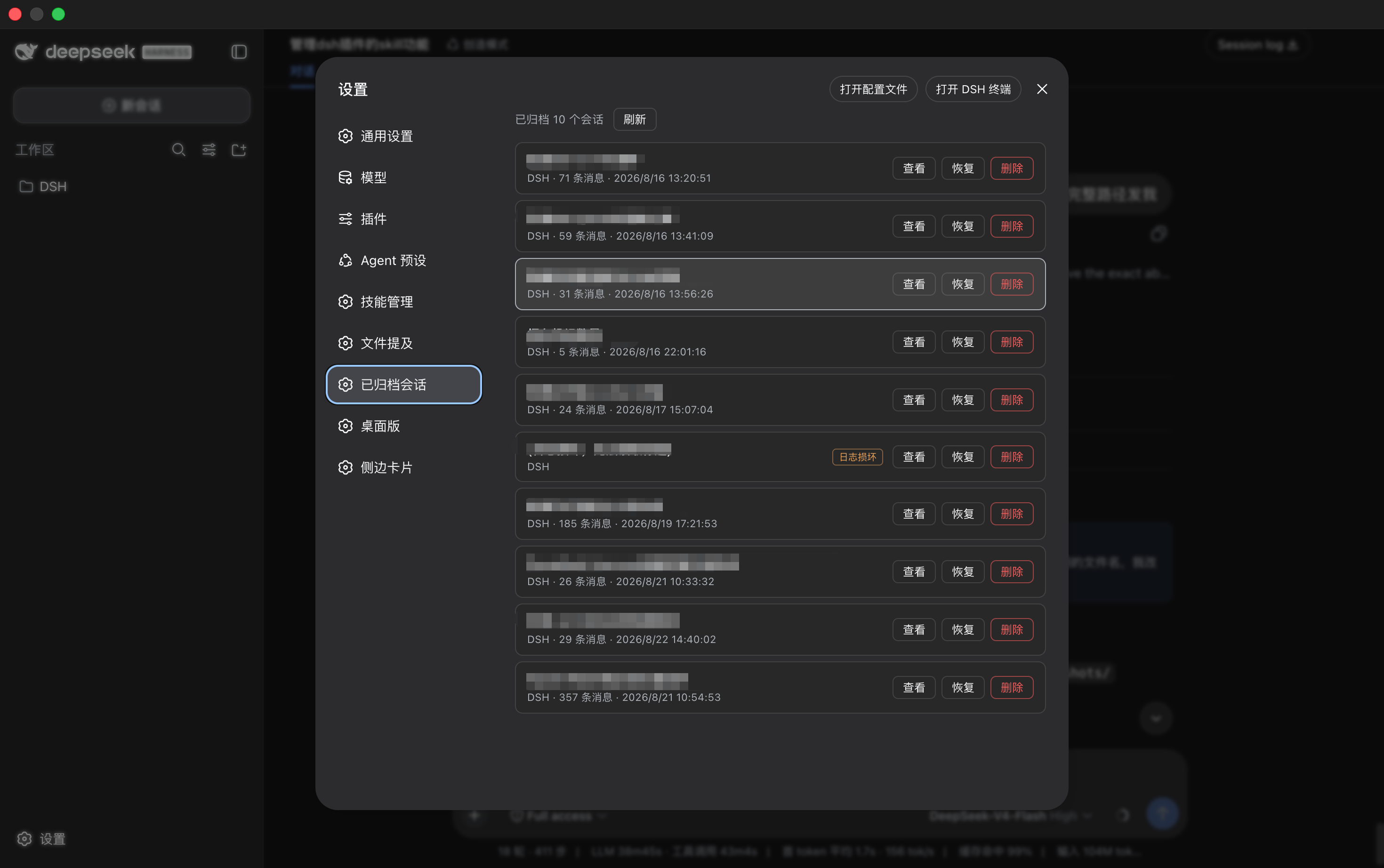
In DeepSeek Harness (DSH), archived sessions disappear from all interfaces with no official way to retrieve them, which can be frustrating for users. This plugin addresses this issue by adding an 'Archived Sessions' page in the settings panel, allowing easy access to the archive list.
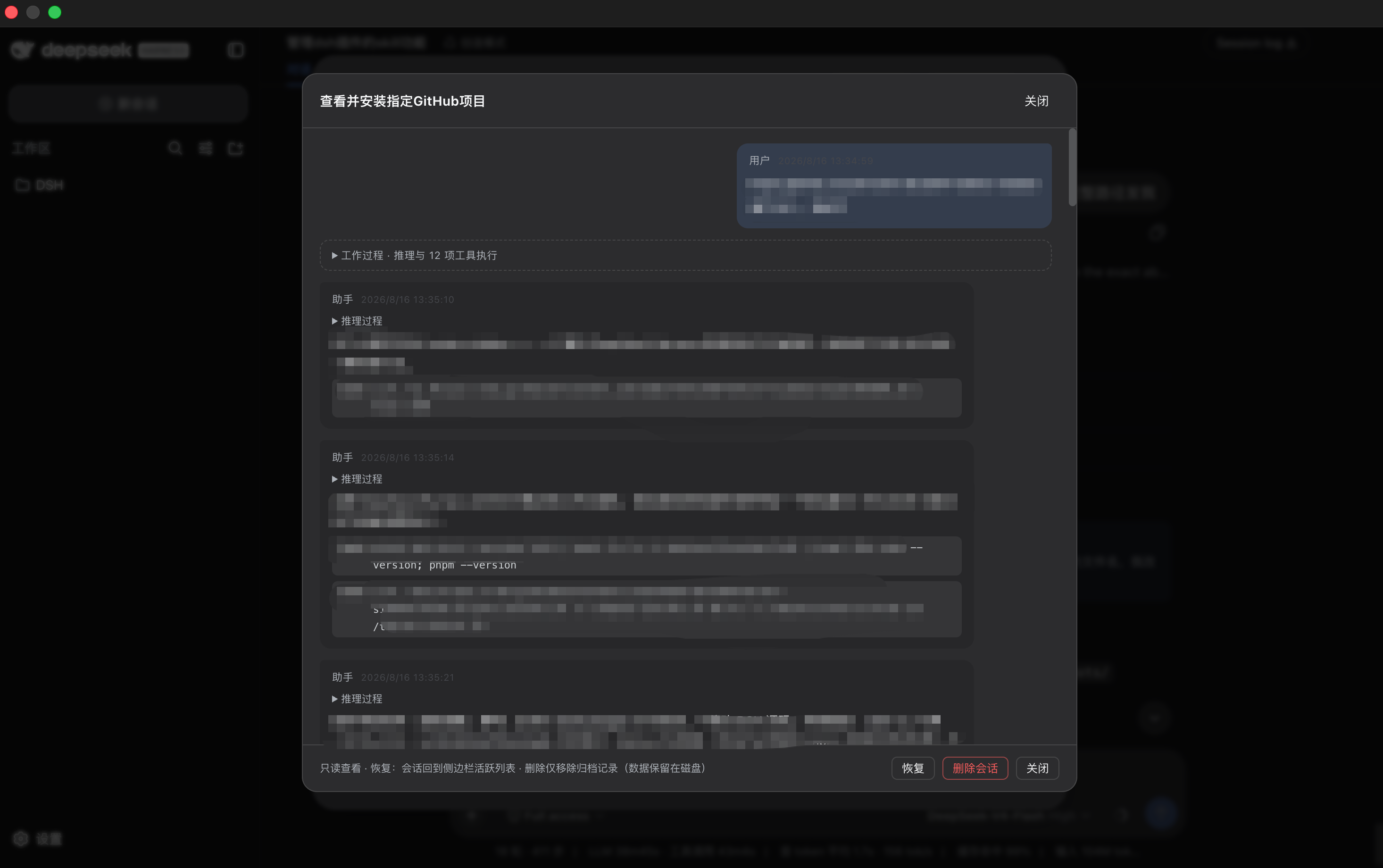
Key features include viewing archived sessions with details like title, workspace, message count, and last active time, along with pagination and search filters. Users can click on a session to open a read-only conversation viewer, displaying rounds, reasoning, tool executions, and rendered Markdown, including tables. The plugin also enables restoring archived sessions with one click, returning them to the active sidebar list to continue conversations.
It is ideal for users who frequently use DSH's archive function but need to manage historical sessions, such as developers reviewing dialogs during debugging or content creators organizing conversation records. The plugin works on both desktop and web, offering a convenient session management experience.
Screenshots
Use Cases
- Finding historical archived sessions
- Reviewing conversation reasoning and tool executions
- Restoring archived sessions to continue work
Best For
- DSH session management users
- Developers reviewing dialogs
- Content creators organizing records
Related Plugins

Memory layer for coding agents that indexes local session history and auto-recalls relevant context before edits, commands, and failures, with no manual search needed.

Traceable, searchable cross-session memory for AI agents that turns conversation knowledge into a typed knowledge graph and recalls relevant subgraphs instead of replaying full history, natively integrated with DeepSeek Harness.
Gives DSH AI cross-session long-term memory, to-do and skill management, plus multi-session orchestration, external AI delegation, and an infinite canvas that grows with you.

dsh-mnemon is a three-tier, pluggable, Agent-driven memory system for DeepSeek Harness, combining Runtime memory, Project Documents, and replaceable Memory Spaces with nine long-term providers.