dsh-memory-dashboard
Run the following command in DeepSeek Harness:
dsh plugin install perinchiang/dsh-memory-dashboard
Paste the following prompt into your AI chat to install this plugin:
Run dsh plugin install perinchiang/dsh-memory-dashboard in DeepSeek Harness to install this plugin (source repository: https://github.com/perinchiang/dsh-memory-dashboard), then restart dsh web to activate it.
About this plugin
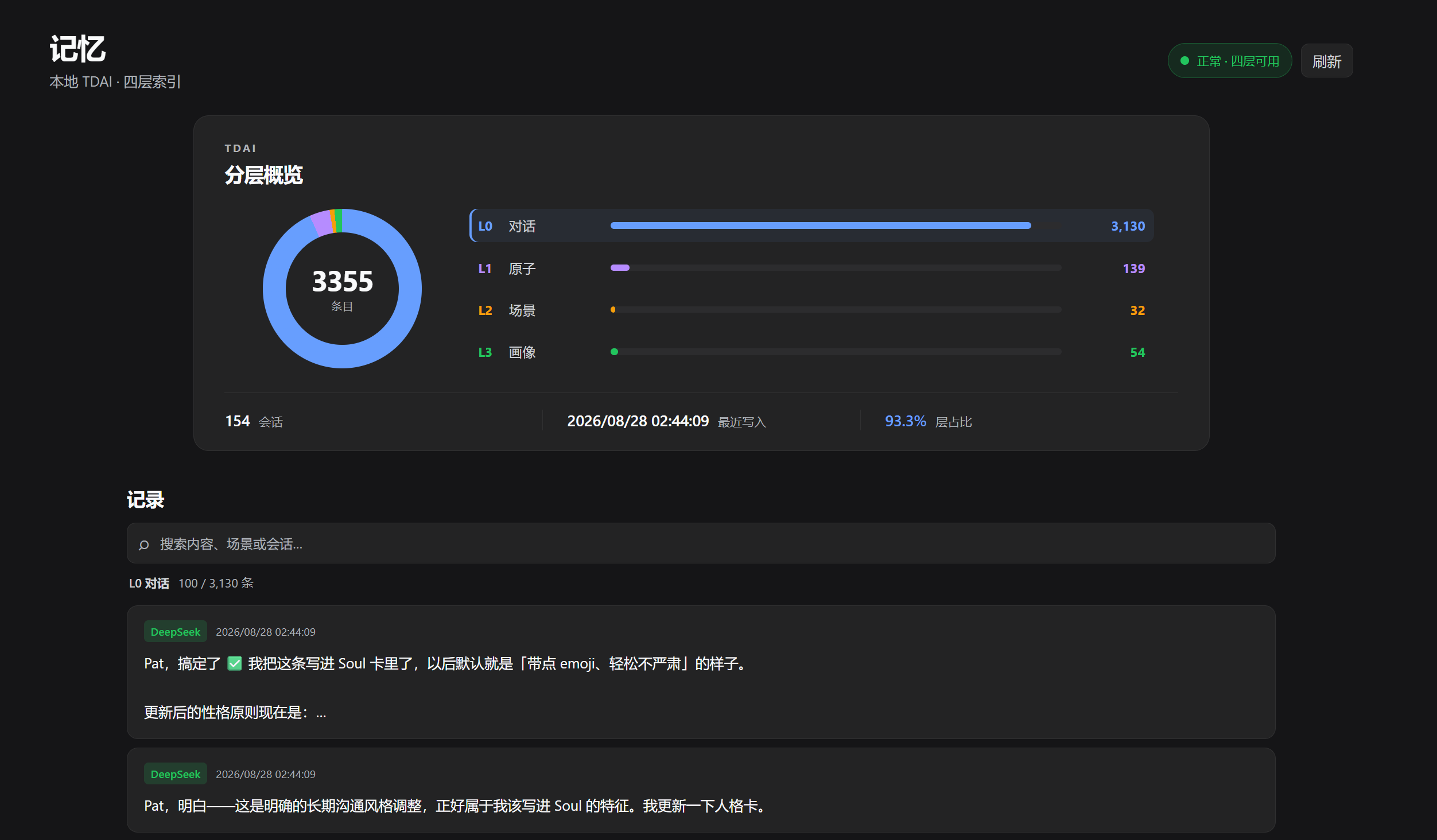
If you have dsh-tdai-memory and the TencentDB Agent Memory backend running but lack a convenient way to browse your locally accumulated memory data, dsh-memory-dashboard fills that gap. Instead of spinning up a separate dashboard, it drops a Memory entry point right at the top of the Harness conversation page, so you can switch perspective between active dialogue and the L0-through-L3 memory layers at a glance.
The experience is deliberately restrained and practical: the Overview pane surfaces per-layer counts, current layer share, and session stats in one view; the Layer Selector stays in sync with the record list, with local search and incremental loading; tapping a single memory opens a mobile-friendly Bottom Sheet with technical metadata collapsed by default. Most importantly, when a memory entry can be traced back to its originating session, you get a one-click jump back to that Harness conversation to restore full context.
This plugin is best suited for developers who have already deployed dsh-tdai-memory, have a local vectors.db in place, and want to inspect memory structure in read-only mode without touching the backend. It registers GET routes only, opens SQLite in read-only mode, writes nothing, and makes no TencentDB API calls, making it safe to keep active in production.
Screenshots
Use Cases
- Quickly identify which layer a memory entry belongs to and inspect its metadata mid-conversation
- Search local memory records and jump back to the originating Harness session for full context
- Compare L0-through-L3 layer counts and shares to evaluate the memory refinement pipeline
Best For
- Developers who have deployed dsh-tdai-memory and want to visualize local memory structure
- Ops and QA engineers auditing TDAI memory data without modifying the backend
- Developers debugging Harness memory features on mobile who need a compact information layout
Related Plugins

Memory layer for coding agents that indexes local session history and auto-recalls relevant context before edits, commands, and failures, with no manual search needed.

Traceable, searchable cross-session memory for AI agents that turns conversation knowledge into a typed knowledge graph and recalls relevant subgraphs instead of replaying full history, natively integrated with DeepSeek Harness.
Gives DSH AI cross-session long-term memory, to-do and skill management, plus multi-session orchestration, external AI delegation, and an infinite canvas that grows with you.

dsh-mnemon is a three-tier, pluggable, Agent-driven memory system for DeepSeek Harness, combining Runtime memory, Project Documents, and replaceable Memory Spaces with nine long-term providers.