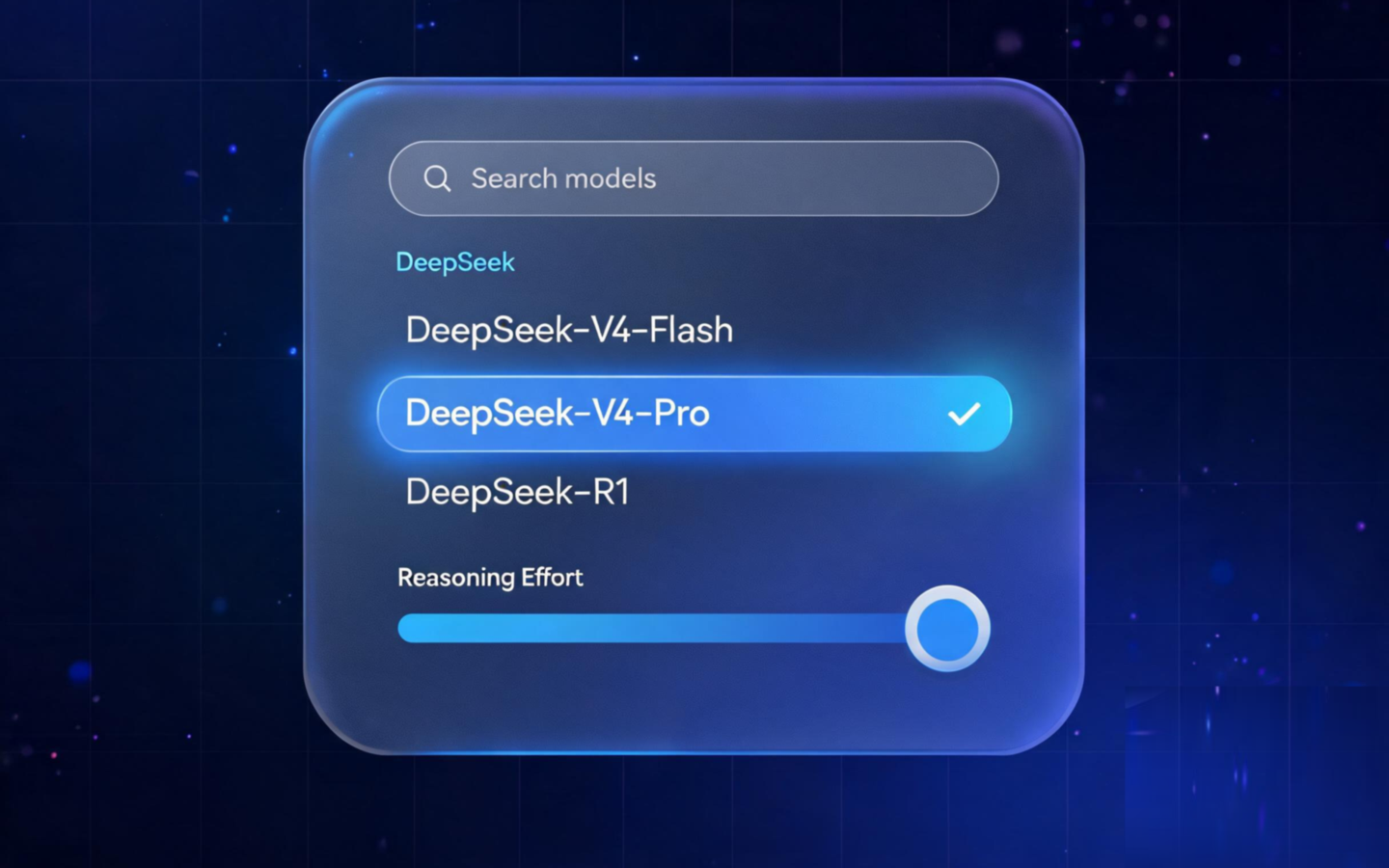
dsh-model-selector
Run the following command in DeepSeek Harness:
dsh plugin install bitterSmilezzz/dsh-model-selector
Paste the following prompt into your AI chat to install this plugin:
Run dsh plugin install bitterSmilezzz/dsh-model-selector in DeepSeek Harness to install this plugin; source code is available at https://github.com/bitterSmilezzz/dsh-model-selector .
About this plugin
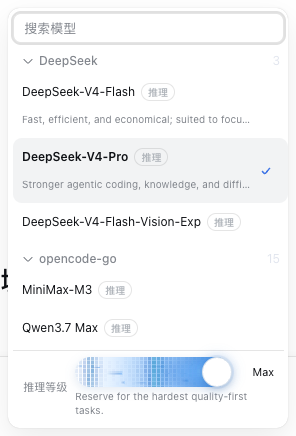
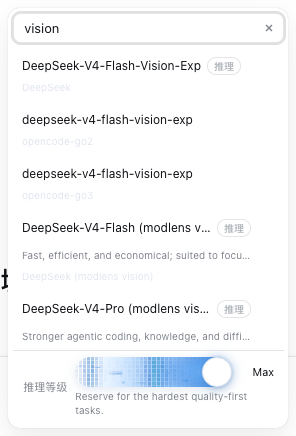
Managing dozens of models from multiple providers in DSH means sifting through a flat list every time you switch, and cross-provider name collisions make picking the right one even harder. dsh-model-selector replaces the official input-area model seat with a single-level menu that pairs name search with hit highlighting and provider-grouped collapsible sections, auto-scrolls to the current selection on open, and keeps the chosen row clearly highlighted—eliminating the need for muscle memory.
Selecting a model is only half the job. Once a reasoning model is chosen, an inline reasoning-effort slider expands at the bottom of the menu, displaying the current tier name and description in real time; the plugin automatically selects the strongest thinking tier and confirms the landing tier. If the host rejects a switch, the official Toast surfaces the failure reason above the input area, still visible after the menu has closed. The entire interaction is fully keyboard-driven: arrow keys navigate results, Enter picks the first match, and Escape clears the search term before closing and restoring focus. The menu chooses its opening direction based on the side with more viewport space and clamps its height so it never overflows in a short window.
Under the hood it shadows the official seat via slot priority without disabling the original component, shares the same modelDirectories directory with the /model dialog for real-time sync, and carries a permission level of low—no host tool registrations, no file reads or writes, no proprietary network calls. It is well suited to DSH users who juggle multiple providers, frequently switch reasoning models, or simply want a smoother model-picking experience.
Screenshots
Use Cases
- Locate a target model quickly via search when juggling multiple providers
- Adjust the reasoning-effort tier directly inside the menu when switching to a reasoning model
- Maintain a fully keyboard-driven daily workflow with minimal mouse switching
Best For
- DSH users who work with models from multiple providers
- Developers who frequently switch reasoning models and tune thinking-depth tiers
- Users who favor efficient keyboard-driven workflows and minimal mouse reliance
Related Plugins
A unified suite combining hot runtime injection, task-aware thinking-mode routing, and a graded session protocol with red-team gates to sustain model diligence across long-horizon inference.

ModLens is a vision plugin for DeepSeek Harness that gives text-only models sight by reading images pasted directly into chat, with zero-config setup and multiple vision engines.

On-demand vision for text-only DeepSeek Harness agents: built-in free keyless vision chain and 14 vision tools, routing image turns as tool calls to vision models with pixel fidelity, no Python needed, one-command install.

Give text-only models in DeepSeek Harness eyes, enabling image Q&A, long-screenshot OCR, UI restoration, and GUI visual tasks.