dsh-reasoning-slider
Run the following command in DeepSeek Harness:
dsh plugin install WSL043/dsh-reasoning-slider
Paste the following prompt into your AI chat to install this plugin:
Run dsh plugin install WSL043/dsh-reasoning-slider in the DeepSeek Harness terminal to install the plugin; source code at https://github.com/WSL043/dsh-reasoning-slider.
About this plugin
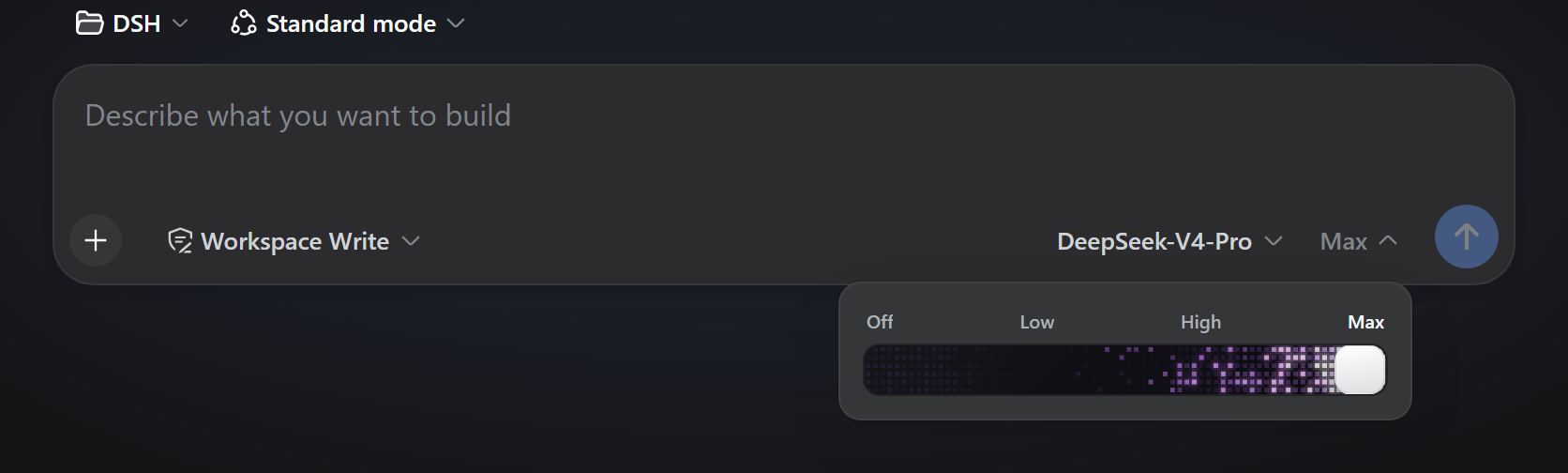
Different models publish different reasoning-tier ladders inside DSH, and the stock control can feel less intuitive than some users would like. dsh-reasoning-slider adds just two small pills next to the input—model and strength—and expands a compact slider on demand, keeping the interface minimal.
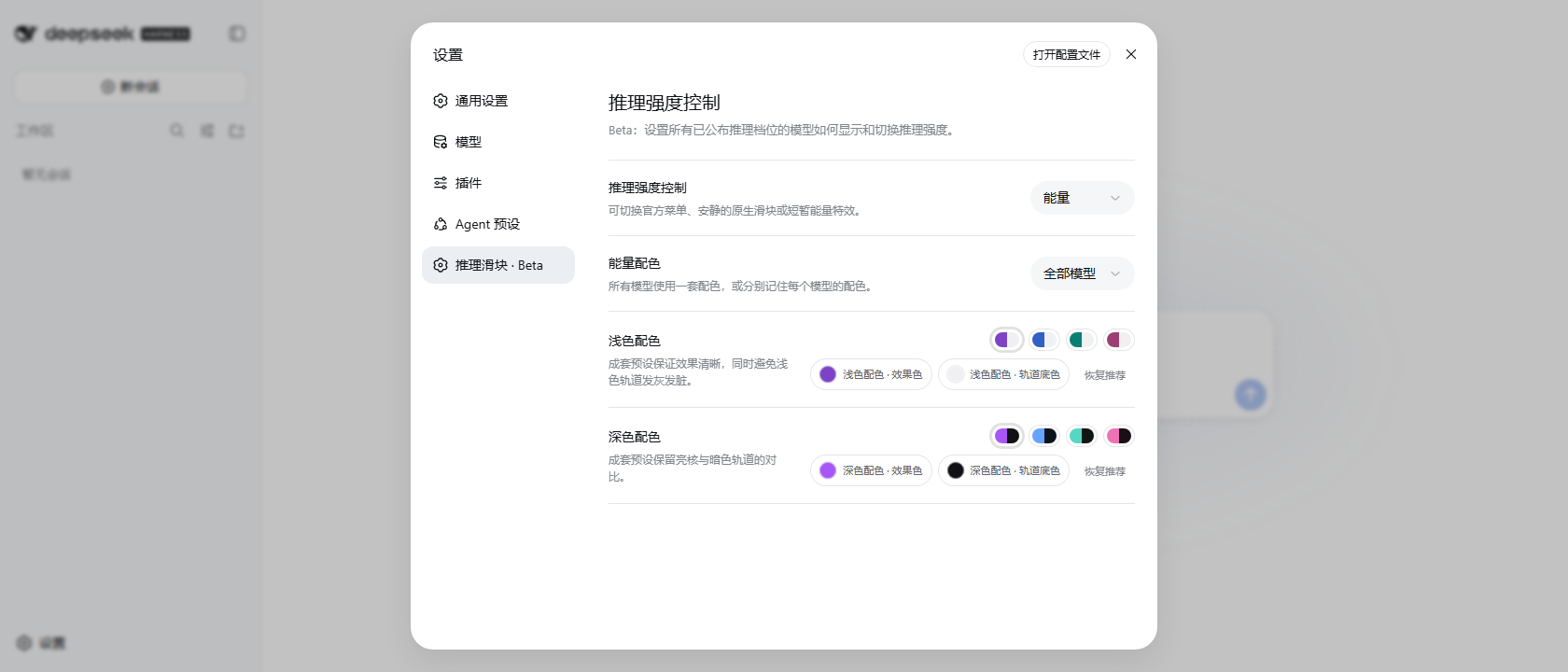
The plugin strictly follows each model's declared metadata: only the tiers a model actually publishes are shown, with no phantom options. While dragging it renders a local visual preview, and a single request is sent through DSH's official interface only after the user releases the handle, minimising network overhead. Three visual modes are available: Official restores the stock DSH selector; Native offers a quiet capsule plus a compact pop-up slider; Energy renders a bespoke WebGL pixel-flame and glow effect that keeps burning at the maximum tier and settles to a static state at Off or intermediate stops. Light and dark presets ship out of the box, can be scoped per-model or applied globally, and full keyboard support is included.
It is well suited for everyday DSH users who want a more tactile, low-cost reasoning-strength control, and for power users who enjoy fine-tuning per-model colour themes. The plugin reads no credentials, collects no telemetry, and makes no unauthorised network calls.
Screenshots

Use Cases
- Adjust reasoning strength across models with a compact slider
- Switch between the quiet native capsule and the WebGL energy effect
- Customise per-model light and dark colour presets for the interface
Best For
- Everyday DSH users who want a tactile slider for reasoning tiers
- Power users who enjoy per-model visual theming
- Low-overhead users who prefer local preview over repeated network calls
Related Plugins
A unified suite combining hot runtime injection, task-aware thinking-mode routing, and a graded session protocol with red-team gates to sustain model diligence across long-horizon inference.

ModLens is a vision plugin for DeepSeek Harness that gives text-only models sight by reading images pasted directly into chat, with zero-config setup and multiple vision engines.

On-demand vision for text-only DeepSeek Harness agents: built-in free keyless vision chain and 14 vision tools, routing image turns as tool calls to vision models with pixel fidelity, no Python needed, one-command install.

Give text-only models in DeepSeek Harness eyes, enabling image Q&A, long-screenshot OCR, UI restoration, and GUI visual tasks.