dsh-plugin-model-capability
Run the following command in DeepSeek Harness:
dsh plugin install yuioi666/dsh-plugin-model-capability
Paste the following prompt into your AI chat to install this plugin:
Run dsh plugin install yuioi666/dsh-plugin-model-capability in your terminal, find the source at https://github.com/yuioi666/dsh-plugin-model-capability , then restart dsh --profile web to see the Model Capability page under Settings.
About this plugin
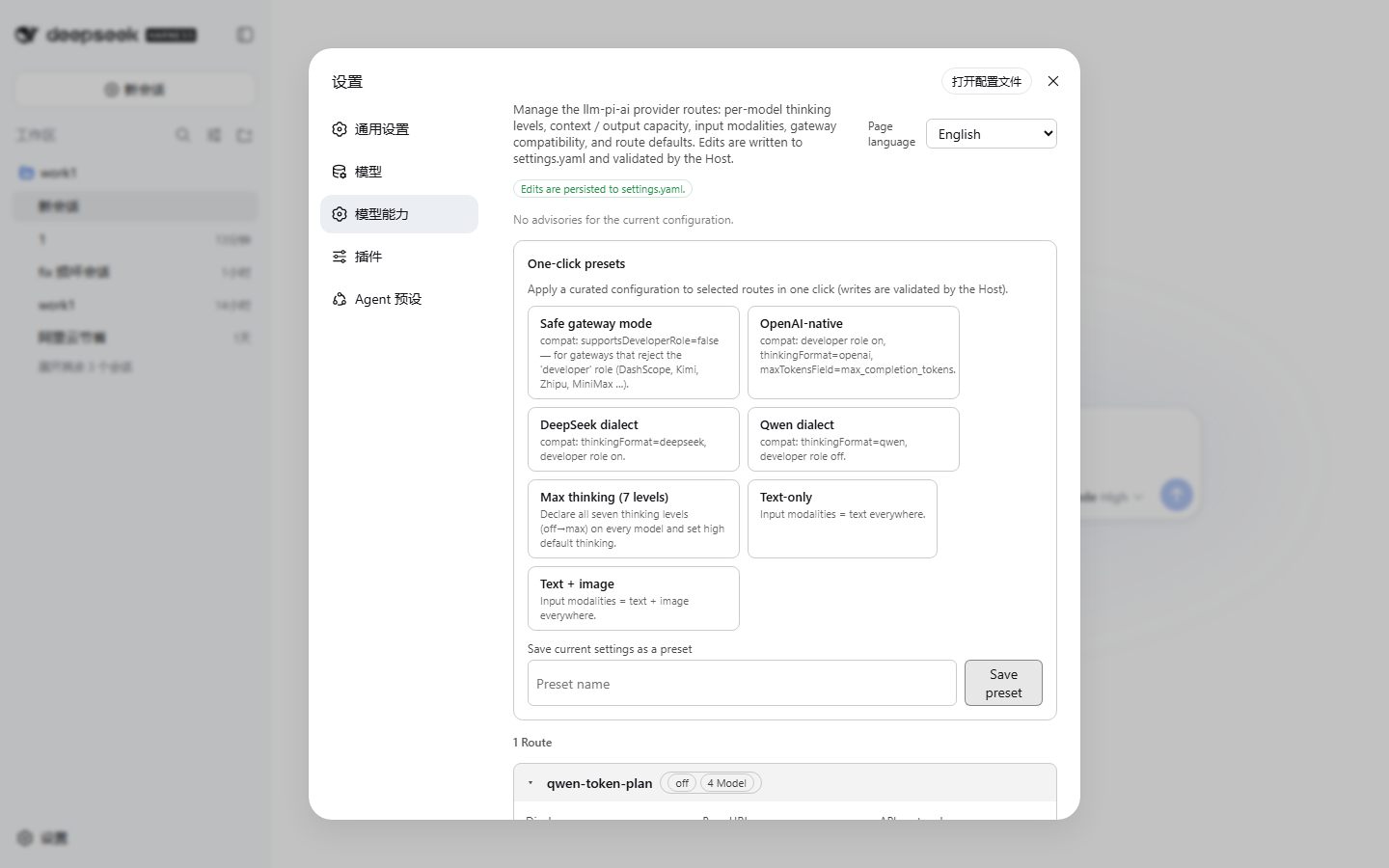
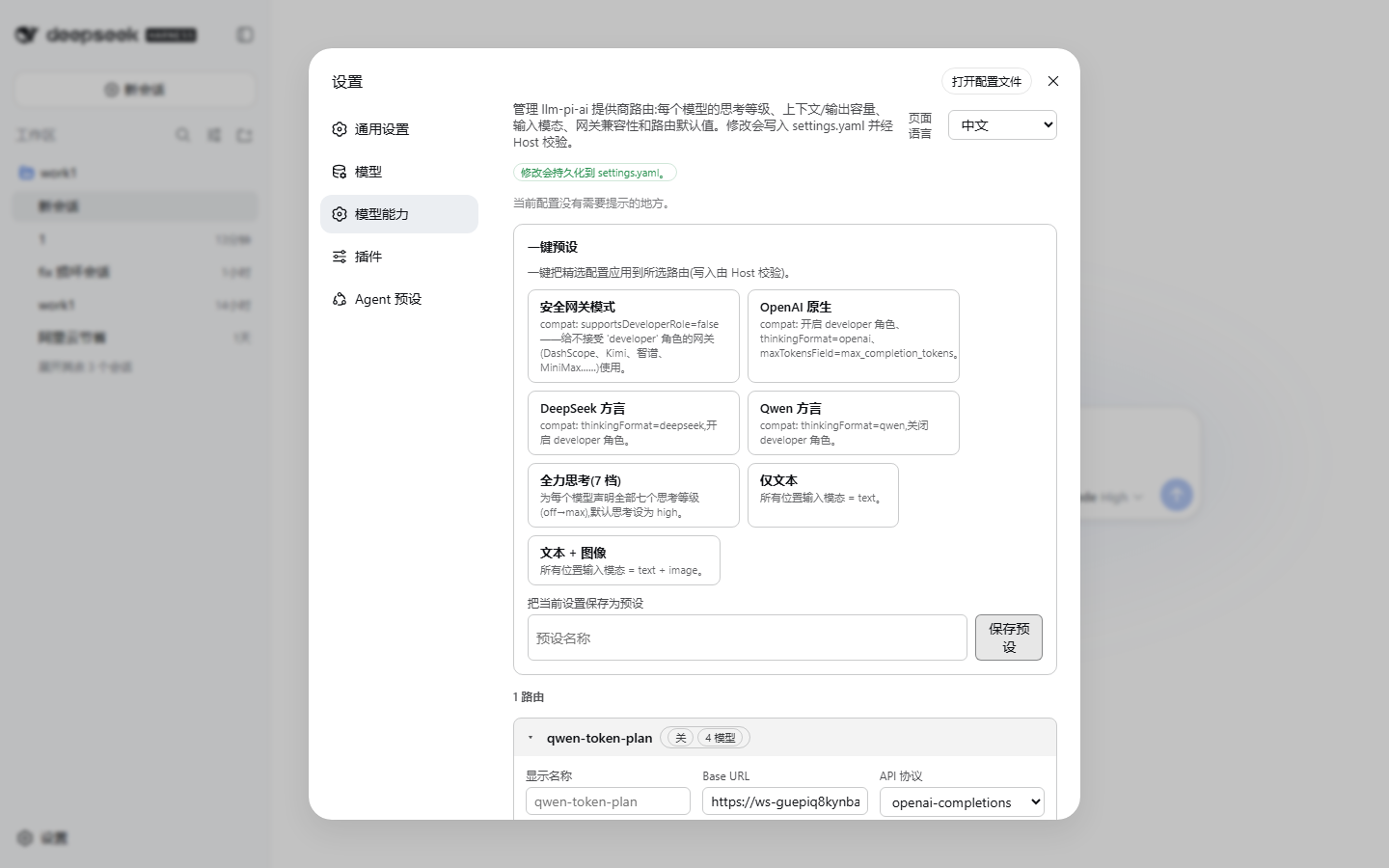
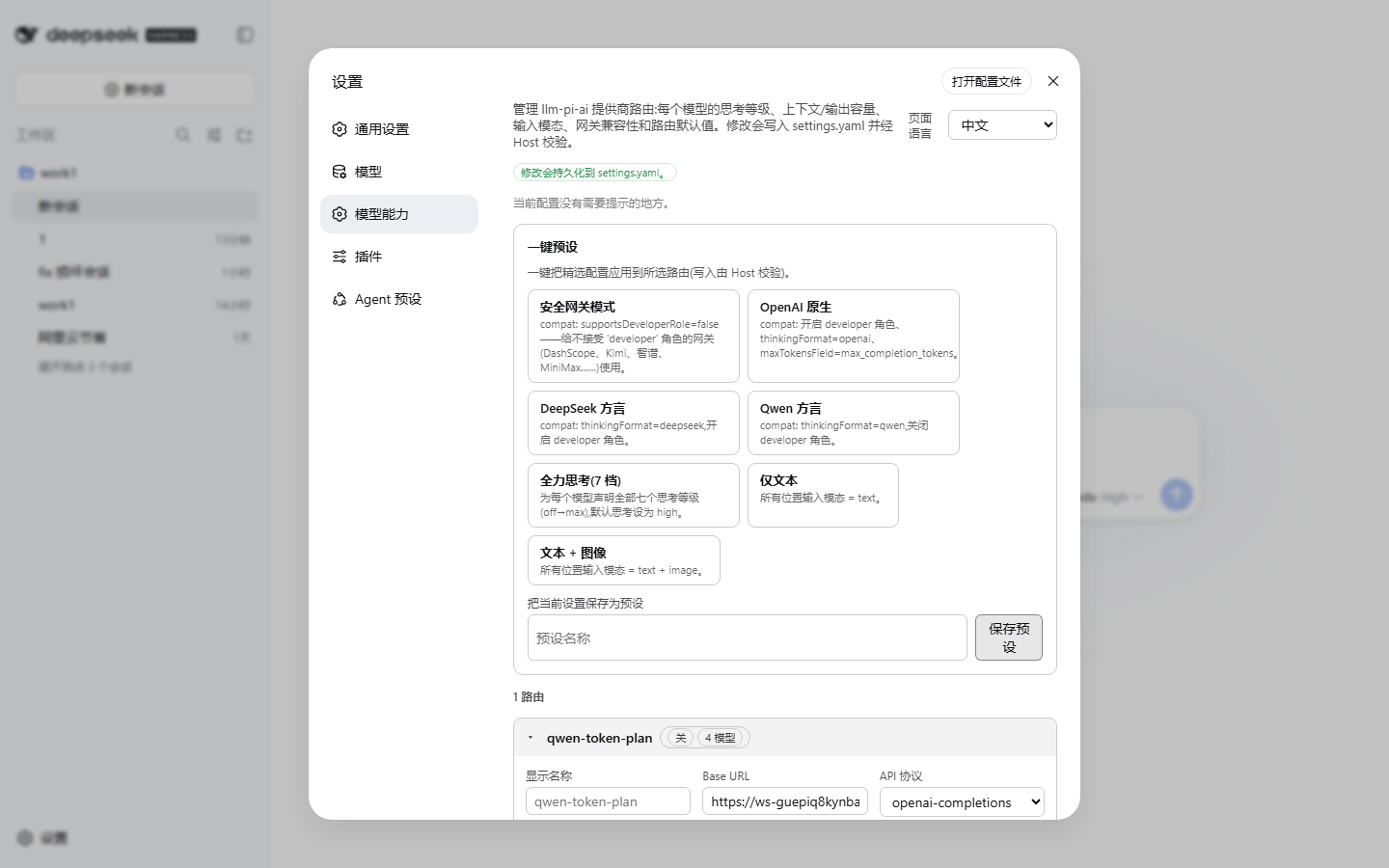
DSH stores its LLM provider routes in the llm-pi-ai section of settings.yaml, and hand-editing that block is both error-prone and repetitive. Two pain points dominate: gateway compatibility and thinking-level wiring. Vendors like DashScope compatible-mode, Moonshot, Zhipu, MiniMax, Volcengine Ark, SiliconFlow, and Baidu Qianfan each handle OpenAI-dialect fields such as developer role and reasoning_effort differently, and the seven thinking levels require a vendor-specific wire value that is tedious to map by hand. This plugin adds a dedicated Model Capability page to the DSH Web settings sidebar, replacing YAML surgery with a purpose-built GUI. The per-model editor covers name, context window (with K/M suffix support), max output tokens, input modalities, and the full seven-level reasoning matrix where every level accepts its own wire value or can be batch-filled with one click. The per-route editor handles API dialect selection, default parameters, cache retention, timeouts, and request headers. Seven built-in one-click presets - Safe gateway, OpenAI native, DeepSeek dialect, Qwen dialect, Max thinking, Text only, and Image ready - encode dialect-safe compatibility combinations for the major gateway families, and your current configuration can be saved as a custom preset for later reuse. Persistent advisory checks at the top of the page flag common misconfigurations such as legacy gateways with supportsDeveloperRole left on or reasoning levels missing a wire mapping. Credential-shaped header names are hard-blocked in the editor and stripped before a custom preset is stored, so API keys never leak into settings.yaml. All writes go through the DSH settings service with revision fencing and automatic retry on concurrent edits, the same safety pattern the built-in Models page uses. This plugin installs as a single npm bundle into any DSH profile, registering a host-side settings schema and a Web client Bundle via the DSH module loader so no manual patch editing is required. The UI follows the DSH global language or can be manually pinned to English or Chinese, and the choice persists into settings.yaml rather than only to the browser session. Ideal for teams managing multiple provider routes in DSH who need fine-grained control over thinking depth or must accommodate several gateway dialects without maintaining fragile YAML by hand.
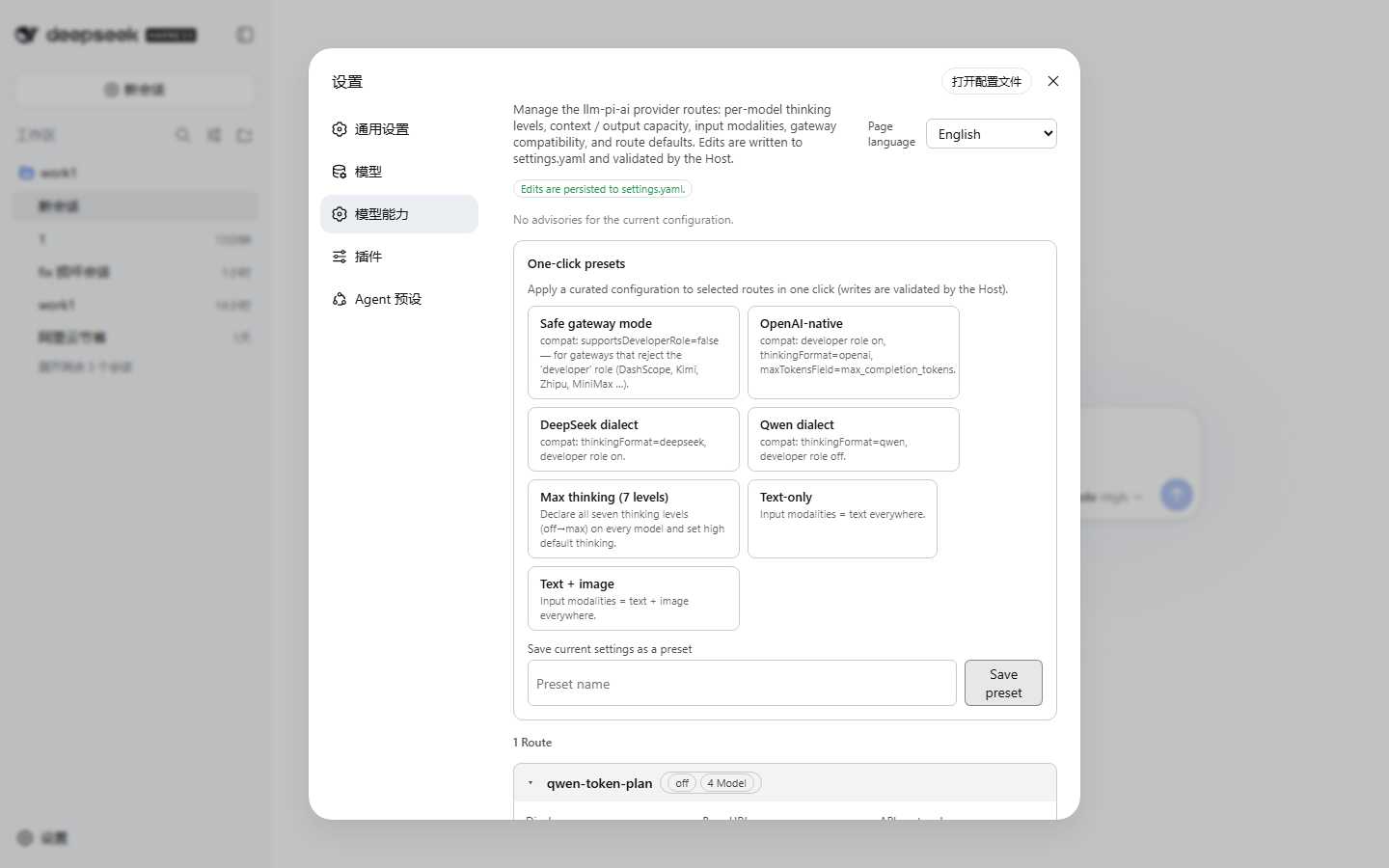
Screenshots
Use Cases
- Configuring multiple provider routes in DSH Web with different gateway dialects and compatibility fields
- Setting per-model thinking levels, context window, and input modalities without hand-editing YAML
- Applying one-click presets to handle DashScope, Kimi, Zhipu, and other gateway-specific configurations
Best For
- Developer teams managing multiple LLM provider routes in DSH
- Ops engineers handling dialect differences across several LLM gateways
- Users who prefer a visual GUI over hand-editing settings.yaml for model configuration
Related Plugins
A unified suite combining hot runtime injection, task-aware thinking-mode routing, and a graded session protocol with red-team gates to sustain model diligence across long-horizon inference.

ModLens is a vision plugin for DeepSeek Harness that gives text-only models sight by reading images pasted directly into chat, with zero-config setup and multiple vision engines.

On-demand vision for text-only DeepSeek Harness agents: built-in free keyless vision chain and 14 vision tools, routing image turns as tool calls to vision models with pixel fidelity, no Python needed, one-command install.

Give text-only models in DeepSeek Harness eyes, enabling image Q&A, long-screenshot OCR, UI restoration, and GUI visual tasks.