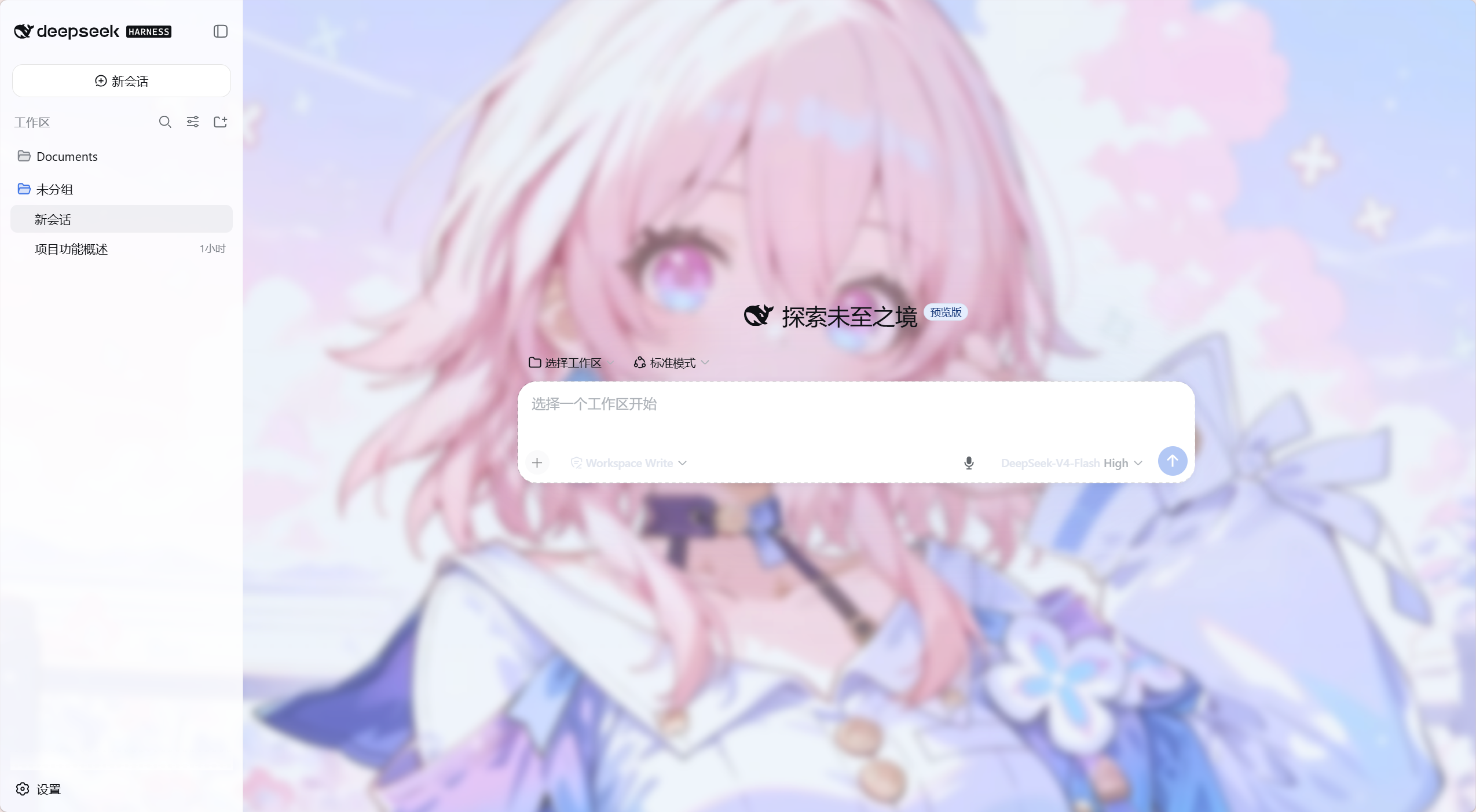
Dsh-UI-Enhance
Run the following command in DeepSeek Harness:
dsh plugin install xjackzenvey/Dsh-UI-Enhance
Paste the following prompt into your AI chat to install this plugin:
Run dsh plugin install xjackzenvey/Dsh-UI-Enhance in your terminal to install; full source at https://github.com/xjackzenvey/Dsh-UI-Enhance
About this plugin
The DeepSeek Harness Web interface is already feature-complete for reasoning workflows, yet a few day-to-day friction points remain: typing every prompt by hand is not always the fastest path, long chains of tool calls stretch conversations into walls of text, and the visual styling offers little room for personalization. Dsh-UI-Enhance targets these pain points with a small set of optional, non-invasive enhancements that leave the core inference pipeline completely untouched.
The plugin ships three capabilities. Voice input adds a microphone button next to the send control and uses the browser Web Speech API to append recognized text to the message box. Results are never auto-sent, and permission denials or unsupported browsers are surfaced with clear status messages. Tool-call collapsing merges consecutive tool calls of the same type into a single expandable summary card; expanding it restores the original rows, file links, and detail interactions. Mixed-type calls or those separated by text remain untouched. The feature is on by default and can be toggled off instantly with the setting auto-saved. Custom CSS provides a multi-line editor in the plugin settings that applies to the entire Harness page immediately and persists automatically. Clearing the editor reverts to the native look, making it handy for tweaking colors, spacing, or hiding visual clutter.
It is best suited for developers and researchers who use the Harness Web interface on a daily basis and want to reduce typing interruptions by dictating prompts, skim multi-step tool chains at a glance instead of scrolling through every row, or apply light visual tweaks to the UI. Because the plugin never replaces the native renderer, every enhancement can be switched off or the entire plugin uninstalled in a single step, keeping the risk profile minimal and the experience fully reversible.
Screenshots
Use Cases
- Dictating prompts via voice instead of typing
- Collapsing long tool-call chains into expandable summary cards
- Tweaking Harness page colors and spacing with custom CSS
Best For
- Developers who use the Harness Web interface daily
- Researchers who need to skim multi-step tool-call chains
- Power users who want to personalize the Harness UI appearance
Related Plugins
A unified suite combining hot runtime injection, task-aware thinking-mode routing, and a graded session protocol with red-team gates to sustain model diligence across long-horizon inference.

ModLens is a vision plugin for DeepSeek Harness that gives text-only models sight by reading images pasted directly into chat, with zero-config setup and multiple vision engines.

On-demand vision for text-only DeepSeek Harness agents: built-in free keyless vision chain and 14 vision tools, routing image turns as tool calls to vision models with pixel fidelity, no Python needed, one-command install.

Give text-only models in DeepSeek Harness eyes, enabling image Q&A, long-screenshot OCR, UI restoration, and GUI visual tasks.