dsh-plugin-marketplace
Run the following command in DeepSeek Harness:
dsh plugin install lijma/dsh-plugin-marketplace
Paste the following prompt into your AI chat to install this plugin:
Run dsh plugin install lijma/dsh-plugin-marketplace in your terminal, source at https://github.com/lijma/dsh-plugin-marketplace , then restart dsh web to activate.
About this plugin
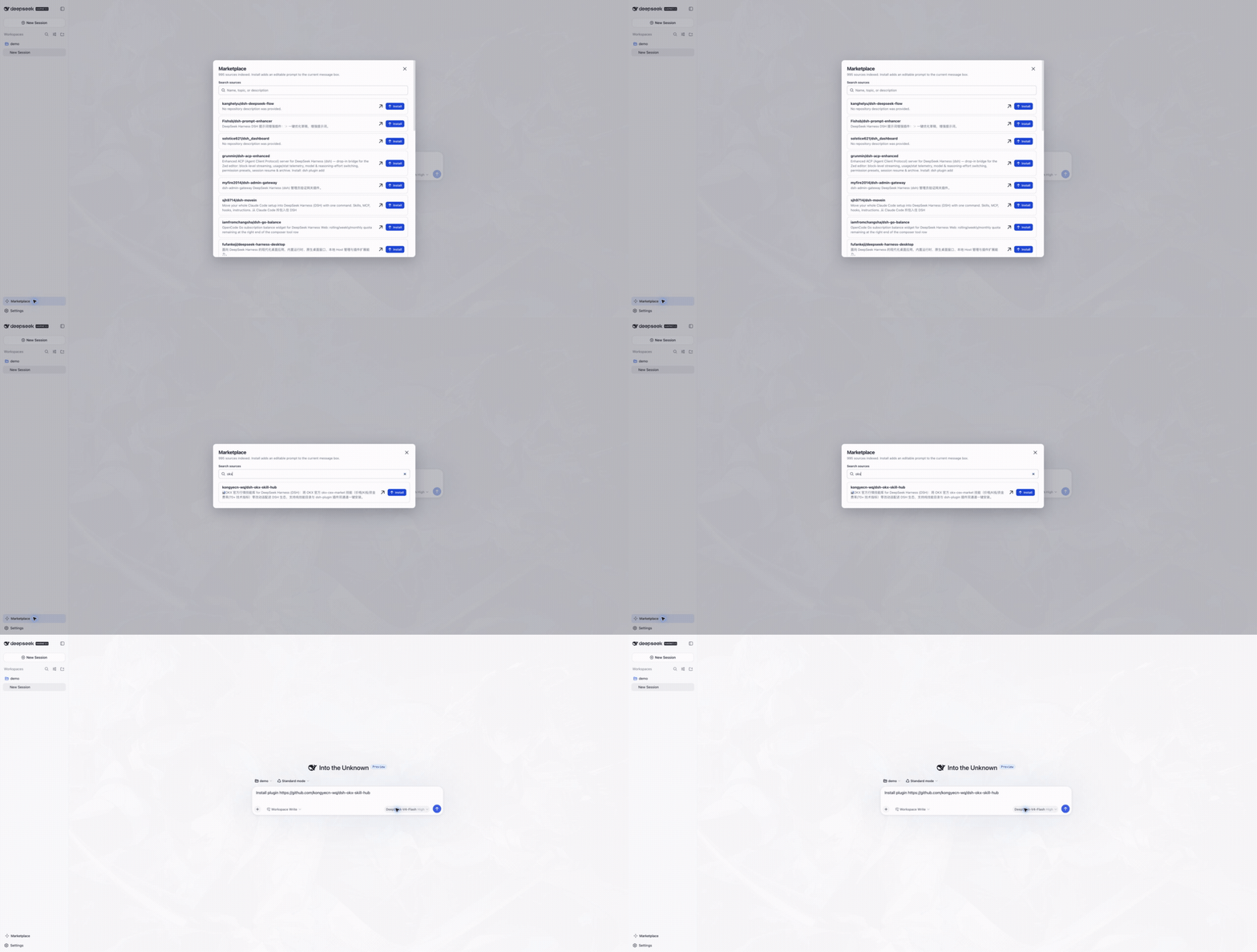
Finding a plugin for DeepSeek Harness used to mean scrolling the dsh-plugin topic on GitHub, then switching to a browser tab to read the README, installing via the shell, and hunting down the right issue to report a bug. DSH Plugin Marketplace collapses that scattered workflow into a single surface inside your Harness workspace: discover, inspect, confirm-install, and contribute feedback without leaving the tool you are already in.
Core capabilities include keyword search across the DSH Index catalogue with a live indexed count, generating an editable Install plugin prompt for the Agent where every install still requires your explicit confirmation so no silent background pulls occur, turning a failure into a redacted GitHub or Gitee issue draft you review before submitting and can continue to track, and leaving scores, FAQ answers, or pitfall notes that remain private until the author opts in and DSH Index approves publication. The same typed client drives both the model-callable tools inside Harness and the dsh-index CLI, giving command-line users an identical policy-enforced experience with no consent bypass.
It is built for developers who work daily in DeepSeek Harness and want to quickly surface a useful plugin, install it with full transparency, and send a score or bug report back to the community, all without bouncing between a dozen browser tabs.
Screenshots
Use Cases
- Search and confirm-install plugins from DSH Index inside Harness
- Convert a failure into a redacted Issue draft, submit, and track its status
- Query the plugin catalogue and view indexed totals via dsh-index CLI
Best For
- Developers who work in DeepSeek Harness daily
- Tech leads managing a plugin install workflow
- CLI-first users who prefer terminal-driven tooling
Related Plugins

Memory layer for coding agents that indexes local session history and auto-recalls relevant context before edits, commands, and failures, with no manual search needed.

Traceable, searchable cross-session memory for AI agents that turns conversation knowledge into a typed knowledge graph and recalls relevant subgraphs instead of replaying full history, natively integrated with DeepSeek Harness.
Gives DSH AI cross-session long-term memory, to-do and skill management, plus multi-session orchestration, external AI delegation, and an infinite canvas that grows with you.

dsh-mnemon is a three-tier, pluggable, Agent-driven memory system for DeepSeek Harness, combining Runtime memory, Project Documents, and replaceable Memory Spaces with nine long-term providers.