dsh-custom-provider-settings
Run the following command in DeepSeek Harness:
dsh plugin install supersealwqas/dsh-custom-provider-settings
Paste the following prompt into your AI chat to install this plugin:
To install this plugin in DeepSeek Harness, run the command dsh plugin install supersealwqas/dsh-custom-provider-settings or visit the GitHub repository at https://github.com/supersealwqas/dsh-custom-provider-settings.
About this plugin
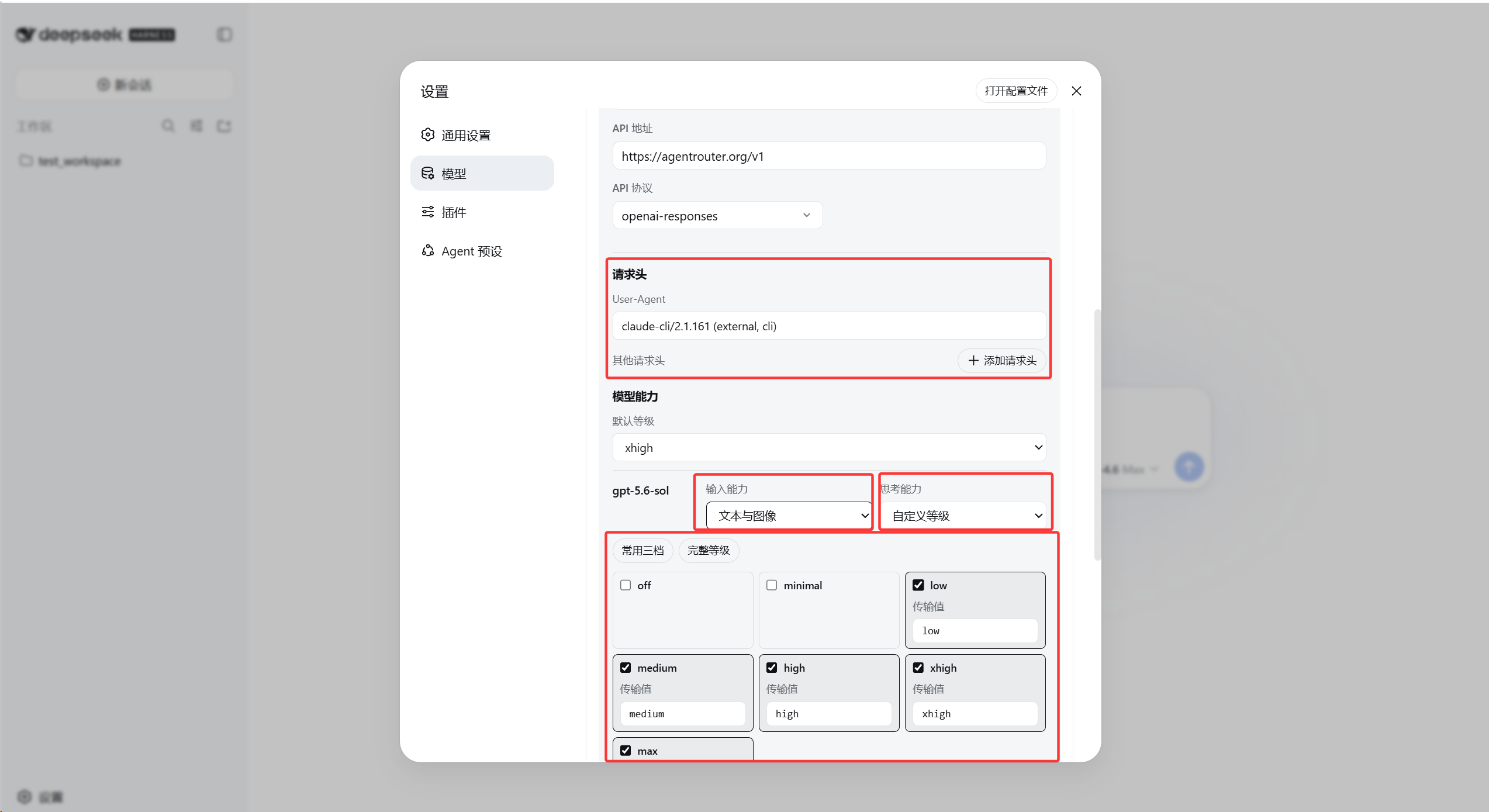
DeepSeek Harness is a powerful tool for model inference, but its default configuration options for custom providers are limited. The dsh-custom-provider-settings plugin addresses this by enabling users to set global request headers and add per-provider customizations, thereby enhancing flexibility and control over API integrations.
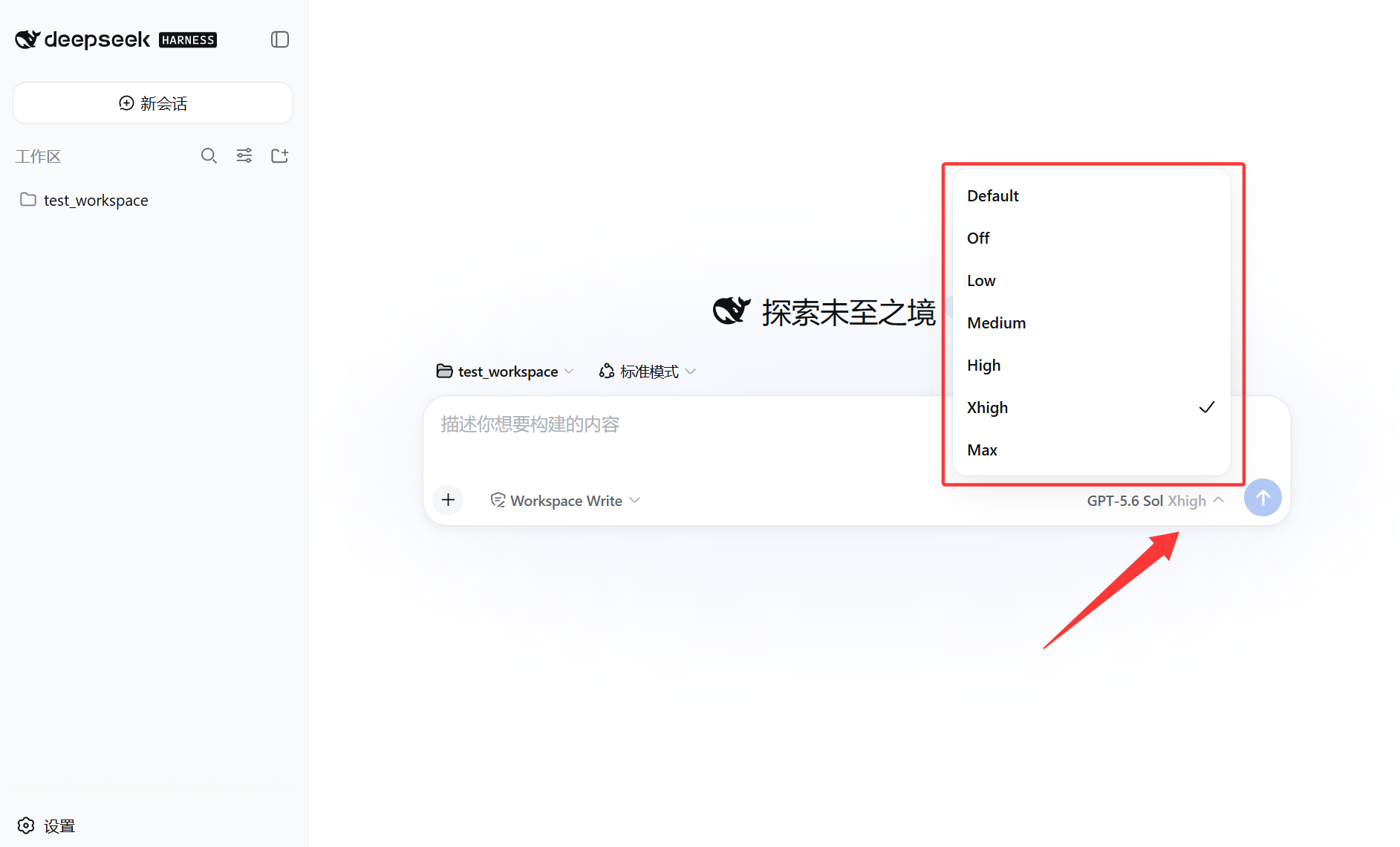
The plugin's core capabilities include configuring global and per-provider HTTP headers (such as User-Agent), declaring model image input support, setting reasoning level parameters, and controlling system-role compatibility for OpenAI-compatible providers. These features are seamlessly integrated into the WebUI without modifying Harness source code, allowing users to easily manage complex API environments.
It is particularly suited for developers, data scientists, and advanced users who work with third-party APIs or custom model endpoints. Whether you need to test different header configurations, accurately declare model capabilities, or resolve compatibility issues, this plugin offers a convenient solution to make DeepSeek Harness more adaptable to personalized workflows.
Screenshots
Use Cases
- Configure global and per-provider request headers for API calls.
- Declare whether models support image input capabilities.
- Set reasoning levels and manage system-role compatibility.
Best For
- Developers using third-party APIs.
- Advanced users needing fine control over model inference.
- Teams managing multiple custom providers.
Related Plugins
A unified suite combining hot runtime injection, task-aware thinking-mode routing, and a graded session protocol with red-team gates to sustain model diligence across long-horizon inference.

ModLens is a vision plugin for DeepSeek Harness that gives text-only models sight by reading images pasted directly into chat, with zero-config setup and multiple vision engines.

On-demand vision for text-only DeepSeek Harness agents: built-in free keyless vision chain and 14 vision tools, routing image turns as tool calls to vision models with pixel fidelity, no Python needed, one-command install.

Give text-only models in DeepSeek Harness eyes, enabling image Q&A, long-screenshot OCR, UI restoration, and GUI visual tasks.