dsh-vision-plugin
Run the following command in DeepSeek Harness:
dsh plugin install zcma11/dsh-vision-plugin
Paste the following prompt into your AI chat to install this plugin:
Run dsh plugin install zcma11/dsh-vision-plugin in your terminal, or clone from https://github.com/zcma11/dsh-vision-plugin and follow the setup instructions.
About this plugin
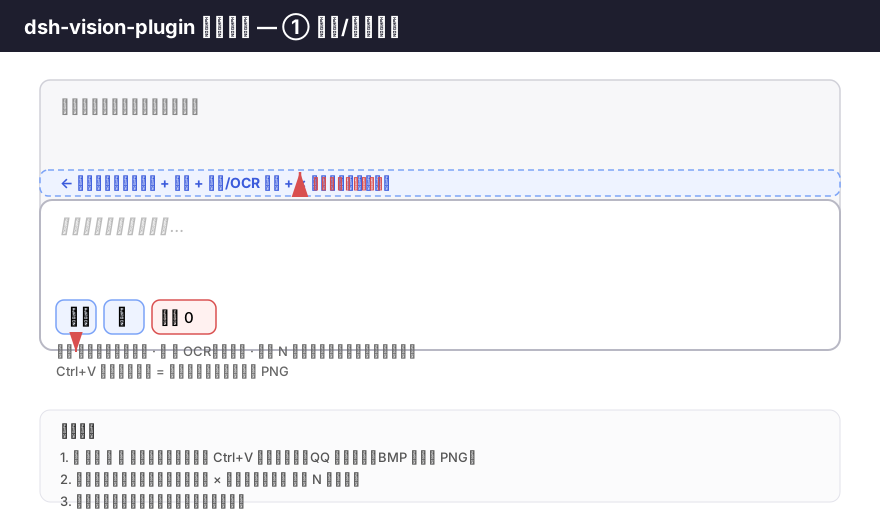
In a DeepSeek Harness conversation, the main model can only read plain text. A stack-trace screenshot, a whiteboard sketch, or a product UI mock-up all vanish the moment you paste them in. dsh-vision-plugin closes that gap: upload or paste an image right in the chat box, and on send the plugin transcribes the image into a text description that is injected into the message so the primary model actually sees what is in the picture.
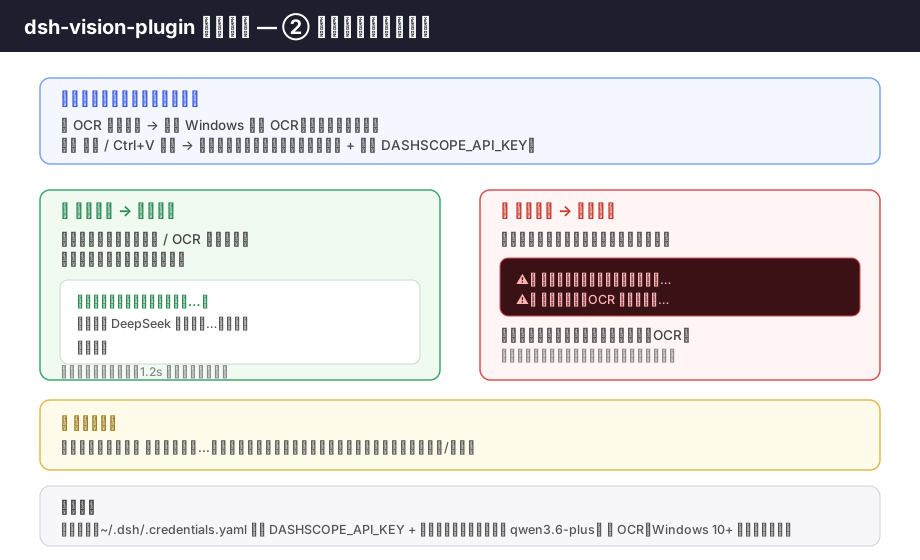
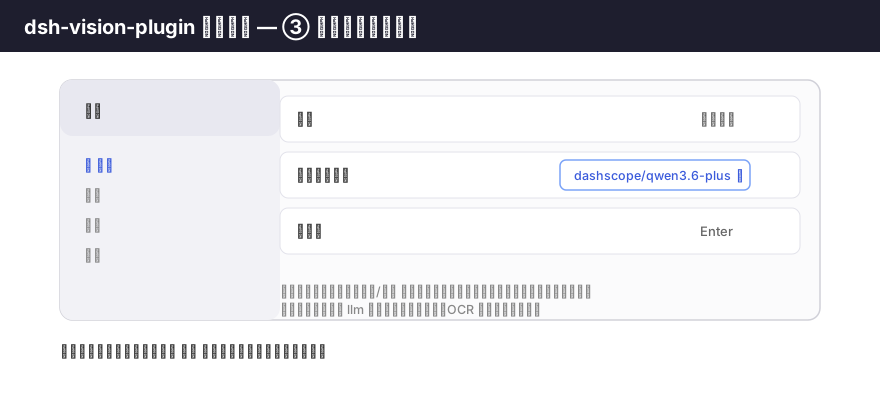
Two strictly routed transcription paths are provided: the vision button or Ctrl+V paste triggers the DashScope visual model (requires an API key and a model that accepts image input), while the OCR button runs Windows 10+ built-in offline OCR with zero network calls. The two paths never silently fall back to each other; on failure the plugin tells you exactly whether the model call or the OCR step went wrong, keeps the image data in the preview bar for an instant retry, and makes sure the message is never forwarded to the primary model.
Built for Windows developers and knowledge workers who share screenshots, error logs, diagrams, or design mock-ups with AI on a daily basis. Images live in memory only and are cleared the moment transcription completes, keeping things both convenient and private.
Screenshots
Use Cases
- Paste a stack-trace screenshot and let the model read the error directly
- Share a whiteboard flowchart so the AI understands the logic before coding
- Drop in a UI mock-up and have the AI refine code against the visual
Best For
- Developers who share screenshots or diagrams with AI frequently
- Users who need offline image processing without an API key
- Knowledge workers on Windows using DeepSeek Harness
Related Plugins
A unified suite combining hot runtime injection, task-aware thinking-mode routing, and a graded session protocol with red-team gates to sustain model diligence across long-horizon inference.

ModLens is a vision plugin for DeepSeek Harness that gives text-only models sight by reading images pasted directly into chat, with zero-config setup and multiple vision engines.

On-demand vision for text-only DeepSeek Harness agents: built-in free keyless vision chain and 14 vision tools, routing image turns as tool calls to vision models with pixel fidelity, no Python needed, one-command install.

Give text-only models in DeepSeek Harness eyes, enabling image Q&A, long-screenshot OCR, UI restoration, and GUI visual tasks.