kgraph-plugin
Run the following command in DeepSeek Harness:
dsh plugin install lzhphantom/kgraph-plugin
Paste the following prompt into your AI chat to install this plugin:
Run dsh plugin install lzhphantom/kgraph-plugin in the DeepSeek Harness terminal to install the plugin (repository: https://github.com/lzhphantom/kgraph-plugin).
About this plugin
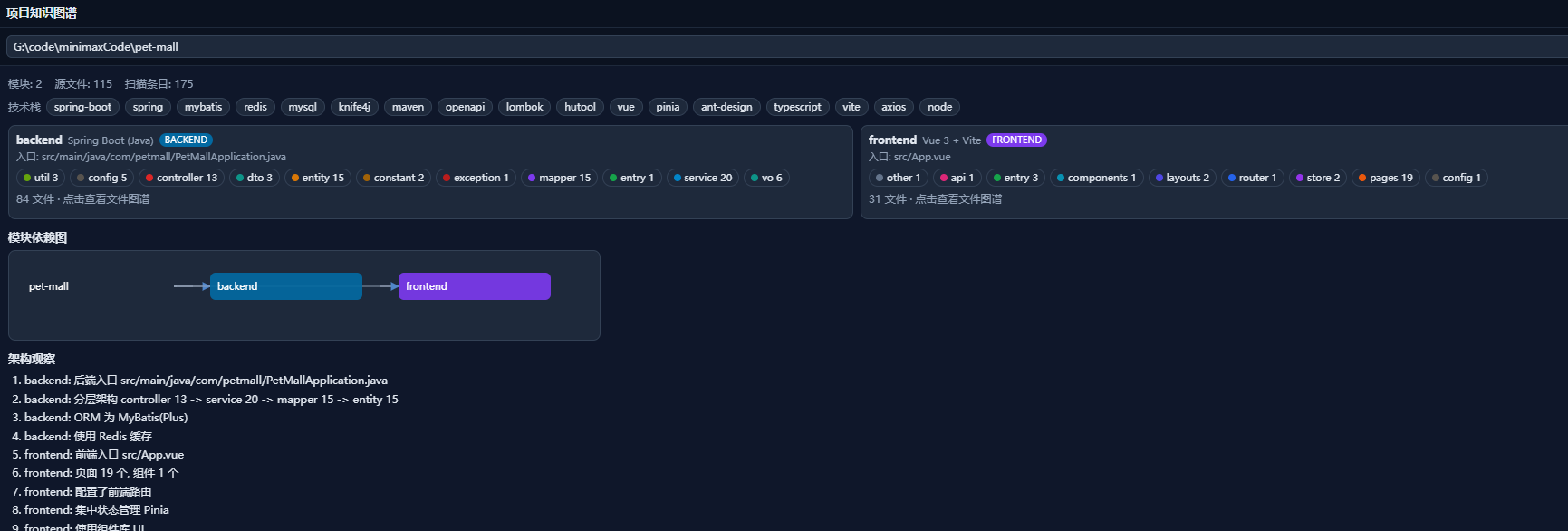
Stepping into an unfamiliar codebase with hundreds of files, no clear module boundaries, and tangled dependencies can feel overwhelming. kgraph-plugin addresses exactly that friction: it performs a read-only scan of any project directory and automatically assembles a module-level and file-level knowledge graph, so you can grasp the overall architecture and design intent in minutes, with a solid basis for subsequent evolution and optimization.
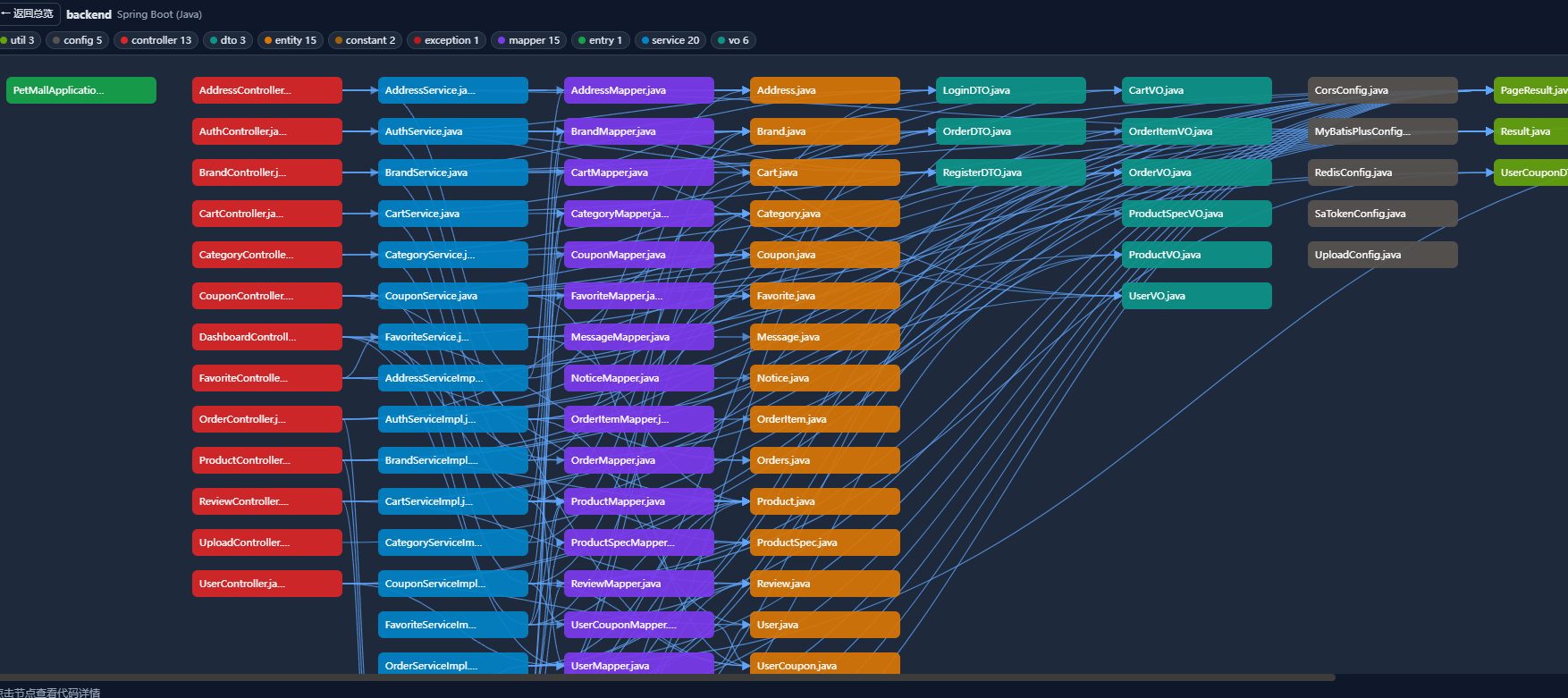
Under the hood it recognizes manifests such as pom.xml, package.json, go.mod, and requirements.txt to split modules, resolves cross-references for Java/Kotlin, TypeScript/Vue, Python, and Go, and classifies files into roles like controller, service, mapper, entity, dto, config, pages, components, router, store, api, and util. The output covers a module dependency graph, a file-level layered graph, detected tech stack, entry points, key files, and architectural observations, all built exclusively with DSH fs services so the scanned project is never modified.
Usage is straightforward: a floating project knowledge graph panel appears in the lower-right corner of the page. Type a path, hit Scan, and drill from module cards and the overview graph into the file-level layered view, clicking any node to inspect code in fullscreen if needed. On the Agent side, the project_kgraph tool returns the same cached full-graph JSON for follow-up Q&A or refactoring analysis. Whether you are onboarding to a new project, walking a team through its architecture, or letting an Agent drive optimization, kgraph-plugin has a natural place in your workflow.
Screenshots
Use Cases
- Onboarding a new developer to an unfamiliar codebase by mapping module responsibilities and dependencies
- Reviewing the layered architecture and design intent before a team-level tech assessment
- Feeding the knowledge graph JSON into an Agent to drive code Q&A and refactoring suggestions
Best For
- Developers newly assigned to an unfamiliar project
- Tech leads preparing architecture reviews or team presentations
- Engineers using DSH Agents for code analysis and optimization
Related Plugins

Memory layer for coding agents that indexes local session history and auto-recalls relevant context before edits, commands, and failures, with no manual search needed.

Traceable, searchable cross-session memory for AI agents that turns conversation knowledge into a typed knowledge graph and recalls relevant subgraphs instead of replaying full history, natively integrated with DeepSeek Harness.
Gives DSH AI cross-session long-term memory, to-do and skill management, plus multi-session orchestration, external AI delegation, and an infinite canvas that grows with you.

dsh-mnemon is a three-tier, pluggable, Agent-driven memory system for DeepSeek Harness, combining Runtime memory, Project Documents, and replaceable Memory Spaces with nine long-term providers.