
dsh-vision-resident
Run the following command in DeepSeek Harness:
dsh plugin install AnnanRen/dsh-vision-resident
Paste the following prompt into your AI chat to install this plugin:
Run dsh plugin install AnnanRen/dsh-vision-resident in the DeepSeek Harness terminal to install the resident vision sub-agent plugin. The source code is open-sourced under the MIT license at https://github.com/AnnanRen/dsh-vision-resident.
About this plugin
When working with a pure text model, a screenshot, a UI defect, or a snippet of code captured in an image often becomes a blind spot. dsh-vision-resident embeds a resident vision sub-agent directly into the DeepSeek Harness host process, letting your text-based main model see images in the same conversation—pasted screenshots are auto-translated, follow-up questions reference prior recognition results, and no separate vision session is needed.
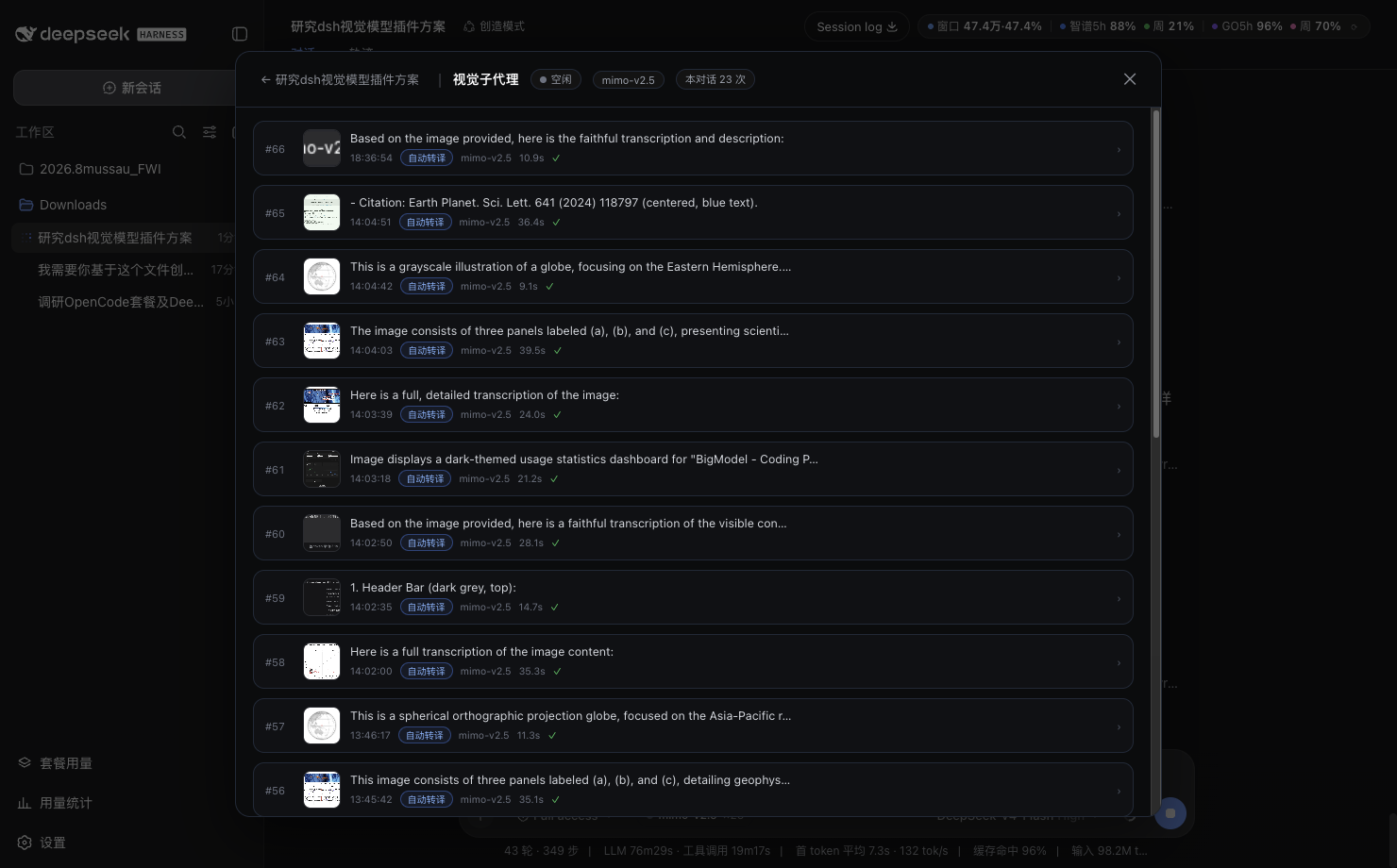
The vision sub-agent maintains its own persistent context. The last ten recognition rounds are isolated per DSH conversation, so follow-ups never require re-sending the original image. Recognition history and translation caches are written to disk, surviving restarts without loss or duplicate work. When the main conversation is archived, the corresponding vision records are automatically purged. A status capsule in the input bar shows real-time workload and recognition count; clicking it reveals a collapsible conversation log where each entry expands to show the instruction, reasoning trace, and output.
Ideal for developers who use DeepSeek or other text-only models for coding, UI review, or OCR tasks. There is no need to switch models or open a separate tool—just paste an image and keep asking in the same conversation. Vision capability feels like a native part of your workflow.
Screenshots
Use Cases
- Paste a UI screenshot and ask the text model to review layout, colors, or style issues
- Follow up on OCR or image-QA results without re-sending the original image
- Invoke vision on demand inside a text-model conversation for screenshot sign-off
Best For
- Developers using DeepSeek or other text-only models for day-to-day coding and documentation
- Teams that need screenshot verification or UI review without switching to a separate vision tool
- Users who want vision results to stay in context and support multi-turn follow-up
Related Plugins

Memory layer for coding agents that indexes local session history and auto-recalls relevant context before edits, commands, and failures, with no manual search needed.

Traceable, searchable cross-session memory for AI agents that turns conversation knowledge into a typed knowledge graph and recalls relevant subgraphs instead of replaying full history, natively integrated with DeepSeek Harness.
Gives DSH AI cross-session long-term memory, to-do and skill management, plus multi-session orchestration, external AI delegation, and an infinite canvas that grows with you.

dsh-mnemon is a three-tier, pluggable, Agent-driven memory system for DeepSeek Harness, combining Runtime memory, Project Documents, and replaceable Memory Spaces with nine long-term providers.