dsh-model-probe
Run the following command in DeepSeek Harness:
dsh plugin install AGSQ11/dsh-model-probe
Paste the following prompt into your AI chat to install this plugin:
Clone or download the plugin from https://github.com/AGSQ11/dsh-model-probe, add the local plugin directory to the DSH profile you are using, and restart DSH to enable it under Settings → Model Probe.
About this plugin
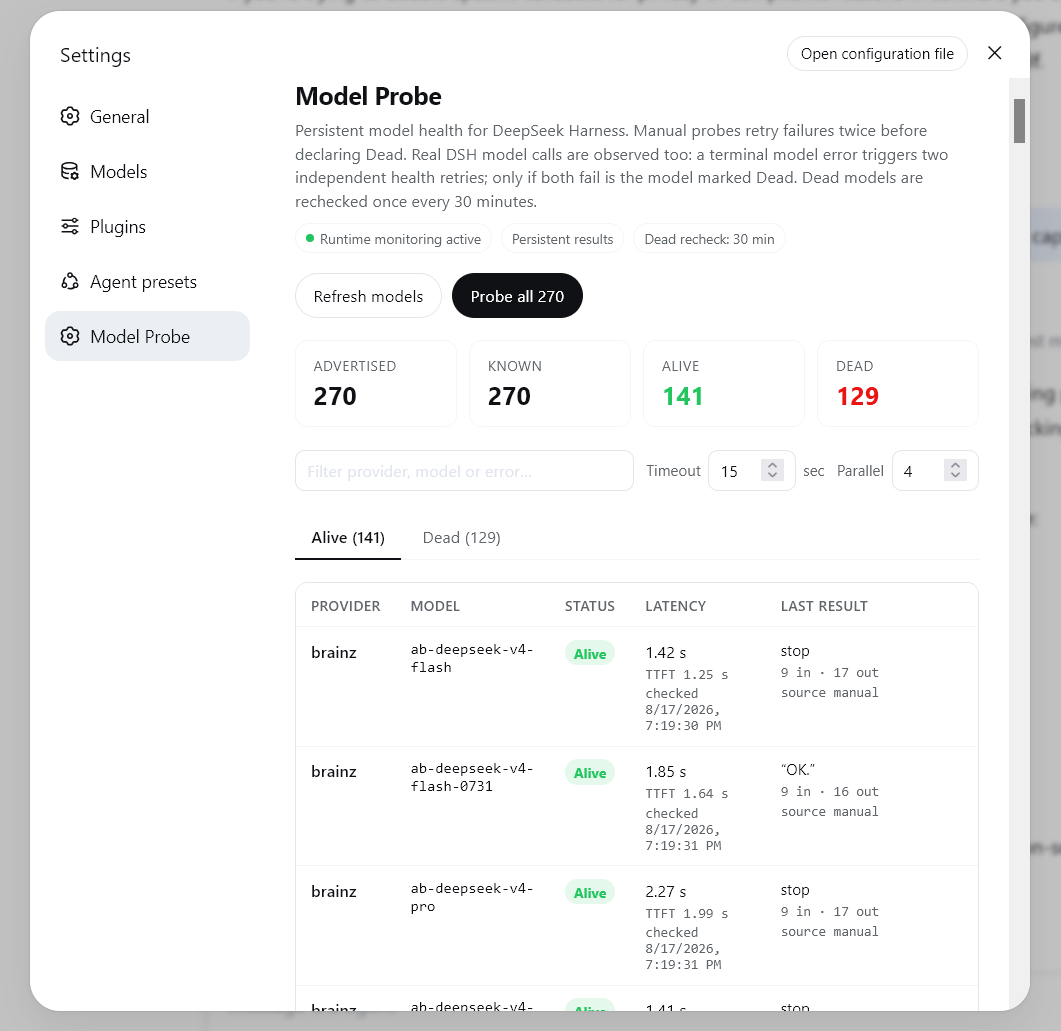
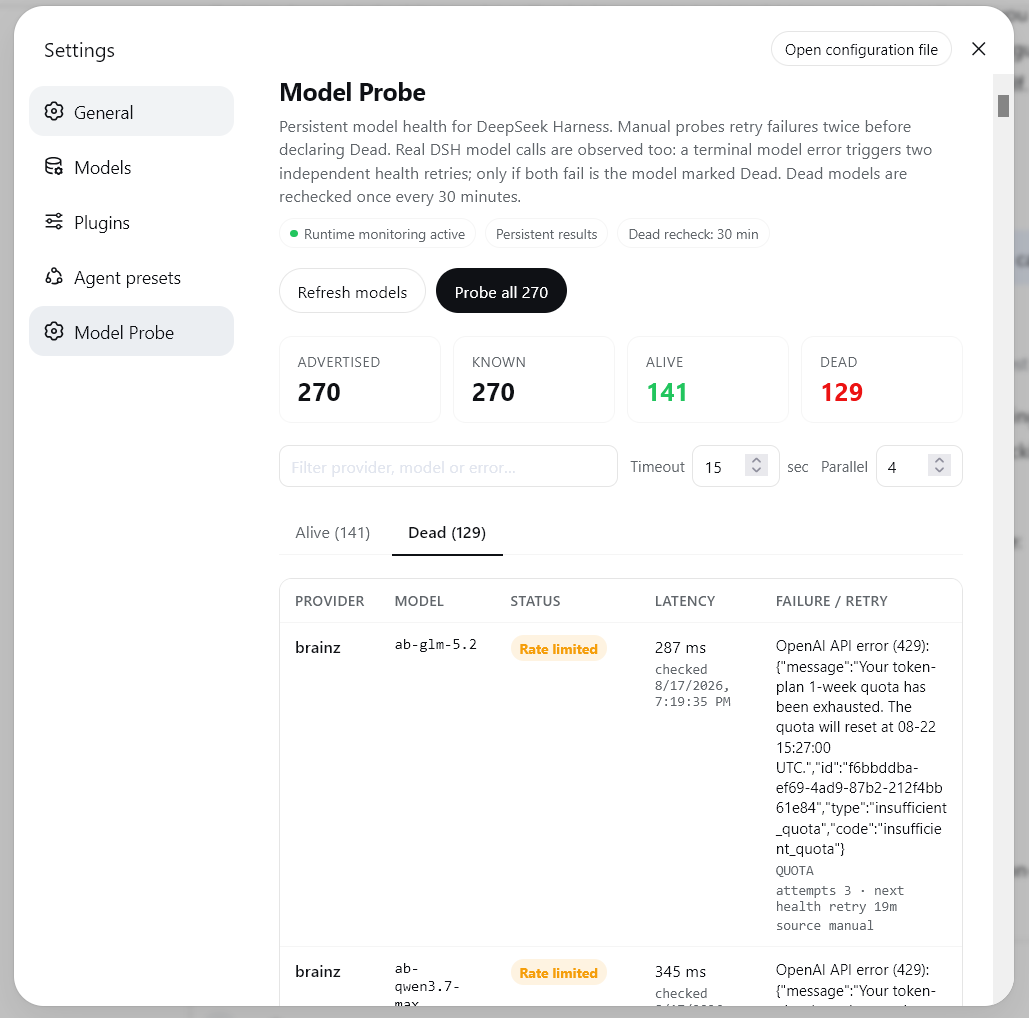
When you connect multiple providers in DSH, a model can silently go dead due to rate limits, timeouts, or deprecation, yet the UI offers no visible cue. You only find out when you pick it, send a request, and get an error. dsh-model-probe closes that gap: it enumerates every model across all registered providers, probes each one through DSH's own LLM runtime, and maintains a persistent Alive / Dead ledger. In every model picker you will see a green or red dot next to each row, and live models are automatically sorted to the top.
The probe policy is deliberately conservative. A manual full sweep retries up to three times; a runtime error triggers two independent 8-token verification requests that never replay the user's original prompt, so there is no risk of duplicated assistant output. Dead models are rechecked in the background every 30 minutes, and a single successful real request instantly flips the status back to Alive. All health state is keyed by provider plus model, persisted locally, and survives both browser and DSH restarts without storing any credentials.
If you routinely juggle several providers and a dozen models in DSH, and want to glance at the composer and immediately know which models are responsive right now, dsh-model-probe is a lightweight, non-intrusive health dashboard that quietly removes that uncertainty from every single request.
Screenshots
Use Cases
- Open the composer and instantly tell which models are live across multiple providers
- Avoid picking a dead model that would only reveal its failure after a request fires
- Skip manual troubleshooting as the background scheduler rechecks every Dead model every 30 minutes
Best For
- Heavy DSH users juggling multiple providers and a dozen or more models simultaneously
- Developers responsible for keeping a team's DSH environment reliable and models available
- Everyday DSH users who want fewer wasted requests and less guesswork when choosing a model
Related Plugins
A unified suite combining hot runtime injection, task-aware thinking-mode routing, and a graded session protocol with red-team gates to sustain model diligence across long-horizon inference.

ModLens is a vision plugin for DeepSeek Harness that gives text-only models sight by reading images pasted directly into chat, with zero-config setup and multiple vision engines.

On-demand vision for text-only DeepSeek Harness agents: built-in free keyless vision chain and 14 vision tools, routing image turns as tool calls to vision models with pixel fidelity, no Python needed, one-command install.

Give text-only models in DeepSeek Harness eyes, enabling image Q&A, long-screenshot OCR, UI restoration, and GUI visual tasks.