dsh-composer-polish
Run the following command in DeepSeek Harness:
dsh plugin install tianji-qingtian/dsh-composer-polish
Paste the following prompt into your AI chat to install this plugin:
You can install this plugin by running dsh plugin install tianji-qingtian/dsh-composer-polish, with the full source code available at https://github.com/tianji-qingtian/dsh-composer-polish.
About this plugin
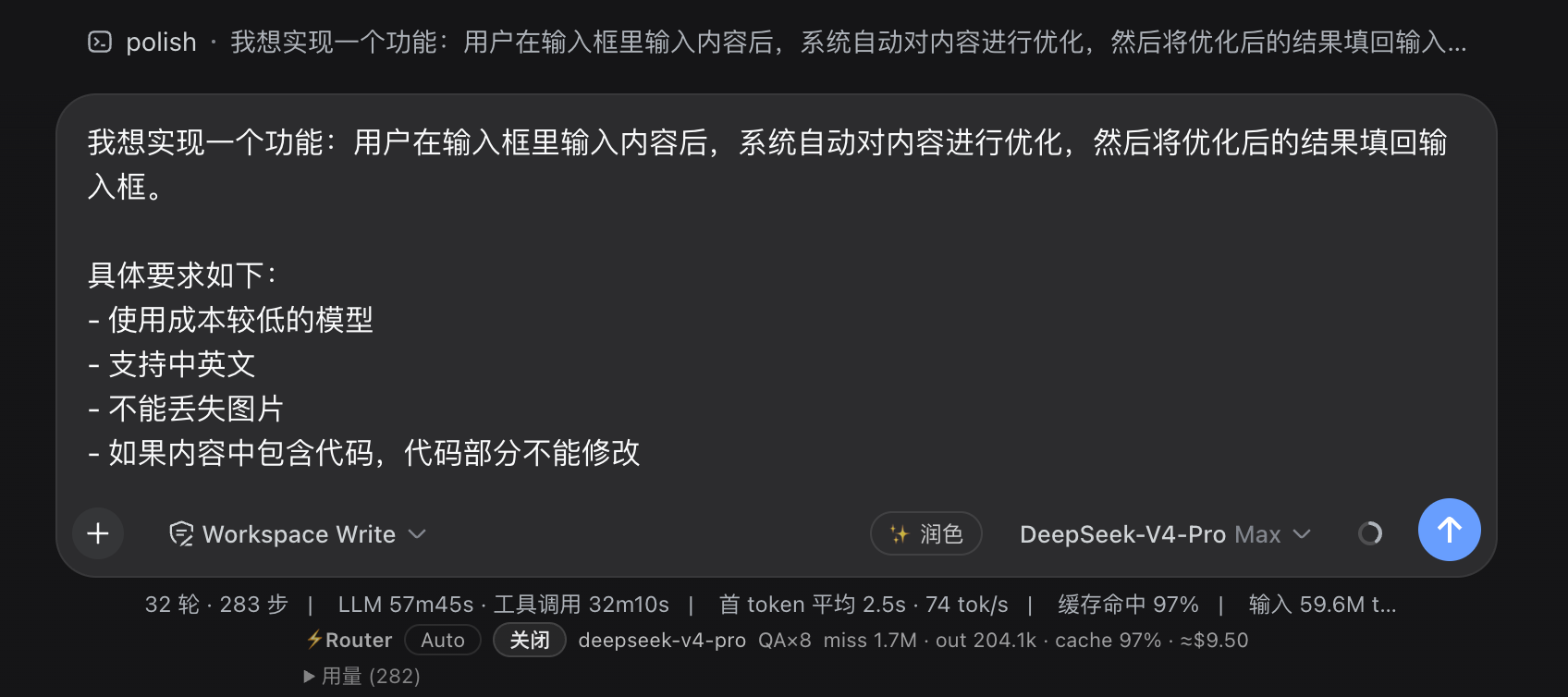
In fast-paced writing or conversations, we often need to polish draft text, but switching tools or using external apps can disrupt our flow. The dsh-composer-polish plugin addresses this by offering a one-click polish feature for the DeepSeek Harness input box. When you click the ✨ button in the tool row, the plugin uses the deepseek-v4-flash model to quickly rewrite the draft, replacing the original text directly in the input box without leaving the interface. It preserves the original language style and structure, supports multiple edits and re-polishing, and handles failures silently for a smooth experience.
The plugin's core strength lies in its seamless integration and efficient processing. It leverages the flash model for fast rewriting, avoiding interference with the main model, and includes privacy protections to ensure the raw draft isn't logged. After polishing, the result is filled back into the input box, allowing you to preview, edit further, or click polish again until satisfied before sending. Image attachments remain untouched, with only text optimized, making it ideal for scenarios requiring frequent text adjustments.
dsh-composer-polish is suited for all DeepSeek Harness users, including content creators, developers, and everyday conversationalists. If you frequently draft messages, documents, or code comments and want to quickly enhance text quality without leaving your creative workflow, this plugin saves time and maintains work continuity. Whether your draft is in Chinese or English, it adapts intelligently, making polishing simple and natural.
Screenshots
Use Cases
- Quickly polish draft text in the conversation input box.
- Optimize multilingual content to maintain natural flow.
- Handle technical documents while preserving code blocks and terminology.
Best For
- Content creators using DeepSeek Harness.
- Developers needing quick text optimization.
- Users seeking efficient communication in daily conversations.
Related Plugins
A unified suite combining hot runtime injection, task-aware thinking-mode routing, and a graded session protocol with red-team gates to sustain model diligence across long-horizon inference.

ModLens is a vision plugin for DeepSeek Harness that gives text-only models sight by reading images pasted directly into chat, with zero-config setup and multiple vision engines.

On-demand vision for text-only DeepSeek Harness agents: built-in free keyless vision chain and 14 vision tools, routing image turns as tool calls to vision models with pixel fidelity, no Python needed, one-command install.

Give text-only models in DeepSeek Harness eyes, enabling image Q&A, long-screenshot OCR, UI restoration, and GUI visual tasks.