dsh-more
Run the following command in DeepSeek Harness:
dsh plugin install SodaZheng/dsh-more
Paste the following prompt into your AI chat to install this plugin:
Run dsh plugin install SodaZheng/dsh-more in the terminal to install the plugin into the current DSH Web profile, then restart dsh web and verify that DSH More appears under Settings → Plugins → Plugin configuration. The source repository is available at https://github.com/SodaZheng/dsh-more
About this plugin
Running long iterative experiments in DeepSeek Harness Web leaves you stuck the moment a message is sent: there is no native way to revise a prompt and re-run, to remove a single off-track reply, or to permanently wipe a dead workspace session. dsh-more fills exactly that gap, and every patch can be toggled on or off independently.
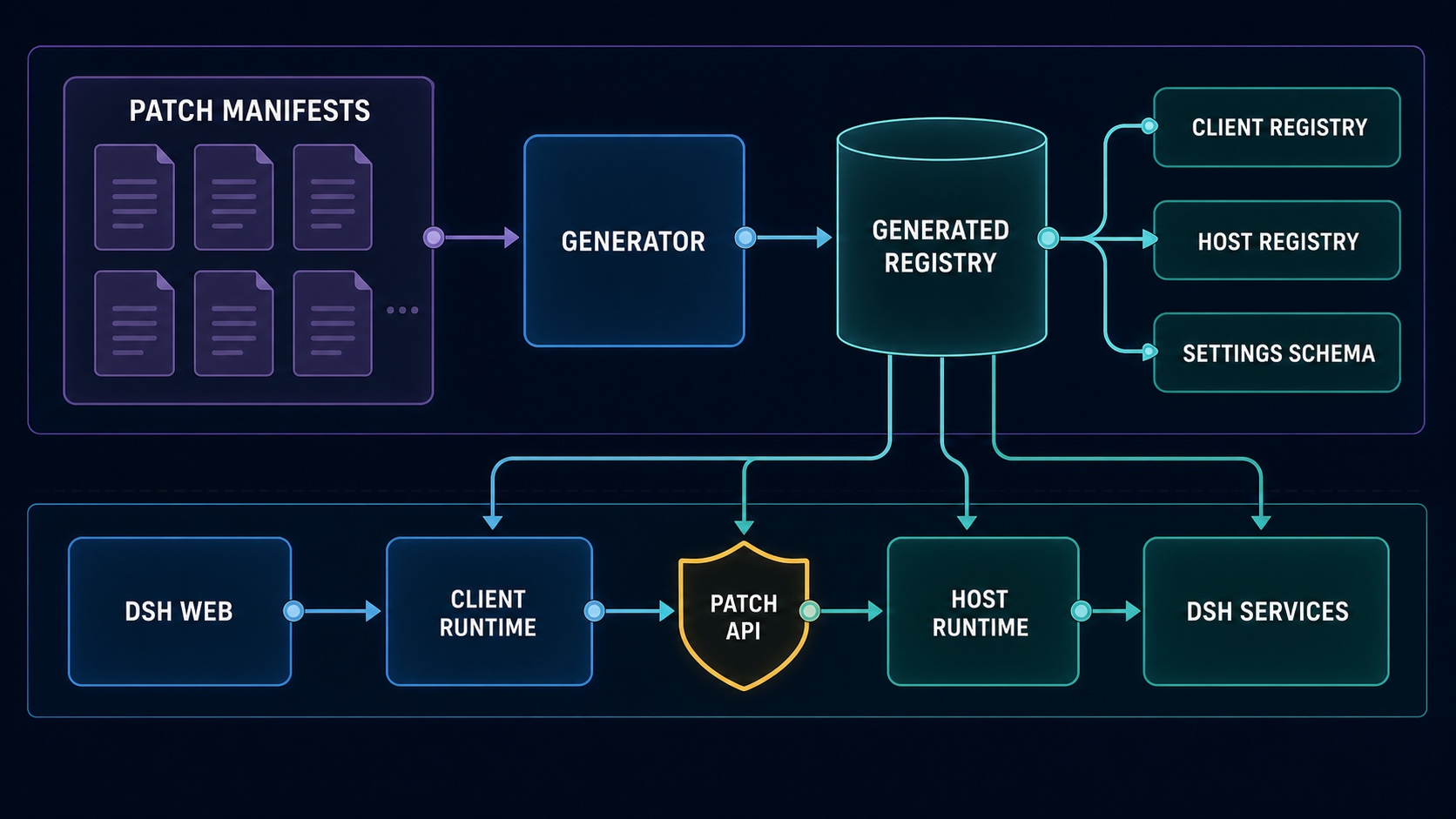
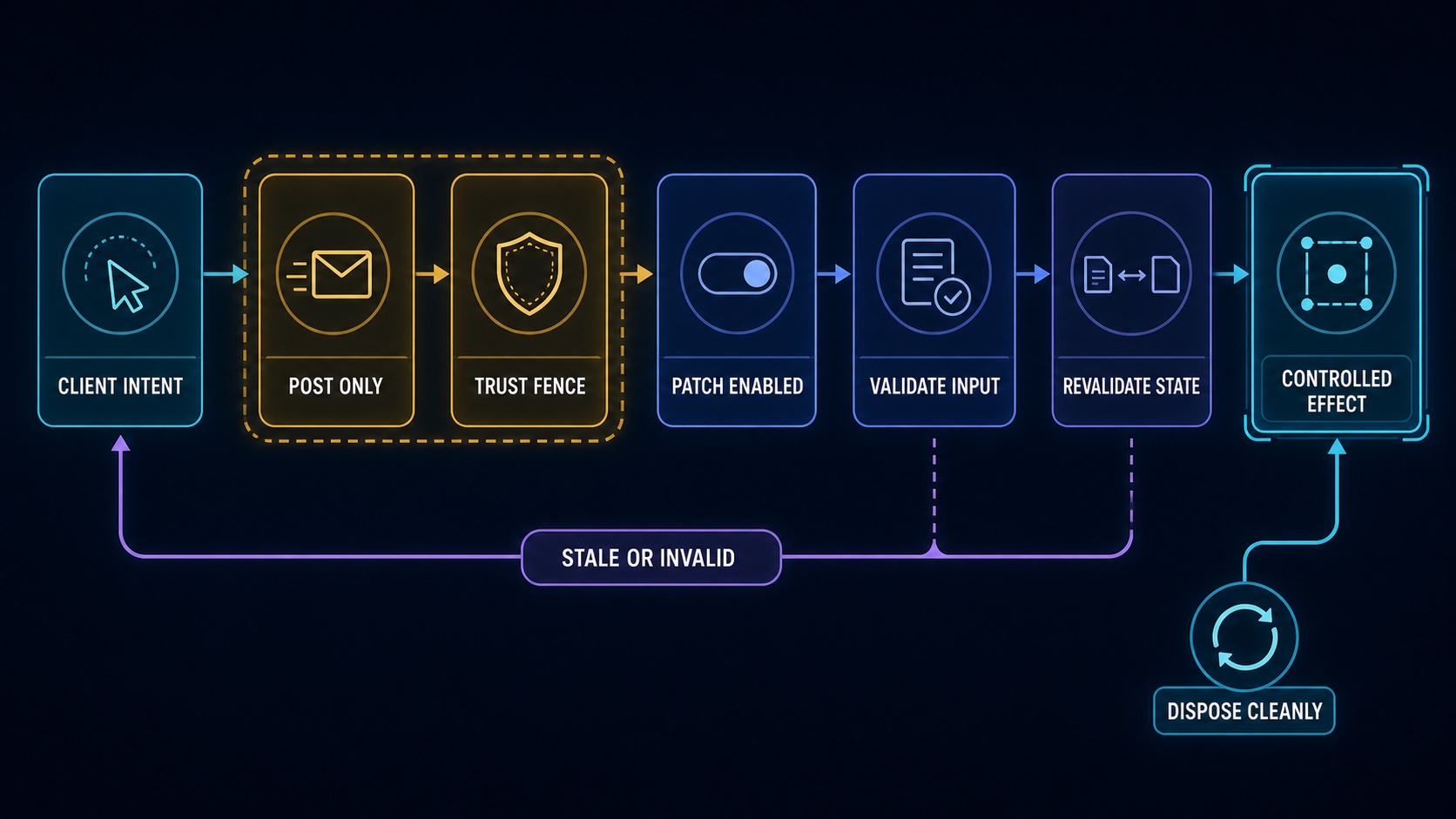
Three patches cover three everyday pain points. Edit and restart cuts a clean branch before the chosen user message, submits the revised text, archives the source branch, and opens a child session that inherits the same workspace, model selection, and token limit without any manual rebuild. Delete one message reconstructs the surviving context around the removed node, expanding only when a tool call or result pair must stay atomic, so the deleted content is absent from the child raw history and all future model input. Permanently delete session sits beside the native Archive action, stopping and unloading the target session, removing its JSONL persistence directory, and detaching it from workspaces; the operation is irreversible.
Who is it for? If you iterate prompts day in and day out in DSH Web, compare different context windows, or frequently clean up experimental branches, dsh-more lets you edit context and manage sessions directly in the message rows without switching tools or scripting, while staying fully consistent with the native DSH interface.
Screenshots
Use Cases
- A prompt went off track mid-conversation and you want to revise and re-run from that exact point
- Comparing context windows and need to remove one irrelevant turn before continuing inference
- Experimental branches pile up and you want to permanently wipe dead sessions to free the workspace
Best For
- Developers iterating prompts and running head-to-head experiments in DSH Web daily
- Heavy users who must frequently prune experimental context without manually rebuilding sessions
- Plugin users who want richer session management while staying inside the native DSH interface
Related Plugins

Memory layer for coding agents that indexes local session history and auto-recalls relevant context before edits, commands, and failures, with no manual search needed.

Traceable, searchable cross-session memory for AI agents that turns conversation knowledge into a typed knowledge graph and recalls relevant subgraphs instead of replaying full history, natively integrated with DeepSeek Harness.
Gives DSH AI cross-session long-term memory, to-do and skill management, plus multi-session orchestration, external AI delegation, and an infinite canvas that grows with you.

dsh-mnemon is a three-tier, pluggable, Agent-driven memory system for DeepSeek Harness, combining Runtime memory, Project Documents, and replaceable Memory Spaces with nine long-term providers.