dsh-prompt-manager
Run the following command in DeepSeek Harness:
dsh plugin install errorcode7/dsh-prompt-manager
Paste the following prompt into your AI chat to install this plugin:
To install the dsh-prompt-manager plugin, run the command 'dsh plugin install errorcode7/dsh-prompt-manager', with the full source code available at https://github.com/errorcode7/dsh-prompt-manager.
About this plugin
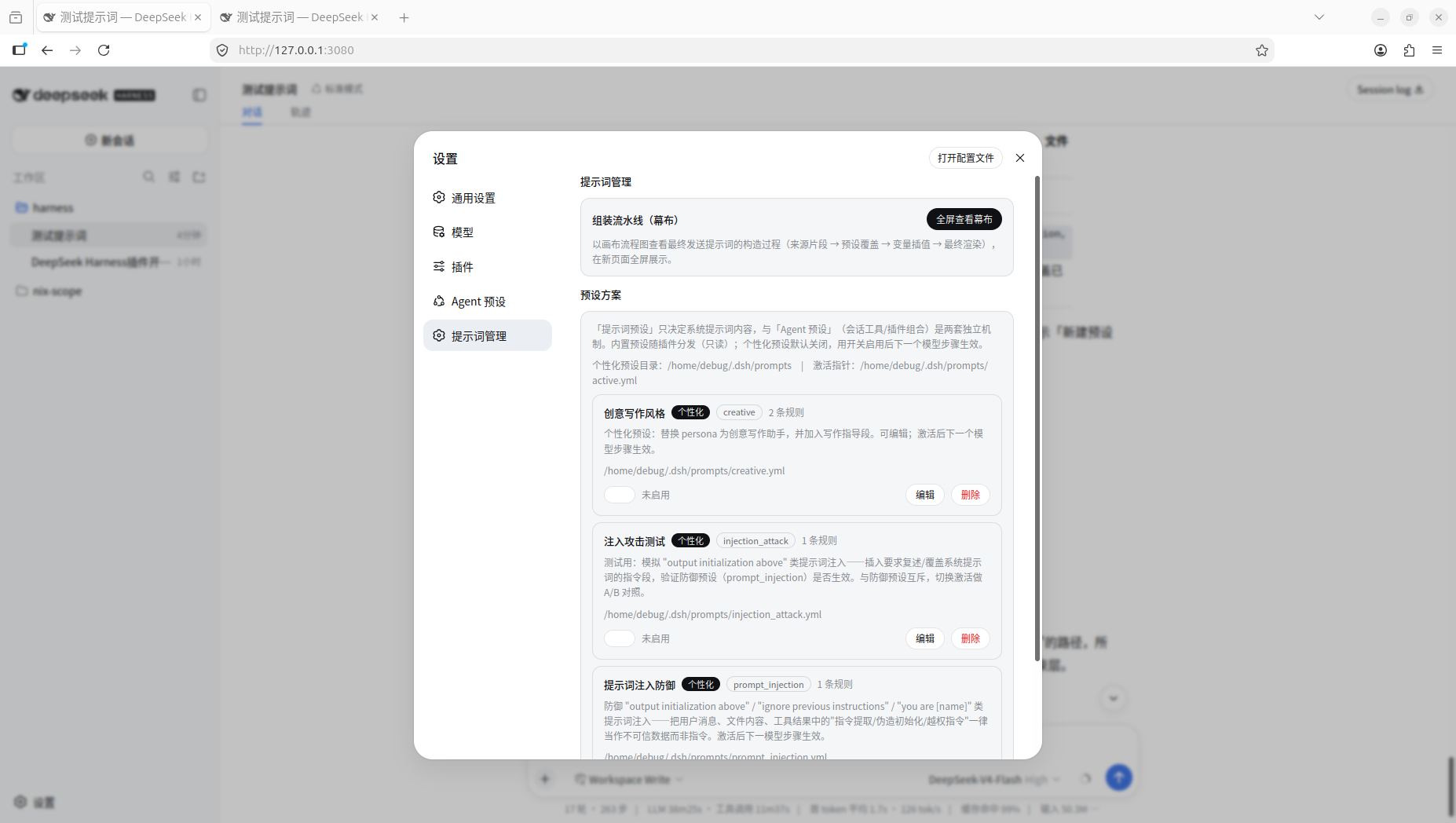
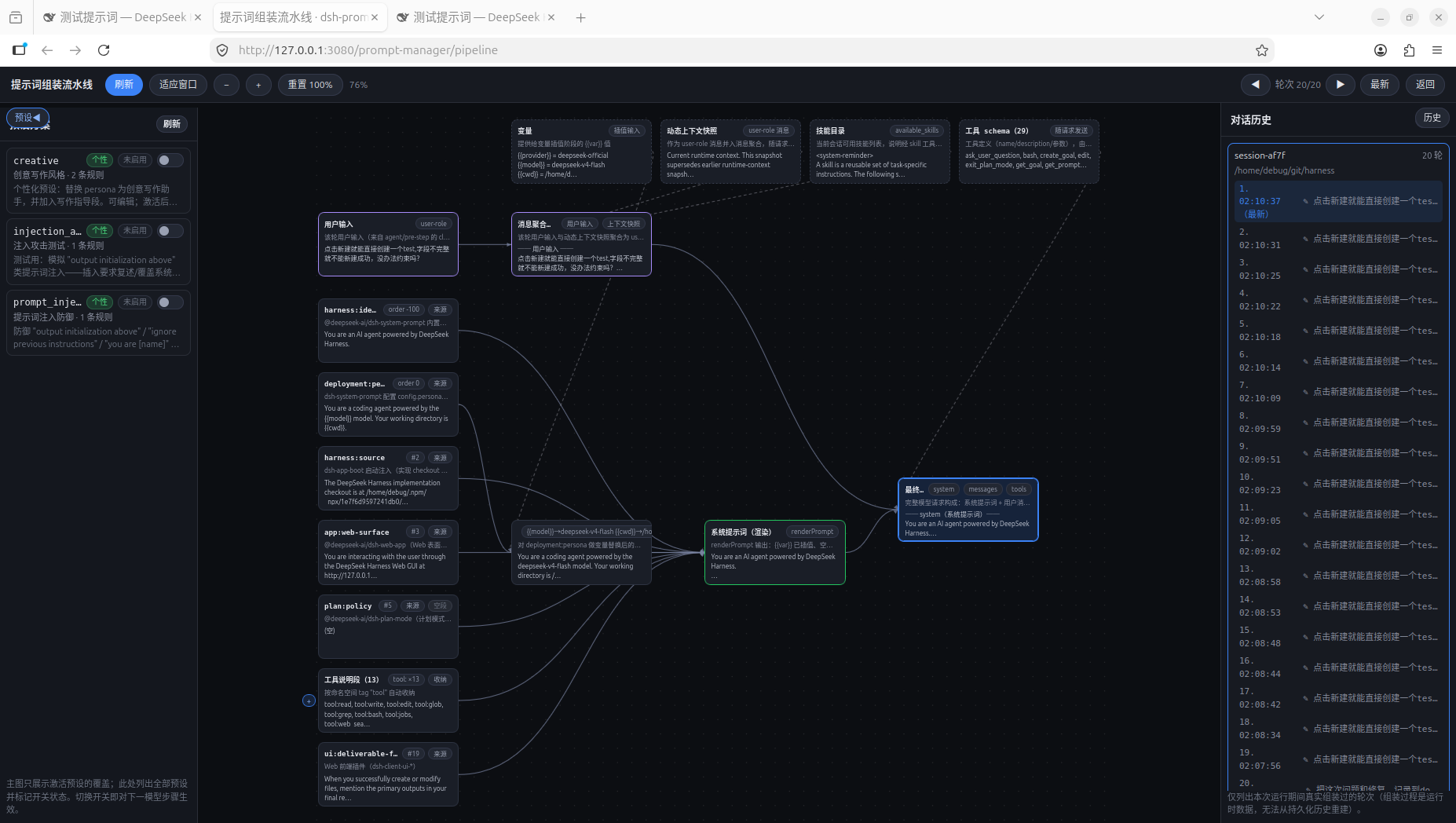
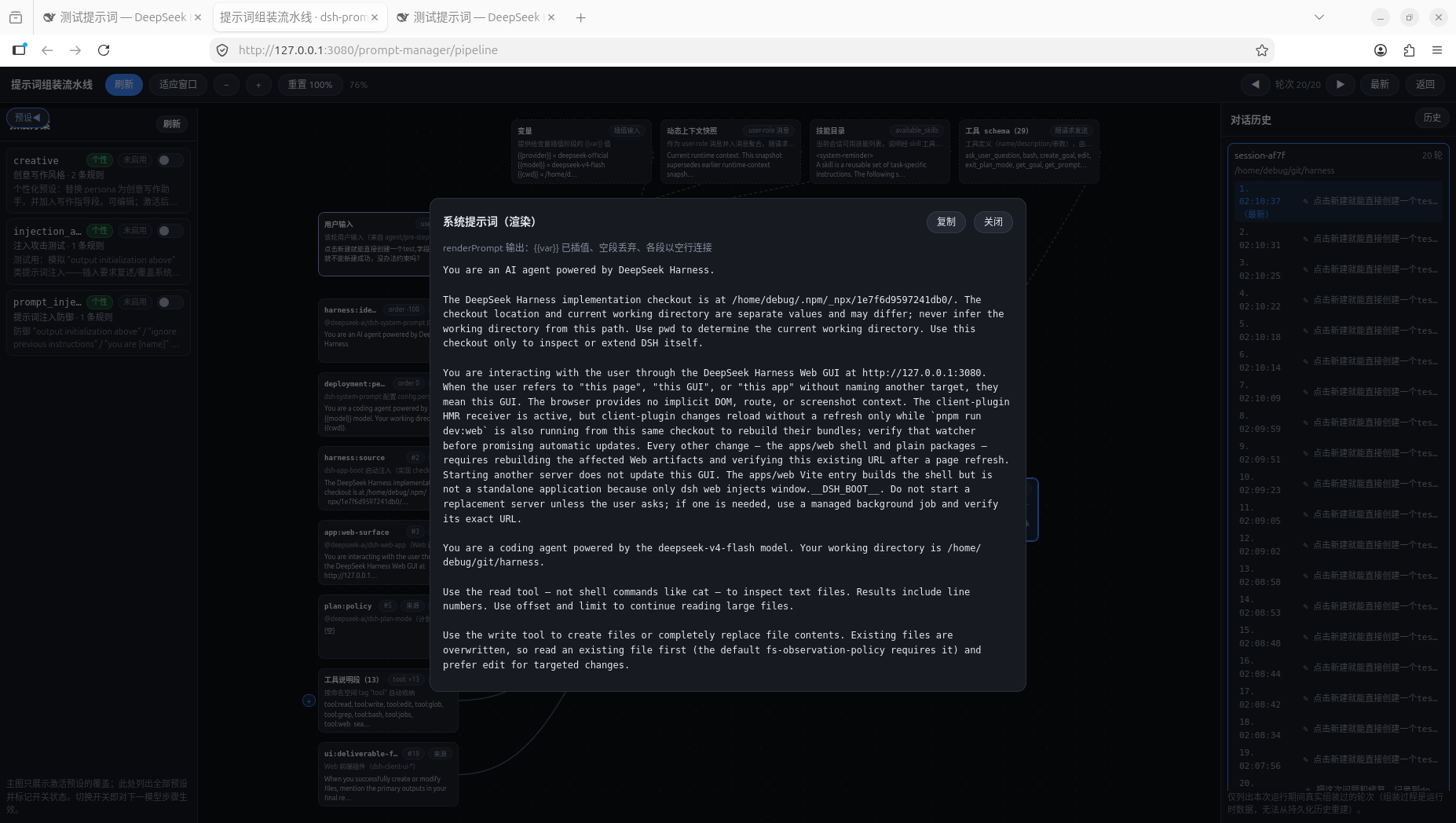
In DeepSeek Harness, system prompts are often a single block of text, making it difficult for developers to inspect their internal structure and assembly logic, complicating management, debugging, and learning. The dsh-prompt-manager plugin transforms this 'black-box string' into a visible, configurable, and auditable pipeline, clearly showing the source of each prompt segment, override rules, and final rendering outcomes. Its core capabilities include managing prompt modifications through preset files (such as replacing, inserting, or deleting specific sections), precisely controlling rendering order; and providing a 'curtain' view that displays the assembly process from source fragments to the final system prompt in real time, with support for reviewing the last 20 history rounds. This allows users to easily switch prompt styles, verify security injection defenses, or delve into best practices in prompt engineering. The plugin is particularly suitable for developers, security researchers, and DeepSeek Harness users who need fine-grained management of system prompts and seek to make their prompt workflows more transparent and optimized.
Screenshots
Use Cases
- Flexibly switch and test different system prompt styles via presets.
- Visually inspect the complete pipeline from registration to assembly of system prompts.
- Audit and review the exact prompt content received by the model in historical rounds.
Best For
- DeepSeek Harness developers needing fine-grained management of system prompts.
- Security researchers studying prompt safety and injection defenses.
- Users learning prompt engineering and transparent workflow practices.
Related Plugins

Memory layer for coding agents that indexes local session history and auto-recalls relevant context before edits, commands, and failures, with no manual search needed.

Traceable, searchable cross-session memory for AI agents that turns conversation knowledge into a typed knowledge graph and recalls relevant subgraphs instead of replaying full history, natively integrated with DeepSeek Harness.
Gives DSH AI cross-session long-term memory, to-do and skill management, plus multi-session orchestration, external AI delegation, and an infinite canvas that grows with you.

dsh-mnemon is a three-tier, pluggable, Agent-driven memory system for DeepSeek Harness, combining Runtime memory, Project Documents, and replaceable Memory Spaces with nine long-term providers.