dsh-plugin-rollback-whale
Run the following command in DeepSeek Harness:
dsh plugin install ccbili30-collab/dsh-plugin-rollback-whale
Paste the following prompt into your AI chat to install this plugin:
Install it inside DeepSeek Harness by running dsh plugin install ccbili30-collab/dsh-plugin-rollback-whale; the full source is at https://github.com/ccbili30-collab/dsh-plugin-rollback-whale
About this plugin
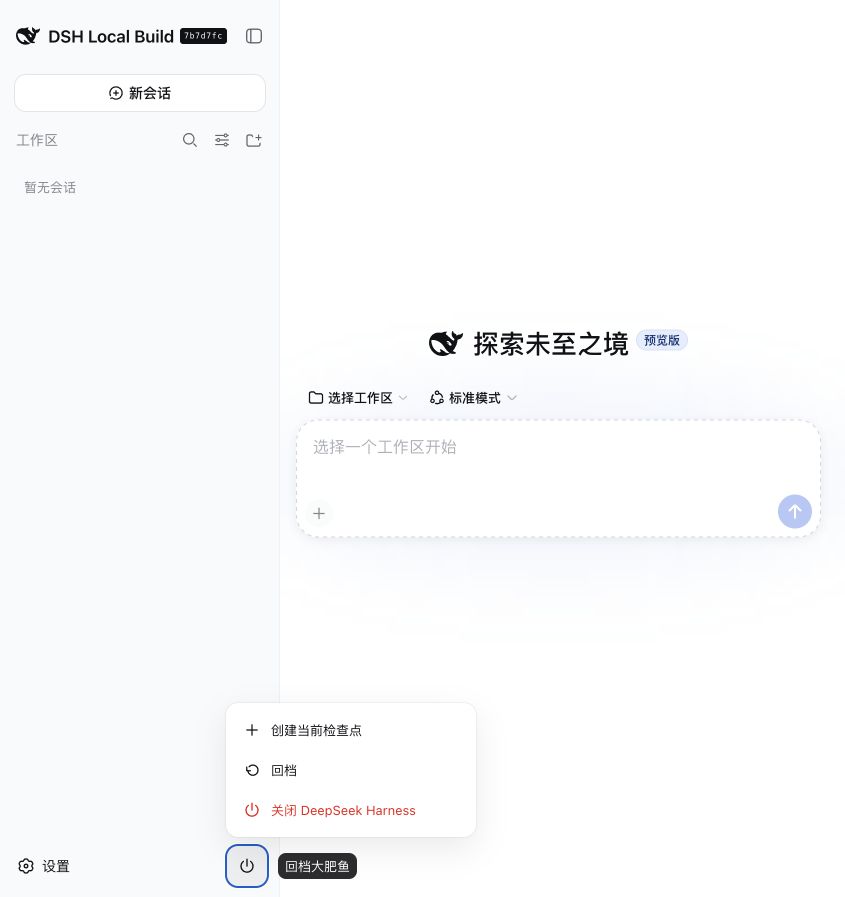
Hours of work poured into DeepSeek Harness can evaporate in a single UI crash or plugin-composition failure, and the very rollback entry point you need may die with it. Rollback Whale is a standalone guardian plugin built for exactly this scenario: it decouples the rollback capability from the DSH main process so that a command-line escape hatch remains available even when the Web interface is completely unreachable.
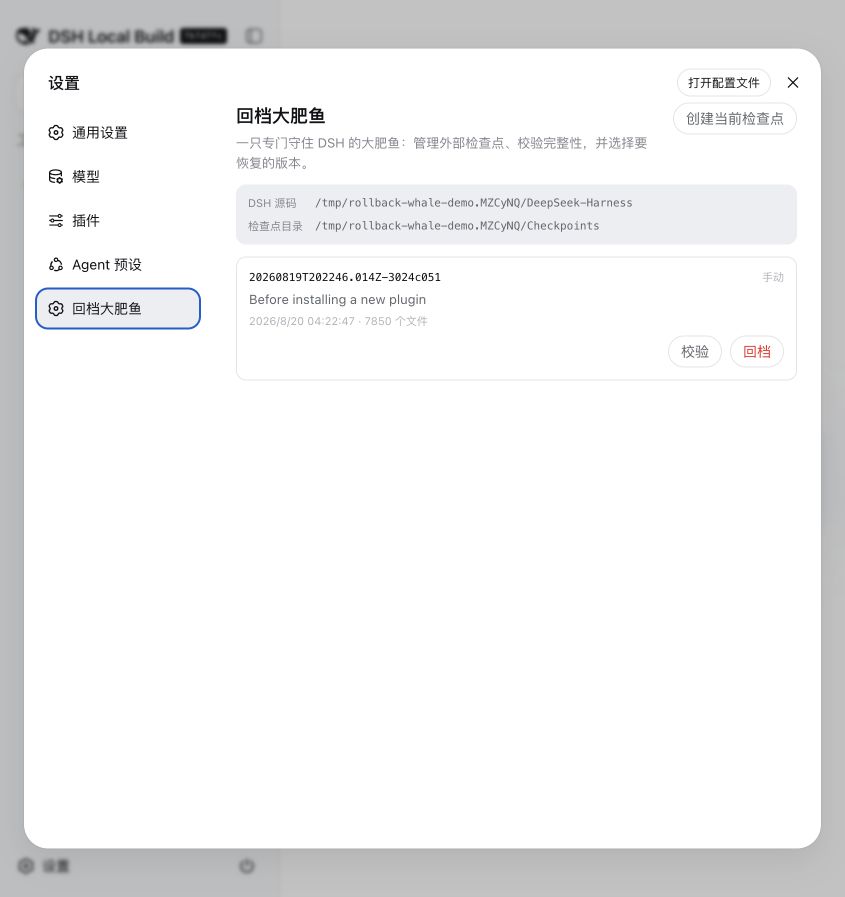
The core mechanism revolves around immutable checkpoints. It snapshots the current Git checkout and DSH control files, stores them under ~/.dsh-recovery by default outside both the source tree and DSH_HOME, verifies every payload with a SHA-256 checksum before restore, and when an automatic rescue is triggered it creates a rescue snapshot, shuts DSH down gracefully, performs the restore offline, and relaunches the original launcher, all orchestrated through a detached guardian process. Credentials, conversation history, attachments, workspace data, and installed dependencies are deliberately excluded; this is safe rollback, not a data-erasing factory reset.
If you rely on DeepSeek Harness for daily development, care deeply about state integrity, or want a guaranteed one-command path back to a healthy version without touching a graphical interface, Rollback Whale is worth adding to your toolchain.
Screenshots
Use Cases
- The DSH Web UI crashes fully and you must recover the last healthy version via CLI
- A plugin composition conflict corrupts DSH behavior and you roll back to a known stable snapshot
- Before a risky config change, create an immutable snapshot to guarantee a safe recovery path
Best For
- Power users who rely on DeepSeek Harness for daily development workflows
- Developers who demand state consistency and fault reversibility as a baseline
- Ops and platform engineers who want a GUI-independent recovery path always at hand
Related Plugins
A unified suite combining hot runtime injection, task-aware thinking-mode routing, and a graded session protocol with red-team gates to sustain model diligence across long-horizon inference.

ModLens is a vision plugin for DeepSeek Harness that gives text-only models sight by reading images pasted directly into chat, with zero-config setup and multiple vision engines.

On-demand vision for text-only DeepSeek Harness agents: built-in free keyless vision chain and 14 vision tools, routing image turns as tool calls to vision models with pixel fidelity, no Python needed, one-command install.

Give text-only models in DeepSeek Harness eyes, enabling image Q&A, long-screenshot OCR, UI restoration, and GUI visual tasks.