dsh-llm-oauth
Run the following command in DeepSeek Harness:
dsh plugin install ziyou979/dsh-llm-oauth
Paste the following prompt into your AI chat to install this plugin:
To install the dsh-llm-oauth plugin, run the command `dsh plugin install ziyou979/dsh-llm-oauth` in the DeepSeek Harness terminal, or clone the source from https://github.com/ziyou979/dsh-llm-oauth and follow the installation guide.
About this plugin
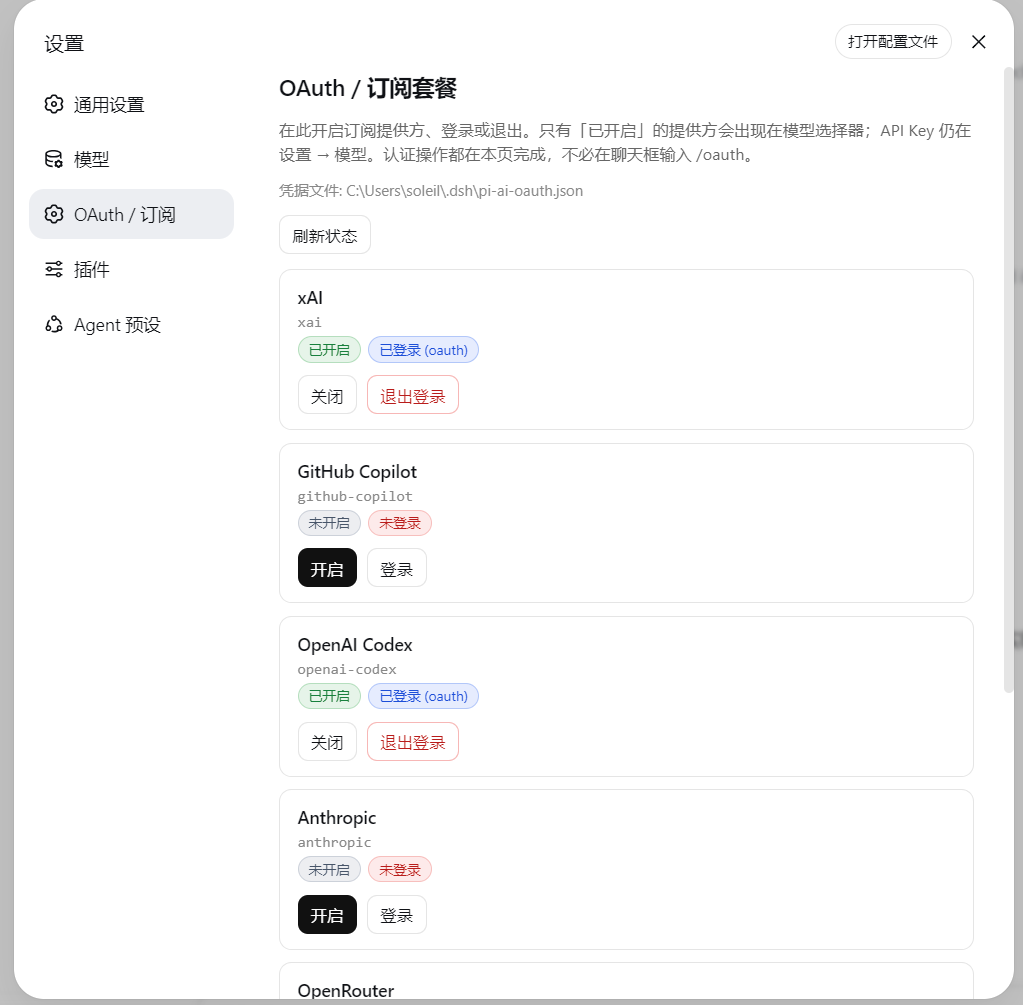
When integrating various large language models with DeepSeek Harness, developers often face a common challenge: many providers like Grok, GitHub Copilot, and ChatGPT/Codex use OAuth or subscription plans for authorization, not simple API keys. Manually handling login, token refresh, and credential management for these services is tedious and error-prone.
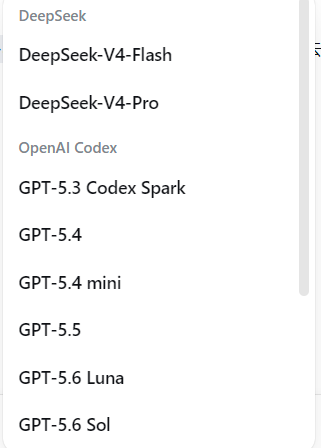
The dsh-llm-oauth plugin is designed to solve this problem. It seamlessly extends DeepSeek Harness's model inference capabilities as a standalone plugin. Its core strength lies in enabling users to easily enable, log into, and manage multiple subscription providers through a unified web settings interface. The plugin automatically handles the OAuth login flow and the persistent storage and refreshing of subscription tokens, allowing users to transparently use these services in requests without worrying about underlying complexities.
This plugin is ideal for individual developers, teams, or projects needing to integrate and switch between different LLM subscription services. Whether you want to leverage GitHub Copilot's coding power, or try the latest models from Grok or Anthropic, it offers a consistent integration experience. It's particularly suited for users who prefer to avoid directly exposing API keys, wish to use models via subscription plans, or need to centrally manage credentials for multiple model authorizations.
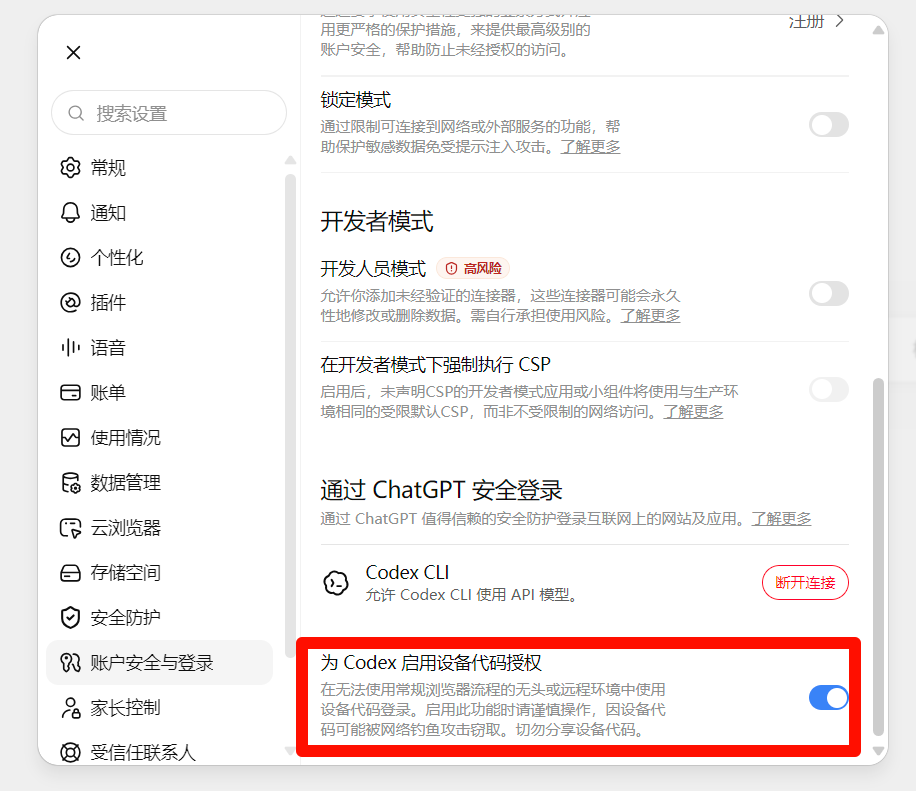
Screenshots
Use Cases
- Scenarios requiring unified OAuth login management for multiple subscription services like Grok and GitHub Copilot.
- Scenarios where teams need to simplify the model authorization process and avoid sharing API keys.
- Scenarios where individual developers access various LLMs via subscription plans and require automatic token refresh.
Best For
- Developers or teams that need to use multiple subscription-based LLM services simultaneously.
- Users who prefer subscription plans over direct API key access to models.
- Project maintainers or DevOps engineers seeking to centrally and securely manage model authorization credentials.
Related Plugins
A unified suite combining hot runtime injection, task-aware thinking-mode routing, and a graded session protocol with red-team gates to sustain model diligence across long-horizon inference.

ModLens is a vision plugin for DeepSeek Harness that gives text-only models sight by reading images pasted directly into chat, with zero-config setup and multiple vision engines.

On-demand vision for text-only DeepSeek Harness agents: built-in free keyless vision chain and 14 vision tools, routing image turns as tool calls to vision models with pixel fidelity, no Python needed, one-command install.

Give text-only models in DeepSeek Harness eyes, enabling image Q&A, long-screenshot OCR, UI restoration, and GUI visual tasks.