dsh-sticky-notes
Run the following command in DeepSeek Harness:
dsh plugin install charrywhite/dsh-sticky-notes
Paste the following prompt into your AI chat to install this plugin:
In DeepSeek Harness, install this plugin by running the command: dsh plugin install charrywhite/dsh-sticky-notes. The full source address is https://github.com/charrywhite/dsh-sticky-notes.
About this plugin
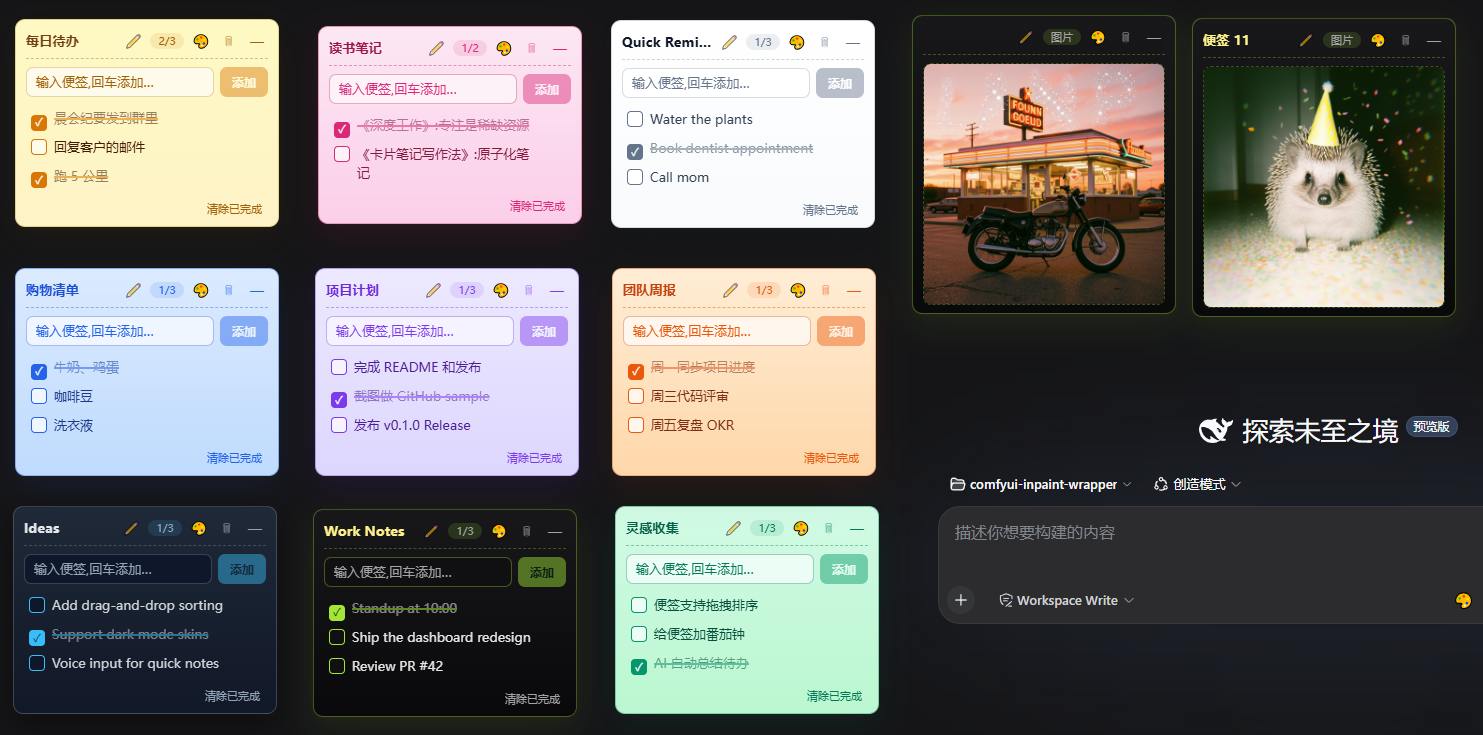
In daily use of DeepSeek Harness, users often need to quickly jot down ideas, tasks, or important notes, but lack an integrated lightweight note-taking tool. The dsh-sticky-notes plugin fills this gap by providing flexible sticky notes directly in the Web interface, allowing you to capture thoughts on the fly without context switching.
The plugin's core strengths lie in its convenience and intelligent collaboration. Notes support drag-and-drop positioning, to-do checkboxes, and image uploads, with 9 skins for easy personalization. Crucially, AI models can read and write note content via registered tools, enabling human-AI cooperation—like having an assistant organize tasks or log meeting points—all while data is reliably saved locally.
This plugin is ideal for users who manage notes and engage deeply with AI, such as developers, researchers, or knowledge workers. It streamlines information recording and boosts productivity in the Harness environment, making notes not just static records but dynamic, AI-enhanced aids.
Screenshots
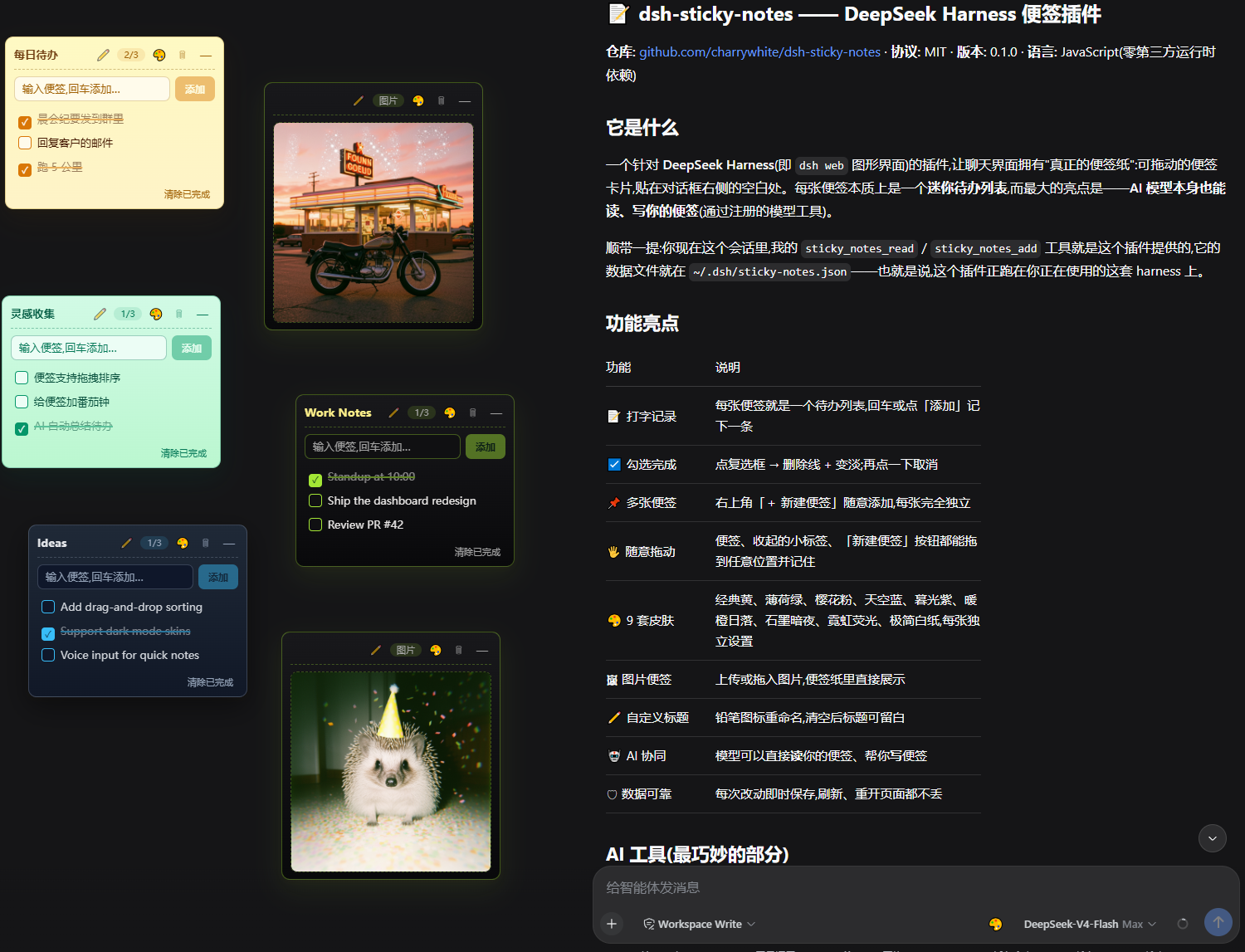
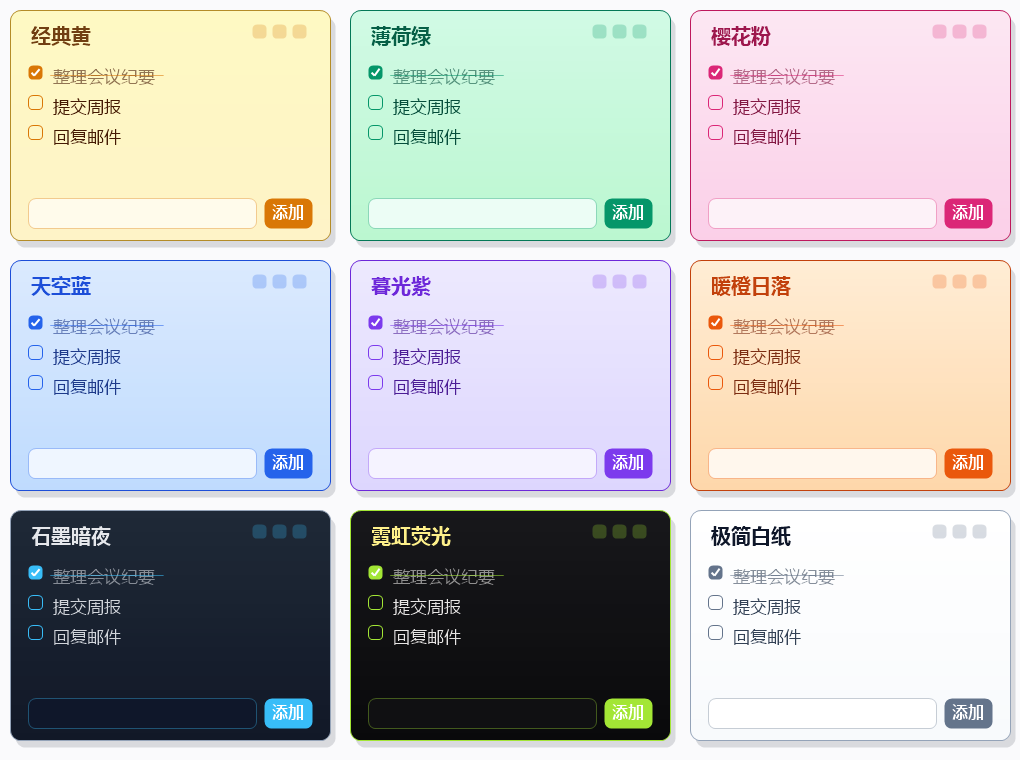
Use Cases
- Quickly capture ideas and tasks in meetings
- Manage daily to-do lists and track completion
- Automatically organize and write notes with AI
Best For
- DeepSeek Harness users needing efficient note management
- Researchers who collaborate frequently with AI
- Developers seeking lightweight task tracking
Related Plugins

Memory layer for coding agents that indexes local session history and auto-recalls relevant context before edits, commands, and failures, with no manual search needed.

Traceable, searchable cross-session memory for AI agents that turns conversation knowledge into a typed knowledge graph and recalls relevant subgraphs instead of replaying full history, natively integrated with DeepSeek Harness.
Gives DSH AI cross-session long-term memory, to-do and skill management, plus multi-session orchestration, external AI delegation, and an infinite canvas that grows with you.

dsh-mnemon is a three-tier, pluggable, Agent-driven memory system for DeepSeek Harness, combining Runtime memory, Project Documents, and replaceable Memory Spaces with nine long-term providers.